
pengenalan
Terima kasih kerana membeliasing the AGPTEK M6U MP3 Player. This device is designed to provide a high-quality portable audio experience with its 64GB internal storage and Bluetooth 5.3 connectivity. This manual will guide you through the setup, operation, and maintenance of your new MP3 player to ensure optimal performance and longevity.
Kandungan Pakej
Sila semak pakej untuk item berikut:
- AGPTEK M6U MP3 Player (1 unit)
- USB Type-C Cable (for data transfer and charging) (1 unit)
- Wired Earphones (can be used as FM antenna) (1 unit)
- User Manual (multi-language, including English) (1 unit)
Produk Selesaiview
The AGPTEK M6U MP3 Player features a sleek design with a 2.4-inch LCD screen and intuitive controls. Familiarize yourself with the device's physical components.

Imej: The AGPTEK M6U MP3 Player, showcasing its compact size and user interface. The device is held in a hand, highlighting its portability and the layout of its screen and physical control buttons.
The player is equipped with a durable zinc alloy body, providing a comfortable grip. It features a responsive display for easy navigation through menus and media files.
Persediaan
1. Mengecas Peranti
Before initial use, fully charge the MP3 player. Connect the provided USB Type-C cable to the player's charging port and the other end to a USB power adapter (not included) or a computer's USB port.
- Cas penuh biasanya mengambil masa 2 hingga 2.5 jam.
- The battery charges to 80% capacity in approximately 1.5 hours.
- A fully charged battery provides up to 40 hours of music playback.

Imej: The AGPTEK M6U MP3 Player displaying its battery charging status and indicating a long playback time. The image visually represents the charging process and extended battery life.
2. Hidupkan/Mati Kuasa
- Untuk Menghidupkan: Press and hold the Power button (usually located on the side) until the screen lights up.
- Untuk Mematikan: Tekan dan tahan butang Kuasa sehingga pilihan mati kuasa muncul pada skrin, kemudian sahkan.
3. Memindahkan Muzik Files
Connect the MP3 player to your computer using the provided USB Type-C cable. The player will appear as a removable disk drive. You can then drag and drop your music files (FLAC, MP3, WMA, WAV, APE, ACELP, AAC, Audible, OGG) directly into the player's storage.

Imej: The AGPTEK M6U MP3 Player screen showing various album covers and music playback information, with an overlay indicating internal memory. This illustrates the player's capacity for storing thousands of songs.
The player comes with 64GB of internal memory. You can also expand storage using a microSD card.
4. Berpasangan Bluetooth
To connect your AGPTEK M6U to Bluetooth headphones or speakers:
- Go to the Bluetooth menu on your MP3 player.
- Dayakan Bluetooth.
- Letakkan fon kepala/pembesar suara Bluetooth anda ke mod berpasangan.
- Select your device from the list of available devices on the MP3 player's screen.
- The player supports automatic reconnection to previously paired devices upon power-on.
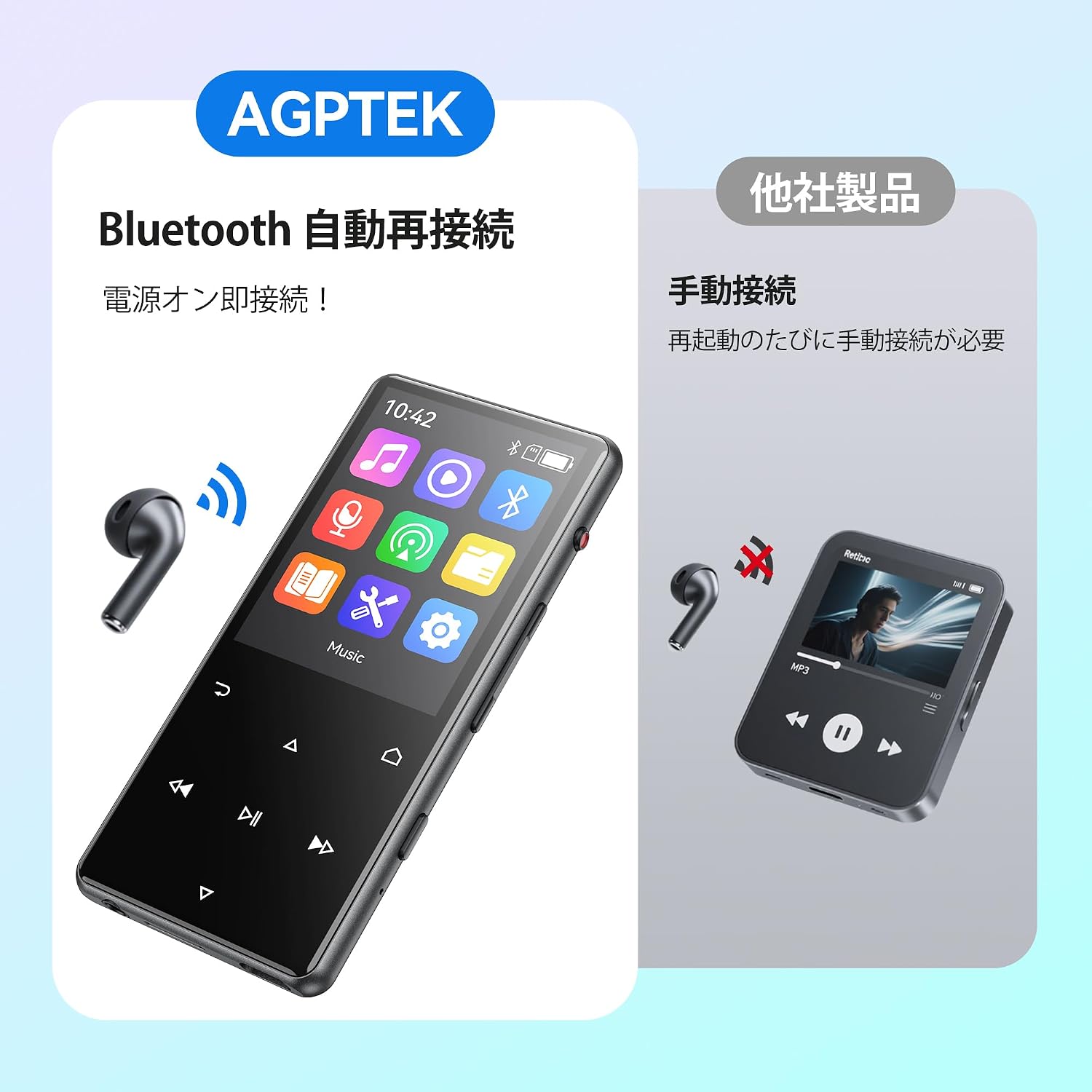
Imej: The AGPTEK M6U MP3 Player connected wirelessly to a pair of Bluetooth earbuds, illustrating the automatic reconnection feature. The screen shows the Bluetooth icon, indicating an active connection.
Arahan Operasi
1. Navigasi Asas
Use the touch screen or physical buttons (Play/Pause, Next/Previous, Volume) to navigate through menus and control playback. The interface is designed for intuitive use.
2. Main balik Muzik
From the main menu, select "Music" to browse your audio files. You can sort by artist, album, genre, or view all songs. Tap a song to begin playback.
- Press the Play/Pause button to start or pause music.
- Use the Next/Previous buttons to skip tracks.
- Laraskan kelantangan menggunakan kawalan kelantangan khusus.
3. Rakaman Suara
The AGPTEK M6U features a one-key recording function, allowing you to quickly capture audio. This is useful for lectures, meetings, or personal notes.

Imej: The AGPTEK M6U MP3 Player screen showing an active recording session, indicated by a large microphone icon and a filename. This highlights the device's one-key recording capability, useful for capturing ideas or discussions instantly.
To start a recording, locate the dedicated recording button (if available, otherwise navigate through the menu). Recordings are saved in MP3 or WAV format.
4. Radio FM
To use the FM radio function, connect the wired earphones to the player. The earphones act as an antenna. Navigate to the FM Radio application from the main menu, then scan for available stations.
5. Tetapan
Access the "Settings" menu to customize various aspects of your player, including display brightness, language, date and time, equalizer settings, and system information.
Penyelenggaraan
- Pembersihan: Gunakan kain lembut dan kering untuk membersihkan peranti. Elakkan pembersih cecair atau bahan yang melelas.
- Storan: Simpan pemain di tempat yang sejuk dan kering jauh dari cahaya matahari langsung dan suhu yang melampau.
- Penjagaan Bateri: Untuk memanjangkan hayat bateri, elakkan daripada menyahcas sepenuhnya bateri dengan kerap. Mengecasnya dengan kerap, walaupun tidak digunakan untuk tempoh yang lama.
- Kemas Kini Perisian: Periodically check the official AGPTEK webtapak untuk sebarang kemas kini perisian tegar yang tersedia untuk memastikan prestasi optimum dan ciri baharu.
Menyelesaikan masalah
| Masalah | Penyelesaian |
|---|---|
| Peranti tidak dihidupkan. | Ensure the battery is charged. Connect the player to a power source for at least 10 minutes, then try powering on again. |
| Tidak dapat menyambung ke fon kepala Bluetooth. | Make sure Bluetooth is enabled on both the player and the headphones. Put headphones in pairing mode. Ensure they are within range and not connected to another device. |
| Muzik files tidak dikenali. | Sahkan bahawa muzik itu files are in a supported format (FLAC, MP3, WMA, WAV, APE, ACELP, AAC, Audible, OGG). Ensure files are transferred correctly to the player's internal storage or microSD card. |
| Skrin tidak bertindak balas. | Try restarting the device. If the issue persists, a factory reset might be necessary (note: this will erase all data). |
Spesifikasi
| Ciri | Perincian |
|---|---|
| Jenama | AGPTEK |
| Nombor Model | M6U |
| Memori Dalaman | 64 GB |
| Saiz Skrin | 2.4 Inci |
| Teknologi Paparan | LCD |
| Teknologi Ketersambungan | USB, Bluetooth 5.3 |
| Peranti Serasi | PC, Headphones |
| Jenis Media | microSD Card (expandable storage) |
| Format Audio yang Disokong | FLAC, MP3, WMA, WAV, APE, ACELP, AAC, Audible, OGG |
| Format Rakaman yang Disokong | MP3, WAV |
| Format Video yang Disokong | AMV, AVI (240*320) |
| Hayat Bateri (Purata) | Sehingga 40 Jam |
| warna | Hitam |
| asal usul | China |
Waranti dan Sokongan
The AGPTEK M6U MP3 Player comes with a 180-day warranty from the date of purchase. This warranty covers manufacturing defects under normal use.
For technical support, warranty claims, or further assistance, please contact AGPTEK customer service through their official website or the retailer where you purchased the product. Please have your model number (M6U) and proof of purchase ready when contacting support.
Maklumat Keselamatan Penting
- Jangan dedahkan peranti kepada suhu yang melampau, cahaya matahari langsung atau kelembapan yang tinggi.
- Elakkan daripada menjatuhkan atau meletakkan peranti kepada kesan yang kuat.
- Jangan cuba membuka atau membaiki peranti ini sendiri. Ini akan membatalkan jaminan.
- Use only approved charging cables and accessories.
- Listen to audio at moderate volumes to prevent hearing damage.