
1. Pengenalan
Thank you for choosing the COTOE G7 Bluetooth Headset. This manual provides detailed instructions for setting up, operating, and maintaining your headset. Please read this manual carefully before use to ensure optimal performance and longevity of your device.
The COTOE G7 is a wireless Bluetooth headset designed for clear communication and audio playback. It features an LED digital display for battery status, extended standby time, and Active Noise Cancellation (ANC) for an enhanced audio experience.
2. Kandungan Pakej
Sila semak pakej untuk item berikut:
- COTOE G7 Bluetooth Headset (Gray)
- Kes Pengecasan
- Kabel Pengecas USB
- Petua Telinga (pelbagai saiz)
- Manual Pengguna
3. Produk Lebihview
Familiarize yourself with the components of your COTOE G7 Bluetooth Headset.
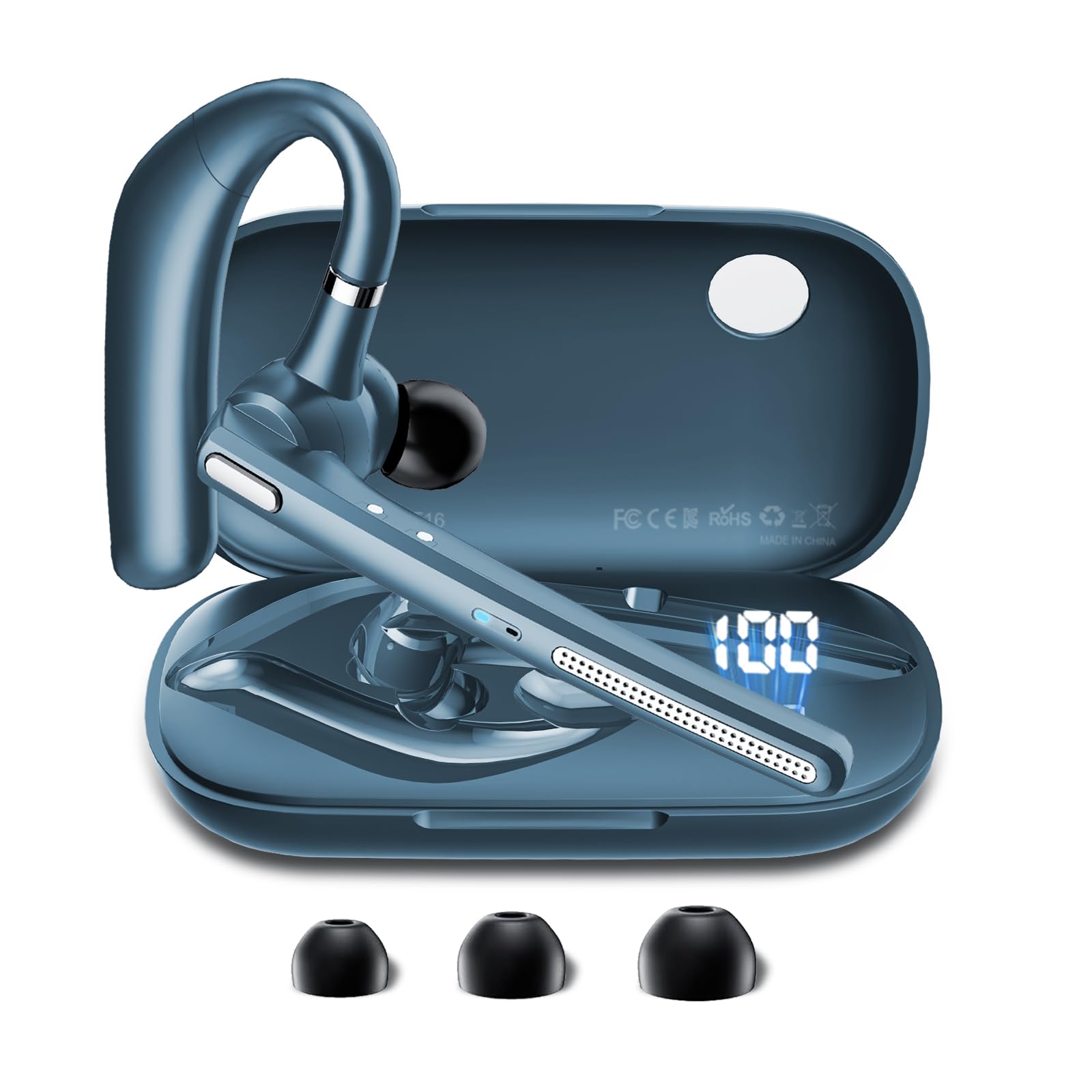
Image: The COTOE G7 Bluetooth Headset (gray) shown with its charging case. The headset features an ergonomic in-ear design, and the charging case is compact.
Komponen Utama:
- Alat dengar: The main unit worn in the ear, containing the speaker, microphone, and control buttons.
- Sarung Pengecasan: Used to store and charge the headset. Features an LED digital display.
- Paparan Digital LED: Located on the charging case, indicates the charging status of the headset and the power level of the case.
4. Persediaan
4.1 Charging the Headset and Case
- Sambungkan kabel pengecas USB ke port pengecasan pada bekas dan ke sumber kuasa (cth., penyesuai dinding USB, port USB komputer).
- The LED digital display on the charging case will show the current battery level and charging status.
- Place the headset into the charging case. Ensure proper alignment for charging. The headset's indicator light will show charging status.
- A full charge typically takes approximately 1-2 hours for the headset and 2-3 hours for the charging case.
Nota: The headset offers up to 12 hours of music playback and the charging case provides 120 hours of standby time.
4.2 Berpasangan dengan Peranti Bluetooth
- Pastikan set kepala dicas.
- Take the headset out of the charging case. It will automatically enter pairing mode, indicated by a flashing LED light (usually blue and red).
- On your mobile phone or other Bluetooth-enabled device, go to the Bluetooth settings.
- Cari untuk available devices. You should see "COTOE G7" in the list.
- Select "COTOE G7" to connect. Once connected, the headset's LED light will stop flashing and may turn solid blue or turn off.
- Jika diminta kata laluan, masukkan "0000" (empat sifar).
- The headset will automatically reconnect to the last paired device when powered on and within range.
5. Arahan Operasi
5.1 Hidupkan/Mati Kuasa
- Hidupkan kuasa: Take the headset out of the charging case, or press and hold the Multi-function Button for approximately 3 seconds.
- Matikan: Place the headset back into the charging case, or press and hold the Multi-function Button for approximately 5 seconds.
5.2 Pengurusan Panggilan
- Jawab Panggilan: Tekan Butang Berbilang fungsi sekali.
- Tamatkan Panggilan: Tekan Butang Pelbagai Fungsi sekali semasa panggilan.
- Tolak Panggilan: Tekan dan tahan Butang Berbilang Fungsi selama lebih kurang 2 saat.
- Dail Semula Nombor Terakhir: Tekan dua kali Butang Pelbagai fungsi.
5.3 Main balik Muzik
- Main/Jeda: Tekan Butang Berbilang fungsi sekali.
- Lagu Seterusnya: Tekan dan tahan butang Naik Kelantangan.
- Trek Sebelumnya: Tekan dan tahan butang Kurangkan Kelantangan.
5.4 Kawalan Kelantangan
- Tingkatkan Kelantangan: Tekan butang Kelantangan Naik.
- Kurangkan Kelantangan: Tekan butang Kurangkan Kelantangan.
5.5 Pembatalan Bising Aktif (ANC)
The COTOE G7 features Active Noise Cancellation to reduce ambient noise. To activate or deactivate ANC, locate the dedicated ANC button (if present) or refer to the specific button combination in your quick start guide. Typically, a long press on a designated button toggles ANC.
6. Penyelenggaraan
- Pembersihan: Use a soft, dry, lint-free cloth to clean the headset and charging case. Do not use harsh chemicals or abrasive materials.
- Storan: Simpan alat dengar di dalam bekas pengecasnya apabila tidak digunakan untuk melindunginya daripada habuk dan kerosakan. Elakkan suhu yang melampau.
- Penjagaan Bateri: To prolong battery life, avoid fully discharging the headset frequently. Charge it regularly, even if not used for extended periods.
- Tahan Air: The headset is not waterproof. Avoid exposure to liquids and moisture.
7. Penyelesaian masalah
| Masalah | Penyelesaian |
|---|---|
| Alat dengar tidak dihidupkan. | Ensure the headset is charged. Place it in the charging case to confirm charging. |
| Tidak boleh berpasangan dengan peranti. | Make sure Bluetooth is enabled on your device. Ensure the headset is in pairing mode. Try restarting both the headset and your device. Clear previous Bluetooth connections on your device. |
| Tiada bunyi atau kelantangan rendah. | Check the volume levels on both the headset and your connected device. Ensure the headset is properly connected. Try playing different audio sources. |
| Sambungan terputus-putus. | Ensure the headset is within the effective range of your Bluetooth device (typically 10 meters/33 feet). Avoid obstacles between the headset and device. |
8. Spesifikasi
- Jenama: COTOE
- model: G7
- warna: Kelabu
- Peletakan Telinga: Di Telinga
- Faktor Bentuk: Di Telinga
- Kawalan Bunyi: Pembatalan Bunyi Aktif
- Masa Siap sedia: Hingga 120 jam (dengan cas pengecasan)
- Masa Main Balik Muzik: Hingga 12 jam (dengan cas pengecasan)
9. Waranti dan Sokongan
The COTOE G7 Bluetooth Headset comes with a standard manufacturer's warranty. Please refer to the warranty card included in your package for specific terms and conditions.
For technical support, troubleshooting assistance, or warranty claims, please contact COTOE customer service through the retailer where you purchased the product or visit the official COTOE webtapak untuk maklumat hubungan.