
1. Pengenalan
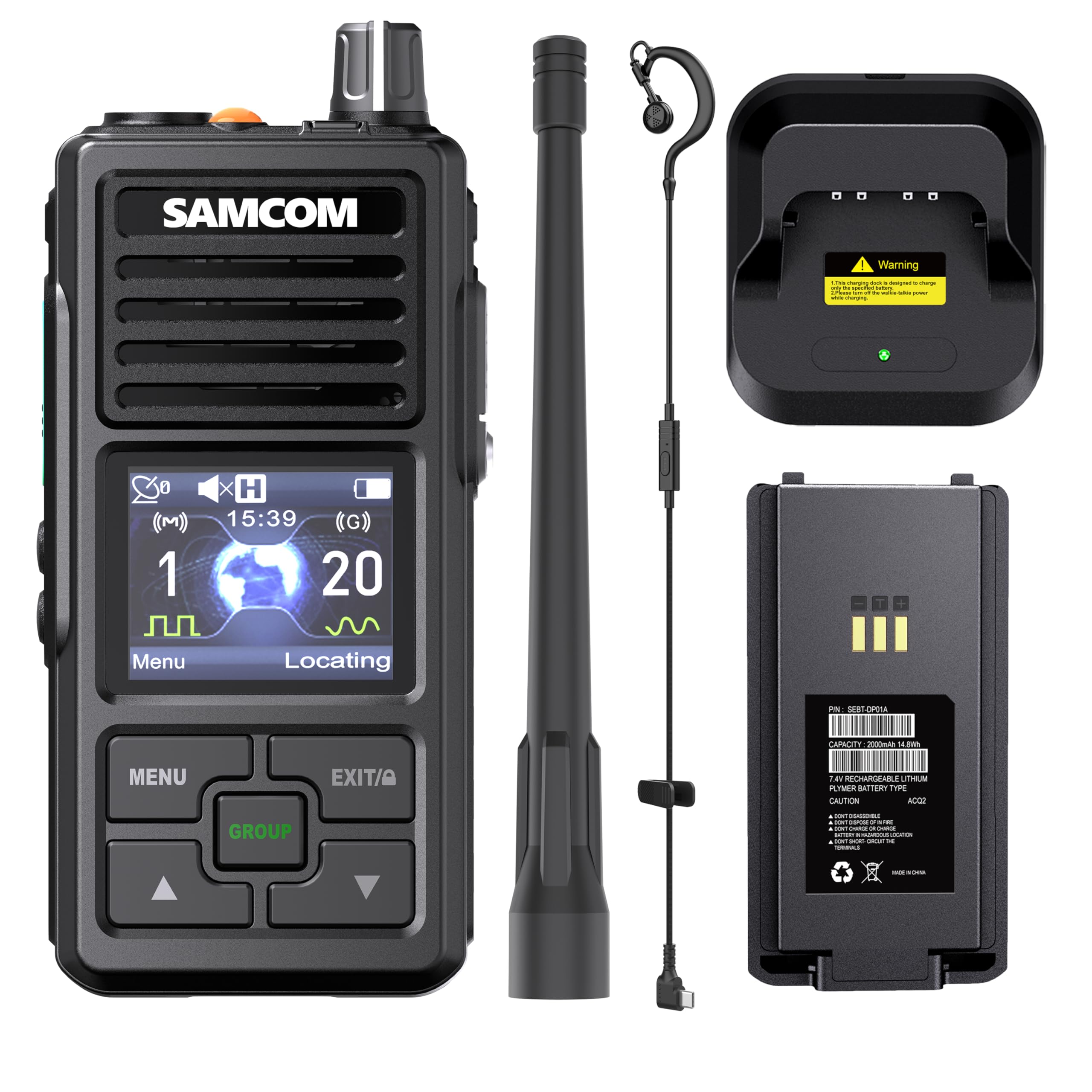
Thank you for choosing the SAMCOM FPCN50A Waterproof Dual Band Two-Way Radio. This manual provides essential information for the safe and efficient operation of your device. Please read it thoroughly before use and retain it for future reference.
1.1 Kandungan Pakej
- SAMCOM FPCN50A Two-Way Radio
- Lithium Polymer Battery (included)
- Kabel Pengecasan USB Jenis-C
- Penyesuai Kuasa
- Klip Tali Pinggang
- Antena
- Manual Pengguna (dokumen ini)
2. Maklumat Keselamatan
Observe the following safety precautions to prevent fire, injury, or damage to the radio.
- Keselamatan Bateri: Use only the specified battery and charger. Do not short-circuit, incinerate, or disassemble the battery.
- Tahan Air: The FPCN50A is IP67 waterproof. Ensure all port covers are securely closed before exposure to water. Do not immerse the radio beyond specified depths or durations.
- Persekitaran Letupan: Do not operate the radio in potentially explosive atmospheres (e.g., near flammable gas, dust particles, metallic powders).
- Penjagaan Antena: Do not touch the antenna during transmission. Do not use a damaged antenna.
- Perlindungan Pendengaran: Elakkan pendedahan berpanjangan kepada tahap volum tinggi.
- Pematuhan FCC: This device complies with FCC standards (FCC ID: 2BPIZ-FPCN50A) for safe and legal operation in the U.S.
3. Ciri-ciri Produk
The SAMCOM FPCN50A radio offers a range of advanced features designed for reliable communication:
- IP67 Kalis Air: Built to withstand harsh conditions, including rain, snow, and extreme temperatures.
- Operasi Jalur Dwi: Seamlessly switch between digital (Channels 1-10) and analog (Channels 11-20) modes.
- Real-Time GPS: Share locations, display azimuth maps, and send emergency beacons.
- Custom Text Messaging: Communicate via text in trunking mode or digital channels, with editable messages through programming software.
- Group Call Functionality: Instantly connect with multiple radios via one-touch group calling.
- Pilihan Pengecasan Dwi: Includes an adapter and a 2-in-1 USB Type-C port for versatile charging.
- Color LCD & User-Friendly Interface: Intuitive button layout and bright display for easy navigation, featuring customizable channel names and zone management.
- Multi-Time Zone Support: Automatically syncs to local UTC time and displays it on the home screen.
4. Bermula
4.1 Pemasangan Bateri
- Pastikan radio dimatikan.
- Cari penutup petak bateri di belakang radio.
- Slide the latch to unlock the cover and remove it.
- Align the Lithium Polymer battery with the contacts inside the compartment.
- Gently press the battery into place until it clicks.
- Replace the battery compartment cover and slide the latch to lock it securely.
Imej: Belakang view of the SAMCOM FPCN50A radio, showing the battery compartment and its secure latch mechanism.
4.2 Mengecas Bateri
The FPCN50A supports dual charging options:
- Using the Charging Adapter: Connect the provided power adapter to a wall outlet and then to the radio's charging port.
- Using the USB Type-C Port: Connect the provided USB Type-C cable to the radio's Type-C port and then to a compatible USB power source (e.g., computer, power bank, or USB wall adapter).
The charging indicator on the radio will illuminate during charging and change color or turn off when fully charged. Ensure the Type-C port cover is sealed when not charging to maintain IP67 rating.

Image: The SAMCOM FPCN50A radio with a USB Type-C cable inserted into its charging port, demonstrating the charging connection.
5. Operasi Asas
5.1 Hidupkan/Mati Kuasa
- Untuk Menghidupkan: Rotate the Power/Volume knob clockwise until a click is heard and the LCD screen illuminates.
- Untuk Mematikan: Rotate the Power/Volume knob counter-clockwise until a click is heard and the LCD screen turns off.
5.2 Pelarasan Kelantangan
Rotate the Power/Volume knob clockwise to increase the volume and counter-clockwise to decrease it.
5.3 Pemilihan Saluran
Use the Channel Up/Down buttons (typically located on the side or front panel) to navigate through available channels. The current channel number and name will be displayed on the color LCD.

Image: The SAMCOM FPCN50A radio's color LCD screen, showing channel number, name, and other operational indicators.
6. Ciri Lanjutan
6.1 Dual Band Digital & Analog Modes
The FPCN50A supports both digital and analog communication. Channels 1-10 are typically configured for digital mode, while Channels 11-20 are for analog mode. The radio allows independent zone control for monitoring two channels simultaneously. Refer to the programming software for detailed configuration of digital and analog channels.
6.2 Real-Time GPS Functionality
The integrated GPS allows for real-time location tracking. Users can share their current location, view azimuth maps, and send emergency beacons to pre-programmed contacts or groups. This feature is particularly useful for outdoor activities and emergency coordination.
6.3 Custom Text Messaging
The radio supports text message communication in trunking mode or digital channels. Messages can be edited and sent using the programming software, providing SMS-like functionality for discreet communication.
6.4 Panggilan Kumpulan
Initiate a group call with a single touch to communicate with multiple radios simultaneously, even if they are not on the same channel. This enhances team communication efficiency.
6.5 Multi-Time Zone Support
The radio automatically syncs to local UTC time and displays it on the home screen, making it convenient for users operating across different time zones.
6.6 Custom Channel Naming
Channels can be customized with specific names via the programming software, allowing for easier identification and management of communication groups or frequencies.
7. Penyelenggaraan
- Pembersihan: Lap permukaan radio dengan lembut, damp kain. Jangan gunakan bahan kimia yang keras atau pembersih yang kasar.
- Penutup Pelabuhan: Always ensure all port covers (e.g., Type-C charging port, accessory port) are securely closed when not in use to maintain the IP67 waterproof rating.
- Penjagaan Bateri: Simpan bateri di tempat yang sejuk dan kering. Elakkan daripada mencas bateri sepenuhnya untuk tempoh yang lama.
- Storan: When storing the radio for long periods, remove the battery and store it separately.
8. Penyelesaian masalah
| Masalah | Kemungkinan Punca | Penyelesaian |
|---|---|---|
| Radio tidak dihidupkan. | Bateri lemah atau tidak dipasang dengan betul. | Cas bateri atau pasang semula dengan betul. |
| Tidak boleh menghantar atau menerima. | Saluran yang dipilih salah; di luar julat; antena tidak dipasang dengan betul. | Verify channel settings; move closer to other radios; ensure antenna is securely fastened. |
| Kualiti audio yang lemah. | Low battery; interference; radio too far apart. | Charge battery; move away from sources of interference; reduce distance between radios. |
| GPS tidak memperoleh isyarat. | terhalang view of the sky; indoors. | Beralih ke kawasan luar yang terbuka dengan ruang yang bersih view dari langit. |
9. Spesifikasi
| Nombor Model | FPCN50A |
| Dimensi Produk | 2.1 x 1.7 x 4.41 inci |
| Bateri | 1 bateri Polimer Litium (termasuk) |
| Jenis Paparan | LCD |
| warna | Hitam |
| Bilangan Saluran | 20 |
| Julat Kekerapan | 400MHz hingga 470MHz |
| Julat Percakapan Maksimum | 10 Batu |
| Tahap Ketahanan Air | IP67 Kalis Air |
| ID FCC | 2BPIZ-FPCN50A |
| UPC | 745028419976 |
10. Waranti dan Sokongan
SAMCOM provides a Waranti Seumur Hidup for the FPCN50A Two-Way Radio. For technical assistance, troubleshooting, or warranty claims, please contact our UT Local Tech Support.
For further information or support, please visit the official SAMCOM webtapak atau hubungi perkhidmatan pelanggan melalui platform pembelian anda.
Pensijilan FCC: Peranti ini mematuhi Bahagian 15 Peraturan FCC. Operasi tertakluk kepada syarat bahawa peranti ini tidak menyebabkan gangguan berbahaya.