
pengenalan
This manual provides essential information for the safe and efficient use of your Haier QLED 4K UHD H50S80FUX 50-inch Smart TV. Please read it thoroughly before operating the device and retain it for future reference.
Maklumat Keselamatan
Always follow basic safety precautions when using this television to reduce the risk of fire, electric shock, and injury. Do not expose the TV to rain or moisture. Do not open the cabinet. Refer all servicing to qualified personnel.
Apa yang ada dalam Kotak
- Haier QLED 4K UHD 50-inch Smart TV
- Alat Kawalan Jauh Pintar
- Kabel Kuasa
- Manual Pengguna
- 2 Bateri AAA (untuk alat kawalan jauh)
Persediaan
1. Pemasangan Fizikal
Your Haier TV can be wall-mounted or placed on its central stand. Ensure the TV is placed on a stable surface or securely mounted to a wall using a VESA 400 x 400 mm compatible mount.
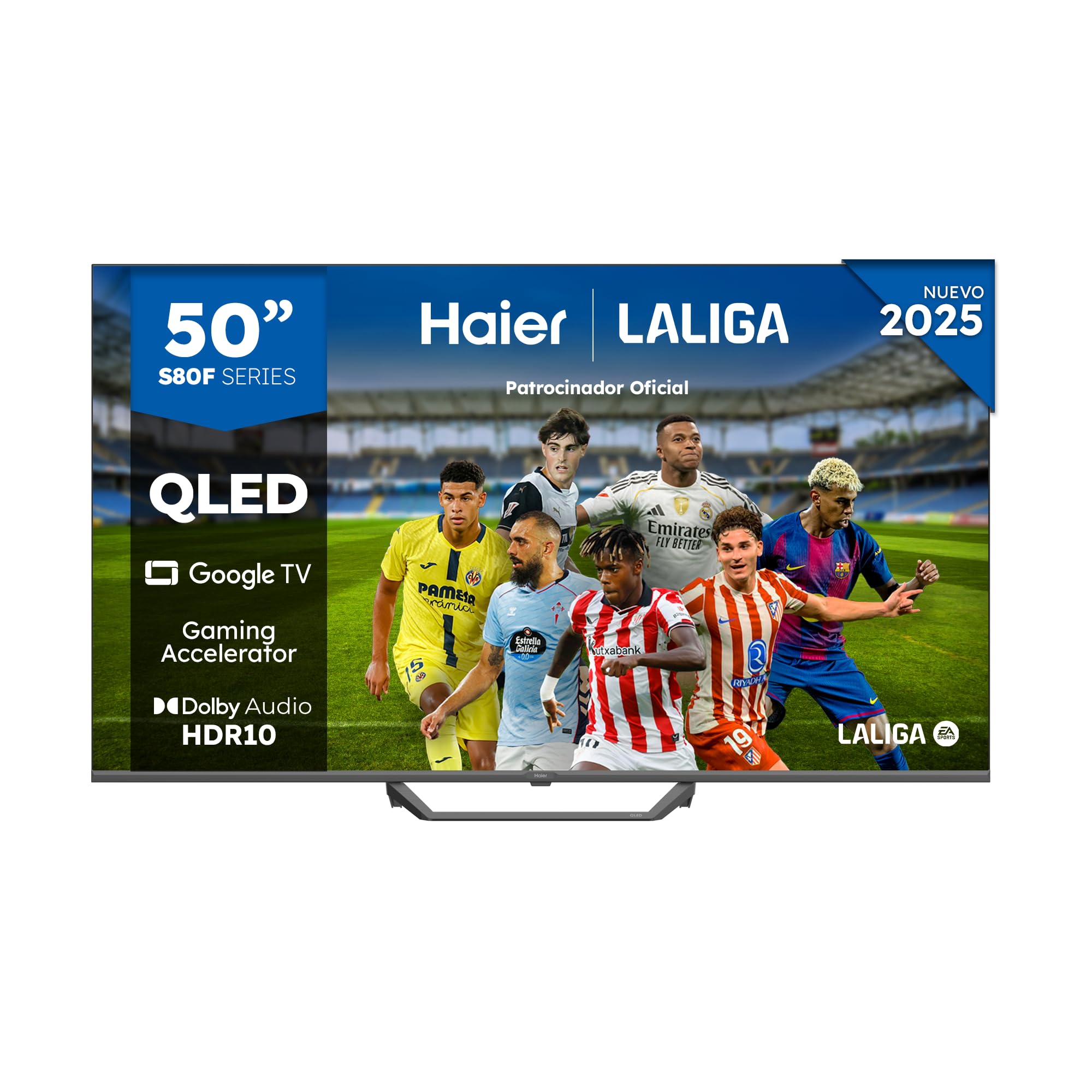
Image: Haier QLED 4K UHD 50-inch Smart TV with its sleek, frameless design.
2. Kuasa Penyambung
Connect the provided power cable to the TV's power input and then to a suitable electrical outlet (230 Volts).
3. Persediaan Alat Kawalan Jauh
Insert the 2 AAA batteries into the Smart Remote Control. The remote is designed for intuitive navigation of the Google TV interface.
4. Penghidupan Awal dan Persediaan Google TV
Press the power button on the remote. Follow the on-screen instructions to complete the initial setup, including language selection, network connection (Wi-Fi or Ethernet), and Google account login for Google TV features.

Image: The Google TV interface displaying various streaming applications like Netflix, YouTube, and Disney+.
Mengendalikan TV Anda
1. Navigasi Asas
Use the directional pad and 'OK' button on your Smart Remote Control to navigate through menus and select options. Dedicated buttons provide quick access to popular streaming services.
2. Mengakses Apl dan Kandungan
From the Google TV home screen, you can access pre-installed applications like Disney+, YouTube, Netflix, and Prime Video. The Google Store offers over 10,000 additional apps. Use Chromecast built-in to cast content from your mobile device.
3. Pemilihan Input
Press the 'Input' button on your remote to switch between connected devices via HDMI 2.1 ports (x4) or USB 2.0 ports (x2).

Image: A close-up of the HDMI 2.1 port, highlighting its advanced connectivity for high-speed data transfer.
4. Picture Settings (QLED 4K UHD, HDR 10)
Your TV features QLED 4K UHD technology with Quantum Dot for vibrant colors and HDR 10 support for enhanced contrast and detail. Adjust picture modes (e.g., Standard, Cinema, Game) in the settings menu to optimize your viewpengalaman dalam.

Imej: Selesaiview of Haier S81 Series QLED 50-inch TV features, including Dolby Audio, Google TV, Gaming Accelerator, and HDR 10.
5. Sound Settings (Dolby Audio)
The TV is equipped with Dolby Audio for immersive sound. You can customize audio settings, including sound modes and equalizer, through the TV's audio menu. The integrated DBX TV technology further enhances sound calibration.

Image: Visual representation of Dolby Audio technology, emphasizing cinematic sound experience.
6. Ciri-ciri Permainan
Benefit from the Gaming Accelerator and HDMI 2.1 ports for a smoother gaming experience with a 120Hz refresh rate. The TV supports MEMC technology for motion enhancement.

Image: Comparison of 60Hz standard and 120Hz DLG Gaming Accelerator, illustrating smoother motion for gaming.
7. Google Assistant and Bluetooth
Use the built-in Google Assistant for voice commands and smart home control. Connect Bluetooth 5.1 compatible devices such as headphones or game controllers wirelessly.
Penyelenggaraan
1. Membersihkan Skrin
Lap skrin perlahan-lahan dengan kain yang lembut, kering dan tidak berbulu. Untuk tanda degil, sedikit dampen kain dengan air atau pembersih skrin khusus. Elakkan bahan kimia yang keras.
2. Kemas Kini Perisian
Ensure your TV is connected to the internet to receive automatic software updates. These updates provide new features and improve performance and security.
Menyelesaikan masalah
- Tiada Kuasa: Check if the power cable is securely connected to both the TV and the outlet. Ensure the outlet is functional.
- Tiada Gambar/Bunyi: Sahkan sama ada sumber input yang betul telah dipilih. Periksa semua sambungan kabel (HDMI, dsb.).
- Jauh Tidak Menjawab: Replace the AAA batteries in the remote control. Ensure there are no obstructions between the remote and the TV.
- Isu Sambungan Rangkaian: Restart your router and the TV. Check Wi-Fi password and signal strength. For Ethernet, ensure the cable is properly connected.
Spesifikasi
| Nombor Model | 36200135 |
| Saiz Skrin | 50 Inci |
| Teknologi Paparan | QLED, 4K UHD |
| Resolusi | 4K (3840 x 2160 piksel) |
| Kadar Segar Semula | 120 Hz |
| Sokongan Format HDR | HDR10 |
| Sistem Operasi | Google TV |
| Teknologi Audio | Dolby Audio, DBX TV |
| Kuasa Keluaran Pembesar Suara | 24 Watt |
| Ketersambungan | Wi-Fi, Ethernet, Bluetooth 5.1, 4x HDMI 2.1, 2x USB 2.0 |
| Piawaian Pemasangan VESA | 400 x 400 mm |
| Dimensi (dengan pendirian) | 111.12 x 27.72 x 68.86 cm |
| Berat (dengan pendirian) | 8.5 kg |
| Kelas Kecekapan Tenaga | F |
For detailed energy information, refer to the official EU EPREL database: https://eprel.ec.europa.eu/qr/2290978
Waranti dan Sokongan
This product comes with a 3-year limited warranty. For technical support or warranty claims, please contact Haier customer service. Keep your purchase receipt for proof of warranty.