
1. Produk Lebihview
The SUNITEC BC920C Bluetooth Car Hands-Free Kit is designed to provide clear, hands-free communication and audio streaming in your vehicle. It features automatic power on/off, CVC8.0 noise cancellation technology for crystal-clear calls and high-volume music, and supports connection with two phones simultaneously. This device is compatible with cars, SUVs, trucks, vans, minivans, pickups, and buses, especially older vehicles without built-in hands-free phone capabilities.
Ciri-ciri Utama:
- Clear Hands-Free Calling with CVC8.0 Noise Cancellation
- Hidup / Mati Kuasa Automatik
- Dual Phone Connection Support
- High-Quality Stereo Speaker for Calls and Music
- Voice Assistant Support (Siri/Google Assistant)
2. Maklumat Keselamatan
Please read and understand all safety information before using this product. Failure to follow these instructions may result in injury or damage.
- Avoid using the device in a manner that distracts you from driving. Always prioritize road safety.
- Keep the device away from heat sources, direct sunlight, and extreme temperatures.
- Jangan dedahkan peranti kepada air atau kelembapan berlebihan.
- Buang bateri secara bertanggungjawab mengikut peraturan tempatan.
- Do not attempt to disassemble, repair, or modify the device yourself. Contact qualified service personnel for assistance.
3. Kandungan Pakej
Sahkan bahawa semua item terdapat dalam pakej anda:
- SUNITEC BC920C Bluetooth Car Hands-Free Kit
- Kabel Pengecas USB-C
- Penyesuai Pengecas Kereta
- Manual Pengguna

4. Persediaan dan Pemasangan
Follow these steps to set up your BC920C device:
- Cas Peranti: Before first use, fully charge the BC920C using the provided USB-C cable and car charger adapter or a computer USB port. The charging indicator light will show the charging status.
- Pemasangan: Clip the device onto your car's sun visor using the integrated clip. Ensure it is securely attached and does not obstruct your view.
- Hidupkan kuasa: The device features automatic power on. Once paired and connected, it will automatically power on and reconnect to your phone when you open the car door or start the engine.
- Berpasangan dengan Telefon Anda:
- Turn on the BC920C. It will automatically enter pairing mode (indicated by a flashing LED).
- On your smartphone, go to Bluetooth settings and enable Bluetooth.
- Cari untuk available devices and select "BC920C" from the list.
- Sebaik sahaja disambungkan, penunjuk LED akan berhenti berkelip dan kekal pejal.
- Sambungan Dwi: The BC920C supports connecting two phones simultaneously. After pairing the first phone, repeat the pairing process for the second phone. The device will manage calls from both phones.


5. Arahan Operasi
Learn how to use your BC920C for calls, music, and voice commands.
5.1 Membuat dan Menerima Panggilan
- Menjawab Panggilan: When a call comes in, press the green phone button once to answer.
- Menamatkan Panggilan: Press the green phone button once during a call to end it.
- Menolak Panggilan: Press and hold the green phone button for 2 seconds to reject an incoming call.
- Dail semula: Double-press the green phone button to redial the last number.
5.2 Volume Control and Music Playback
- Melaraskan Kelantangan: Use the '+' and '-' buttons on the device to increase or decrease the volume during calls or music playback.
- Penstriman Muzik: Once connected, audio from your smartphone, including music and GPS navigation instructions, will stream through the BC920C's speaker.

5.3 Pembantu Suara (Pembantu Siri/Google)
Activate your phone's voice assistant for hands-free control:
- Press the dedicated voice command button (often marked with a microphone icon) to activate Siri or Google Assistant on your connected smartphone.
- You can then use voice commands for navigation, making calls, sending messages, and more.
6. Mengecas Peranti
The BC920C is powered by a rechargeable Lithium-ion battery. To charge:
- Connect the provided USB-C cable to the charging port on the device.
- Plug the other end of the USB-C cable into the car charger adapter or a standard USB port (e.g., on a computer).
- Lampu penunjuk pengecasan akan menyala semasa pengecasan dan padam apabila dicas sepenuhnya.
- Pengecasan penuh biasanya mengambil masa lebih kurang 2 jam.
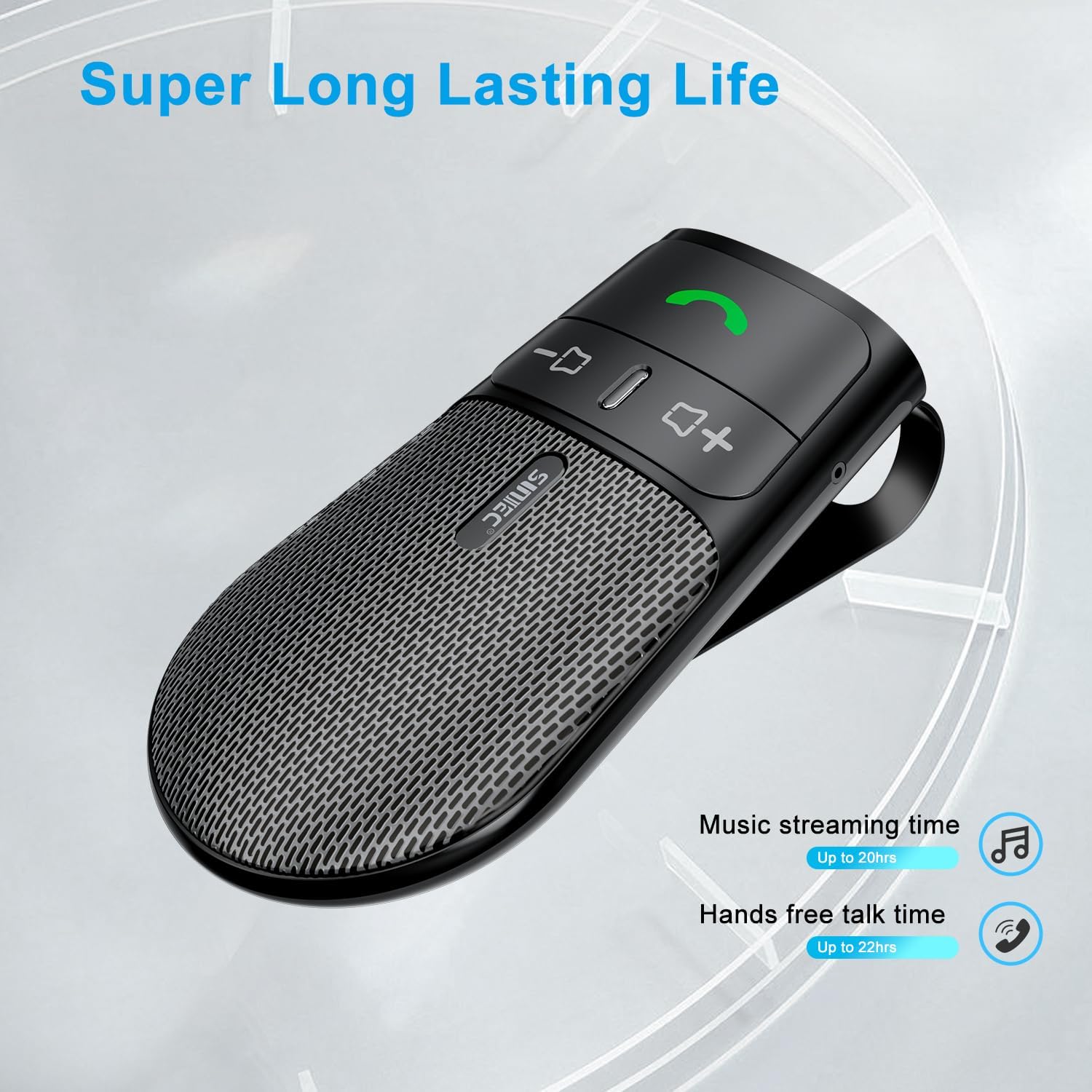
The device offers a long-lasting battery life, with up to 20 hours of music streaming time and up to 22 hours of hands-free talk time.
7. Spesifikasi
| Jenama | SUNITEC |
| Model | BC920C |
| Teknologi Ketersambungan | Bluetooth |
| Antara Muka Perkakasan | USB-C |
| Peranti Serasi | Car stereo, Smartphones |
| Ciri Khas | Automatic Power On/Off, Noise Cancellation (CVC8.0), Hands-Free Calling |
| Mod Keluaran Audio | Stereo |
| Sumber Kuasa | Dikuasakan Bateri (Litium-ion) |
| Berat Barang | 95 gram |
| Dimensi Produk | 15 x 11.6 x 5 cm |
8. Penyelesaian masalah
If you encounter issues with your SUNITEC BC920C, try the following solutions:
- Peranti tidak dihidupkan: Ensure the device is fully charged. Connect it to a power source and check the charging indicator.
- Tidak boleh berpasangan dengan telefon: Make sure Bluetooth is enabled on your phone and the BC920C is in pairing mode (flashing LED). Try restarting both the device and your phone.
- Poor audio quality/echo: Ensure the device is positioned correctly on the sun visor and not obstructed. Adjust the volume on both the device and your phone. Move closer to the device if possible.
- Automatic connection not working: Verify that the device was successfully paired previously. Check your phone's Bluetooth settings to ensure it's set to automatically connect to known devices.
- Voice commands not responding: Ensure your phone's voice assistant (Siri/Google Assistant) is enabled and configured correctly. Make sure the device is connected and the voice command button is pressed correctly.
9. Penyelenggaraan
To ensure the longevity and optimal performance of your BC920C:
- Clean the device regularly with a soft, dry cloth. Do not use harsh chemicals or abrasive cleaners.
- Simpan peranti di tempat yang sejuk dan kering apabila tidak digunakan.
- Elakkan daripada menjatuhkan peranti atau terkena impak yang kuat.
10. Waranti dan Sokongan
SUNITEC products are warranted to be free from defects in materials or workmanship for 12-24 months from the date of purchase. Please retain your proof of purchase for warranty claims.
For technical support or warranty inquiries, please contact SUNITEC customer service. Contact information can typically be found on the product packaging or the official SUNITEC webtapak.
Sold by: Sunitec