
pengenalan
This manual provides detailed instructions for setting up, operating, and maintaining your GMKtec EVO-X2 AI Mini PC. Please read this manual thoroughly before using the device to ensure proper functionality and longevity.
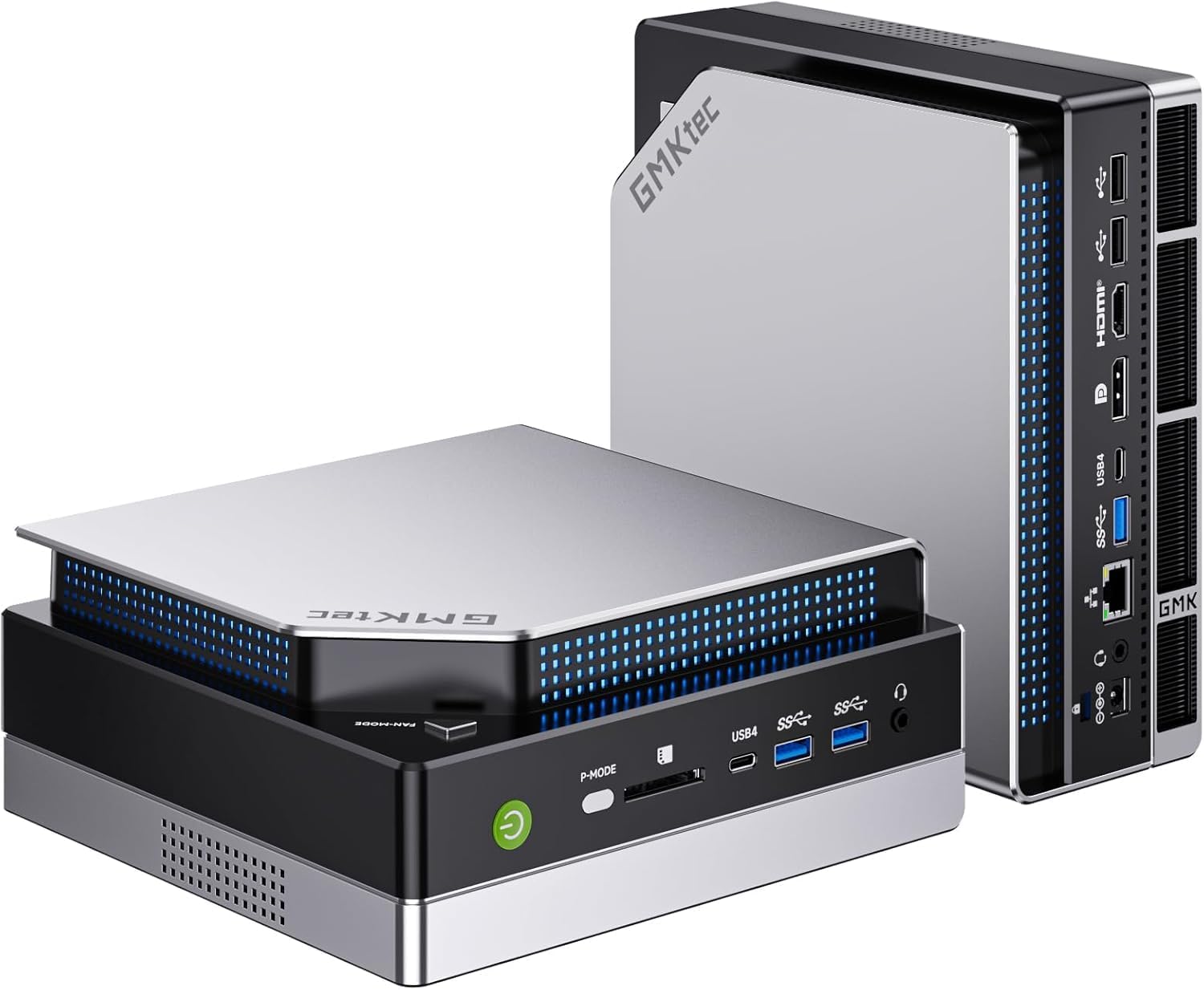
Imej: Bahagian hadapan view of the GMKtec EVO-X2 AI Mini PC.
Arahan Persediaan
1. Membongkar dan Pemeriksaan Awal
- Keluarkan semua komponen dari pembungkusan dengan berhati-hati.
- Verify that all items listed in the package contents are present.
- Inspect the Mini PC for any signs of physical damage.
2. Menyambung Peranti
Connect your monitor(s), keyboard, mouse, and other necessary peripherals to the appropriate ports on the Mini PC.

Imej: Belakang view of the Mini PC, illustrating available ports for peripheral connections.
- Sambungan Paparan: The EVO-X2 supports up to four displays with 8K resolution via HDMI 2.1 (8K@60Hz), DisplayPort 1.4 (4K@60Hz), and dual USB4 ports (40Gbps with PD3.0/DP1.4/Data). Use the appropriate cables for your monitors.
- Peranti USB: Connect your keyboard, mouse, and other USB devices to the available USB ports.
- Sambungan Rangkaian: For wired internet, connect an Ethernet cable to the 2.5GbE LAN port. For wireless internet, ensure the Wi-Fi antennas are properly connected (if external) or that the internal Wi-Fi 7 module is enabled.

Image: The Mini PC connected to multiple displays, showcasing its 8K quad-screen capability.
3. Sambungan Kuasa
Connect the power adapter to the DC-in port on the Mini PC, then plug the power cord into a wall outlet.
4. Menghidupkan
Press the power button located on the front of the Mini PC. The system will boot up, and the operating system (Windows 11 Pro) will load. Follow the on-screen instructions for initial Windows setup if this is the first time using the device.
Arahan Operasi
1. Penggunaan Umum
The GMKtec EVO-X2 is designed for a wide range of tasks, from daily computing to demanding AI workloads and gaming. Its AMD Ryzen AI Max+ 395 processor with 16 Zen 5 cores and 32 threads provides robust performance.
2. AI Performance with XDNA 2 NPU
The integrated XDNA 2 NPU delivers over 50 TOPS of AI performance, making the EVO-X2 suitable for local AI tasks such as running large language models (LLMs) with applications like LM Studio. This allows for efficient AI processing without requiring cloud services.

Image: Visual representation of the XDNA 2 NPU architecture and its support for various AI applications.
3. Gaming with AMD Radeon 8090S iGPU
Equipped with an AMD Radeon 8090S iGPU featuring 40 compute units and RDNA 3.5 architecture, the Mini PC offers strong gaming performance, comparable to dedicated laptop GPUs. It supports Full HD gaming with high detail settings. The 96GB LPDDR5X memory also aids in running demanding applications and LLMs.

Imej: Terperinci view of the integrated AMD Radeon 8060S graphics, highlighting its gaming capabilities.
4. High-Speed Connectivity
- Wi-Fi 7 (802.11be): Provides wireless speeds up to 46 Gbps, significantly faster than previous Wi-Fi standards, ensuring stable and high-bandwidth connections.
- LAN 2.5GbE: The 2.5 Gigabit Ethernet port offers high-speed wired networking, suitable for applications requiring stable and fast data transfer, such as NAS or software routers.
- Bluetooth 5.4: For reliable connections to wireless peripherals like headphones, keyboards, and mice.
- USB4: Dual USB4 ports offer 40Gbps data transfer, Power Delivery 3.0, and DisplayPort 1.4 capabilities.

Image: A comparison of Wi-Fi standards, emphasizing the speed benefits of Wi-Fi 7 on the Mini PC.

Image: The Mini PC connected via 2.5GbE Ethernet, illustrating high-speed network capabilities.
Penyelenggaraan
1. Sistem Penyejukan
The EVO-X2 features a triple cooling system with two CPU turbo fans and a dedicated DDR5/SSD fan, along with three heat pipes and 360° airflow. This system is designed for efficient heat dissipation while maintaining a quiet operation (as low as 35 dB in silent mode).
- Ensure proper ventilation around the Mini PC. Do not block air vents.
- Periodically clean dust from the exterior vents using compressed air to maintain optimal cooling performance.

Image: Internal components of the Mini PC, showing the advanced cooling solution.
2. Kemas Kini Perisian
Regularly update your operating system (Windows 11 Pro) and drivers to ensure system stability, security, and optimal performance.
3. Pembersihan
Use a soft, dry cloth to clean the exterior of the Mini PC. Avoid using liquid cleaners directly on the device.
Menyelesaikan masalah
- Tiada Kuasa: Pastikan penyesuai kuasa disambungkan dengan selamat ke PC Mini dan salur keluar kuasa yang berfungsi. Cuba kedai lain jika perlu.
- Tiada Paparan: Sahkan bahawa monitor dihidupkan dan disambungkan dengan betul ke Mini PC. Cuba kabel atau port paparan yang berbeza. Pastikan sumber input yang betul dipilih pada monitor anda.
- Tiada sambungan internet: For wired connections, check the Ethernet cable and router status. For Wi-Fi, ensure Wi-Fi is enabled in Windows settings and that you are connected to the correct network with the correct password.
- Kelembapan Sistem: Check for background applications consuming resources. Ensure sufficient free space on the SSD. Consider running system diagnostics or updating drivers.
- Terlalu panas: Ensure the Mini PC has adequate ventilation and that air vents are not obstructed. Clean any dust accumulation.
Spesifikasi Teknikal
| Ciri | Spesifikasi |
|---|---|
| Nama Model | GMKtec EVO-X2 |
| Pemproses | AMD Ryzen AI Max+ 395 (16 Cores, 32 Threads, up to 5.1 GHz) |
| NPU | XDNA 2 Architecture, >50 TOPS AI Performance |
| Grafik | AMD Radeon 8090S iGPU (40 Compute Units, RDNA 3.5, up to 2.9 GHz) |
| RAM | 96 GB LPDDR5X 8000 MT/s |
| Penyimpanan | 1 TB PCIe 4.0 SSD |
| Sistem Operasi | Windows 11 Pro |
| Paparan Output | Up to 4 displays, 8K resolution (HDMI 2.1, DisplayPort 1.4, Dual USB4) |
| Rangkaian | 2.5GbE LAN, Wi-Fi 7 (802.11be), Bluetooth 5.4 |
| Pelabuhan | USB4 (x2), HDMI (x2), DisplayPort (x2), 2.5GbE LAN, USB-A (various), SD Card Reader |
| Sistem Penyejukan | Triple Cooling (2 CPU fans, 1 DDR5/SSD fan), 3 Heat Pipes, 360° Airflow |
| Dimensi | 38.5 x 25 x 9.2 cm |
| Berat badan | 3.26 kg |
Waranti dan Sokongan
For warranty information and technical support, please refer to the following resources:
- Sokongan Amazon: For inquiries related to your purchase, log in to your Amazon account, navigate to "Your Account" -> "Your Orders," and select "Ask Product Question" for the GMKtec EVO-X2.
- Sokongan Selepas Jualan: Contact the GMKtec After-Sales Team directly via email at eu-cs@gmktec.com untuk sokongan pelanggan 24/7.

Image: Warranty and support contact information for GMKtec products.