
1. Pengenalan
This manual provides essential information for the safe and efficient operation of your TOPTRO Quadra Projector. Please read it thoroughly before using the device and retain it for future reference. The TOPTRO Quadra Projector offers a native 1080p resolution with true 4K HDR10/HLG support, running on a Linux OS with pre-installed streaming applications.
2. Kandungan Pakej
Sahkan bahawa semua item terdapat dalam pakej:
- TOPTRO Quadra Projector
- Alat Kawalan Jauh
- Kabel Kuasa
- Manual Pengguna (dokumen ini)
3. Persediaan
3.1 Penempatan
Place the projector on a stable, flat surface or mount it to the ceiling. Ensure adequate ventilation around the device. For optimal viewing, position the projector to achieve the desired screen size. The projector supports a maximum projection size of 300 inches.

Image: Optimal projection distances for various screen sizes.
3.2 Sambungan Kuasa
Sambungkan kabel kuasa ke input kuasa projektor dan kemudian ke soket elektrik yang sesuai.
3.3 Menyambung Peranti Luaran
The TOPTRO Quadra Projector features multiple connectivity options:
- HDMI: Connect laptops, Blu-ray players, gaming consoles (e.g., PS4), or TV sticks using the dual HDMI ports. One port supports HDMI ARC for enhanced audio return.
- USB: Masukkan pemacu USB untuk main balik media.
- Audio Keluar 3.5mm: Sambungkan pembesar suara atau fon kepala luaran.
- Bluetooth 5.2: Pair with Bluetooth speakers or headphones for wireless audio.
- Dual Band WiFi (2.4GHz + 5GHz): Connect to your home network for online streaming and updates.
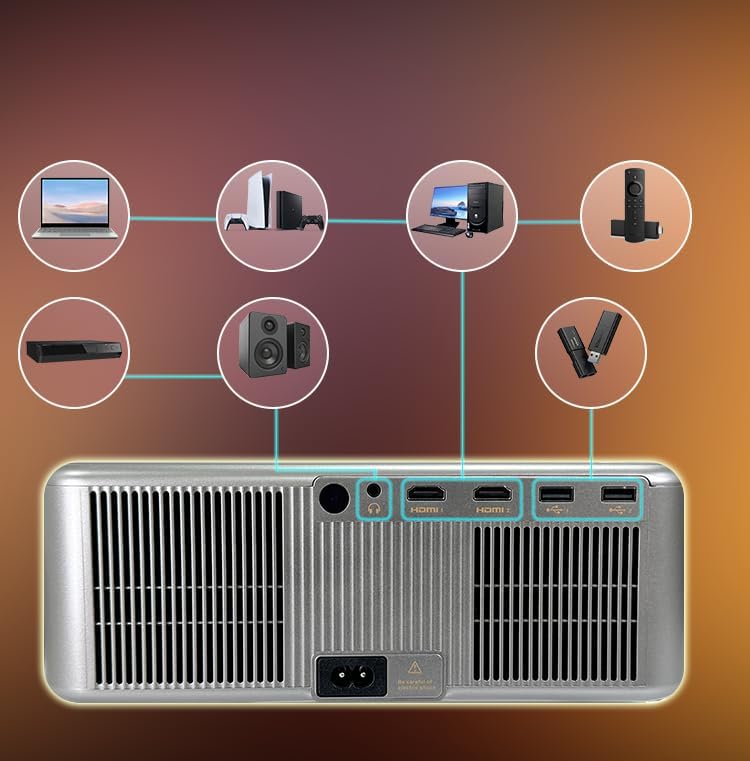
Image: Rear panel connectivity ports.
3.4 Initial Power On and Automatic Adjustments
Press the power button on the projector or remote control to turn on the device. The projector features fully automatic adjustments:
- Fokus Auto: The projector will automatically adjust the image clarity.
- Pembetulan Auto Keystone: The image will be automatically squared to compensate for angled projection.
- Pengelakan Halangan Auto: The projection area will adjust to avoid objects in the path.
- Auto Screen Fit: The image will automatically fit within the boundaries of your projection surface.

Image: Automatic image adjustment features.
4. Arahan Operasi
4.1 Navigating the Linux OS
The TOPTRO Quadra Projector runs on a Linux operating system. Use the provided remote control to navigate the user interface. The home screen provides access to pre-installed applications and settings.

Image: Projector displaying the Linux OS interface with streaming apps.
4.2 Aplikasi Penstriman
The projector comes with pre-installed and certified applications such as Netflix, YouTube, and Prime Video. Access these directly from the home screen for 4K content streaming.

Image: Remote control with quick access buttons for streaming services.
4.3 Pencerminan Skrin Tanpa Wayar
The projector supports Miracast for wireless screen mirroring from Android and iOS devices. Refer to your device's instructions for initiating screen mirroring and select the projector from the available devices.
4.4 Tetapan Imej dan Bunyi
Access the settings menu to adjust image parameters such as brightness, contrast, and color. The projector supports HDR10/HLG for enhanced dynamic range. Audio settings allow for volume control and selection of output devices (internal speakers, Bluetooth, 3.5mm jack, HDMI ARC).
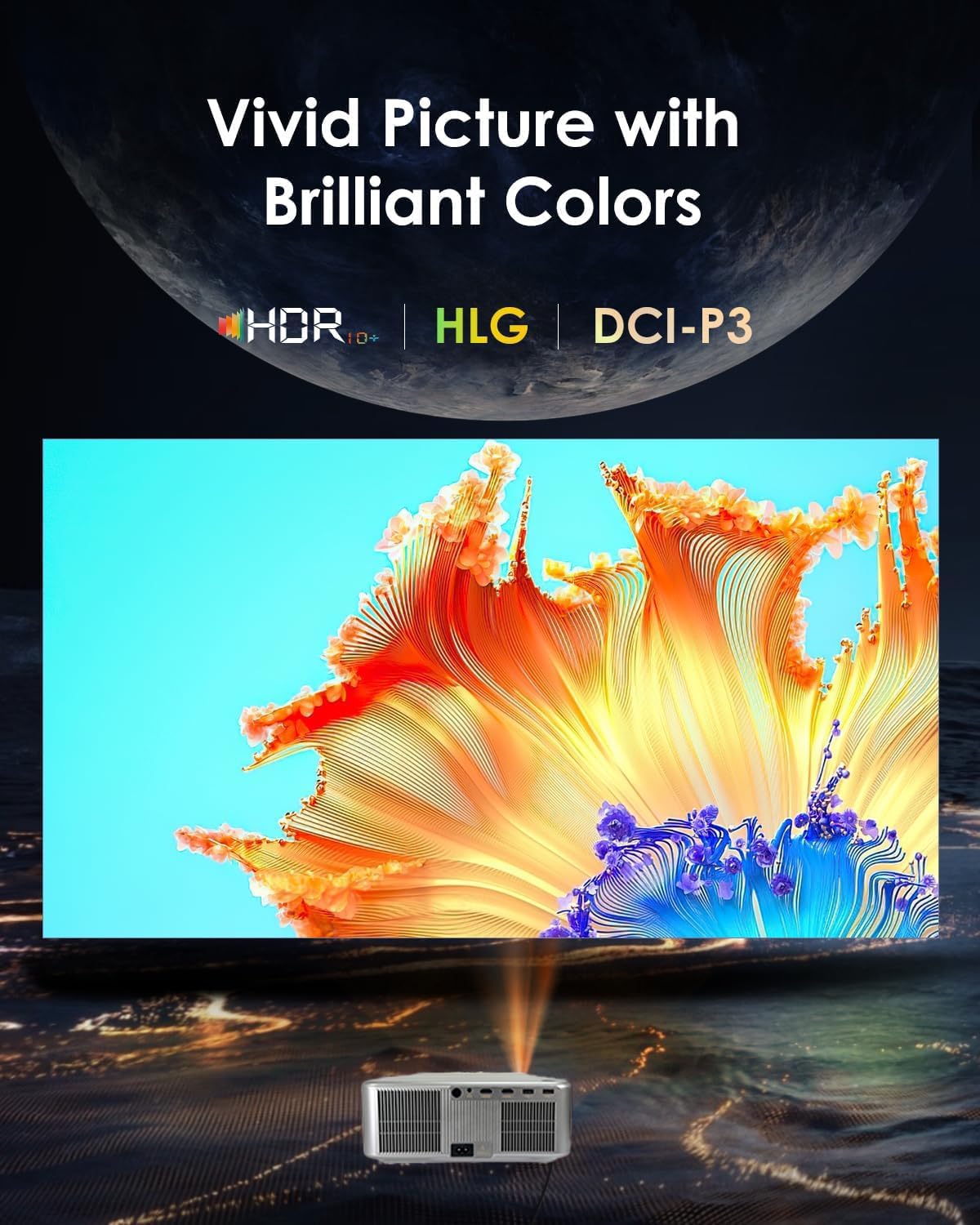
Image: Displaying vivid picture quality with HDR10+, HLG, and DCI-P3 color support.
5. Penyelenggaraan
5.1 Membersihkan Lensa
Gently wipe the projector lens with a soft, lint-free cloth specifically designed for optical surfaces. Avoid using abrasive cleaners or excessive force.
5.2 Membersihkan Lubang Udara
Regularly clean the air vents to prevent dust buildup, which can affect performance and lead to overheating. Use a soft brush or compressed air to clear the vents.
5.3 Lamp kehidupan
Projektor lamp has an estimated life of 50,000 hours. No user replacement is typically required during the product's lifespan under normal usage conditions.
6. Penyelesaian masalah
6.1 Tiada Gambar
- Pastikan projektor dihidupkan dan kabel kuasa disambungkan dengan kukuh.
- Check the input source. Verify that the correct HDMI or other input is selected.
- Confirm that the connected device (laptop, media player) is powered on and outputting a signal.
- Periksa sambungan kabel untuk kelonggaran atau kerosakan.
6.2 Tiada Bunyi
- Adjust the volume on the projector and the connected source device.
- Pastikan pembesar suara atau fon kepala luaran disambungkan dengan betul jika digunakan.
- If using Bluetooth, confirm the projector is paired with the correct audio device.
- Check audio settings in the projector's menu to ensure the correct audio output is selected.
6.3 Imej Kabur atau Herot
- Allow the projector's auto-focus feature to complete its adjustment.
- Ensure the projector is placed perpendicular to the screen for best results, allowing auto-keystone to function optimally.
- Check for any physical obstructions in front of the lens.
6.4 Isu Kesambungan (WiFi/Bluetooth)
- For WiFi, ensure the projector is within range of your router and the password is entered correctly. Try restarting your router.
- Untuk Bluetooth, pastikan peranti yang anda cuba sambungkan berada dalam mod berpasangan dan dalam julat.
7. Spesifikasi
| Jenama | TOPTRO |
| Model | Quadra Certified (X6) |
| Teknologi Paparan | LCD |
| Resolusi Asli | 1920 x 1080 (1080p) |
| Resolusi Disokong | Sehingga 3840 x 2160 (4K) |
| Kecerahan Imej | 30000 Lumen (2500 ANSI Lumen) |
| Nisbah Kontras Imej | 10000:1 |
| Nisbah Aspek | 16:9 |
| Kadar Segar Semula | 60 Hz |
| Ciri Khas | 4K HDR 10/HLG, Net - Flix Certified Linux OS, 2GB RAM, 32GB ROM, Auto Focus & Keystone, Auto Obstacle Avoidance, Auto Screen Fit, 15W Speakers, HDMI ARC, Dual HDMI, Dual 5G & 2.4G WiFi 6, Bluetooth 5.2, WiFi Display, Electronic Focus & 6D Electronic correction, AI Image Tech (Color Correction, Noise Reduction, Edge Enhancement), MEMC Motion Compensation, Dolby Audio. |
| Antara Muka Perkakasan | 3.5mm Audio, Bluetooth 5, Ethernet, HDMI, USB |
| Peranti Serasi | Laptop, Speaker, Television, Gaming Consoles, TV Sticks |
| Lamp kehidupan | 50,000 Jam |
| Dimensi Produk | 28 x 13 x 30 cm |
| Berat Barang | 3 kg |

Imej: Selesaiview of advanced features and specifications.
8. Maklumat Waranti
The TOPTRO Quadra Projector comes with a Waranti 1 tahun provided by TOPTRO from the date of purchase. For detailed warranty terms and conditions, please visit the official TOPTRO webtapak.
9. Sokongan
For technical assistance, customer service, or warranty claims, please contact TOPTRO support:
- Webtapak: toptro.in
- e-mel: support@toptro.in or sreeprojectors@gmail.com
- WhatsApp: 8341888860