
1. Pengenalan
Terima kasih kerana membeliasing the Z-Edge 27-inch 4K UHD IPS Monitor, Model S274K. This monitor is designed to provide a high-quality visual experience for both professional and gaming applications, featuring a 3840x2160 resolution, 120Hz refresh rate, and 1ms response time. This manual provides essential information for setting up, operating, and maintaining your monitor to ensure optimal performance and longevity.

Image: Visual comparison demonstrating the clarity of 4K UHD (3840x2160) resolution compared to QHD (2560x1440) and FHD (1920x1080) on the Z-Edge monitor.
2. Maklumat Keselamatan
Sila baca semua arahan dengan teliti sebelum menggunakan produk ini. Simpan manual ini untuk rujukan pada masa hadapan.
- Jangan dedahkan monitor kepada hujan, kelembapan atau suhu yang melampau.
- Pastikan pengudaraan yang betul di sekeliling monitor. Jangan sekat bukaan pengudaraan.
- Gunakan hanya penyesuai kuasa yang dibekalkan bersama monitor.
- Elakkan meletakkan objek berat pada kord kuasa.
- Cabut palam kuasa dari soket jika monitor tidak akan digunakan untuk tempoh yang lama.
- Jangan cuba servis monitor sendiri. Rujuk semua servis kepada kakitangan yang berkelayakan.
3. Kandungan Pakej
Sahkan bahawa semua item terdapat dalam pakej anda:
- Z-Edge 27-inch 4K UHD Monitor
- Stand Monitor (Asas dan Leher)
- Penyesuai Kuasa
- Kabel HDMI
- Manual Pengguna (dokumen ini)
- Skru untuk Pemasangan Stand
4. Monitor Overview
4.1 Depan View
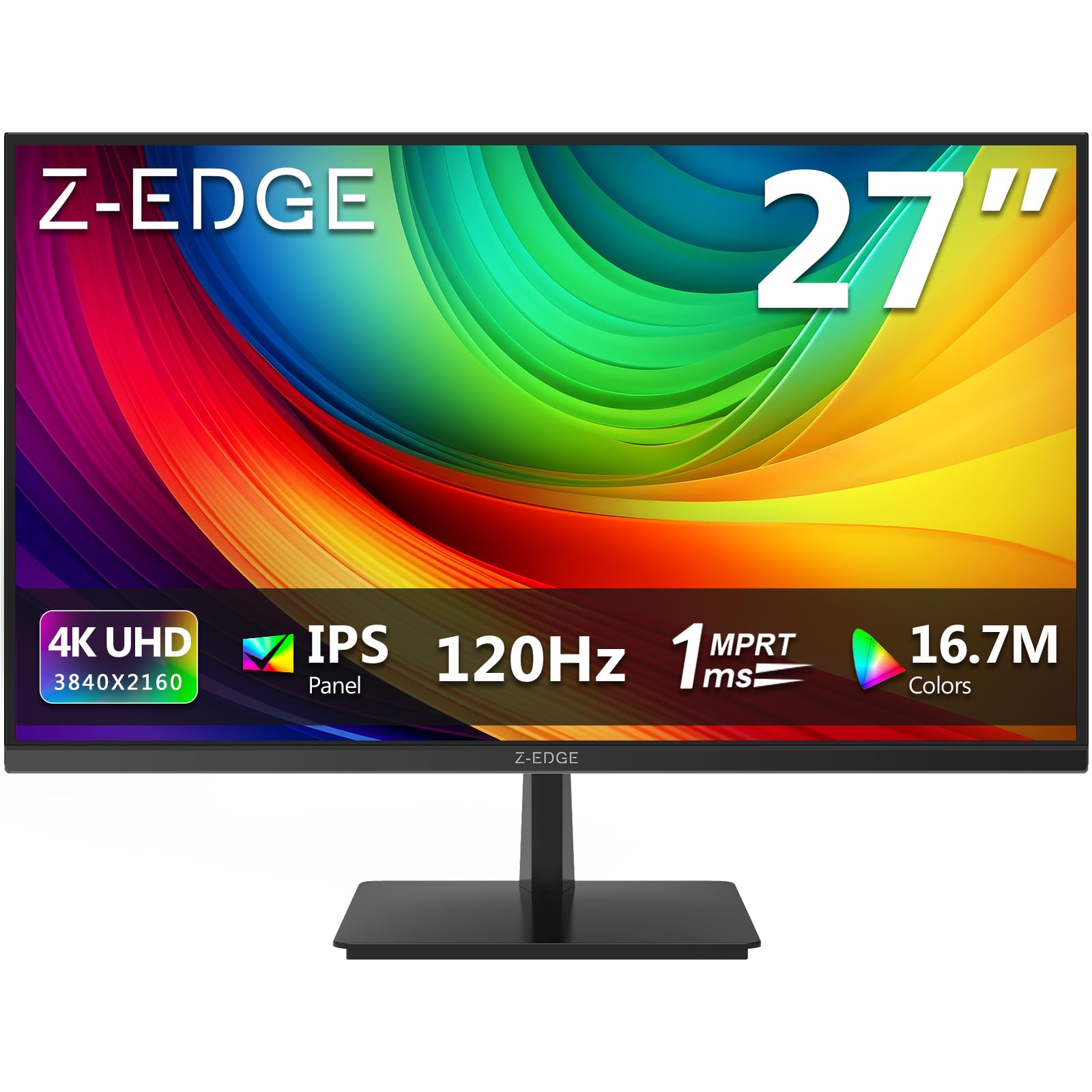
Imej: Depan view of the Z-Edge 27-inch 4K UHD monitor. This image shows the monitor displaying a vibrant scene, highlighting its slim bezels and overall design.
4.2 Belakang View dan Pelabuhan

Imej: Belakang view of the Z-Edge 27-inch 4K UHD monitor. This image illustrates the monitor's connectivity options, including HDMI and DisplayPort inputs, and the VESA mounting pattern.
Pelabuhan Tersedia:
- DC 12V: Port input kuasa.
- HDMI 1/2 (2.0): Two HDMI input ports for connecting various devices.
- DP 1/2 (1.4): Two DisplayPort input ports for high-resolution connections.
- Keluar Audio: 3.5mm audio jack for connecting external speakers or headphones.

Imej: Terperinci view of the monitor's input ports. This diagram clearly labels each port, including DC 12V power, two HDMI 2.0, two DisplayPort 1.4, and an audio output.
5. Persediaan
5.1 Perhimpunan Berdiri
- Tanggalkan monitor dari pembungkusannya dengan berhati-hati, pastikan skrinnya dilindungi.
- Pasangkan leher pendirian pada panel monitor menggunakan skru yang disediakan.
- Sambungkan tapak penyangga ke leher penyangga, pasangkannya dengan skru yang tinggal.
- Letakkan monitor yang dipasang pada permukaan yang stabil dan rata.
Alternatively, the monitor supports VESA 100x100mm mounting for wall mounts or monitor arms. Ensure the VESA mount is rated for the monitor's weight.
5.2 Menyambung ke Peranti
Connect your computer, game console, or other compatible device to the monitor using either an HDMI or DisplayPort cable.
- For 4K resolution at 120Hz, use a DisplayPort 1.4 cable or an HDMI 2.0 cable.
- Insert one end of the cable into the corresponding port on your device and the other end into an available HDMI or DP port on the monitor.
5.3 Sambungan Kuasa
- Connect the power adapter to the DC 12V port on the monitor.
- Palamkan penyesuai kuasa ke dalam salur keluar kuasa.
6. Arahan Operasi
6.1 Menghidupkan/Mematikan
Tekan butang kuasa yang terletak pada monitor untuk menghidupkan atau mematikannya. Lampu penunjuk kuasa akan menyala apabila monitor dihidupkan.
6.2 Navigasi Menu OSD
The On-Screen Display (OSD) menu allows you to adjust various monitor settings. Use the control buttons (usually located on the back or bottom of the monitor) to navigate the menu.
- Press a button to open the OSD menu.
- Use the directional buttons to move between options.
- Press the select button to confirm a selection or enter a sub-menu.
- Tekan butang keluar untuk menutup menu OSD.
6.3 Tetapan Gambar
Adjust display characteristics to your preference:
- Kecerahan: Laraskan kecerahan keseluruhan skrin.
- Kontras: Modify the difference between light and dark areas.
- Suhu Warna: Pilih daripada mod pratetap (cth., Hangat, Sejuk, Pengguna) atau laraskan nilai RGB secara manual.
- Nisbah Aspek: Choose between Full, 4:3, or 16:9.
6.4 Ciri-ciri Permainan

Image: Visual representation of the difference between 120Hz and 60Hz refresh rates, illustrating how 120Hz provides a smoother and more fluid visual experience, especially for fast-paced content.
- FreeSync / Adaptive Sync: Enable this feature in the OSD menu and on your graphics card settings to synchronize the monitor's refresh rate with your GPU's frame rate, reducing screen tearing and stuttering.
- Masa Respons (MPRT): Adjust for faster pixel response, beneficial for fast-paced gaming.

Image: Visual demonstration of FreeSync technology. The left side shows screen tearing and stuttering when FreeSync is off, while the right side displays smooth, fluid motion with FreeSync enabled.
6.5 Pemilihan Input
If you have multiple devices connected, use the OSD menu or a dedicated input select button to switch between HDMI 1, HDMI 2, DP 1, and DP 2 inputs.
7. Penyelenggaraan
7.1 Membersihkan Monitor
- Sentiasa cabut plag monitor dari salur keluar kuasa sebelum membersihkan.
- Gunakan kain lembut dan tidak berbulu sedikit dampdisapu dengan air atau pembersih skrin yang lembut dan tidak melelas.
- Jangan sembur pembersih terus ke skrin.
- Avoid using alcohol-based cleaners, ammonia, or abrasive materials.
7.2 Penjagaan Am
- Jauhkan monitor daripada cahaya matahari langsung dan sumber haba.
- Jangan letakkan objek berat pada monitor atau kabelnya.
- Elakkan daripada menyentuh skrin dengan objek tajam.
8. Penyelesaian masalah
| Masalah | Kemungkinan Punca | Penyelesaian |
|---|---|---|
| Tiada gambar di skrin |
|
|
| Imej kabur atau herot |
|
|
| Screen tearing or stuttering (gaming) |
|
|
| No audio from headphones/speakers |
|
|
9. Spesifikasi
| Ciri | Perincian |
|---|---|
| Jenama | Z-Edge |
| Nombor Model | S274K |
| Saiz Skrin | 27 Inci |
| Jenis Panel | IPS |
| Resolusi | 4K UHD (3840 x 2160 Piksel) |
| Kadar Segar Semula | 120 Hz |
| Masa Tindak Balas | 1ms MPRT |
| Nisbah Aspek | 16:9 |
| Kecerahan | 250 cd/m² |
| Nisbah Kontras | 1000:1 |
| Sokongan Warna | 1.07 Billion Colors (99% sRGB) |
| Viewsudut | 178° (H/V) |
| Ketersambungan | 2x HDMI 2.0, 2x DisplayPort 1.4, Audio Keluar |
| Ciri Khas | Adjustable Tilt (-5°~15°), FreeSync, Flicker-Free, Ultra Slim Bezel |
| Keserasian VESA | 100x100mm |
| Penggunaan Kuasa | 32 Watt |
| Kelas Kecekapan Tenaga | F (Pautan EPREL) |

Image: Key display specifications including IPS Panel technology, 250 nits brightness, support for 16.7 million colors, and a 1000:1 contrast ratio.
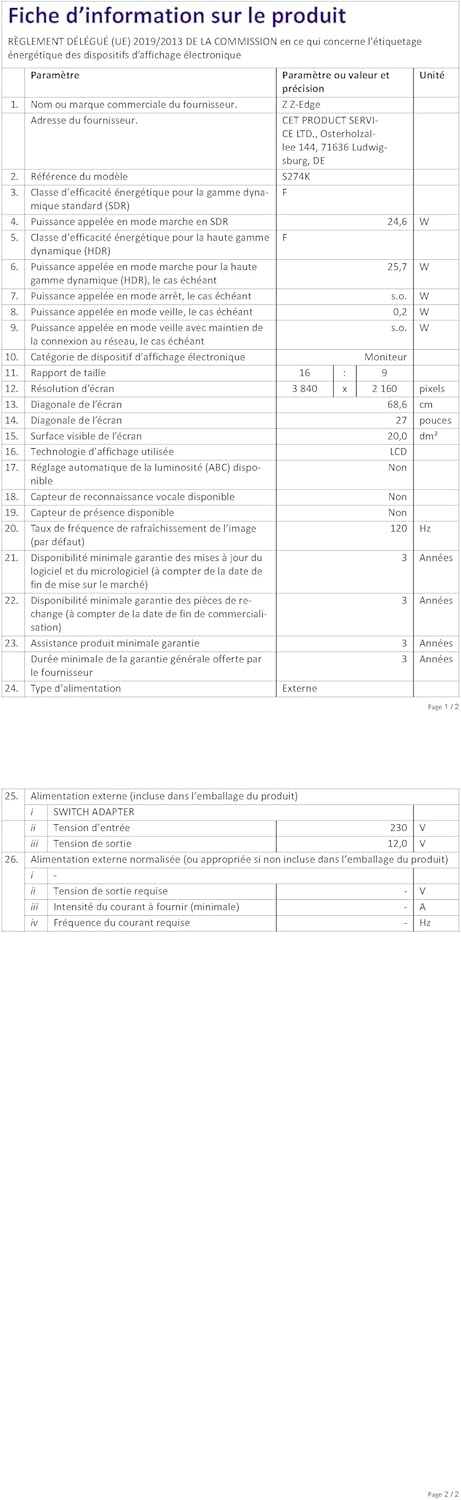
Image: EU Energy Label for the Z-Edge S274K monitor, indicating an energy efficiency class of F and energy consumption of 25 kWh per 1000 hours.
10. Waranti dan Sokongan
10.1 Waranti Pengilang
This Z-Edge monitor comes with a Waranti pengilang selama 1 tahun dari tarikh pembelian. Waranti ini meliputi kecacatan bahan dan mutu kerja di bawah penggunaan biasa. Ia tidak meliputi kerosakan yang disebabkan oleh salah guna, kemalangan, pengubahsuaian tanpa kebenaran atau punca luaran.
For warranty claims, please retain your proof of purchase.
10.2 Sokongan Pelanggan
If you encounter any issues not covered in the troubleshooting section or require further assistance, please contact Z-Edge customer support. Refer to the official Z-Edge webtapak untuk maklumat hubungan dan sumber sokongan yang paling terkini.