pengenalan
This manual provides detailed instructions for the Generic 4K Mini Action Camera. It covers setup, operation, maintenance, and troubleshooting to ensure optimal performance and longevity of your device. Please read this manual thoroughly before use and retain it for future reference.
Apa yang ada dalam Kotak
- Mini Video Camera 4K
- Sarung Kalis Air
- Tali Magnetik
- 360° Swivel Back Clip
- Gunung Topi keledar
- Gunung Basikal
- Lekapan Sisi
- Penyesuai Pemasangan
- Rangka Kamera
- Rectangular Adhesive Pads
- Manual Arahan
- Data Cable (Type-C)

Ciri-ciri Produk
- Thumb-Sized & Ultra-Light: Weighing only 35g for effortless portability.
- 4K Video & 120° Wide-Angle Lens: Captures clear, expansive footage.
- Kesambungan Wi-Fi: Connects to your phone for live viewing, settings adjustment, and file pemindahan.
- Rakaman Satu Sentuhan: Simple operation for instant capture.
- WebFungsi cam: Boleh digunakan sebagai webkamera apabila disambungkan ke komputer.
- Waterproof (with case): Dive up to 30 meters with the included waterproof case.
- Tarikan Magnet: Built-in magnet allows attachment to metal surfaces.
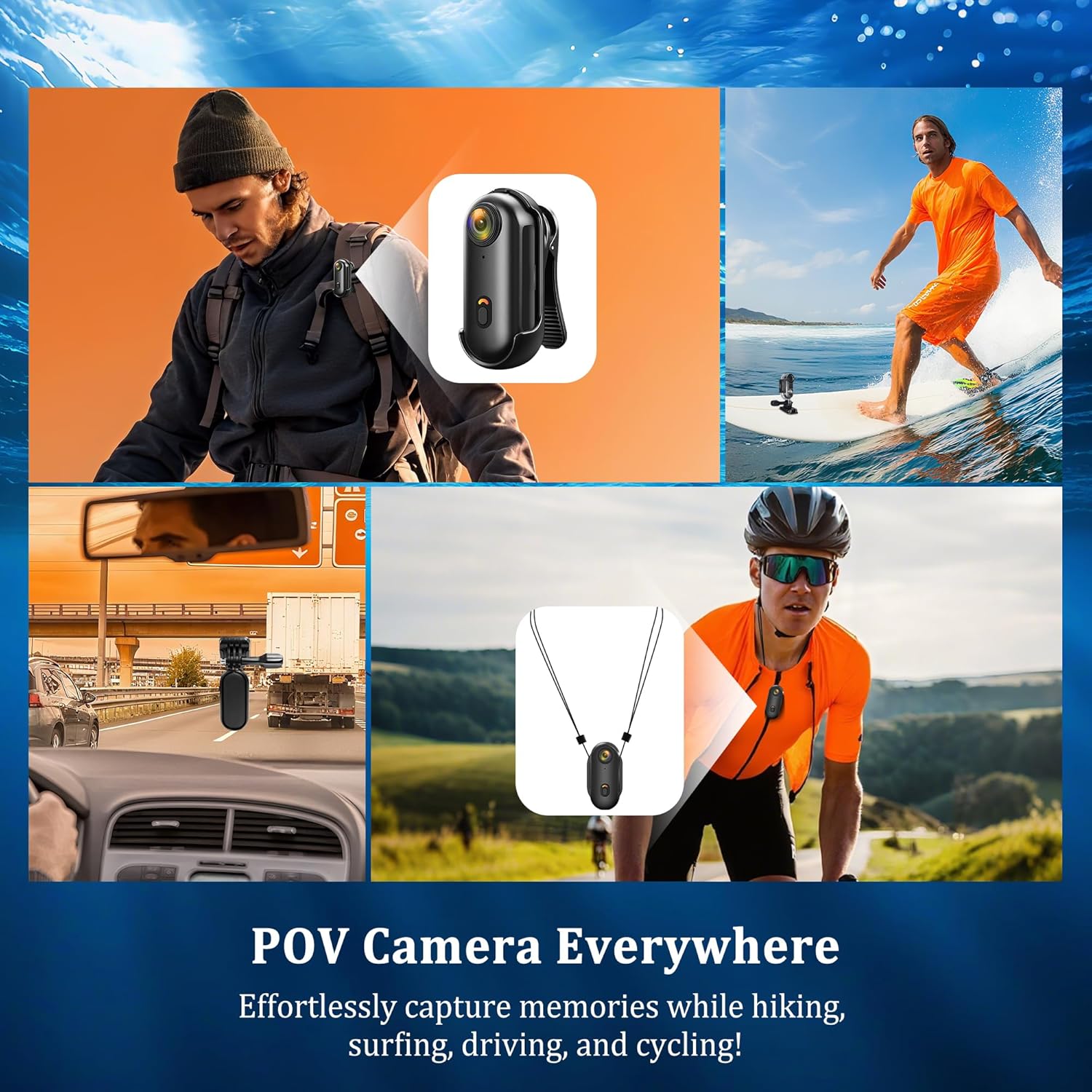
- Pemasangan Serbaguna: Includes helmet, bike, side mounts, and a 360° rotating back clip.
- Rakaman Gelung: Supports up to 256GB TF cards (not included) with automatic loop recording.
- Record While Charging: Continuous operation during charging.


Persediaan
1. Memasukkan/Menanggalkan Kad TF
The camera requires a Micro SD (TF) card for storage (up to 256GB, not included). Ensure the camera is powered off before inserting or removing the card.
- Cari slot kad Micro SD di sisi kamera.
- Tolak perlahan-lahan kad TF ke dalam slot sehingga ia klik pada tempatnya.
- To remove, gently push the card again until it springs out.

2. Mengecas Kamera
Connect the camera to a power source using the provided Type-C USB cable.
- Lampu penunjuk merah akan menyala semasa mengecas.
- The red light will turn off once the camera is fully charged.
Arahan Operasi
1. Basic Operation (Power On/Off, Record)
- Hidupkan kuasa: Long press the power button. The camera will vibrate once, and the blue light will remain on, indicating standby mode.
- Rakam Video: In standby mode, short press the video button. The camera will vibrate once, and the blue light will flash slowly to indicate recording.
- Hentikan Rakaman: Short press the video button again. The camera will vibrate once, and the blue light will return to solid, indicating standby mode. The video will be saved.
- Matikan: Long press the power button. The camera will vibrate, and the lights will turn off.
2. Wi-Fi Connection & App Control
The camera can connect to your smartphone via Wi-Fi for live viewing dan kawalan.
- Download and install the 'Viidure' app from your device's app store (Apple App Store for iOS, Google Play for Android).
- On the camera, consecutively press the Wi-Fi button twice to activate Wi-Fi mode. The blue and green lights will flash.
- On your smartphone, go to Wi-Fi settings and connect to the camera's Wi-Fi network (e.g., H88_dc84037a1bb0).
- Open the 'Viidure' app. You should see the live footage from the camera and be able to control it.
- Note: Temporarily disable VPN for 1-2 minutes during Wi-Fi pairing; re-enable afterward.

3. WebMod cam
Connect the camera to your computer using the Type-C USB cable. The camera can be used as a PC camera for video calls or online classes.
Tayangan videocasing the 4K Mini Action Camera's waterproof capabilities, hands-free operation, and magnetic mounting options.
A comprehensive video illustrating the upgraded features of the 4K Body Cam, focusing on its Wi-Fi connectivity for POV recording and overall performance.
Penggunaan Sarung Kalis Air
To use the camera for underwater activities, it must be enclosed in the provided waterproof case.
- Open the waterproof case by pressing the front and rear covers tightly with both hands, then pulling the buckle cover upwards.
- Insert the camera into the case, ensuring it is properly seated.
- Close the case by pressing the front and rear covers, then pushing the buckle cover down to tighten it securely.
- Always ensure the case is properly sealed before submerging to prevent water damage.

Aksesori Pemasangan
The camera comes with a variety of accessories for different mounting needs.
1. 360° Rotating Back Clip
Attach the camera to the 360° rotating back clip to secure it to clothing, backpacks, or other straps for flexible angles.
2. Magnetic Lanyard
Use the magnetic lanyard to wear the camera around your neck, allowing for quick and easy attachment to metal surfaces or hands-free recording.
3. Helmet, Bike, and Side Mounts
Utilize the specialized mounts to attach the camera to helmets, bicycle handlebars, or other surfaces for stable recording during sports and activities.


Penyelenggaraan
- Pastikan kamera dan aksesori bersih dan kering.
- Elakkan daripada mendedahkan kamera kepada suhu yang melampau atau cahaya matahari langsung untuk tempoh yang lama.
- When not in use, store the camera in a cool, dry place.
- Regularly check the waterproof case for any damage or wear before underwater use.
Menyelesaikan masalah
- Kamera tidak dihidupkan: Ensure the battery is charged. If the issue persists, try resetting the camera using the reset button.
- Tidak boleh merakam: Check if a TF card is inserted and has sufficient storage space. Format the card if necessary.
- Isu sambungan Wi-Fi: Ensure the camera's Wi-Fi is enabled and your device's VPN is temporarily disabled during pairing.
- Kualiti video yang lemah: Ensure the lens is clean and free from smudges. Check recording settings in the app.
- Camera crash: If the camera crashes, short press the reset button to power it off and restart.
Spesifikasi Teknikal
| Ciri | Spesifikasi |
|---|---|
| Resolusi Video | 4K |
| Kod Video | H.265 |
| Format Video | MP4 |
| Format Gambar | JPG |
| Kad Memori | Micro SD (supports up to 256GB, not included) |
| Antara muka | USB Jenis-C |
| Kedalaman Kalis Air | Sehingga 30 meter (dengan sarung kalis air) |
| Ketersambungan | USB, Wi-Fi |
| Kapasiti Bateri | 800mAh |
| Berat Barang | 11.3 ounces (approx. 35g for camera only) |
Waranti dan Sokongan
This product comes with a standard manufacturer's warranty. For detailed warranty information, technical support, or service inquiries, please refer to the contact information provided with your purchase or visit the manufacturer's webtapak. Simpan bukti pembelian anda untuk tuntutan waranti.


