
pengenalan
Thank you for choosing the MMWOWARTS H2 Hybrid Active Noise Cancelling Bluetooth Headphones. This manual provides essential information for setting up, operating, and maintaining your headphones. Please read it thoroughly to ensure proper use and to maximize your listening experience.
Produk Selesaiview
The MMWOWARTS H2 headphones feature Hybrid Active Noise Cancellation, Transparency Mode, high-quality sound, and a comfortable over-ear design. They offer up to 60 hours of playtime, making them suitable for extended use.
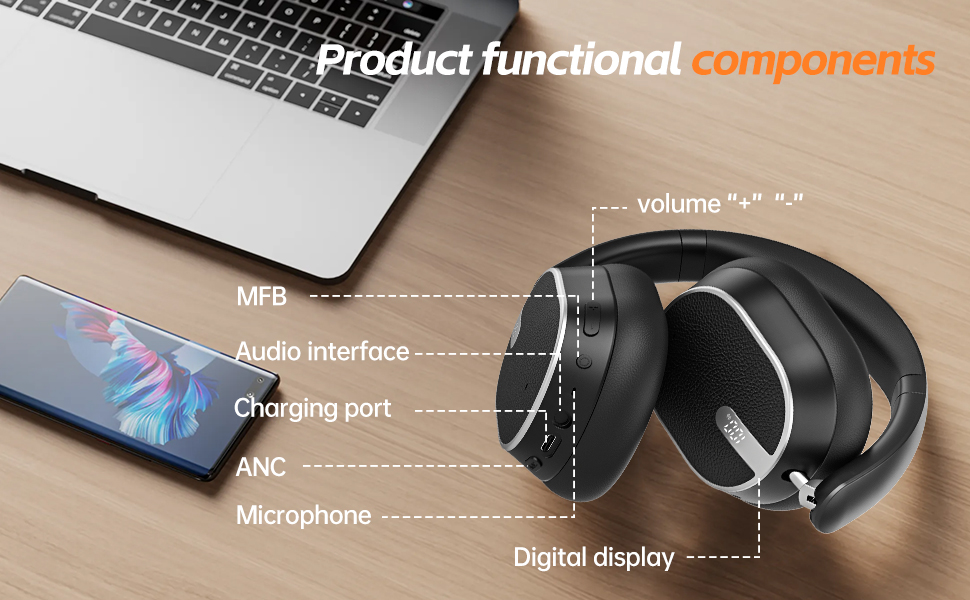
Image: Detailed diagram illustrating the functional components of the MMWOWARTS H2 headphones, including volume controls, Multi-Function Button (MFB), audio interface, charging port, ANC button, microphone, and digital display.
Persediaan
1. Mengecas Fon Kepala Anda
Before first use, fully charge your headphones. Connect the provided USB-C charging cable to the charging port on the headphone and the other end to a compatible USB power source. The LED indicator will show charging status.
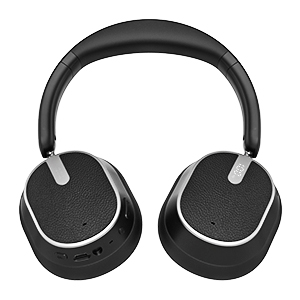
Imej: Jarak dekat view of the right earcup of the MMWOWARTS H2 headphones, highlighting the USB-C charging port and control buttons.
2. Berpasangan Bluetooth
- Pastikan fon kepala anda dicas.
- Press and hold the Multi-Function Button (MFB) for a few seconds until the LED indicator blinks red and blue, indicating pairing mode.
- Pada peranti anda (telefon pintar, tablet, komputer riba), dayakan Bluetooth dan cari peranti yang tersedia.
- Select "MMWOWARTS H2" from the list.
- Setelah disambungkan, penunjuk LED akan bertukar menjadi biru padu.
Fon kepala akan cuba menyambung semula secara automatik ke peranti pasangan terakhir apabila dihidupkan.
Arahan Operasi
1. Hidupkan/Mati Kuasa
- Hidupkan kuasa: Press and hold the MFB until the LED indicator lights up.
- Matikan: Press and hold the MFB until the LED indicator turns off.
2. Kawalan Kelantangan
- Kelantangan: Tekan butang '+'.
- Perlahankan suara: Tekan butang '-'.
3. Kawalan Main Semula
- Main/Jeda: Tekan MFB sekali.
- Lagu Seterusnya: Tekan dan tahan butang '+'.
- Trek Sebelumnya: Tekan dan tahan butang '-'.
4. Pengurusan Panggilan
- Jawab/Tamatkan Panggilan: Tekan MFB sekali.
- Tolak Panggilan: Tekan dan tahan MFB selama 2 saat.
- Aktifkan Pembantu Suara: Tekan dua kali pada MFB.
5. Mod Kawalan Bunyi
Press the ANC button to cycle through the following modes:
- Pembatalan Bunyi Aktif Hibrid (ANC): Minimizes external noise for an immersive audio experience.
- Mod Ketelusan: Allows you to hear your surroundings while still enjoying your audio, ideal for awareness in busy environments.
- Mod Biasa: Standard audio playback without noise control.
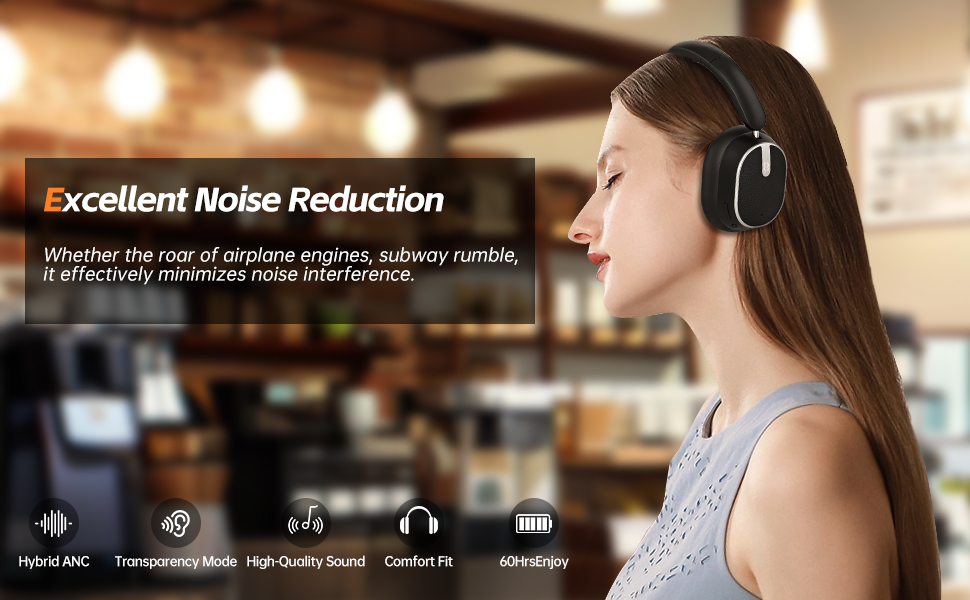
Image: A woman wearing the MMWOWARTS H2 headphones, illustrating the excellent noise reduction capability in a cafe setting. Icons for Hybrid ANC, Transparency Mode, High-Quality Sound, Comfort Fit, and 60 hours of enjoyment are displayed.

Image: A woman wearing the MMWOWARTS H2 headphones, highlighting the Transparency Mode feature for staying connected with surroundings.
Penyelenggaraan
- Clean the earcups and headband with a soft, dry cloth.
- Avoid exposing the headphones to extreme temperatures, moisture, or corrosive substances.
- Simpan fon kepala di tempat yang sejuk dan kering apabila tidak digunakan. Reka bentuk yang boleh dilipat membolehkan penyimpanan yang padat.
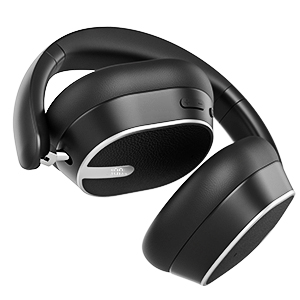
Image: The MMWOWARTS H2 headphones shown in their folded configuration, demonstrating their portability and ease of storage.
Menyelesaikan masalah
- Tidak Boleh Hidupkan: Pastikan fon kepala dicas sepenuhnya.
- Tidak boleh berpasangan: Ensure Bluetooth is enabled on your device and the headphones are in pairing mode (blinking red/blue LED). Try forgetting the device on your phone and re-pairing.
- Tiada Bunyi: Check volume levels on both the headphones and your connected device. Ensure the headphones are properly paired.
- Kualiti Bunyi Lemah: Ensure there are no obstructions between the headphones and your device. Move closer to your device.
Spesifikasi
- Nama Model: H2
- Jenama: MMWOWARTS
- Teknologi Ketersambungan: Wayarles (Bluetooth)
- Teknologi Komunikasi Tanpa Wayar: Bluetooth 5.0
- Kawalan Bunyi: Pembatalan Bunyi Hibrid
- Bentuk alat dengar: Atas Telinga
- Kaedah Kawalan: Sentuh
- Hayat Bateri: Sehingga 60 Jam
- Berat Barang: 14 auns (0.4 Kilogram)
- Peranti Serasi: Cellphones, Tablets, Laptops, Smart Speaker
- Port Pengecasan: USB-C
- Antara Muka Audio: 3.5mm Auxiliary Port (cable included)
Video Produk
Waranti dan Sokongan
For warranty information or technical support, please refer to the contact details provided on the product packaging or visit the MMWOWARTS official webtapak. Simpan resit pembelian anda untuk tuntutan waranti.