
Kuasa Motorola Moto G15
Manual Pengguna Telefon Pintar Motorola Moto G15 Power 4G
Model: Moto G15 Power
1. Pengenalan
Welcome to the user manual for your new Motorola Moto G15 Power 4G smartphone. This guide provides essential information to help you set up, operate, maintain, and troubleshoot your device. The Moto G15 Power is designed to deliver a superior mobile experience with its advanced features, including a vibrant Full HD+ display, a high-resolution camera system, and a long-lasting battery.
Please read this manual carefully to ensure optimal performance and longevity of your device. Keep it for future reference.
2. Persediaan Awal
2.1 Kandungan Pakej
Pastikan pakej anda mengandungi item berikut:
- Telefon Pintar Motorola Moto G15 Power
- 30W TurboPower Charger
- Kabel USB-C
- Alat Ejector SIM
- Panduan Mula Pantas (manual ini)
2.2 Memasukkan Kad SIM dan microSD
- Cari dulang SIM di sisi telefon anda.
- Masukkan alat ejektor SIM ke dalam lubang kecil di sebelah dulang dan tolak perlahan-lahan sehingga dulang terkeluar.
- Place your Nano-SIM card(s) and/or microSD card into the tray with the gold contacts facing down. Ensure they are correctly seated. The Moto G15 Power supports Dual SIM functionality.
- Tolak dulang kembali ke dalam telefon dengan berhati-hati sehingga ia berbunyi pada tempatnya.

Imej: Sisi view of the Motorola Moto G15 Power, illustrating the location of the SIM card tray.
2.3 Mengecas Peranti
Before first use, fully charge your Moto G15 Power. Connect the USB-C cable to the phone's charging port and the 30W TurboPower charger to a power outlet. The battery indicator will show charging progress.
2.4 Menghidupkan/Mematikan
- To power on: Press and hold the Power button (located on the right side of the phone) until the Motorola logo appears.
- Untuk mematikan: Tekan dan tahan butang Kuasa, kemudian ketik 'Matikan kuasa' pada skrin.
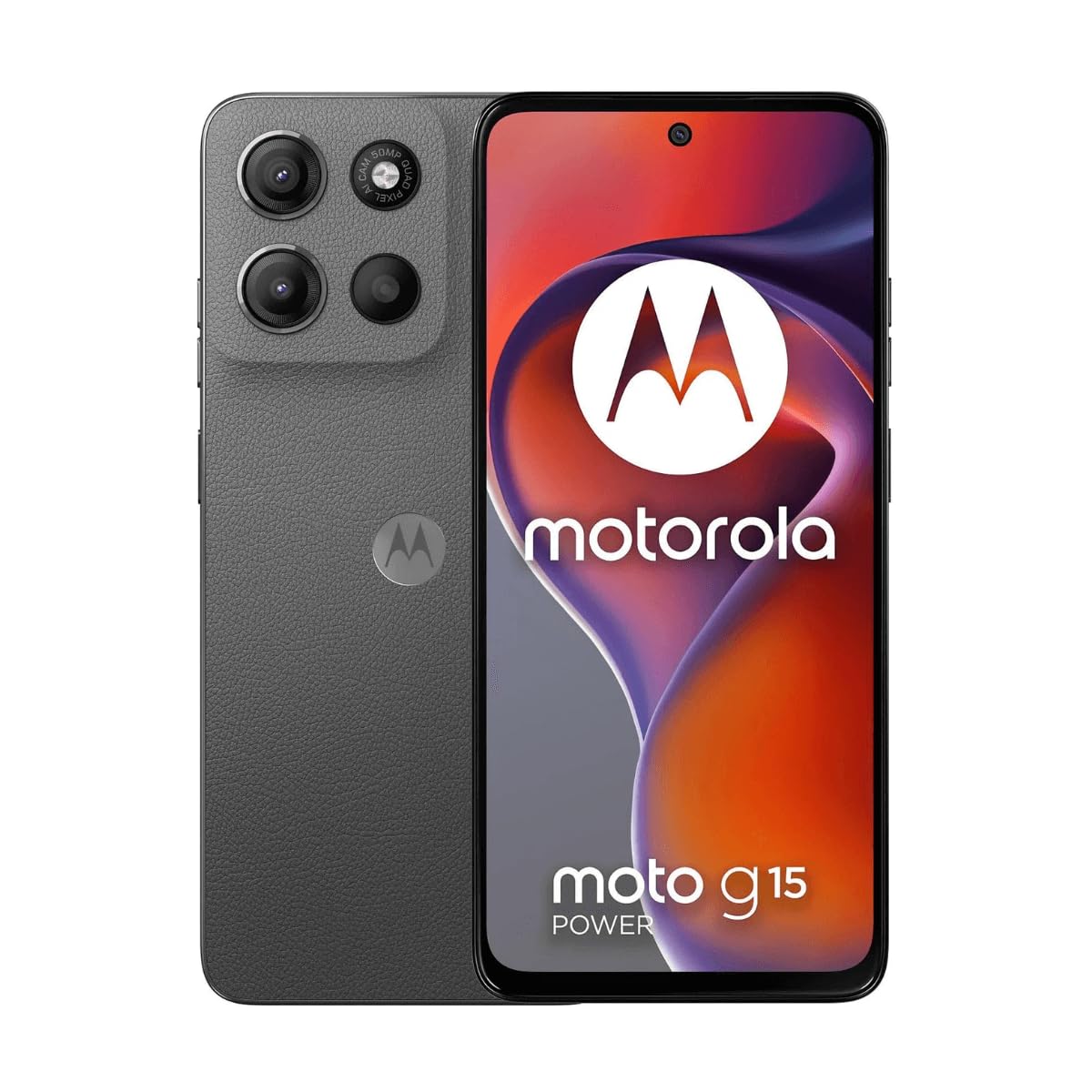
Imej: Depan view of the Motorola Moto G15 Power, displaying the screen and the location of the power button on the right side.
3. Mengendalikan Peranti Anda
3.1 Navigasi Skrin Sentuh
Your Moto G15 Power features a responsive 6.72-inch Full HD+ display. Use the following gestures for navigation:
- Ketik: Pilih item atau buka apl.
- Leret: Tatal melalui skrin atau senarai.
- Cubit: Zum masuk atau keluar pada foto dan web muka surat.
- Tekan lama: Akses menu kontekstual atau alihkan ikon.
3.2 Membuat Panggilan dan Menghantar Mesej
To make a call, open the Phone app and dial the number or select a contact. To send a message, open the Messages app, tap 'Start chat', and enter the recipient and your message.
3.3 Penggunaan Kamera
The Moto G15 Power is equipped with a 50 MP main camera with Quad Pixel technology and an 8 MP front camera. Open the Camera app to capture photos and videos.
- Mod Foto: Ketik butang pengatup untuk mengambil gambar.
- Mod Video: Tukar ke mod video dan ketik butang rakam untuk mula/hentikan rakaman.
- Kamera Selfie: Tap the camera switch icon to use the front camera.
- Ciri Lanjutan: Explore settings for portrait mode, night vision, and other photographic enhancements.

Imej: Belakang view of the Motorola Moto G15 Power, highlighting the 50MP camera module.
3.4 Audio dan Paparan
Experience enhanced audio with Dolby Atmos support, whether through headphones or the phone's speakers. The 6.72-inch Full HD+ display features a High Brightness Mode for improved outdoor visibility.
3.5 Pengurusan Bateri
Your device is equipped with a 6000 mAh battery and supports 30W TurboPower charging. To optimize battery life:
- Laraskan kecerahan skrin.
- Tutup apl yang tidak digunakan.
- Dayakan mod penjimat bateri apabila diperlukan.
3.6 Ketersambungan
The Moto G15 Power supports 4G cellular networks, Wi-Fi, Bluetooth, and NFC. Access these settings via the Quick Settings panel or the Settings app.
4. Penyelenggaraan dan Penjagaan
4.1 Membersihkan Peranti Anda
Use a soft, lint-free cloth to clean the screen and body of your phone. Avoid abrasive materials or harsh chemicals. For stubborn smudges, slightly dampen kain dengan air.
4.2 Tahan Air
The Moto G15 Power is designed to be splash and liquid resistant. This means it can withstand minor splashes or light rain. It is not waterproof and should not be submerged in water. Liquid damage is not covered under warranty.
4.3 Kemas Kini Perisian
Semak dan pasang kemas kini perisian secara kerap untuk memastikan peranti anda mempunyai ciri terkini, tampung keselamatan dan peningkatan prestasi. Pergi ke Tetapan> Sistem> Kemas kini sistem.
4.4 Penjagaan Bateri
To prolong battery life, avoid exposing your phone to extreme temperatures. Do not leave it fully charged or fully discharged for extended periods.
5. Penyelesaian masalah
5.1 Peranti Tidak Dihidupkan
- Pastikan bateri dicas. Sambungkan pengecas dan tunggu beberapa minit sebelum cuba menghidupkan.
- Tekan dan tahan butang Kuasa selama sekurang-kurangnya 10-15 saat untuk memaksa mulakan semula.
5.2 Isu Pengecasan
- Check if the charger and USB-C cable are securely connected to both the phone and the power outlet.
- Cuba gunakan pengecas dan kabel serasi yang berbeza untuk menolak aksesori yang rosak.
- Pastikan port pengecasan bersih dan bebas daripada serpihan.
5.3 Masalah Ketersambungan Rangkaian
- Mulakan semula telefon anda.
- Semak sama ada Mod Pesawat dilumpuhkan.
- Sahkan bahawa kad SIM anda telah dimasukkan dengan betul dan aktif.
- Tetapkan semula tetapan rangkaian: Tetapan > Sistem > Tetapkan semula pilihan > Tetapkan semula Wi-Fi, mudah alih & Bluetooth.
5.4 Aplikasi Ranap atau Terhenti
- Tutup dan buka semula apl.
- Kosongkan cache dan data aplikasi: Tetapan > Apl > [Nama Apl] > Storan & cache > Kosongkan cache / Kosongkan storan.
- Kemas kini aplikasi daripada Gedung Google Play.
- Jika isu berterusan, nyahpasang dan pasang semula apl.
6. Spesifikasi
| Ciri | Spesifikasi |
|---|---|
| Nama Model | Kuasa Moto G15 |
| Sistem Operasi | Android |
| Pemproses | MediaTek Helio G81 Extreme |
| RAM | 8 GB |
| Storan Dalaman | 512 GB |
| Storan Boleh Dikembangkan | Sehingga 512 GB (microSD) |
| Saiz Paparan | 6.72 Inci |
| Resolusi Paparan | 2340 x 1080 pixels (Full HD+) |
| Kamera Belakang | 50 MP |
| Kamera Depan | 8 MP |
| Kapasiti Bateri | 6000 mAh |
| Mengecas | Kuasa Turbo 30W |
| Ketersambungan | 4G, 2G, Wi-Fi, Bluetooth, NFC |
| Jenis SIM | Dual Nano SIM |
| Dimensi | 9 x 76 x 166 mm |
| Tahan Air | Splash and liquid resistant |
| Bicu Fon Kepala | USB-C |
| warna | Gravity Grey |
7. Maklumat Waranti
Your Motorola Moto G15 Power is covered by a limited warranty. The terms and conditions of this warranty may vary by region. Please refer to the warranty card included in your product packaging or visit the official Motorola weblaman web untuk maklumat terperinci mengenai perlindungan waranti, tempoh dan prosedur tuntutan.
Simpan bukti pembelian anda untuk sebarang tuntutan waranti.
8. Sokongan
Untuk bantuan lanjut, sokongan teknikal atau untuk mengakses sumber tambahan, sila lawati sokongan rasmi Motorola website. You can find FAQs, software downloads, and contact information for customer service.
Motorola Official Support: www.motorola.com/support
Ask a question about this manual
Ask about setup, troubleshooting, compatibility, parts, safety, or missing instructions. Manuals+ will review the question and use this page’s manual context to help answer it.