
Dylanto TP2
Dylanto Kids Phone Toy TP2 User Manual
Model: TP2
pengenalan
The Dylanto Kids Phone Toy TP2 is an upgraded 3.5-inch touchscreen device designed to provide a realistic smartphone experience for children aged 3-12. It combines entertainment with educational features, including dual cameras, music and video players, 26 puzzle games, educational apps, a calculator, recorder, and flashlight. This manual will guide you through setting up and operating your new device, ensuring a safe and engaging experience for your child.

Image: The Dylanto Kids Phone Toy TP2, highlighting its compact size and user interface.
Apa yang Termasuk
- Dylanto Kids Phone Toy TP2
- Kes Pelindung
- Tempered Screen Film
- Kabel Pengecas USB
- Kad SD
- Lanyard
- Manual Pengguna

Image: The Dylanto Kids Phone Toy TP2 and its included accessories.
Maklumat Keselamatan
- Sentiasa mengawasi kanak-kanak kecil semasa digunakan.
- Jauhkan peranti daripada air dan kelembapan berlebihan.
- Elakkan daripada menjatuhkan peranti atau terkena impak yang kuat.
- Gunakan hanya kabel pengecasan dan penyesuai yang disediakan.
- Ensure the device is charged in a safe environment, away from flammable materials.
- Jangan cuba membuka atau membaiki peranti sendiri.
Persediaan
- Caj Permulaan: Before first use, fully charge the device using the provided USB cable. Connect the cable to the phone's charging port and a compatible USB power adapter (not included). A full charge typically takes 1-2 hours.
- Hidupkan/Mati Kuasa: Press and hold the power button (usually on the side) to turn the device on or off.
- Install Protective Accessories: Apply the tempered screen film to protect the screen from scratches. Place the phone inside the protective silicone case for added drop protection.
- Masukkan Kad SD: If desired, insert the included SD card into the designated slot to expand storage for photos, videos, and music.
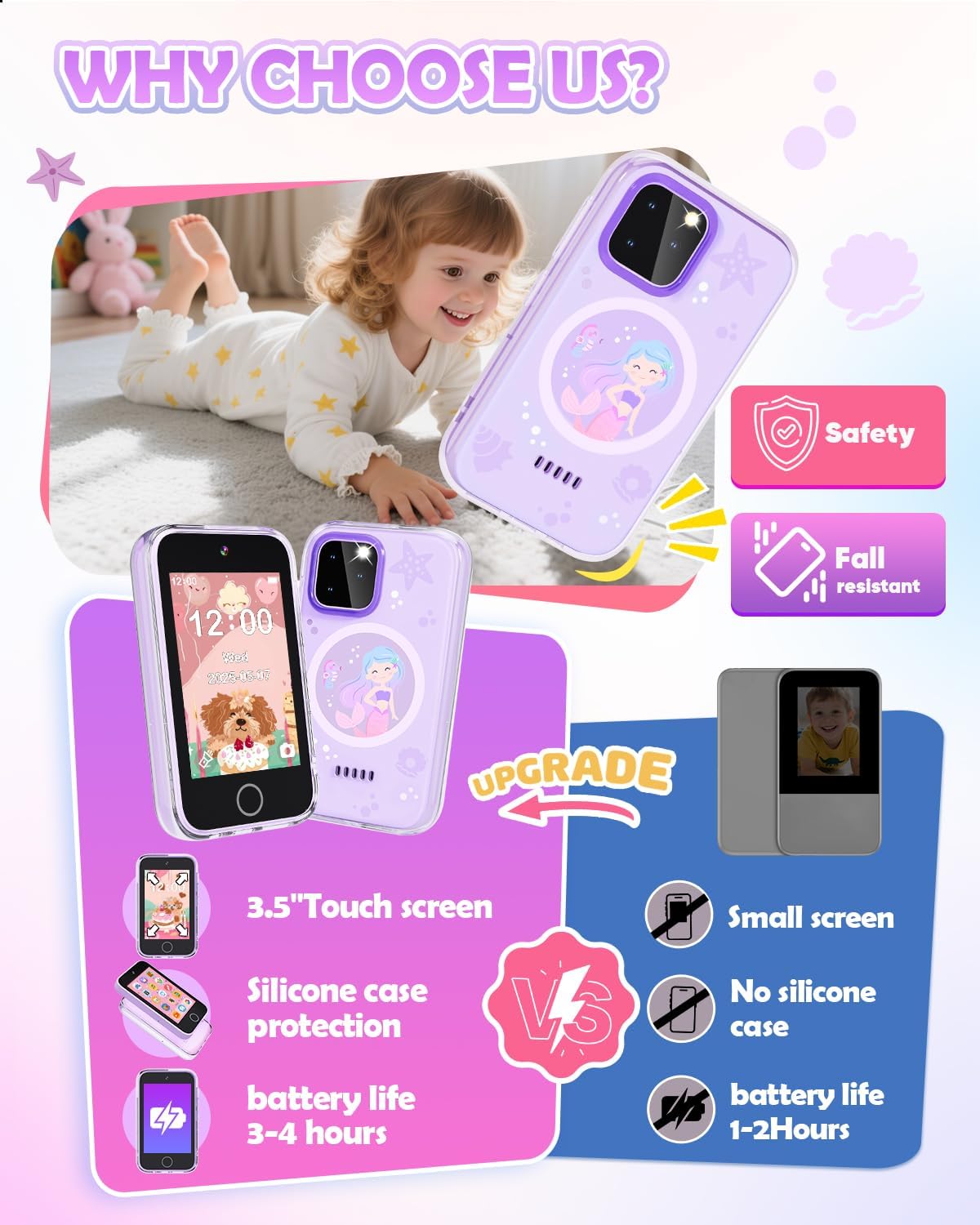
Image: The Dylanto Kids Phone Toy TP2 with its protective case and screen film, emphasizing durability.
Arahan Operasi
Navigasi
The Dylanto Kids Phone Toy TP2 features a responsive 3.5-inch touchscreen. Swipe left or right to navigate between different app screens. Tap on an icon to open an application. The home button (circular button below the screen) typically returns you to the main desktop.
Permainan
The device comes pre-installed with 26 puzzle games designed to develop logical thinking, reaction time, and hand-eye coordination.
- Mengakses Permainan: Tap the "Games" icon on the home screen.
- bermain: Select a game from the list and follow the on-screen instructions.
- Mod Pengajian: Parents can activate "Study Mode" in the settings to limit playtime, encouraging a balance between learning and entertainment.

Image: A child engaged in playing a pre-installed game on the Dylanto Kids Phone Toy TP2.
Video: A demonstration of the Dylanto Kids Phone Toy TP2's game features, including navigation through the game menu and gameplay.
Pemain Muzik
The built-in MP3/MP4 player allows children to enjoy music and audio stories. It features a 3.5mm headphone jack for private listening and high-quality speakers for shared enjoyment. The 1000mAh battery provides over 3.5 hours of music playback.
- Accessing Music: Tap the "Audio" or "Music" icon.
- Menambah Muzik: Connect the device to a computer via USB to transfer MP3 files ke kad SD.
- Fon kepala: Plug standard 3.5mm headphones into the headphone jack for personal listening.

Image: The Dylanto Kids Phone Toy TP2's music player function, showing a child enjoying audio content.
Video: A demonstration of the Dylanto Kids Phone Toy TP2's music player, showing song selection and playback.
Dwi Kamera
Equipped with front and rear dual cameras, the phone allows kids to capture photos and record videos. They can also add fun stickers and frames to their pictures, fostering creativity.
- Mengambil gambar: Tap the "Camera" icon. Use the on-screen buttons to switch between front/rear cameras and take a picture.
- Merakam Video: Tap the "Video" icon to start recording.
- Adding Stickers/Frames: After taking a photo, use the editing options to personalize it.
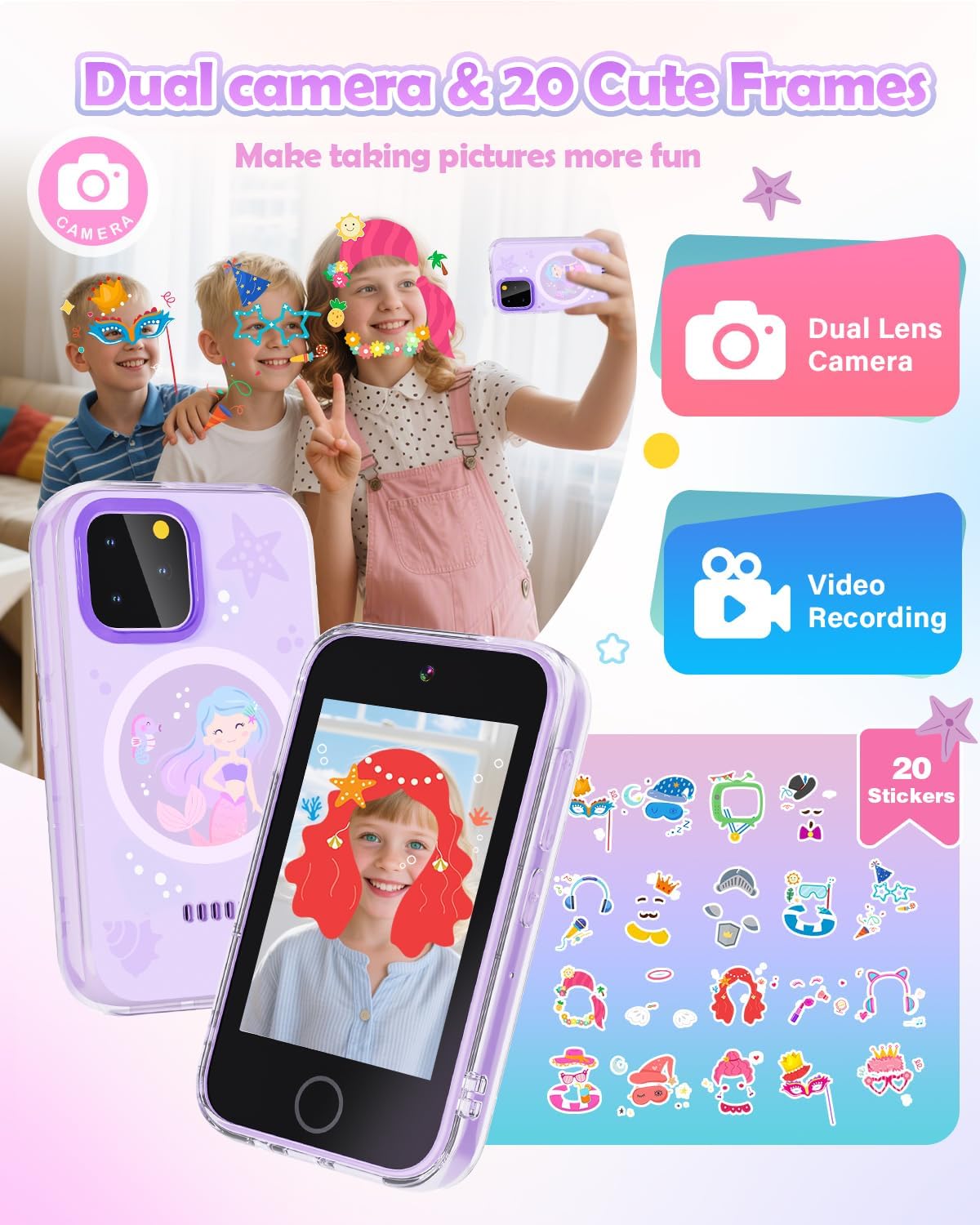
Image: The Dylanto Kids Phone Toy TP2's dual camera functionality, with examples of creative photo effects.
Video: A demonstration of the Dylanto Kids Phone Toy TP2's camera function, showing how to switch between front and rear cameras.
Apl Pendidikan
The phone includes various educational content to make learning engaging:
- Pembelajaran ABC: Interactive alphabet learning with animal sounds.
- Fables: Listen to 10 classic fables.
- World Landmarks: Explore 23 famous buildings from around the globe.
- Penjejak Tabiat: Tools to track daily habits and time management, promoting self-discipline.

Image: The Dylanto Kids Phone Toy TP2 showcasing its educational features like fables, alphabet learning, and world landmarks.
Video: A demonstration of the Dylanto Kids Phone Toy TP2's educational features, including the habit tracker, countries, and ABC learning apps.
Alat Lain
The phone also includes practical tools such as a calculator, voice recorder, flashlight, clock, timer, stopwatch, and calendar. These tools enhance the realistic smartphone experience and offer additional utility.
Penyelenggaraan
- Pembersihan: Use a soft, dry, lint-free cloth to clean the screen and body of the device. Avoid abrasive cleaners or solvents.
- Penjagaan Bateri: To prolong battery life, avoid fully discharging the battery frequently. Recharge the device when the battery level is low. Do not expose the device to extreme temperatures.
- Storan: Apabila tidak digunakan untuk tempoh yang lama, simpan peranti di tempat yang sejuk dan kering.
Menyelesaikan masalah
- Peranti Tidak Dihidupkan: Pastikan bateri telah dicas. Sambungkan peranti kepada pengecas selama sekurang-kurangnya 15 minit sebelum cuba menghidupkannya semula.
- Skrin Tidak Responsif: If the screen is unresponsive, try restarting the device by holding down the power button.
- Isu Bunyi: Check the volume settings. Ensure headphones are properly plugged in if using them.
- Isu Prestasi: If the device is running slowly, try closing unused applications. If problems persist, consider a factory reset (see Settings menu).
Spesifikasi
| Ciri | Perincian |
|---|---|
| Nama Jenama | Dylanto |
| Nombor Model | TP2 |
| Saiz Skrin | 3.5 inci |
| Penerangan Julat Umur | 36 bulan + |
| Kapasiti Bateri | 1000mAh (boleh dicas semula) |
| Kamera | Dwi (Depan & Belakang) |
| Jenis Bahan | silikon |
| Berat Barang | 0.16 Kilogram |
| Objektif Pendidikan | Cognitive Skill, Logical Thinking |
Waranti dan Sokongan
The Dylanto Kids Phone Toy TP2 comes with a Waranti pengilang selama 1 tahun. For any product inquiries, technical support, or warranty claims, please contact the manufacturer, Shenzhen Aobaisen Electronic Technology Co.,Ltd. Refer to the packaging or product webtapak untuk butiran hubungan khusus.
Ask a question about this manual
Ask about setup, troubleshooting, compatibility, parts, safety, or missing instructions. Manuals+ will review the question and use this page’s manual context to help answer it.