
LOKITHOR JC400
LOKITHOR JC400 9-in-1 Jump Starter and Battery Charger User Manual
Model: JC400
Jenama: LOKITHOR
1. Pengenalan
Thank you for choosing the LOKITHOR JC400 9-in-1 Jump Starter and Battery Charger. This versatile device is engineered to provide reliable power solutions for your automotive needs, combining jump starting, battery charging, and portable power bank functionalities. To ensure safe and optimal performance, please read this manual thoroughly before operation and retain it for future reference.
Video: Berakhirview of the LOKITHOR JC400's multifunctional capabilities.
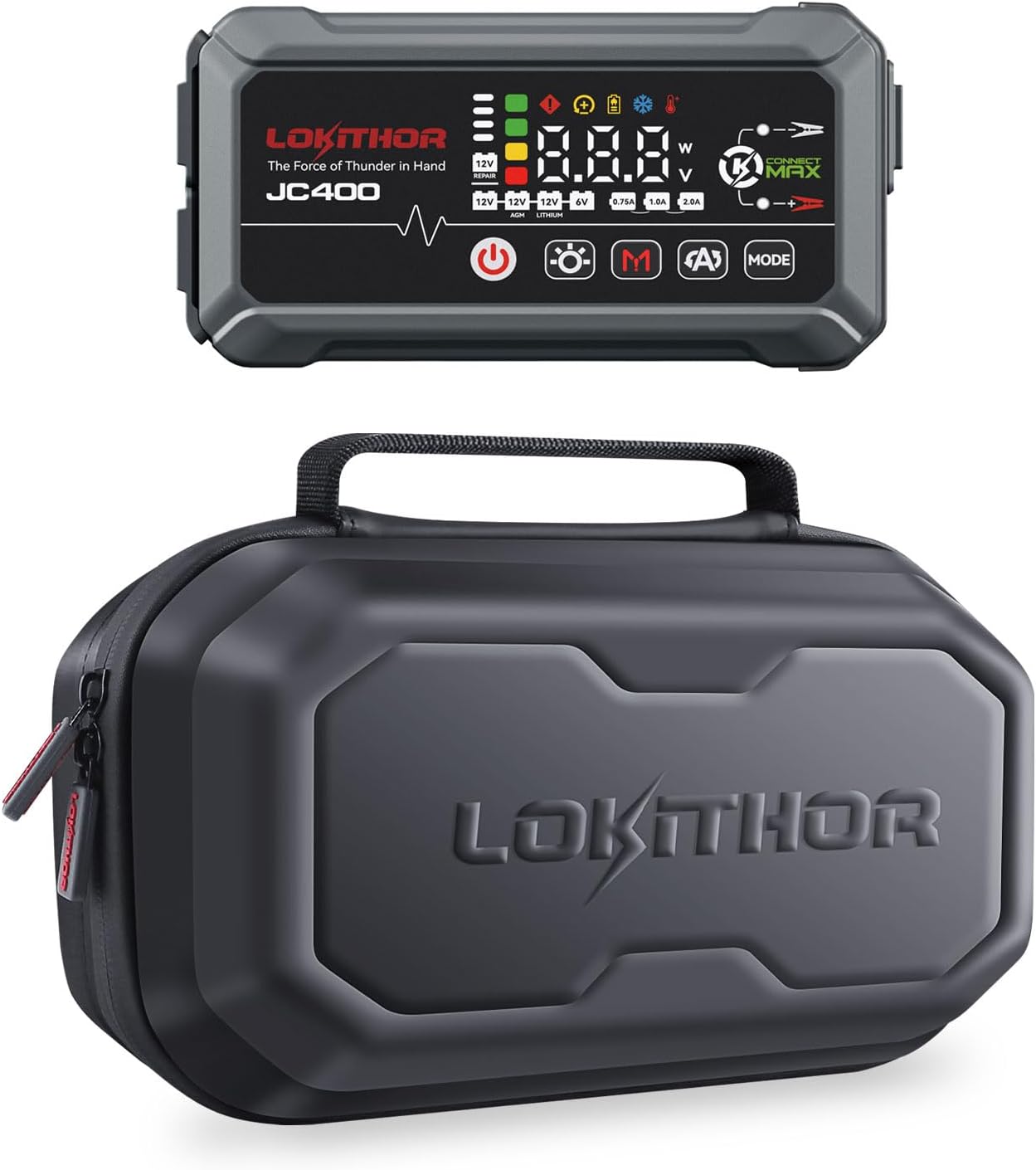
Imej: The LOKITHOR JC400 unit and its protective storage case.
2. Maklumat Keselamatan Penting
Always observe the following safety precautions to prevent electric shock, explosion, fire, and property damage. Failure to follow these instructions may result in serious injury or death.
- Baca semua arahan sebelum menggunakan produk.
- Do not operate the unit if it has been damaged.
- Jauhkan daripada kanak-kanak.
- Pakai pelindung mata dan sarung tangan semasa bekerja dengan bateri.
- Ensure proper ventilation during charging and jump starting.
- The LOKITHOR JC400 features ConnectMax Technology with 10 advanced protections: Spark-Proof, Reverse-Charge, Over-Charge, Over-Current, Short-Circuit, Reverse-Polarity, Low-Temp, High-Temp, Over-Voltage, and Over-Load Protection. While these features enhance safety, always exercise caution.

Imej: The LOKITHOR JC400 highlighting its ConnectMax Technology for enhanced safety during operation.
3. Kandungan Pakej
Sahkan bahawa semua item ada dan tidak rosak semasa membuka bungkusan:
- LOKITHOR JC400 Jump Starter and Battery Charger Unit (x1)
- Jumper Cables (x1)
- AC Power Cord (x1)
- Kabel USB-A ke USB-C (x1)
- Manual Pengguna (x1)
- Beg Simpanan (x1)
Video: Unboxing the LOKITHOR JC400 and its included accessories.

Imej: All components included in the LOKITHOR JC400 package, neatly arranged within the storage case.
4. Produk Lebihview
The LOKITHOR JC400 is a compact and robust device designed for various automotive and portable power needs. It features an intuitive display and multiple ports for diverse functionalities.
4.1. Reka Letak Peranti
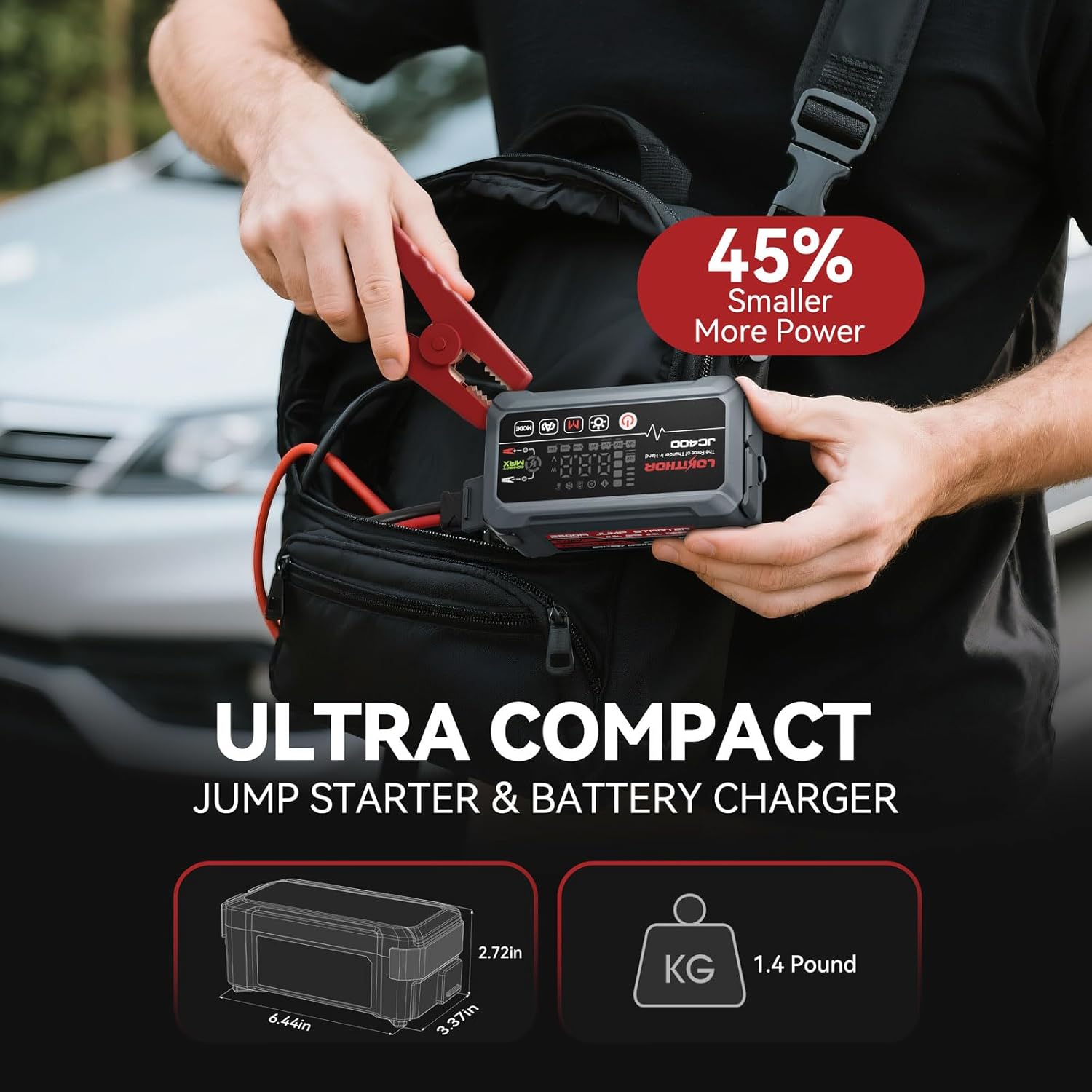
Imej: The LOKITHOR JC400 demonstrating its ultra-compact design, making it easy to carry.
The unit is designed for portability and durability, featuring a robust casing and a clear digital display. Key elements include:
- Paparan Digital: Shows battery status, voltage, current, and selected modes.
- Butang Kawalan: Power, Light, Mode selection.
- Pelabuhan Mula Lompat: Untuk menyambungkan kabel jumper.
- Keluaran USB-A: Untuk mengecas peranti luaran.
- Input/Output USB-C: For charging the unit or external devices.
- Input AC: For charging the unit via AC power cord.
- Lampu LED: Multi-mode emergency light.
- Kompas: Bersepadu untuk bantuan navigasi.
5. Persediaan dan Pengecasan Awal
Before first use, fully charge the LOKITHOR JC400. This ensures optimal performance and extends battery life.
- Connect the AC Power Cord to the AC input port on the JC400.
- Plug the other end of the AC Power Cord into a standard wall outlet.
- The digital display will indicate charging status. Charge until the battery indicator shows full.
Alternatively, you can charge the unit using the USB-C port with a compatible USB-C charger.
6. Arahan Operasi
6.1. Lompat Memulakan Kenderaan
The LOKITHOR JC400 can jump start 12V vehicles with up to 8.5L gas or 6.5L diesel engines.
- Ensure the JC400 is sufficiently charged.
- Connect the jumper cables to the jump start port on the JC400.
- Lampirkan merah clamp to the vehicle's positive (+) battery terminal.
- Lampirkan hitam clamp to the vehicle's negative (-) battery terminal or a solid, unpainted metal part of the engine block.
- Once connected, the JC400 will automatically detect the battery voltage. If the battery is extremely low (below 1V), activate Force Charging Mode by long-pressing the 'Mode' button for 5 seconds.
- Mulakan kenderaan.
- Sebaik sahaja kenderaan dihidupkan, segera putuskan sambungan lampu hitamamp, maka cl merahamp, and finally disconnect the jumper cables from the JC400.

Imej: The LOKITHOR JC400 connected to a vehicle battery, ready to jump start.
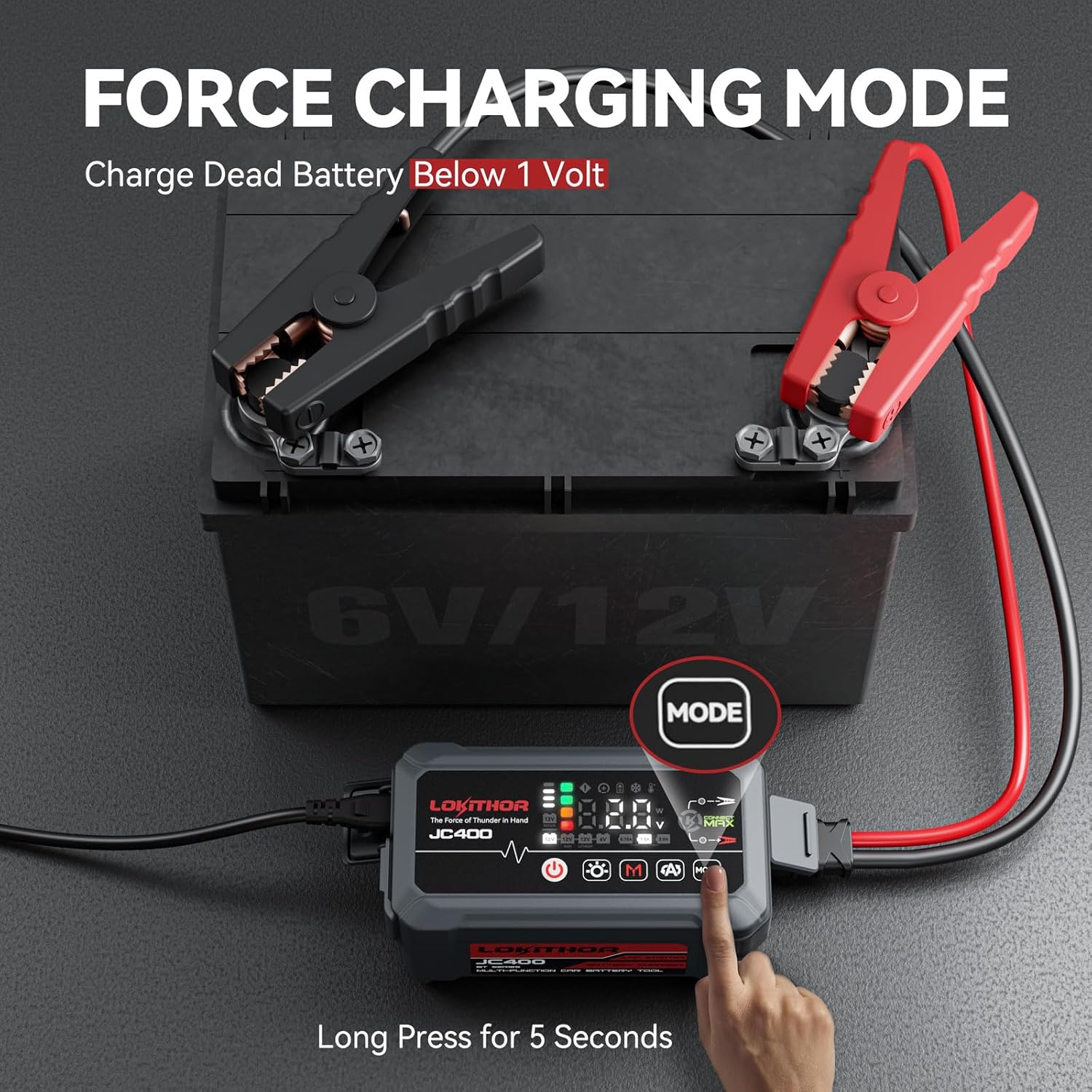
Imej: Activating the Force Charging Mode on the LOKITHOR JC400 for deeply discharged batteries.
6.2. Battery Charging and Maintaining
The JC400 functions as a smart battery charger, maintainer, and desulfator for 6V/12V regular, 12V AGM, and 12V lithium batteries.
- Connect the jumper cables to the JC400 and then to the battery terminals (red to +, black to -).
- Connect the JC400 to an AC power source using the AC Power Cord.
- Use the 'Mode' button to select the appropriate battery type (12V, 12V AGM, 12V Lithium, 6V) and charging current (0.75A, 1A, 2A). The display will show the selected settings.
- The unit will automatically begin charging and maintaining the battery.

Imej: The LOKITHOR JC400 actively charging and maintaining a car battery, displaying its smart features.
6.3. Fungsi Bank Kuasa Mudah Alih
Use the JC400 to charge your mobile devices.
- Connect your device to the USB-A output (5V=3A) or USB-C input/output (5V=3A) port using a compatible USB cable.
- The JC400 will automatically begin charging your device.
6.4. Operasi Lampu LED
The integrated 300 Lumen LED light offers multiple modes for various situations.
- Press the 'Light' button to cycle through the modes: 100% brightness, 50% brightness, 10% brightness, SOS, Blink, Strobe.
- Press and hold the 'Light' button to turn off the light.

Imej: The LOKITHOR JC400's powerful 300 Lumen LED light, illustrating its different brightness and emergency modes.
6.5. Fungsi Kompas
The built-in compass provides basic directional guidance. Ensure the unit is held level for accurate readings.
7. Penyelenggaraan
- Pembersihan: Lap unit dengan kain kering dan lembut. Jangan gunakan bahan kimia yang keras atau bahan yang melelas.
- Storan: Store the JC400 in its storage bag in a cool, dry place away from direct sunlight and extreme temperatures.
- mengecas: For optimal battery health, recharge the unit every 3-6 months, even if not in use.
- The unit is designed to be dustproof and waterproof, but avoid submerging it in water.
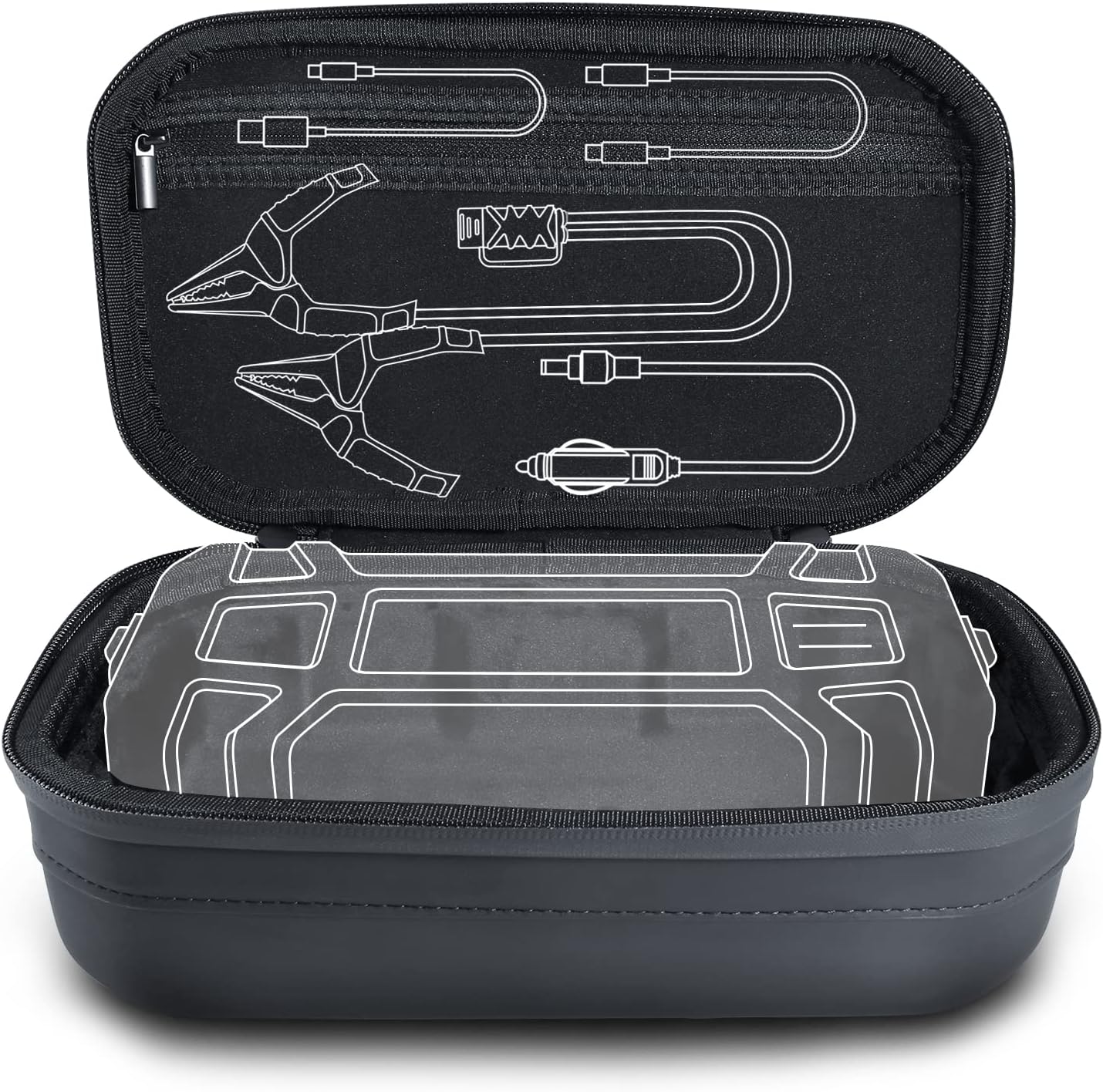
Imej: The LOKITHOR JC400's durable storage case, highlighting its water-resistant properties.
8. Penyelesaian masalah
Jika anda menghadapi masalah, rujuk kepada masalah dan penyelesaian biasa berikut:
| Masalah | Kemungkinan Punca | Penyelesaian |
|---|---|---|
| Unit tidak dihidupkan. | Bateri habis. | Charge the unit fully using the AC power cord or USB-C. |
| Kenderaan tidak boleh dihidupkan semula (jump start). | cl yang salahamp connection; Battery too deeply discharged; Vehicle engine too large. | Pastikan clamps are correctly connected (+ to +, - to -). Activate Force Charging Mode if battery is below 1V. Verify vehicle engine size is within JC400's capacity (8.5L Gas/6.5L Diesel). |
| Mesej ralat pada paparan. | Safety protection activated (e.g., reverse polarity, short circuit). | Refer to the specific error code in the full manual (if available) or disconnect and re-connect carefully, ensuring correct polarity. |
9. Spesifikasi
- Arus Puncak: 2500A
- Jump Start Capacity: Up to 8.5L Gas / 6.5L Diesel 12V vehicles
- Output Pengecas Bateri: 0.75A/1A/2A
- Keserasian Bateri: 6V/12V Regular, 12V AGM, 12V Lithium
- Keluaran USB-A: 5V=3A
- Input/Output USB-C: 5V=3A
- Lampu LED: 300 Lumen, 6 modes
- Suhu Operasi: -4°F hingga 140°F (-20°C hingga 60°C)
- Perlindungan Keselamatan: Spark-Proof, Reverse-Charge, Over-Charge, Over-Current, Short-Circuit, Reverse-Polarity, Low-Temp, High-Temp, Over-Voltage, Over-Load Protection.
10. Waranti dan Sokongan
LOKITHOR stands behind the quality of its products.
- Waranti: 1-Year Replacement Promise.
- Sokongan Pelanggan: 24h Service Support is available for any inquiries or assistance. Please refer to the contact information provided on the LOKITHOR official website or your product packaging for support details.
Ask a question about this manual
Ask about setup, troubleshooting, compatibility, parts, safety, or missing instructions. Manuals+ will review the question and use this page’s manual context to help answer it.