1. Pengenalan
This manual provides detailed instructions for the installation, operation, and maintenance of your KEPEAK 10-inch Mirror Dash Cam. Please read this manual thoroughly before using the product to ensure proper function and safety. Keep this manual for future reference.
2. Produk Lebihview
Kandungan Pakej
- 10-inch Mirror Dash Cam (Front Camera Integrated)
- 1080P Belakang View Kamera
- Kabel Kamera Belakang (18 kaki)
- Pengecas Kereta
- Mounting Straps/Rubber Clips
- Kad Memori 32GB
- Manual Pengguna
Ciri-ciri Utama
- Sistem Kamera Dwi: 4K Ultra HD front camera and IP68 waterproof 1080P rear camera.
- Skrin Sentuh IPS 10 inci: Menyediakan bidang yang luas view and intuitive control.
- Julat Dinamik Luas (WDR): Enhances video clarity in varying light conditions, especially at night.
- Smart Parking Assistance: Paparan automatik bahagian belakang view with parking assist lines when reversing.
- Rakaman Gelung: Automatically overwrites oldest files apabila kad memori penuh.
- G-Sensor: Detects collisions and locks video footage untuk mengelakkan penulisan ganti.
- Parking Surveillance Mode: Records events when an impact is detected while parked (requires built-in battery power).
- Kanta Sudut Lebar 170°: Menangkap luas view jalan raya.
- Sokongan Kad Memori: Includes a 32GB card, supports up to 64GB.

Image: The KEPEAK 10-inch Mirror Dash Cam with its front camera, rear camera, 32GB memory card, car charger, and mounting straps.
3. Panduan Pemasangan
Follow these steps to properly install your dash cam system.
3.1 Mounting the Mirror Dash Cam
- Secure the mirror dash cam to your vehicle's original rearview mirror using the provided rubber clips/straps. Ensure it is firmly attached and does not obstruct your view.
- Adjust the angle of the front camera lens to capture the desired view jalan di hadapan.
3.2 Memasang Kamera Belakang
- Lekapkan kamera belakang di belakang kenderaan anda, biasanya di atas plat lesen atau di tingkap belakang. Pastikan ia mempunyai jelas view and is securely fastened.
- Route the 18ft rear camera cable from the rear camera to the main mirror dash cam unit. It is recommended to route the cable along the vehicle's headliner and trim for a neat installation.
- Sambungkan kabel kamera belakang ke port yang ditetapkan pada kamera papan pemuka cermin.
3.3 Sambungan Kuasa
- Insert the provided 32GB memory card into the dash cam's memory card slot.
- Sambungkan pengecas kereta ke port input kuasa cam dash.
- Pasangkan pengecas kereta ke soket kuasa 12V kenderaan anda (soket pemetik api).
- Start your vehicle. The dash cam should power on automatically and begin recording.

Image: Visual guide for power wiring methods, including securing the dashcam, routing wires along the headliner, opening the A-pillar side panel, and plugging in the car charger.
4. Arahan Operasi
The KEPEAK Mirror Dash Cam features a user-friendly touch screen interface.
4.1 Fungsi Asas
- Hidupkan/Mati Kuasa: The device automatically powers on/off with your vehicle's ignition. You can also manually power it on/off by pressing and holding the power button.
- Rakaman: Recording starts automatically when the device powers on. A red dot or similar indicator on the screen confirms recording is active.
- Bertukar Views: Slide your finger left or right across the touch screen to switch between front camera view, kamera belakang view, or a split-screen display.
- Melaraskan Sudut: Slide your finger up or down on the screen to adjust the vertical viewing angle of the displayed camera.

Image: The 10-inch IPS touch screen displaying a vibrant interface, highlighting its responsive touch functionality.
4.2 Ciri Lanjutan
- Bantuan Tempat Letak Kereta: When your vehicle is in reverse gear, the dash cam automatically displays the full-screen rear view with dynamic parking assist lines. You can manually adjust the display range (up/down) for optimal visibility.
- Rakaman Gelung: The dash cam continuously records. When the memory card is full, it automatically overwrites the oldest unlocked files.
- Sensor-G (Pengesanan Perlanggaran): In the event of a sudden impact or collision, the built-in G-Sensor automatically detects the event and locks the current video file, menghalangnya daripada ditulis ganti oleh rakaman gelung.
- Parking Surveillance Mode: When the engine is off, the dash cam uses its internal battery to enter standby monitoring. If an impact is detected, it will automatically turn on and record the event. A fully charged internal battery can provide up to 2 weeks of standby monitoring. For continuous 24/7 monitoring, hardwiring the dash cam to your car's battery is required (hardwire kit sold separately).

Image: The dash cam screen showing a full-screen rear view with green, yellow, and red parking assist lines, indicating safe reversing.

Image: An illustration depicting cars in a parking lot, with a lock icon indicating the G-Sensor's auto-lock function for collision events.
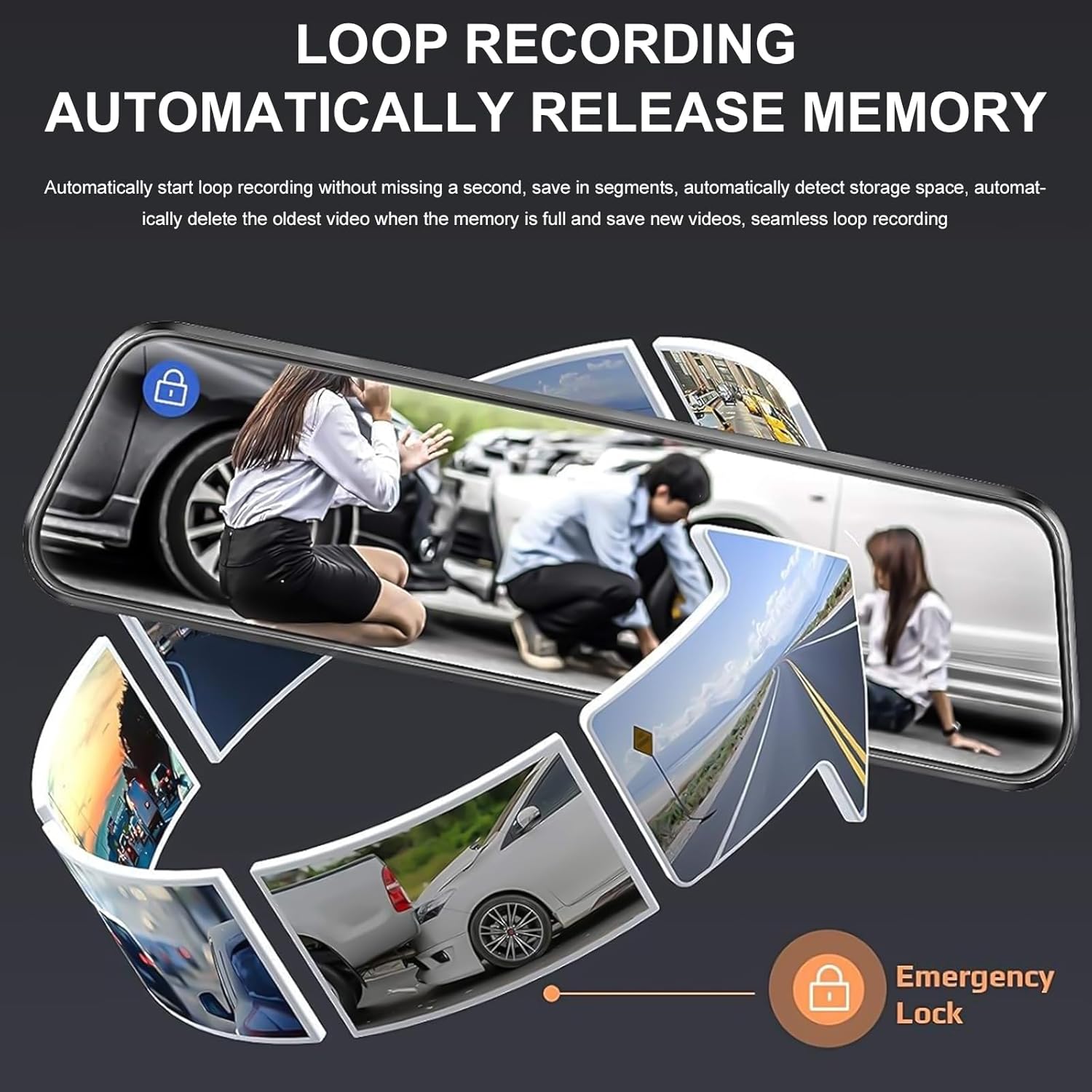
Image: A circular flow diagram illustrating loop recording, where new video segments replace older ones, with an emergency lock icon for protected footage.

Image: A car parked at night with a '24 HOUR' clock icon, symbolizing the 24-hour parking monitoring feature for vehicle protection.
5. Settings and Functions
Access the menu by tapping the screen. Here you can adjust various settings:
- Resolusi Video: Select desired resolution for front and rear cameras (e.g., 4K/1080P).
- Tempoh Rakaman Gelung: Set the length of video segments (e.g., 1, 3, 5 minutes).
- Sensitiviti G-Sensor: Adjust the sensitivity of the collision detection.
- Monitor Tempat Letak Kereta: Enable or disable parking surveillance mode.
- Dedahan: Adjust video brightness.
- Tarikh/Masa: Tetapkan tarikh dan masa yang betul untuk masa yang tepatamps pada rakaman.
- Gambar skrin: Set the screen to turn off after a period of inactivity to avoid distraction.
- Bahasa: Pilih bahasa pilihan anda.
6. Penyelenggaraan
- Pembersihan: Use a soft, dry cloth to clean the dash cam screen and lenses. Avoid abrasive cleaners or solvents.
- Kad Memori: Regularly format the memory card (at least once a month) to ensure optimal performance and prevent data corruption. Back up any important footage before formatting. Replace the memory card if it shows signs of degradation or errors.
- Suhu: Avoid exposing the dash cam to extreme temperatures for extended periods, as this can affect battery life and device performance.
7. Penyelesaian masalah
Jika anda menghadapi masalah dengan kamera papan pemuka anda, rujuk penyelesaian biasa berikut:
| Masalah | Penyelesaian yang Mungkin |
|---|---|
| Dash cam tidak dihidupkan. | Check if the car charger is properly connected to both the dash cam and the vehicle's 12V outlet. Ensure the vehicle's ignition is on. Test the charger in another port or with another device if possible. |
| Rakaman berhenti atau membeku. | Format the memory card. Ensure the memory card is a high-speed Class 10 or U3 card. Replace the memory card if issues persist. Check power connection stability. |
| Kualiti video yang teruk. | Clean the camera lenses. Ensure the protective film has been removed from the lenses. Check video resolution settings. Adjust WDR settings if applicable. |
| Kamera belakang tidak dipaparkan. | Check the connection of the rear camera cable to both the rear camera and the main unit. Ensure the cable is not damaged. |
| Parking assist lines not appearing. | Ensure the rear camera is properly connected and the vehicle is in reverse gear. Check settings for parking assistance. |
| Parking surveillance not working. | Ensure the parking surveillance mode is enabled in settings. Check the dash cam's internal battery charge level. For 24/7 monitoring, hardwiring is required. |
8. Spesifikasi
- Jenama: KEPEAK
- model: B0FHJS1HZS
- Saiz Skrin: 10 Inci
- Resolusi Kamera Depan: 4K Ultra HD
- Resolusi Kamera Belakang: 1080P Full HD
- Bidang View: 170 Darjah
- Ciri Khas: G-Sensor, Night Vision (WDR), Touch Screen, Loop Recording, Parking Assistance, Parking Surveillance
- Teknologi Ketersambungan: USB
- Sokongan Kad Memori: Sehingga 64GB (termasuk 32GB)
- Dimensi Produk: 8 x 5 x 4 inci
- Berat Barang: 1.7 paun
- warna: Hitam
- Jenis Perkhidmatan Kenderaan: Kereta, Lori
9. Waranti dan Sokongan
KEPEAK is committed to providing reliable products and customer satisfaction. If you encounter any issues with your mirror dash cam, our customer support team is available to provide fast and effective assistance within 24 hours.
Please contact us through the retailer's platform or refer to the contact information provided with your purchase for support.