1. Pengenalan
Welcome to the user manual for your Generic W3 MAX Foldable Drone. This drone is designed for beginners and children, offering an easy-to-fly experience with features like dual HD cameras, one-key takeoff, altitude hold, and obstacle avoidance. Its compact, foldable design ensures portability and convenience. Please read this manual thoroughly before operating the drone to ensure safe and optimal performance.
2. Kandungan Pakej
Sahkan bahawa semua item yang disenaraikan di bawah disertakan dalam pakej anda. Jika ada item yang hilang atau rosak, sila hubungi sokongan pelanggan.
- W3 MAX Foldable Drone
- Alat Kawalan Jauh
- 2 x Rechargeable Drone Batteries
- Kabel Pengecas USB
- Kipas Ganti (set)
- Pemutar skru
- Manual Pengguna
3. Produk Lebihview
Familiarize yourself with the main components of your W3 MAX drone and its remote control.
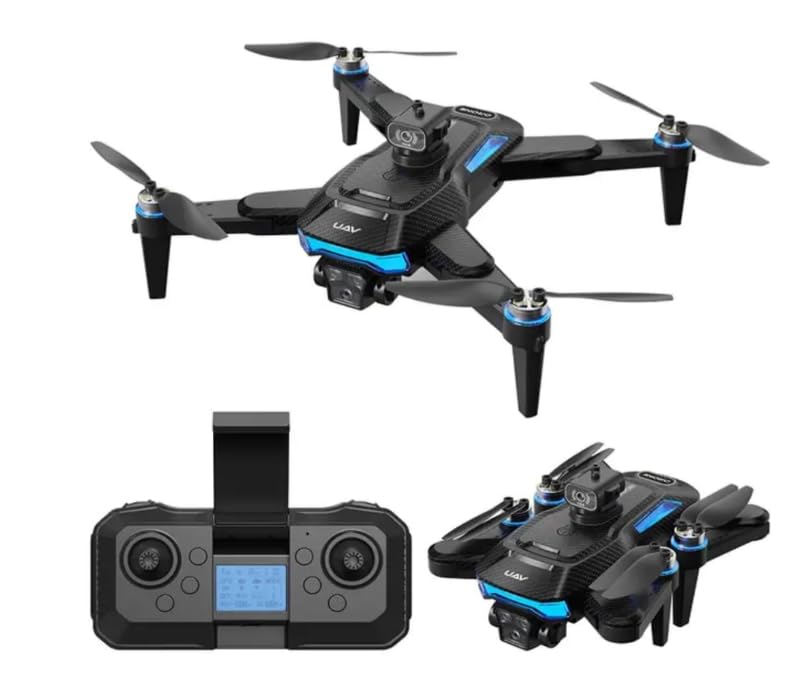
Figure 3.1: W3 MAX Foldable Drone in flight, showcasing its compact design and propellers.
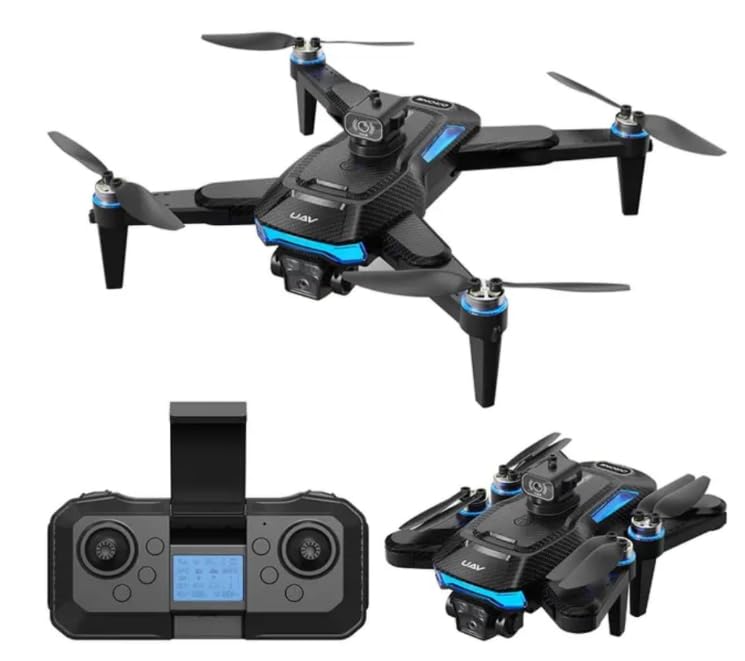
Figure 3.2: The W3 MAX drone in both unfolded and folded configurations, alongside its remote control.
Komponen Dron:
- Lengan boleh dilipat: Allow for compact storage and portability.
- Penjual: Four propellers for flight.
- Dual HD Cameras: Front-facing and bottom-facing cameras for photo and video capture.
- Obstacle Avoidance Sensors: Detect nearby objects to prevent collisions.
- Petak Bateri: Houses the drone's rechargeable battery.
- Butang Kuasa: Untuk menghidupkan/mematikan dron.
Komponen Kawalan Jauh:
- Kayu Joy Kiri: Controls throttle (ascend/descend) and yaw (rotate left/right).
- Joystick Kanan: Controls forward/backward and left/right flight.
- Butang Pelepasan/Pendaratan Satu Kekunci: Memulakan berlepas atau mendarat secara automatik.
- Butang Mod Tanpa Kepala: Activates headless flight.
- Butang Putar 360°: Performs aerial flips.
- Butang Pelarasan Kelajuan: Bertukar antara kelajuan penerbangan yang berbeza.
- Butang Foto/Video: Captures images or starts/stops video recording.
- Pemegang Telefon: Secures your smartphone for FPV viewkawalan dan aplikasi.
4. Persediaan
4.1 Mengecas Bateri Dron
- Remove the drone battery from the drone.
- Sambungkan bateri ke kabel pengecasan USB.
- Plug the USB cable into a 5V/1A USB power adapter (not included) or a computer's USB port.
- The indicator light on the USB cable will show charging status (e.g., red for charging, off for fully charged).
- Pengecasan biasanya mengambil masa kira-kira 60-90 minit. Jangan caj berlebihan.
4.2 Memasang Bateri Alat Kawalan Jauh
- Buka petak bateri di belakang alat kawalan jauh.
- Insert 2 x AA batteries (included) according to the polarity markings (+/-).
- Tutup petak bateri dengan selamat.
4.3 Membuka Dron
- Gently unfold the four arms of the drone until they lock into place.
- Ensure all arms are fully extended and secure before flight.
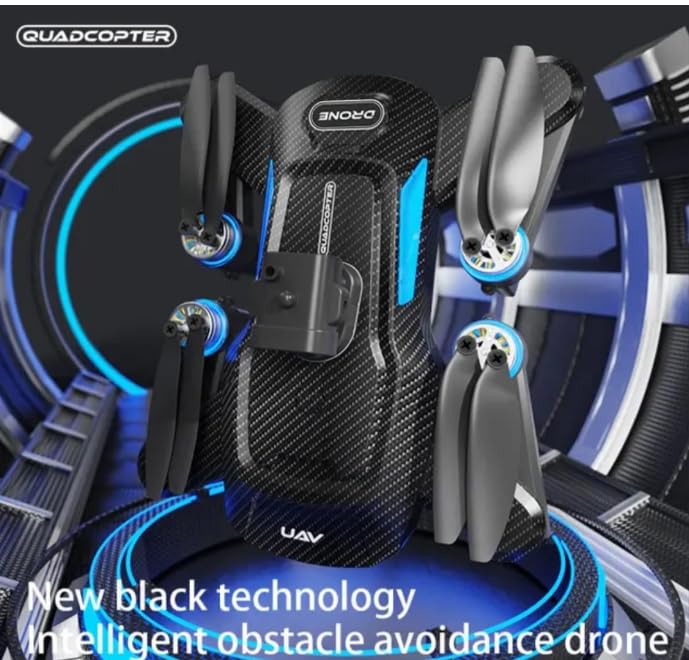
Figure 4.1: The W3 MAX drone demonstrating its folded and unfolded positions for portability and flight readiness.
4.4 Menghidupkan dan Memasang
- Letakkan drone di permukaan rata dan rata.
- Tekan dan tahan butang kuasa pada dron sehingga lampu penunjuk berkelip.
- Turn on the remote control. The remote's indicator light will flash.
- Push the left joystick (throttle) all the way up, then all the way down. The drone and remote lights will become solid, indicating successful pairing.
5. Arahan Operasi
5.1 Kawalan Asas Penerbangan
- Berlepas/Mendarat Satu Kunci: Press the dedicated button on the remote to automatically take off or land.
- Naik/Turun: Push the left joystick up to ascend, pull down to descend.
- Maju/Mundur: Tolak kayu bedik kanan ke atas untuk terbang ke hadapan, tarik ke bawah untuk terbang ke belakang.
- Belok Kiri/Kanan (Yaw): Push the left joystick left to rotate left, right to rotate right.
- Fly Left/Right (Strafe): Push the right joystick left to fly left, right to fly right.
5.2 Ciri Istimewa
- Tahan Ketinggian: The drone will automatically maintain its current altitude, allowing for stable hovering.
- Mod Tanpa Kepala: When activated, the drone's orientation becomes irrelevant. It will fly according to the remote control's orientation (e.g., pushing forward on the remote will always make the drone fly away from you, regardless of which way the drone's front is facing).
- Pusingan 360°: Press the 360° flip button, then move the right joystick in the desired direction to perform an aerial flip. Ensure sufficient altitude.
- Mengelakkan halangan: The drone is equipped with sensors to detect nearby obstacles and automatically adjust its flight path to avoid collisions. This feature enhances safety, especially for new pilots.
- Pelarasan Kelajuan: Press the speed button to cycle through different flight speeds (e.g., low, medium, high) to match your skill level and environment.
5.3 Operasi Kamera
- Mengambil gambar: Press the photo button on the remote control once to capture an image.
- Rakaman Video: Press and hold the video button to start recording. Press again to stop recording.
- Dual HD Cameras: The drone features both front and bottom cameras. The active camera can typically be switched via the mobile app.
6. App Control and FPV
Enhance your flying experience by connecting your smartphone to the drone via the dedicated app.
- Muat turun Apl: Scan the QR code in the quick start guide (or search for "W3 MAX Drone" app) on your smartphone's app store.
- Sambung ke Wi-Fi: Turn on the drone. On your smartphone, go to Wi-Fi settings and connect to the drone's Wi-Fi network (e.g., "W3 MAX-XXXXXX").
- Lancarkan Apl: Open the app. You should see a live FPV (First Person View) feed from the drone's camera.
Ciri Apl:
- FPV Live Stream: View real-time video from the drone's camera on your phone.
- Flight Path Drawing: Draw a desired flight path on your phone screen, and the drone will follow it.
- Kawalan Gerak Isyarat: Use specific hand gestures to trigger photo or video capture.
- Virtual Joysticks: Control the drone directly from your smartphone screen.
- Penukaran Kamera: Toggle between the front and bottom HD cameras.
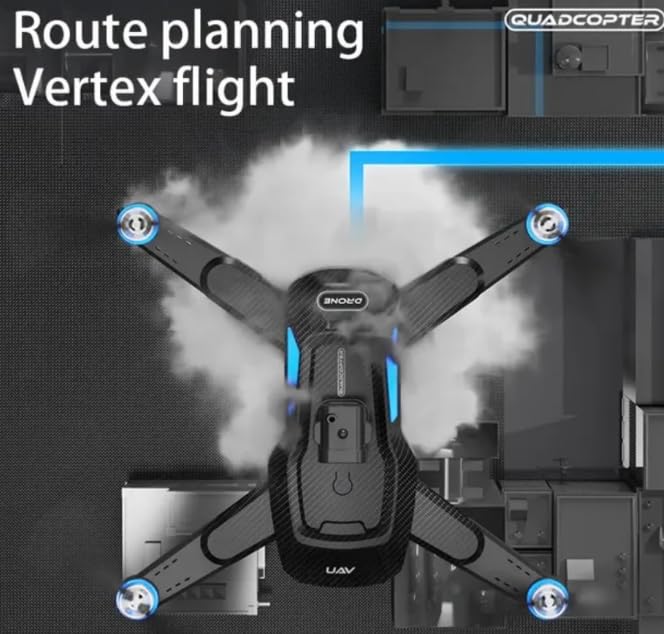
Figure 6.1: Illustration of the W3 MAX drone executing a pre-planned route, a feature accessible via the mobile app.
7. Penyelenggaraan
Proper maintenance ensures the longevity and optimal performance of your drone.
- Pembersihan: Use a soft, dry cloth to clean the drone body and camera lenses. Avoid using liquids.
- Pemeriksaan baling-baling: Regularly check propellers for damage (cracks, bends). Replace damaged propellers immediately using the provided spare parts and screwdriver.
- Penjagaan Bateri:
- Jangan cas berlebihan atau terlalu nyahcas bateri.
- Simpan bateri di tempat yang sejuk dan kering jauh dari cahaya matahari langsung.
- Jika tidak digunakan untuk tempoh yang lama, cas bateri sehingga kapasiti kira-kira 50%.
- Storan: Fold the drone arms and store it in its original packaging or a protective case when not in use.
8. Penyelesaian masalah
Rujuk bahagian ini untuk penyelesaian kepada isu biasa.
| Masalah | Kemungkinan Punca | Penyelesaian |
|---|---|---|
| Drone tidak dihidupkan. | Bateri mati atau tidak dipasang dengan betul. | Charge the drone battery. Ensure battery is securely connected. |
| Alat kawalan jauh tidak bertindak balas. | Remote batteries are dead or not installed correctly. Not paired. | Replace remote batteries. Re-pair the drone and remote (Section 4.4). |
| Drone terbang tidak menentu atau hanyut. | Not calibrated. Damaged propellers. | Place drone on a flat surface and re-calibrate (refer to quick start guide for calibration steps). Check and replace damaged propellers. |
| Camera not working or FPV feed is unstable. | Poor Wi-Fi connection. App issue. | Ensure strong Wi-Fi signal. Restart the app and drone. Reconnect Wi-Fi. |
| Penghindaran halangan tidak berfungsi. | Sensor kotor atau terhalang. | Clean the obstacle avoidance sensors carefully. |
9. Spesifikasi
Key technical specifications for the W3 MAX Foldable Drone.
| Ciri | Perincian |
|---|---|
| Jenama | Generik |
| Nama Model | W3 Maks |
| Ciri Khas | Gyroscopic Stabilization, Obstacle Avoidance, One Button Return, One Key Rotation, Speed Adjustment |
| warna | Hitam |
| Resolusi Tangkapan Video | 1080p |
| Resolusi Pegun Berkesan | 4 MP |
| Teknologi Ketersambungan | Wi-Fi |
| Tahap Kemahiran | All (Beginner-Friendly) |
| Berat Barang | 245 Gram |
| Kapasiti Bateri Dron | 1800 Miliamp Jam (Li-Po) |
| Teknologi Kawalan Jauh | IR |
| bahan | ABS |
| Dimensi Produk (dibuka) | 29.5L x 7W x 28.5H Sentimeter |
| Bateri Diperlukan (Jauh) | 2 x bateri AA (termasuk) |
10. Garis Panduan Keselamatan
Adhere to these safety guidelines to prevent accidents and ensure a safe flying experience.
- Cadangan Umur: This drone is suitable for children and beginners. Adult supervision is recommended for younger users.
- Persekitaran Penerbangan:
- Fly in open areas, away from people, animals, buildings, and power lines.
- Elakkan terbang dalam angin kencang atau keadaan cuaca buruk.
- Jangan terbang berhampiran lapangan terbang atau ruang udara yang terhad.
- Semakan Pra-Penerbangan: Always inspect the drone and remote control for any damage before each flight. Ensure batteries are fully charged.
- Keselamatan Kipas: Jauhkan jari, rambut dan pakaian longgar daripada kipas berputar.
- Keselamatan Bateri: Use only the provided charging cable and recommended power sources. Do not puncture, short-circuit, or expose batteries to extreme temperatures.
- Hormati Privasi: Be mindful of others' privacy when using the camera features.
- Pendaratan Kecemasan: In case of emergency, press the one-key landing button or cut power if necessary.
11. Waranti dan Sokongan
Untuk maklumat jaminan atau sokongan teknikal, sila rujuk butiran hubungan yang diberikan bersama pembelian anda atau lawati pejabat rasmi pengilang webtapak. Simpan bukti pembelian anda untuk tuntutan waranti.


