
pengenalan
This manual provides comprehensive instructions for the Transformers Studio Series Leader Class Soundwave action figure. This 6.5-inch (16.5 cm) figure converts between robot mode and audio player mode in 28 steps. The set includes three mini figures: Buzzsaw, Ravage, and Laserbeak, which convert from creatures into cassette troops. Each cassette figure comes with a 3-piece backpack accessory. The Soundwave figure features movie-inspired details and articulation for various poses.
Maklumat Keselamatan
- AMARAN: Bahagian kecil mungkin dihasilkan. Bukan untuk kanak-kanak di bawah 3 tahun.
- Umur Disyorkan: 8+ Tahun.
- Adult supervision is recommended during assembly and transformation, especially for younger users.
Persediaan
1. Unboxing the Figure
Carefully remove the Soundwave figure and its accessories from the packaging. Ensure all components are present before discarding the packaging materials.

Figure packaging, displaying Soundwave and cassette figures.
2. Pemeriksaan Awal
Inspect the Soundwave figure and the three cassette figures (Buzzsaw, Ravage, Laserbeak) for any visible damage or missing parts. Confirm the presence of the blaster and backpack accessories.

Soundwave figure in robot mode with accessories and packaging.
Arahan Operasi
1. Robot Mode
The Soundwave figure is highly articulated, allowing for various poses. Adjust its arms, legs, and head to recreate dynamic action scenes or display it in a static pose.

Soundwave in robot mode with Ravage and Laserbeak.
2. Conversion to Audio Player Mode
The Soundwave figure converts from robot mode to audio player mode in 28 distinct steps. Refer to the visual guide on the product packaging or included instructions for detailed transformation sequences. Ensure each joint clicks into place securely during conversion.

Soundwave in audio player mode with cassette figures.
3. Cassette Figures
The set includes Buzzsaw, Ravage, and Laserbeak. These mini figures convert from compact cassette forms to creature forms. They can be stored within Soundwave's chest compartment in their cassette mode. Each figure also has a 3-piece backpack accessory that can be attached.
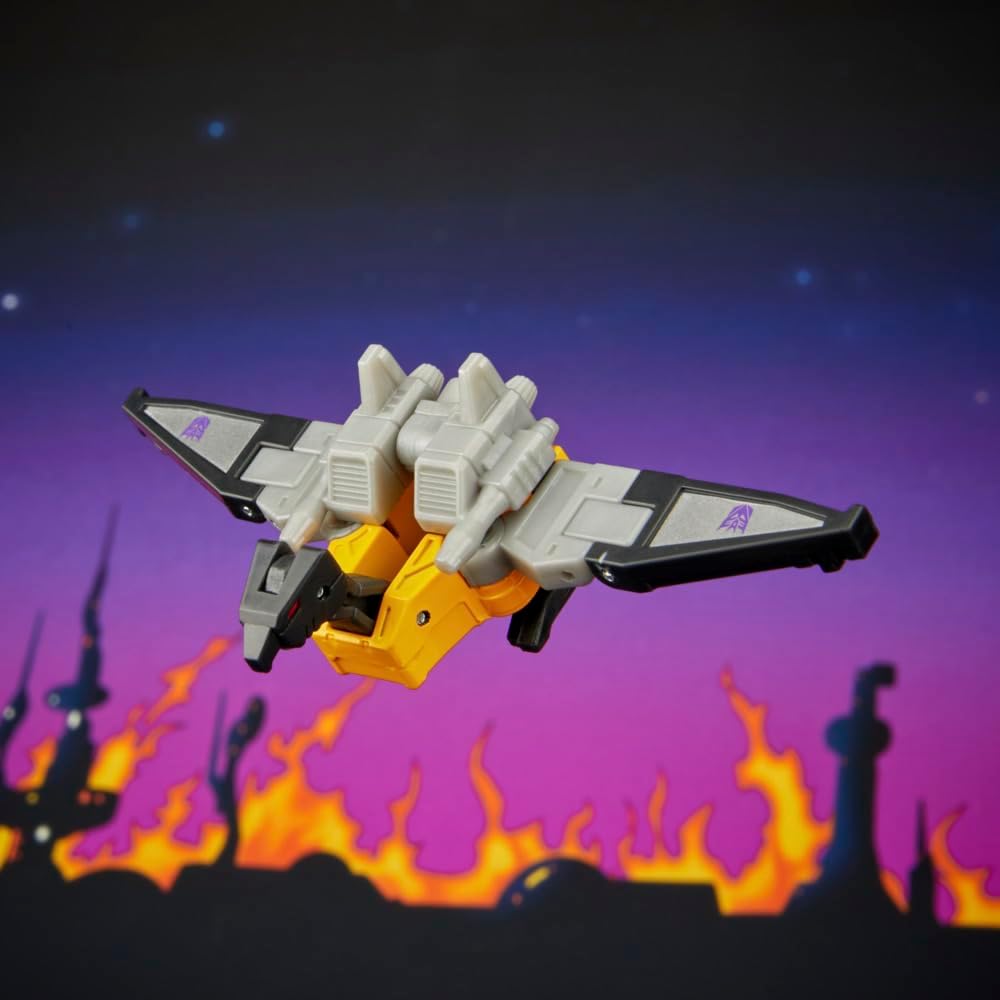
Buzzsaw cassette figure in flight mode.
4. Aksesori
Soundwave comes with a blaster accessory that can be held in its hand in robot mode. The cassette figures also have attachable backpack accessories.
Penyelenggaraan
- Pembersihan: Use a soft, dry cloth to gently wipe the figure. Avoid using harsh chemicals, abrasive cleaners, or excessive moisture, as these can damage the paint or plastic.
- Storan: Store the figure in a cool, dry place away from direct sunlight and extreme temperatures to prevent discoloration or material degradation.
- Pengendalian: Handle the figure with care, especially during transformation, to avoid stressing joints or breaking small parts.
Menyelesaikan masalah
- Sendi Kaku: If joints are stiff, gently manipulate them to loosen. Avoid forcing movement, which can cause breakage.
- Kesukaran Menukar: If the figure is difficult to convert, re-examine the transformation steps provided on the packaging or in any included instructions. Ensure all parts are aligned correctly before attempting to force them.
- Bahagian longgar: If any parts become loose, check if they are designed to be detachable or if they can be re-secured. For persistent issues, refer to the support section.
Spesifikasi
| Jenama | Transformers |
| Nama Model | GEN STUDIO SERIES LDR 86 SOUNDWAVE |
| Nombor Model | G1904 |
| Jenis Rajah | Action Figure |
| Perwatakan | Gelombang bunyi |
| Sub Jenama | Transformers |
| Skala | 6.5 inci (16.5 cm) |
| Langkah Penukaran | 28 |
| Komponen yang Disertakan | Soundwave Toy Figure, Buzzsaw, Ravage, Laserbeak, Blaster, Backpack accessories |
| bahan | plastik |
| Julat Umur | 8+ Tahun |
| Dimensi Item (L x W x H) | 9.02" x 4.02" x 10" |
| Berat Barang | 0.38 paun |
| Bateri Diperlukan | Tidak |
Waranti dan Sokongan
Maklumat Waranti
No specific warranty information is provided in the product details. Please refer to the manufacturer's official website or product packaging for warranty details.
Sokongan Pelanggan
For further assistance, inquiries, or to report any issues with your Transformers Studio Series Soundwave figure, please contact Hasbro customer support or visit the official Transformers webtapak untuk mendapatkan maklumat sokongan yang paling terkini.