
1. Pengenalan
This manual provides essential information for the safe and proper assembly, operation, maintenance, and troubleshooting of your ARCADE1UP Terminator 2 Deluxe Arcade Machine. Please read this manual thoroughly before use and retain it for future reference.
The ARCADE1UP Terminator 2 Deluxe Arcade Machine brings the classic arcade experience of Terminator 2: Judgment Day into your home. Featuring a dedicated cabinet, dual light guns, a 17-inch BOE color monitor, and Wi-Fi online leaderboards, this machine offers an immersive gaming experience.

Imej 1.1: Depan view of the Arcade1Up Terminator 2 Deluxe Arcade Machine.
2. Maklumat Keselamatan
Sila patuhi langkah keselamatan berikut untuk mengelakkan kecederaan atau kerosakan pada produk:
- Perhimpunan Dewasa Diperlukan: Produk ini mengandungi bahagian kecil dan memerlukan pemasangan dewasa.
- Keselamatan Elektrik: Ensure the power outlet matches the machine's voltage requirements. Do not overload electrical outlets. Keep the power cord away from heat sources and sharp edges.
- Penempatan Stabil: Place the arcade machine on a flat, stable surface to prevent tipping.
- Pengudaraan: Jangan halang bukaan pengudaraan. Pastikan aliran udara yang mencukupi di sekitar mesin.
- Air dan Kelembapan: Keep the machine away from water, moisture, and high humidity.
- Pembersihan: Disconnect power before cleaning. Use a dry, soft cloth. Avoid liquid cleaners.
- Kanak-kanak: Supervise children during use. This product is not intended for children under 18 years of age.
3. Kandungan Pakej
Sahkan bahawa semua komponen ada sebelum memulakan pemasangan. Pakej ini biasanya merangkumi:
- Arcade machine cabinet components
- 17-inch BOE color monitor
- Control panel with dual light guns
- Penyesuai kuasa
- Perkakasan pemasangan (skru, pengikat, dll.)
- Manual arahan (dokumen ini)
4. Persediaan dan Pemasangan
Assembly of the ARCADE1UP Terminator 2 Deluxe Arcade Machine requires careful attention to detail. Refer to the separate detailed assembly guide included in your package for step-by-step instructions.
4.1 Pertimbangan Pemasangan Utama
- Alat yang Diperlukan: Typically, a Phillips head screwdriver is needed.
- Perhimpunan Dua Orang: Due to the size and weight of some components, two adults are recommended for assembly.
- Pengenalan Komponen: Lay out all parts and identify them using the assembly guide's parts list before starting.
- Pendawaian: Carefully connect all internal wiring as instructed, ensuring secure connections for the monitor, control panel, and light-up marquee.

Image 4.1: The machine stands over 5 feet tall when assembled, with dimensions of approximately 18.7 x 18.43 x 61.65 inches.
5. Arahan Operasi
5.1 Menghidupkan/Mematikan
- Connect the power adapter to the machine's power input and then to a wall outlet.
- Locate the power switch (usually on the back or bottom of the control panel) and flip it to the 'ON' position.
- To power off, flip the power switch to the 'OFF' position and disconnect from the wall outlet.
5.2 Game Selection and Start
The machine includes the classic game Penamat 2: Hari Penghakiman.
- Once powered on, the game will typically load automatically.
- Insert virtual credits by pressing the 'Coin' button on the control panel.
- Press the '1 Player Start' or '2 Player Start' button to begin the game.

Image 5.1: The machine features the iconic Terminator 2: Judgment Day game and exclusive behind-the-scenes footage.
5.3 Using the Light Guns
The machine is equipped with two light guns for interactive gameplay.
- Hold the light gun firmly.
- Aim at the screen to target enemies.
- Press the trigger button to fire.
- Reloading is typically automatic or by shooting off-screen, depending on game settings.
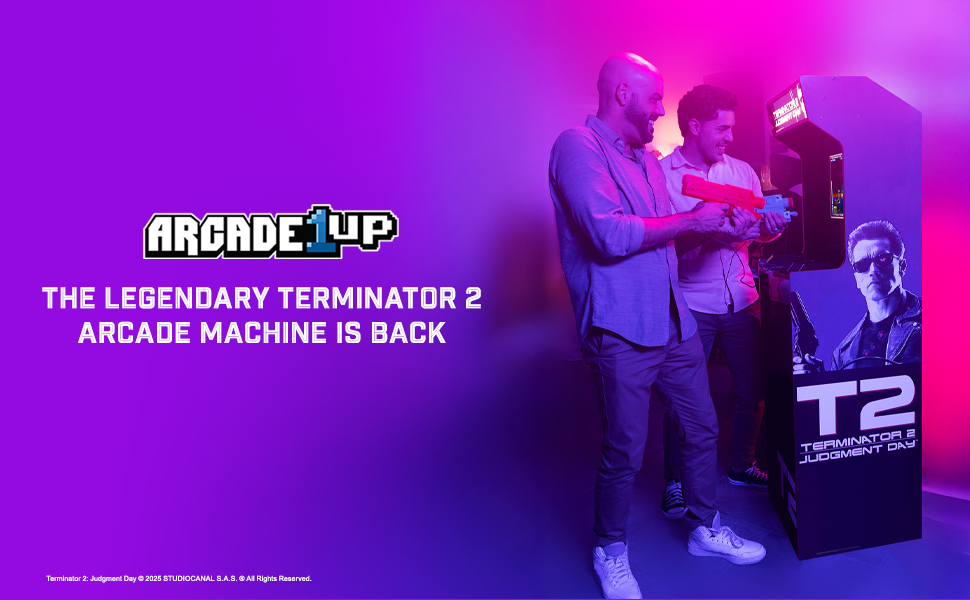
Image 5.2: The dual light guns utilize Sinden Light-Gun Tech for precise aiming and gameplay.
5.4 Wi-Fi Online Leaderboards
Connect your machine to Wi-Fi to access online leaderboards and compete with other players.
- Access the settings menu (refer to on-screen prompts or the assembly guide for specific button combinations).
- Navigate to the Wi-Fi settings and connect to your home network.
- Once connected, your scores will automatically be uploaded to the online leaderboards.
5.5 Behind-the-Scenes Bonus Footage
This machine includes exclusive behind-the-scenes footage. Access this content through the main menu or a dedicated button, as indicated on-screen or in the assembly guide.
6. Penyelenggaraan
Penyelenggaraan yang kerap memastikan jangka hayat dan prestasi optimum mesin arked anda.
- Membersihkan Kabinet: Gunakan kain lembut dan kering untuk mengelap permukaan kabinet. Untuk tanda degil, gunakan sedikit kainamp cloth with mild soap can be used, followed by a dry cloth. Avoid abrasive cleaners.
- Membersihkan Skrin: Use a soft, lint-free cloth specifically designed for electronics screens. Do not spray cleaner directly onto the screen.
- Senapang Ringan: Keep the light guns clean and free of dust. Avoid dropping or subjecting them to impact.
- Storan: If storing the machine for an extended period, disconnect it from power and cover it to protect from dust. Store in a dry, temperature-controlled environment.
7. Penyelesaian masalah
Jika anda menghadapi masalah, rujuk kepada masalah dan penyelesaian biasa berikut:
| Masalah | Kemungkinan Punca | Penyelesaian |
|---|---|---|
| Mesin tidak dihidupkan | Kord kuasa tidak disambungkan; Suis kuasa dimatikan; Soket rosak | Ensure power cord is securely plugged in; Flip power switch to ON; Test outlet with another device |
| Tiada gambar di skrin | Monitor cable loose; Monitor faulty | Check monitor cable connections inside the cabinet; Contact support if issue persists |
| Light guns not responding | Light gun cable loose; Calibration needed; Sensor obstruction | Check light gun cable connections; Refer to game settings for calibration; Ensure no obstructions between gun and screen |
| Tiada bunyi | Volume too low; Speaker cables loose | Adjust volume in game settings; Check speaker cable connections inside the cabinet |
| Tidak dapat menyambung ke Wi-Fi | Incorrect password; Out of range; Network issue | Verify Wi-Fi password; Move machine closer to router; Restart router |
If these solutions do not resolve the issue, please contact ARCADE1UP customer support.
8. Spesifikasi
Key technical specifications for the ARCADE1UP Terminator 2 Deluxe Arcade Machine:
- Nombor Model: TER-A-501311
- Dimensi Produk (Dipasang): 18.7 x 18.43 x 61.65 inci (L x P x H)
- Berat Barang: Kira-kira 64.8 paun
- Pantau: Monitor Warna BOE 17 inci
- Audio: Dwi Pembesar Suara
- Ketersambungan: Wi-Fi for Online Leaderboards
- Kawalan: 2-Player Light Guns (Sinden Light-Gun Tech)
- Game Included: Penamat 2: Hari Penghakiman
- Ciri-ciri tambahan: Light-Up Marquee, Behind-the-Scenes Bonus Footage
- Umur Minimum Pengilang: 216 bulan (18 tahun)
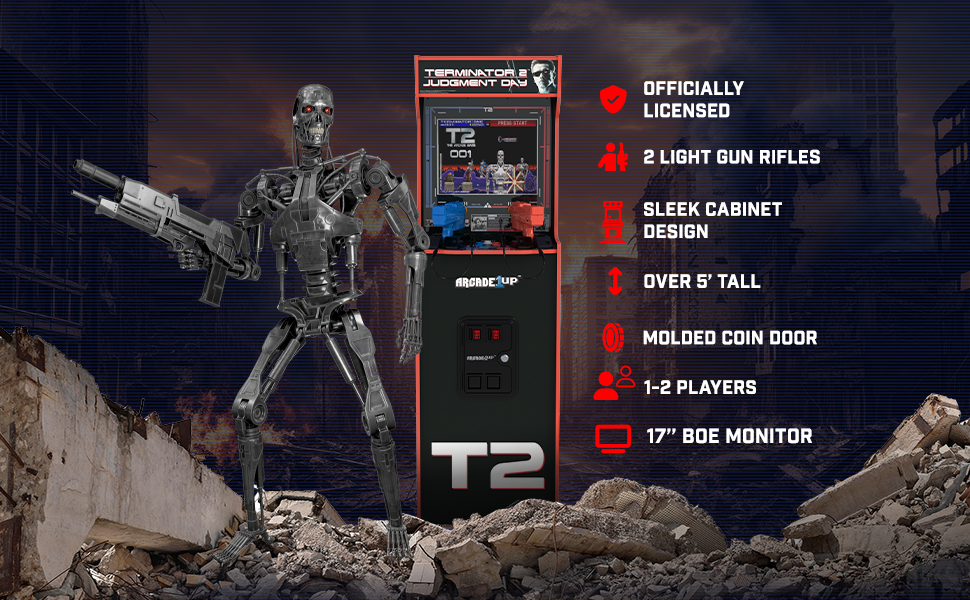
Imej 8.1: Selesaiview of key features including licensed design, light guns, and monitor size.
9. Waranti dan Sokongan
Untuk maklumat jaminan, sila rujuk kad jaminan yang disertakan dengan produk anda atau lawati laman web rasmi ARCADE1UP. website. If you require technical assistance, replacement parts, or have questions not covered in this manual, please contact ARCADE1UP customer support.
ARCADE1UP Customer Support: Refer to your product packaging or the official ARCADE1UP webtapak untuk maklumat hubungan semasa.