
1. Pengenalan
The AWANFI GL-528 Walkie Talkies are designed for reliable and clear communication, suitable for various activities such as camping, hiking, and general outdoor use. Featuring a built-in rechargeable battery, multiple channels, and user-friendly controls, these two-way radios ensure you stay connected.
2. Kandungan Pakej
- AWANFI GL-528 Walkie Talkies (4 units)
- 1000mAh Li-ion Batteries (4 units, built-in)
- USB-C Charging Cables (2 units)
- Lanyards (4 units)
- Klip Tali Pinggang (4 unit)
- Manual Pengguna (1 unit)
3. Produk Lebihview
Familiarize yourself with the components of your AWANFI GL-528 Walkie Talkie:

- Antena: Untuk menghantar dan menerima isyarat.
- Paparan LCD: Menunjukkan saluran, status bateri dan penunjuk lain.
- Butang Tekan untuk Bercakap (PTT): Tekan dan tahan untuk menghantar suara anda.
- Volume/Menu Up/Down Buttons: Adjust volume or navigate menu options.
- Call Tone/Lock Button: Send a call tone or lock/unlock the keypad.
- mikrofon: Untuk bercakap ke dalam peranti.
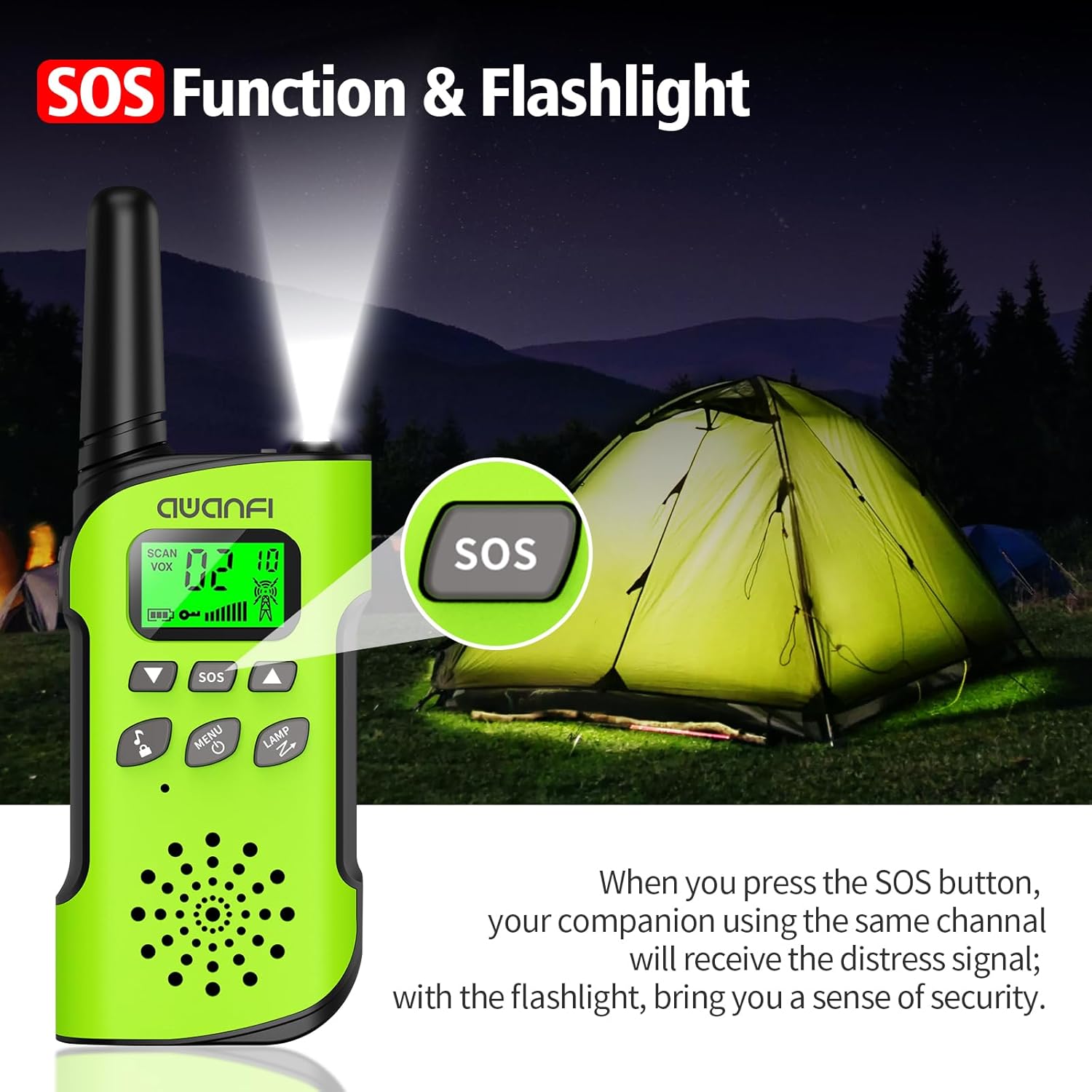
- Butang SOS: Activates the SOS alert function.
- Flashlight/Scan Button: Turns on the flashlight or initiates channel scanning.
- Butang Kuasa/Menu: Tekan lama untuk hidup/mati, tekan sebentar untuk mengakses menu.
- Penceramah: Untuk mendengar penghantaran masuk.
- Port Pengecasan Jenis-C: Untuk mengecas semula bateri terbina dalam.
- Lampu suluh: Lampu LED bersepadu untuk pencahayaan.
4. Persediaan
4.1 Pemasangan dan Pengecasan Bateri
The AWANFI GL-528 Walkie Talkies come with built-in 1000mAh Li-ion rechargeable batteries. Before first use, ensure the batteries are fully charged.


To charge the walkie talkie:
- Connect the provided USB-C charging cable to the Type-C charging port on the walkie talkie.
- Palamkan hujung kabel USB-C yang satu lagi ke dalam penyesuai kuasa USB yang serasi (tidak disertakan) atau port USB komputer.
- The battery indicator on the LCD display will show charging status. A full charge typically provides 24 hours of talk time and 2 days of standby.
4.2 Attaching Belt Clip and Lanyard
The walkie talkies come with belt clips and lanyards for convenient carrying.
- For Lanyard: Insert the thin loop of the lanyard through the small hole at the top of the walkie talkie, near the antenna. Thread the rest of the lanyard through the loop and pull to secure.
- For Belt Clip: Align the belt clip with the grooves on the back of the walkie talkie and push it down firmly until it clicks into place.
5. Arahan Operasi
5.1 Hidupkan/Mati Kuasa
- Untuk Menghidupkan: Tekan lama Kuasa / Menu button (usually labeled with a power icon) until the LCD screen illuminates.
- Untuk Mematikan: Tekan lama Kuasa / Menu button again until the LCD screen turns off.
5.2 Pemilihan Saluran
The AWANFI GL-528 features 22 main channels and 121 sub-channels (CTCSS/DCS codes) for secure communication. All walkie talkies must be set to the same main channel and sub-code to communicate.
- Select Main Channel: Tekan pendek Menu button. The channel number on the LCD will flash. Use the Up or Bawah arrow buttons to select your desired main channel (1-22). Short press Menu sekali lagi untuk mengesahkan.
- Select Sub-Channel (CTCSS/DCS): After confirming the main channel, the walkie talkie will move to the sub-channel setting. Use the Up or Bawah arrow buttons to select your desired sub-channel (0-121). Press the PTT butang untuk mengesahkan dan keluar dari menu.
5.3 Push-to-Talk (PTT)
To communicate, press and hold the PTT butang di sisi walkie-talkie. Bercakap dengan jelas ke dalam mikrofon. Lepaskan PTT butang untuk mendengar jawapan.
5.4 Pelarasan Kelantangan
Gunakan Kelantangan Naik (▲) dan Kelantangan Kurang (▼) buttons to adjust the listening volume. These are typically the same buttons used for menu navigation when not in menu mode.
5.5 Fungsi VOX (Transmisi Diaktifkan Suara)
The VOX function allows for hands-free communication. When activated, the walkie talkie will automatically transmit when it detects your voice.
To activate/adjust VOX:
- Tekan pendek Menu button repeatedly until the VOX setting appears on the LCD.
- Gunakan Up or Bawah arrow buttons to select the desired sensitivity level (1-3, or OFF to disable).
- Tekan PTT untuk mengesahkan dan keluar.
5.6 Lampu suluh
The walkie talkie includes an integrated LED flashlight.
To turn the flashlight on/off, short press the LAMP button (often combined with the Scan button).
5.7 Fungsi SOS
In case of emergency, the SOS function can be activated to alert other users on the same channel.
To activate the SOS function, press the dedicated SOS button. This will send out a distress signal to other walkie talkies on the same channel.
5.8 Kunci Kekunci
The key lock feature prevents accidental changes to settings.
- Untuk mengunci: Tekan lama Call Tone/Lock button (usually labeled with a lock icon). A lock icon will appear on the LCD.
- Untuk Membuka Kunci: Tekan lama Call Tone/Lock button again. The lock icon will disappear.
6. Penyelenggaraan
To ensure the longevity and optimal performance of your AWANFI GL-528 Walkie Talkies, follow these maintenance guidelines:
- Keep the device dry. Avoid exposure to rain, moisture, or liquids.
- Bersihkan peranti dengan lembut, damp kain. Jangan gunakan bahan kimia yang keras atau pembersih yang kasar.
- Avoid extreme temperatures. Do not store in very hot or cold environments.
- Do not attempt to disassemble the walkie talkie. This will void the warranty and may cause damage.
7. Panduan Penyelesaian Masalah
If you encounter any issues with your walkie talkie, refer to the following troubleshooting guide:
| Fenomena | Analisis | Penyelesaian |
|---|---|---|
| Anda tidak boleh menghidupkan radio. | Bateri mungkin dipasang dengan tidak betul. Kuasa bateri mungkin kehabisan. Bateri mungkin mengalami sentuhan lemah yang disebabkan oleh sentuhan bateri yang kotor atau rosak. | Keluarkan dan pasang semula bateri. Cas semula atau gantikan bateri. Bersihkan kenalan bateri atau ganti bateri. |
| Semasa menerima, suara lemah atau terputus-putus. | Bateri voltage mungkin rendah. Tahap kelantangan mungkin rendah. Antena mungkin longgar atau mungkin tidak dipasang dengan betul. | Cas semula atau gantikan bateri. Tingkatkan kelantangan. Matikan radio, kemudian keluarkan dan pasang semula antena. |
| Anda tidak boleh berkomunikasi dengan ahli kumpulan lain. | Speaker mungkin disekat. Kekerapan atau jenis isyarat mungkin tidak konsisten dengan ahli lain. Anda mungkin terganggu oleh radio menggunakan frekuensi yang sama. | Bersihkan permukaan pembesar suara. Sahkan bahawa kekerapan TX/RX dan jenis isyarat anda adalah betul. Bergerak ke arah ahli lain. |
| Anda mendengar suara atau bunyi yang tidak diketahui. | Radio dalam mod analog mungkin ditetapkan tanpa isyarat. Anda mungkin terlalu jauh daripada ahli lain. | Minta peniaga anda menetapkan isyarat untuk saluran semasa untuk mengelakkan gangguan. Bergerak ke arah ahli lain. |
| Anda tidak dapat mendengar sesiapa kerana terlalu banyak bunyi dan desisan. | Anda mungkin berada dalam kedudukan yang tidak menguntungkan. Untuk exampOleh itu, komunikasi anda mungkin disekat oleh bangunan tinggi atau disekat di kawasan bawah tanah. Ia mungkin akibat gangguan luaran (seperti gangguan elektromagnet). | Beralih ke kawasan terbuka dan rata, mulakan semula radio dan cuba lagi. Jauhi peralatan yang boleh menyebabkan gangguan. |
| Radio terus menghantar. | VOX mungkin dihidupkan atau set kepala tidak dipasang di tempatnya. | Matikan fungsi VOX. Periksa sama ada fon kepala berada di tempatnya. |
Nota: Jika penyelesaian di atas tidak dapat menyelesaikan masalah anda, atau anda mungkin mempunyai beberapa pertanyaan lain, sila hubungi peniaga anda untuk mendapatkan lebih banyak sokongan teknikal.
8. Spesifikasi
- Jenama: AWANFI
- model: GL-528
- Teknologi Penala: UHF
- Bilangan Item: 4
- Purata Hayat Bateri: 24 Hours (talk time)
- Jenis Bateri: 1000mAh Li-ion (built-in)
- Bilangan Saluran: 22
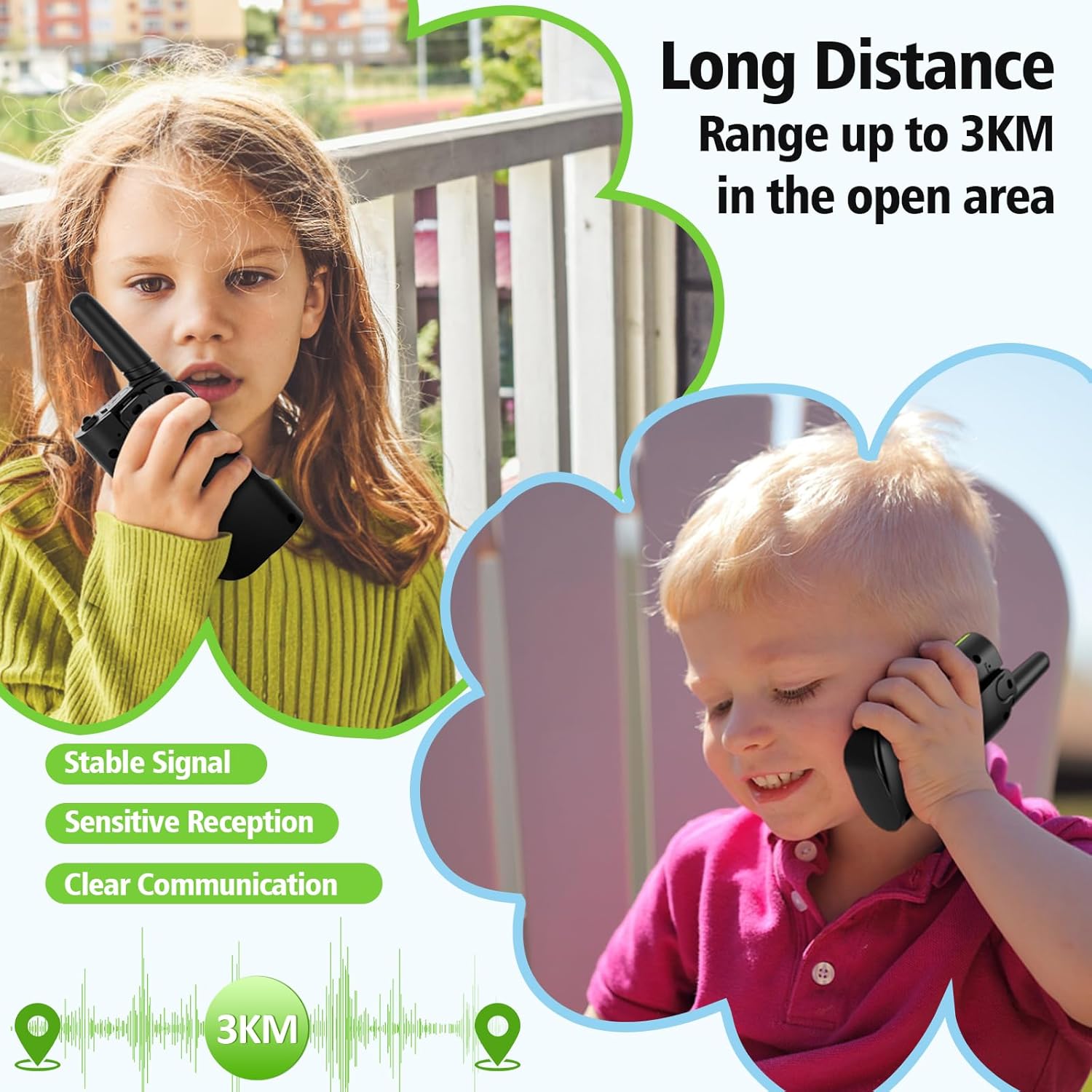
- Julat Percakapan Maksimum: Sehingga 3 Kilometer (di kawasan terbuka)
- Tahap Rintangan Air: Bukan Tahan Air
- Ciri Khas: 4 Pack, Integrated Flashlight, Keypad Lock, Long Range, Rechargeable
- Pengeluar: Shenzhen Geling Technology Co., Ltd.
9. Waranti dan Sokongan
For warranty information or technical support, please contact the manufacturer, Shenzhen Geling Technology Co., Ltd., or your product retailer. Keep your purchase receipt for any warranty claims.