
1. Pengenalan
Thank you for choosing the NBD K200 64MP 4K Digital Camera. This manual provides essential information for setting up, operating, and maintaining your camera to ensure optimal performance. Please read this manual thoroughly before using the camera and retain it for future reference.
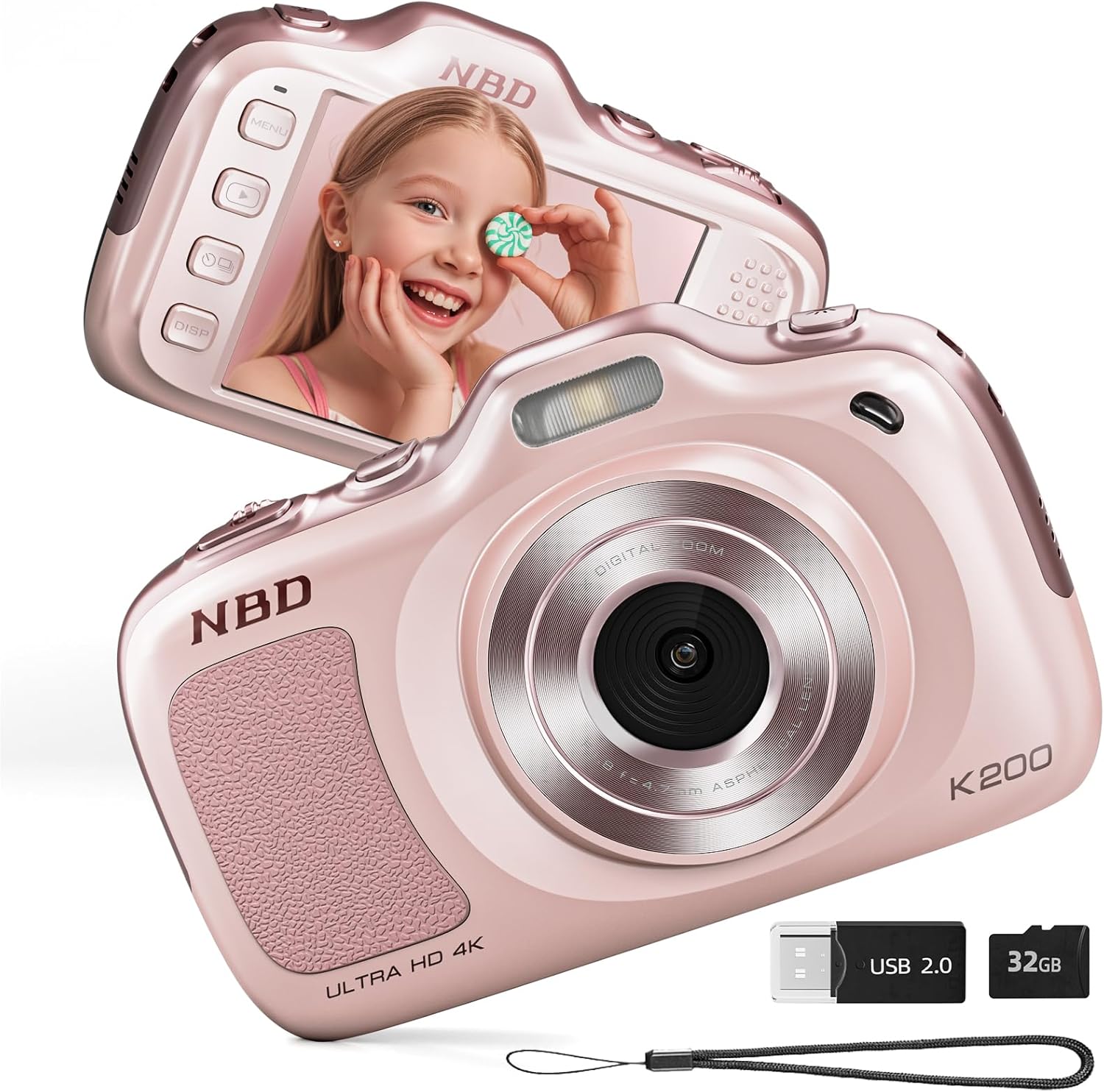
Imej 1.1: Depan dan belakang view of the NBD K200 Digital Camera.
2. Produk Lebihview
2.1 Apa yang ada di dalam Kotak
- NBD K200 Camera Body
- Kad TF 32GB (dipasang atau berasingan)
- Kabel USB-C
- Tali Leher
- Kain Pembersih Lensa
- Pembaca Kad

Image 2.1: Included accessories with the NBD K200 camera.
2.2 Ciri-ciri Utama
- Foto 64 Megapiksel: Tangkap imej pegun beresolusi tinggi.
- Rakaman Video 4K: Record videos in Ultra HD resolution.
- Zum Digital 16X: Magnify distant subjects for detailed shots.
- Fokus Auto: Ensures subjects are sharp and clear.
- Penstabilan Anti Goncang: Mengurangkan kabur daripada pergerakan kamera.
- Mod Berbilang Adegan: Includes Sport, Portrait, Night, Beauty, and Burst modes.
- Reka bentuk padat dan mudah alih: Lightweight for easy carrying.
- High-Speed USB Transfer: Facilitates quick transfer of files to other devices.
3. Persediaan
3.1 Pemasangan dan Pengecasan Bateri
- Cari penutup petak bateri pada kamera.
- Open the cover and insert the two included Lithium-Ion batteries, ensuring correct polarity.
- Tutup penutup petak bateri dengan selamat.
- Connect the camera to a power source using the provided USB-C cable to fully charge the batteries before first use. A full charge allows for approximately 300 photos.
3.2 Pemasangan Kad Memori
- Cari slot kad TF di sisi kamera.
- Insert the included 32GB TF card into the slot until it clicks into place. Ensure the card is inserted in the correct orientation.
- To remove the card, gently press it inward until it springs out.
3.3 Memasang Tali Leher
Thread the neck strap through the designated loop on the camera body to prevent accidental drops and for convenient carrying.

Image 3.1: The NBD K200 camera with an attached neck strap for portability.
4. Arahan Operasi
4.1 Hidupkan/Mati Kuasa
- Untuk menghidupkan, tekan dan tahan butang kuasa sehingga skrin menyala.
- Untuk mematikan, tekan dan tahan butang kuasa sekali lagi sehingga skrin dimatikan.
4.2 Mengambil Foto
- Ensure the camera is in photo mode (indicated on the LCD screen).
- Frame your shot using the LCD screen. The camera features auto-focus to ensure clarity.
- Press the shutter button halfway to activate auto-focus, then press fully to capture the image.

Image 4.1: Demonstrating autofocus and timer for capturing photos.
4.3 Merakam Video
- Switch the camera to video mode using the Multi-Functional Roller Button or menu options.
- Press the shutter button to start recording. A red indicator will typically appear on the screen.
- Tekan butang pengatup sekali lagi untuk menghentikan rakaman.

Image 4.2: Capturing 4K video with the NBD K200 camera.
4.4 Fungsi Zum
Utilize the 16X digital zoom by adjusting the Multi-Functional Roller Button. Roll it left to zoom out and right to zoom in. The zoom level will be displayed on the screen.
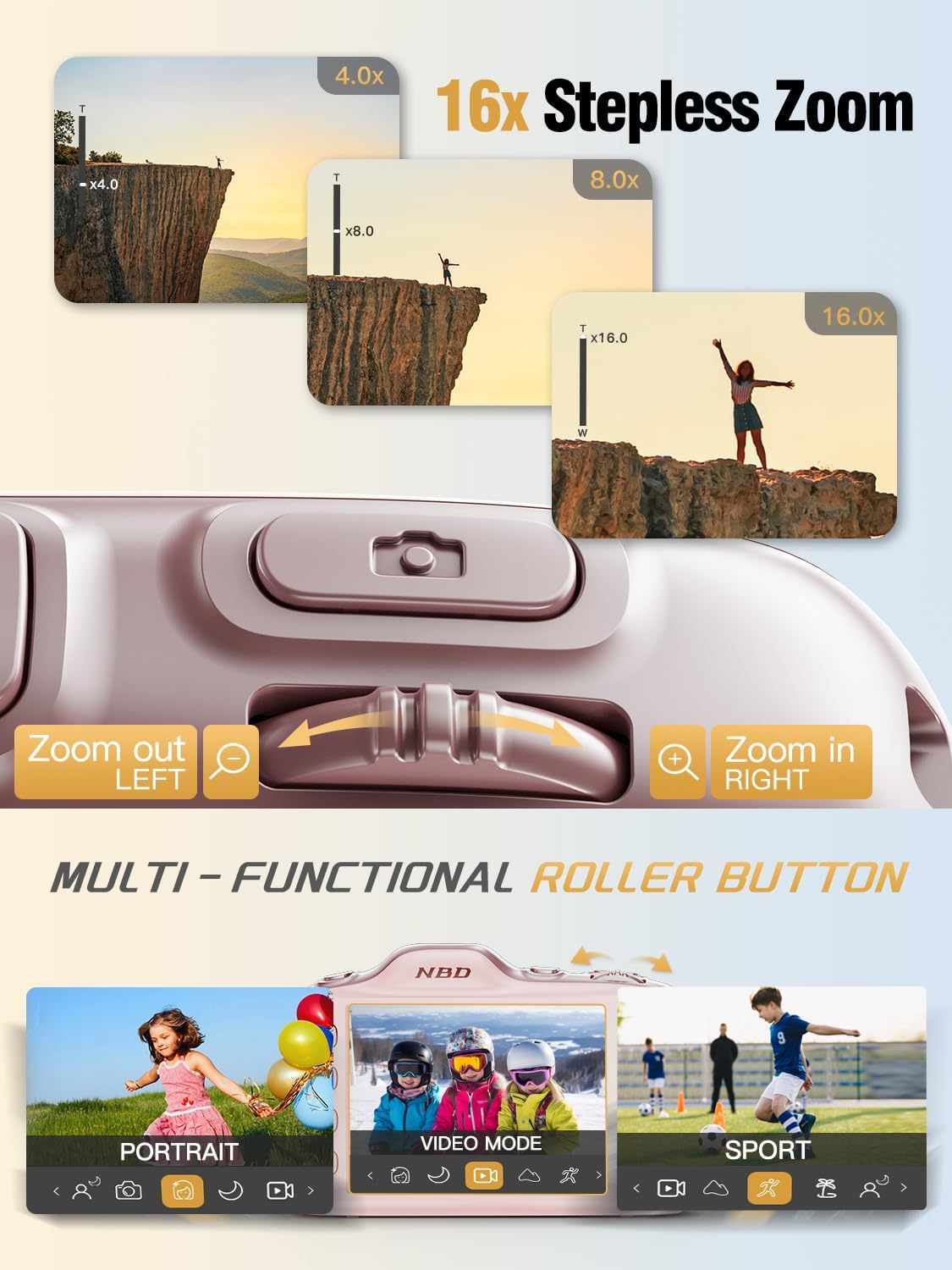
Image 4.3: Using the 16X stepless zoom feature.
4.5 Shooting Modes and Filters
The NBD K200 offers various shooting modes and built-in filters to enhance your photography:
- Mod Sukan: Optimized for capturing fast-moving subjects.
- Mod Potret: Enhances facial features and softens backgrounds.
- Mod Malam: Improves image quality in low-light conditions.
- Mod Kecantikan: Applies subtle enhancements to portraits.
- Mod Letusan: Merakam urutan foto yang pantas.
- Built-in Filters: Apply effects like Vintage, Warm Tone, Cool Tone, Sepia, Sketch, and Japan Style.

Imej 4.4: Selesaiview of K200's multiple shooting modes.
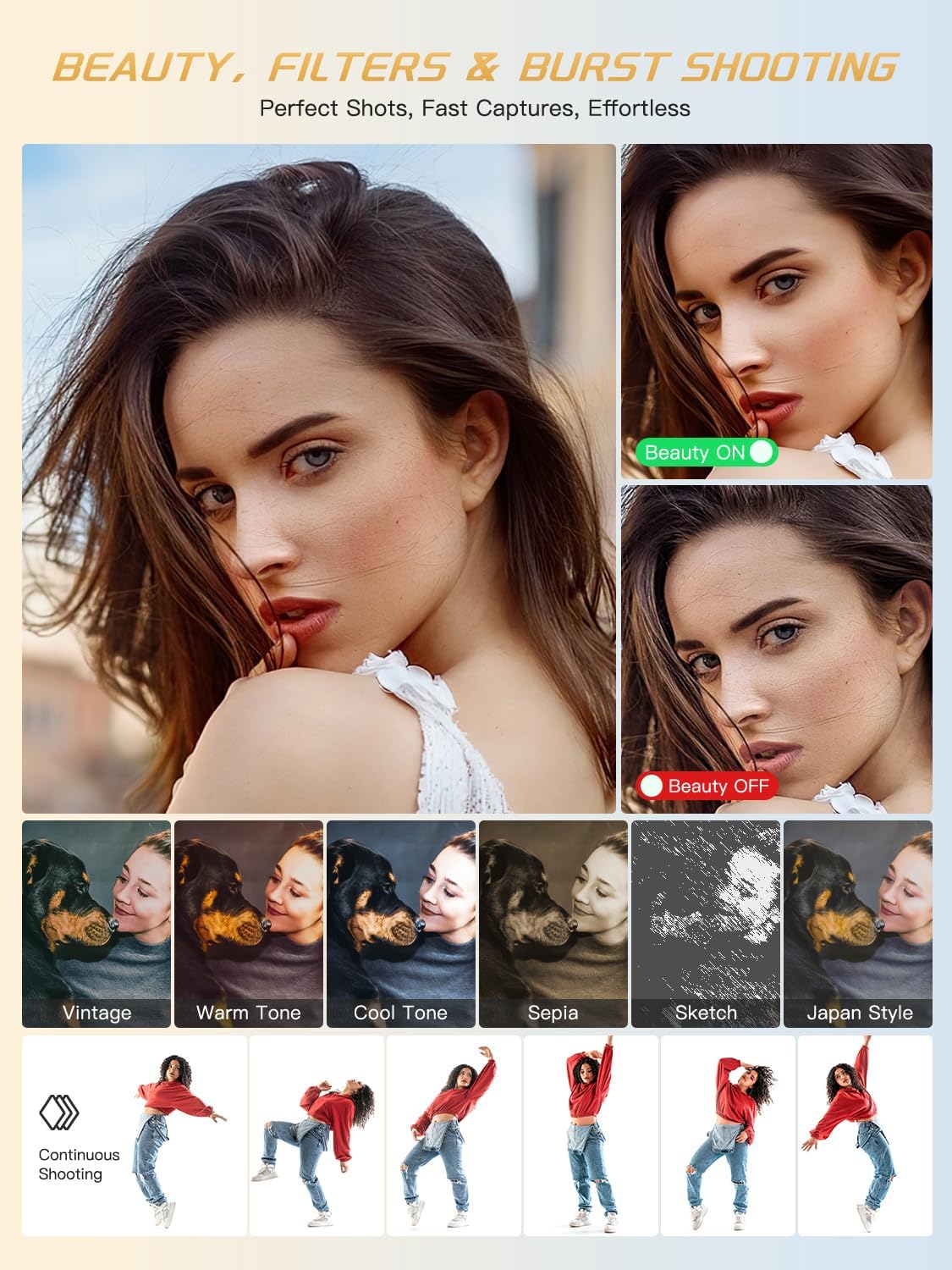
Imej 4.5: Cthamples of beauty mode, filters, and burst shooting.
4.6 Menggunakan Flash
The camera features a built-in flash for illuminating subjects in low-light conditions. The flash can be activated or deactivated via a dedicated physical button or through the camera's menu settings.
4.7 Memindahkan Files
To transfer photos and videos to a computer or smartphone:
- Connect the camera to your device using the provided USB-C cable.
- Kamera akan muncul sebagai pemacu boleh tanggal pada komputer anda.
- Seret dan lepas files from the camera's memory card to your desired location.
- Alternatively, remove the TF card and use the included card reader to transfer files.
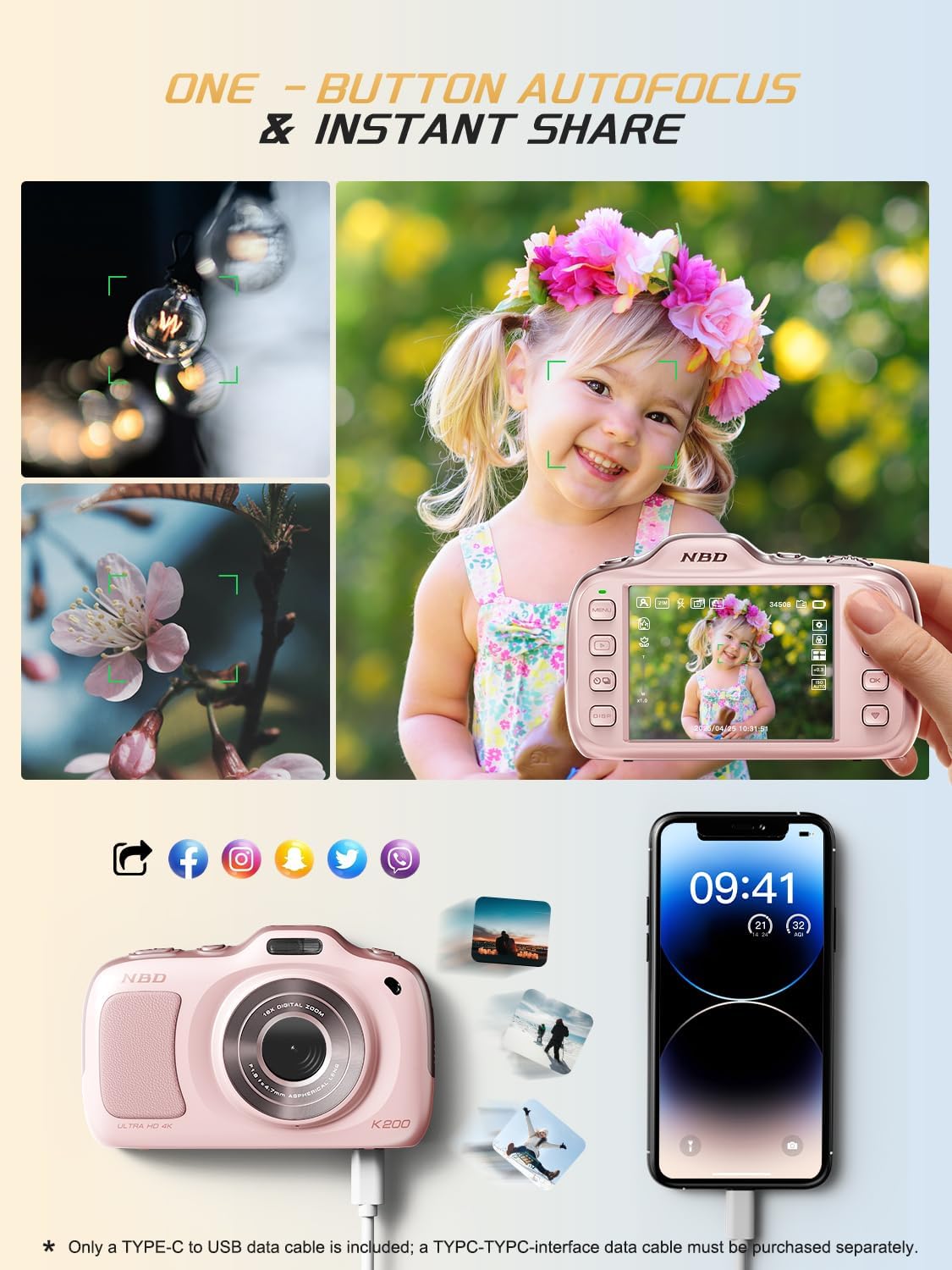
Image 4.6: One-button autofocus and instant sharing capabilities.
5. Penyelenggaraan
5.1 Membersihkan Kamera
- Use the provided lens cleaning cloth to gently wipe the lens and screen.
- For the camera body, use a soft, dry cloth. Avoid using harsh chemicals or abrasive materials.
5.2 Penyimpanan
- Simpan kamera di tempat yang sejuk dan kering jauh dari cahaya matahari langsung dan suhu yang melampau.
- Keluarkan bateri jika kamera tidak akan digunakan untuk tempoh yang lama.
6. Penyelesaian masalah
| Masalah | Penyelesaian yang Mungkin |
|---|---|
| Kamera tidak dihidupkan. | Ensure batteries are correctly inserted and fully charged. Try charging the camera for at least 30 minutes. |
| "No Card" error message. | Check if the TF card is inserted correctly. Reinsert the card or try a different compatible TF card. |
| Imej adalah kabur. | Ensure auto-focus is engaged. Clean the lens. Use anti-shake stabilization if available. Ensure sufficient lighting. |
| Tidak boleh memindahkan files kepada komputer. | Verify the USB-C cable connection. Try a different USB port or computer. Ensure the camera is powered on during transfer. |
7. Spesifikasi
| Ciri | Perincian |
|---|---|
| Nama Model | K200 |
| Teknologi Penderia Foto | CMOS |
| Resolusi Foto Maksimum | 64 MP |
| Resolusi Video | 2160p (4K) at 30 FPS |
| Zum Digital | 16x |
| Penstabilan Imej | Optik |
| Teknologi Fokus Auto | Contrast Detection (19 points) |
| Apertur | F1.8 |
| Saiz Skrin | LCD 3 Inci |
| Simpanan Memori | 32 GB TF Card (included) |
| Disokong File Format | JPEG, MP4 |
| Jenis Bateri | 2 bateri Lithium Ion (termasuk) |
| Berat Barang | 0.26 Kilogram |
| Teknologi Ketersambungan | USB-C |
| Tahap Ketahanan Air | Bukan Tahan Air |
8. Waranti dan Sokongan
NBD products are manufactured to high-quality standards. For information regarding warranty coverage, technical support, or service inquiries, please refer to the contact information provided with your purchase or visit the official NBD webtapak. Sila simpan bukti pembelian anda untuk tuntutan waranti.