
1. Pengenalan
Thank you for choosing the havit W3110 3-in-1 Magnetic Wireless Charging Station. This device is designed to efficiently charge your iPhone, Apple Watch, and AirPods simultaneously, featuring a built-in cooling fan and an adjustable phone holder. Please read this manual carefully before use to ensure proper operation and to maximize the product's lifespan.
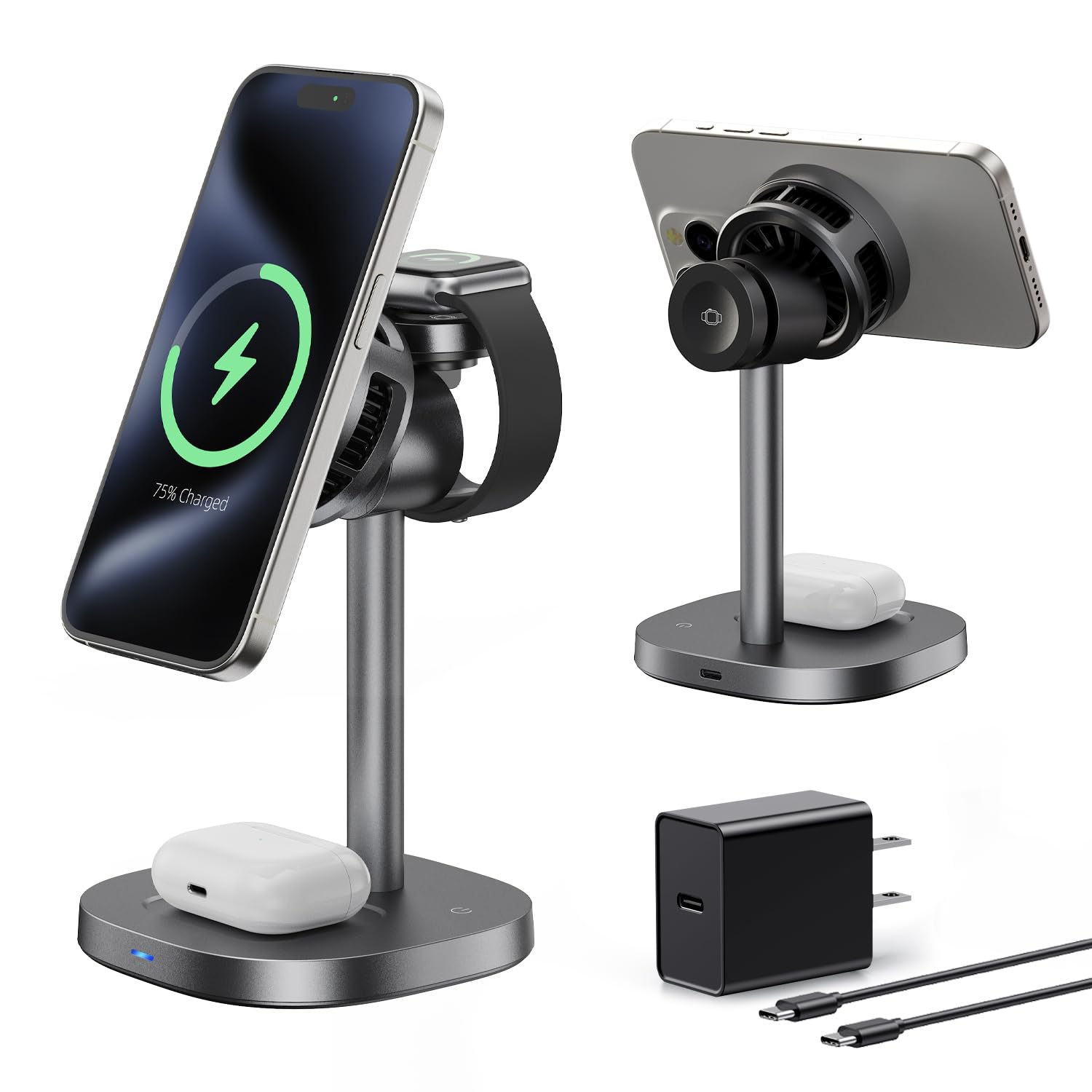
Image 1.1: The havit W3110 3-in-1 Magnetic Wireless Charging Station.
2. Produk Lebihview
2.1 Ciri-ciri Utama
- Pengecasan 3-dalam-1: Simultaneously charges iPhone (15W), Apple Watch (2.5W max), and AirPods (5W max).
- Kipas Penyejuk Bersepadu: Reduces heat during charging to maintain stable fast charging performance and prevent power drops.
- Pegangan magnet yang kuat: Upgraded N52 magnets ensure secure alignment, compatible with magnetic cases.
- Boleh laras Viewsudut: Easily switch between portrait and landscape modes for optimal viewing.
- Reka Bentuk Mesra Tidur: Auto-off indicator light and ultra-quiet operation (below 35dB).
- Perlindungan Keselamatan: Built-in temperature control, overcharge protection, and foreign object detection.
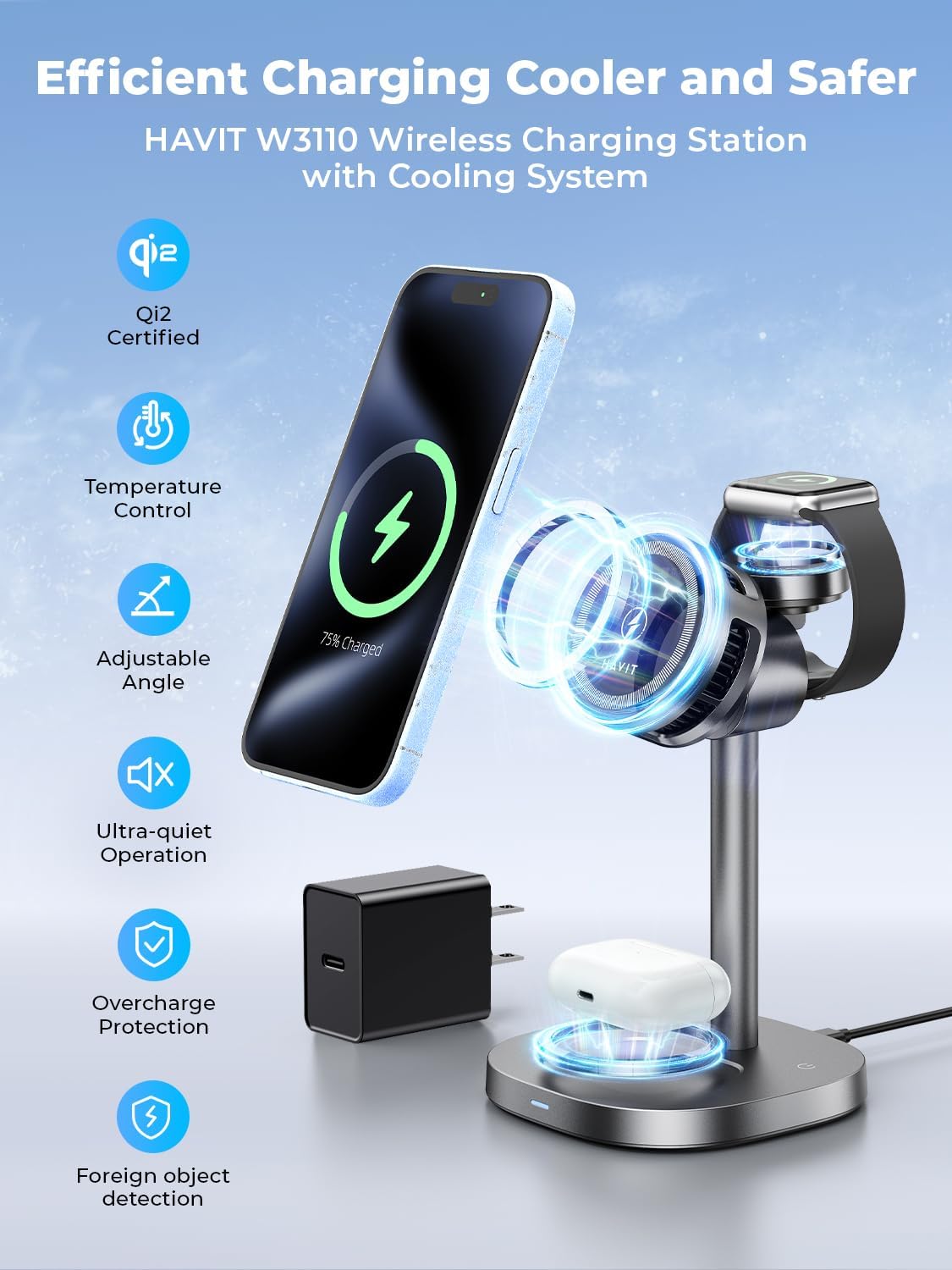
Image 2.1: The charging station simultaneously charging an iPhone, Apple Watch, and AirPods.
2.2 Apa yang ada di dalam Kotak
- Pendirian Pengecas Tanpa Wayar
- Kabel Pengecasan (USB-C)
- Manual Pengguna
- 45W Adapter

Image 2.2: Packaging contents including the charging stand, cable, adapter, and manual.
3. Spesifikasi
| Nombor Model | W3110 |
| bahan | Acrylonitrile Butadiene Styrene, Aluminum, Glass |
| Input | 5V-3A, 9V-2A |
| Output Tanpa Wayar Telefon | 15W (compatible with 10W, 7.5W, and 5W) |
| Tonton Output Wayarles | 2.5W (maks) |
| Earbuds Wireless Output | 5W (maks) |
| Dimensi | 83 x 83 x 31 mm |
| Berat Barang | 0.72 Pounds (292g ± 10g) |
| Ciri Khas | Fast Charging, Magnetic, MagSafe Compatible, Multi-Device Charging, Wireless Charging, Cooling Fan |
3.1 Keserasian
- iPhone: iPhone 17, iPhone 16 Pro Max/Pro/Plus, iPhone 15 Pro Max/Pro/Plus, iPhone 14 Pro Max/Pro, iPhone 13 Pro Max/Pro/mini, iPhone 12 Pro Max/Pro/mini.
- Apple Watch: Apple Watch Ultra/Ultra2, Series 10/9/8/7/6/5/4/3/2, SE1/SE2.
- AirPods: AirPods (2nd/3rd Generation) with Wireless Charging Case, AirPods 4 (with Active Noise Cancellation), AirPods Pro (1st/2nd Generation), Apple AirPods Pro (2nd Generation USB-C).
- Other Earbuds: Compatible Samsung Galaxy Buds/Buds Pro/Buds 2 Pro/Buds+.

Image 3.1: Visual representation of device compatibility.
4. Arahan Persediaan
Follow these steps to set up your charging station:
- Unpack all components from the box: the wireless charger stand, USB-C charging cable, and 45W power adapter.
- Connect the USB-C charging cable to the input port on the back of the charging station.
- Plug the other end of the USB-C cable into the provided 45W power adapter.
- Plug the power adapter into a wall outlet. The indicator light on the base will illuminate briefly, indicating it is powered on.
- Letakkan stesen pengecas di atas permukaan yang stabil dan rata.

Image 4.1: The charging station provides an organized charging solution compared to multiple cables.
Video Persediaan
Video 4.1: A demonstration of the havit W3110 charging station's setup and multi-device charging capabilities.
5. Arahan Operasi
5.1 Mengecas Peranti Anda
- Untuk iPhone: Place your MagSafe-compatible iPhone onto the magnetic charging pad. The magnets will align your phone correctly for optimal charging.
- Untuk Apple Watch: Flip up the dedicated Apple Watch charging module and place your Apple Watch onto it.
- Untuk AirPods: Place your AirPods (with wireless charging case) onto the flat charging pad at the base of the station.
Ensure devices are properly aligned for charging to begin. The charging indicator light will confirm active charging.
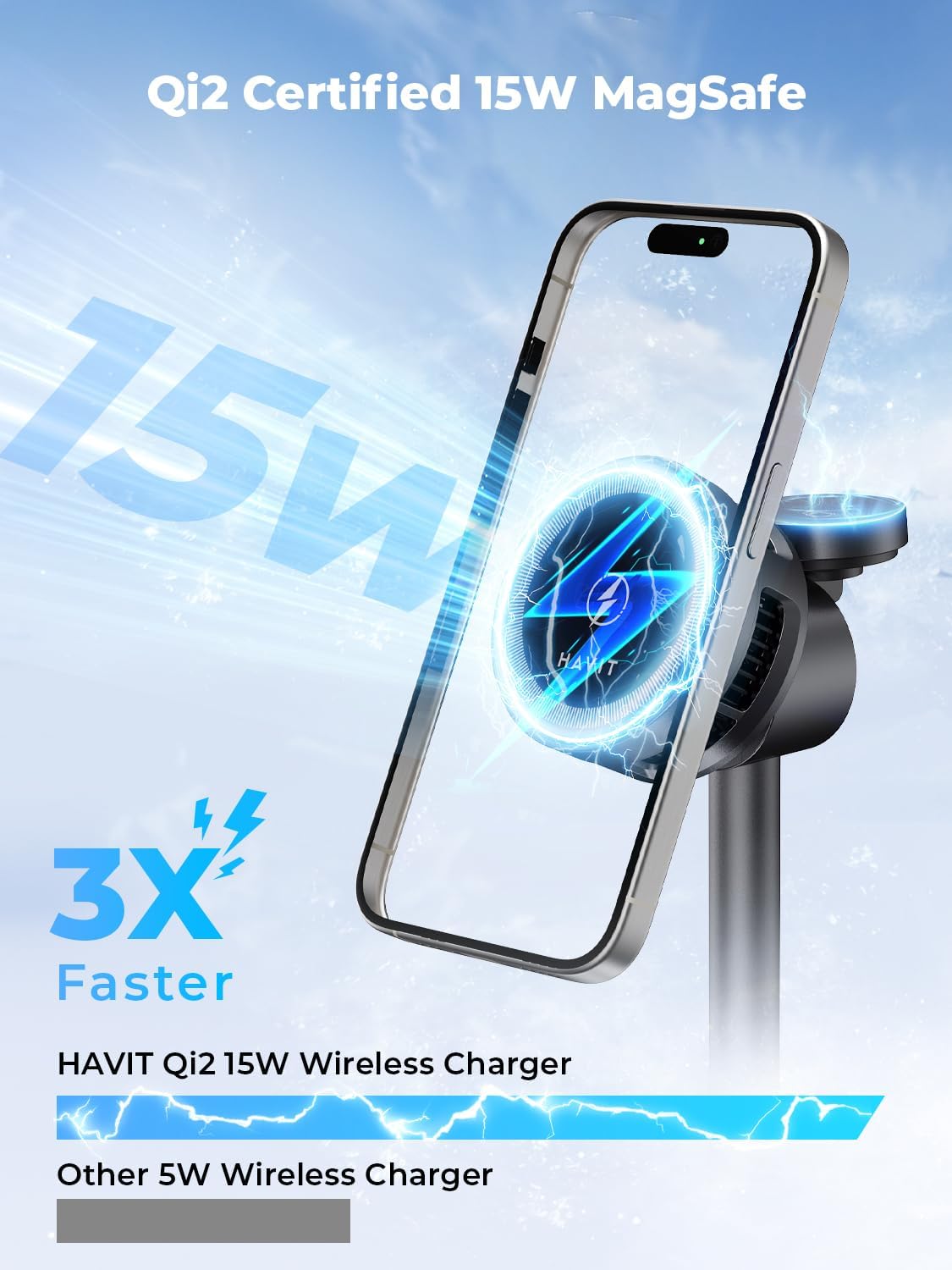
Image 5.1: The charging station provides 15W fast wireless charging for compatible iPhones.
5.2 Boleh laras Viewsudut
The phone charging pad can be adjusted to various angles (0-25 degrees) for comfortable viewing in both portrait and landscape orientations. This is ideal for video calls, watching media, or using StandBy mode.

Image 5.2: The phone charging pad can be adjusted for optimal viewkeselesaan.
5.3 Operasi Kipas Penyejuk
The built-in cooling fan automatically activates during charging to dissipate heat, ensuring your devices remain cool and maintain optimal charging speeds. The fan operates quietly, designed not to disturb sleep.

Image 5.3: Illustration of the thermoelectric cooler system maintaining optimal charging temperature.

Image 5.4: The charging station supports various usage scenarios, including during sleep due to its quiet operation.
Video Pengendalian
Video 5.1: A demonstration of the havit W3110's magnetic charging, cooling, and adjustable features.
6. Maklumat Keselamatan
- Use only the provided 45W adapter and USB-C cable for optimal performance and safety.
- Jangan buka, ubah suai atau baiki peranti.
- Keep the charging station away from water, moisture, and extreme temperatures.
- Avoid placing metal objects or foreign materials on the charging pads, as this may interfere with charging or cause damage.
- Pastikan pengudaraan yang betul di sekeliling peranti semasa operasi.
- This device includes overcharge protection and temperature control to prevent damage to your devices.

Imej 6.1: Selesaiview of safety features including Qi2 certification and overcharge protection.
7. Penyelesaian masalah
| Masalah | Kemungkinan Punca | Penyelesaian |
|---|---|---|
| Peranti tidak dicas | Not properly aligned; Foreign object detected; Insufficient power supply; Device not compatible. | Re-align device on the charging pad; Remove any foreign objects; Ensure using the provided 45W adapter; Verify device compatibility. |
| Pengecasan perlahan | Not using 45W adapter; Device case too thick; Background apps consuming power. | Use the provided 45W adapter; Remove thick phone cases; Close unnecessary background applications. |
| Kipas penyejuk tidak berfungsi | Fan only activates when needed; Malfunction. | The fan activates automatically when the device temperature rises during charging. If it never activates during prolonged charging, contact support. |
| Lampu penunjuk padam | No power; Auto-off feature active. | Check power connection; The indicator light automatically turns off after a short period to avoid disturbing sleep. This is normal operation. |
8. Penyelenggaraan
- Clean the charging station regularly with a soft, dry cloth.
- Jangan gunakan pembersih atau pelarut yang melelas.
- Keep the charging pads free from dust and debris to ensure efficient charging.
- Simpan peranti di tempat yang sejuk dan kering apabila tidak digunakan.
9. Waranti dan Sokongan
The havit W3110 3-in-1 Magnetic Wireless Charging Station comes with a 2-year limited warranty from the date of purchase. This warranty covers manufacturing defects and malfunctions under normal use.
For warranty claims, technical support, or any questions regarding your product, please contact havit customer service through the official havit website or your retailer's support channels. Please have your purchase receipt and product model number (W3110) ready when contacting support.