
pengenalan
Thank you for choosing the pTron Bassbuds Senz Open Ear Wireless Earbuds. These earbuds are designed to provide a comfortable and pressure-free listening experience while keeping you aware of your surroundings. Featuring 13mm dynamic drivers, dual HD microphones with AI-ENC for clear calls, Bluetooth v6.0 connectivity, and IPX5 water resistance, the Bassbuds Senz are ideal for various activities. This manual provides detailed instructions for setup, operation, maintenance, and troubleshooting to ensure optimal performance.
Apa yang ada dalam Kotak
- pTron Bassbuds Senz Wireless Earbuds
- Kes Pengecasan
- Kabel Pengecasan USB Jenis-C
- Manual Pengguna
Produk Selesaiview
The pTron Bassbuds Senz feature an open-ear design for comfort and situational awareness, along with a compact charging case.

Image: pTron Bassbuds Senz Open Ear Wireless Earbuds and Charging Case. This image displays the two earbuds and their oval-shaped charging case.

Image: Key features of pTron Bassbuds Senz. This collage highlights SafeBeats Design, Dual HD Mics, 50 Hours Playtime, 13mm Dynamic Drivers, Bluetooth 6.0, LED Battery Indicator, Type-C Charging, and IPX5 Water & Sweat Resistant.

Image: Diagram showing the 13mm dynamic drivers of pTron Bassbuds Senz. This close-up view illustrates the internal components of the earbud's audio driver.

Image: User wearing pTron Bassbuds Senz, highlighting Dual HD Mics for clear calls. A person is shown wearing one earbud, emphasizing its ergonomic fit and microphone placement.

Image: Close-up of pTron Bassbuds Senz charging case with digital LED display and Type-C charging port. This image shows the charging case with its lid open, revealing the earbuds inside and the battery percentagpaparan e.
Arahan Persediaan
1. Mengecas Fon Telinga dan Sarung
Before first use, fully charge the earbuds and charging case. Use the provided USB Type-C cable to connect the charging case to a power source.
- Paparan LED digital pada kes pengecasan akan menunjukkan peratusan bateritage.
- Fon telinga akan dicas secara automatik apabila diletakkan di dalam bekas.
- Pengecasan penuh biasanya mengambil masa kira-kira 1.5-2 jam.
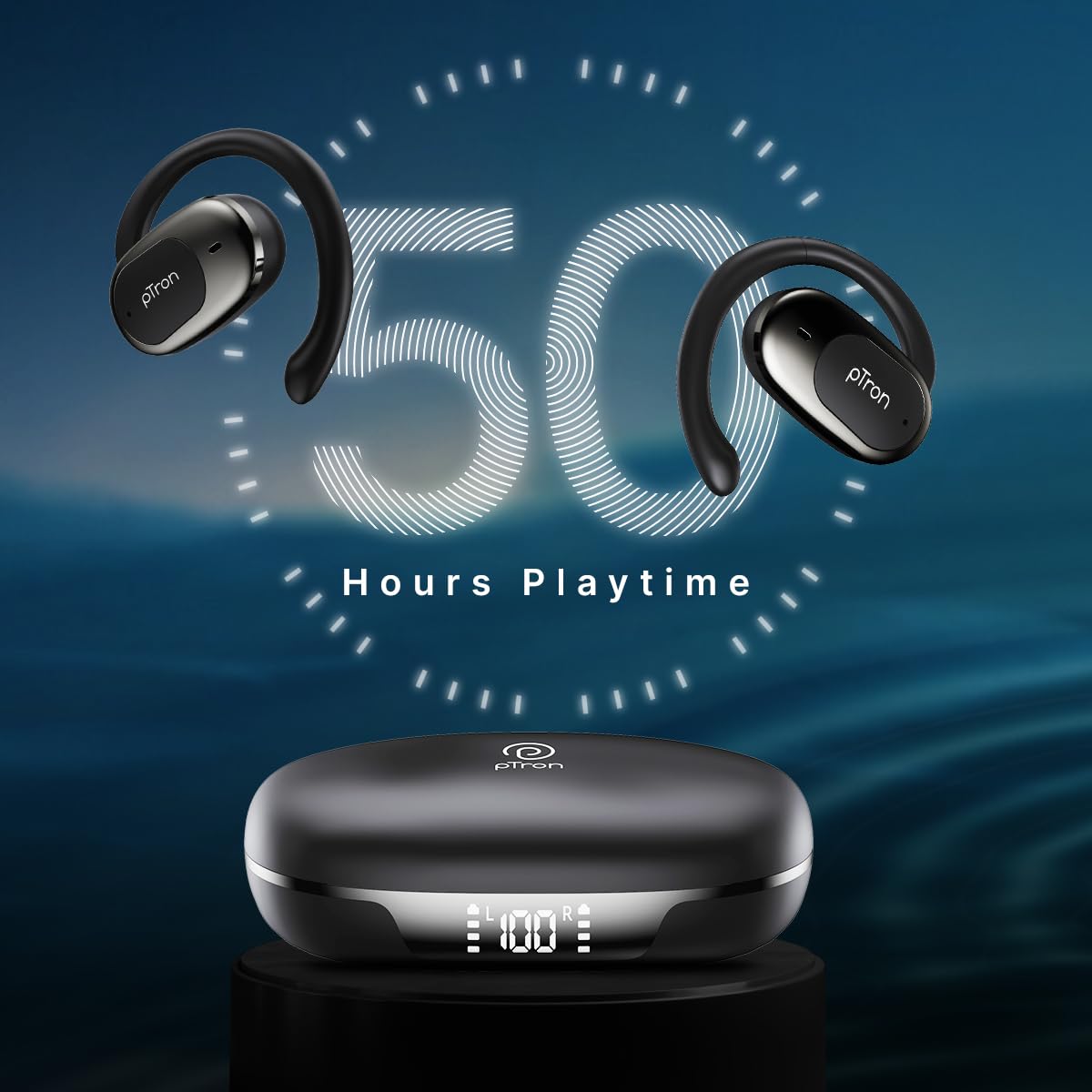
Image: pTron Bassbuds Senz earbuds and charging case, illustrating 50 hours combined playtime. This image visually represents the extended battery life of the product.
2. Berpasangan Bluetooth
- Hidupkan kuasa: Open the charging case. The earbuds will automatically power on and enter pairing mode. You may hear a voice prompt indicating they are ready to pair.
- Aktifkan Bluetooth: On your smartphone or device, go to the Bluetooth settings and turn Bluetooth on.
- Pilih Peranti: Look for "pTron OWS" (or similar name) in the list of available devices and select it to connect.
- Pengesahan: Setelah disambungkan, anda akan mendengar gesaan suara yang mengesahkan gandingan yang berjaya.
- Penyambungan Semula Automatik: Selepas berpasangan awal, fon telinga akan bersambung secara automatik ke peranti pasangan terakhir apabila dikeluarkan daripada sarung, dengan syarat Bluetooth didayakan pada peranti.

Image: Smartphone screen showing Bluetooth pairing with pTron OWS, next to the earbuds and charging case. This image demonstrates the process of connecting the earbuds to a mobile device via Bluetooth.
Arahan Operasi
The pTron Bassbuds Senz feature touch controls for easy management of music and calls.
Kawalan Sentuh
| Fungsi | Tindakan |
|---|---|
| Hidupkan kuasa | Sarung pengecasan terbuka |
| Matikan Kuasa | Place earbuds back into charging case and close lid |
| Main/Jeda Muzik | Ketik sekali pada salah satu fon telinga |
| Trek Seterusnya | Ketik dua kali pada fon telinga kanan |
| Trek Sebelumnya | Ketik dua kali pada fon telinga kiri |
| Jawab/Tamatkan Panggilan | Single tap on either earbud during an incoming call |
| Tolak Panggilan | Long press on either earbud during an incoming call |
| Aktifkan Pembantu Suara | Ketik tiga kali pada salah satu fon telinga |
| Kelantangan Naik | Long press on the Right earbud |
| Kelantangan Kurang | Long press on the Left earbud |
Penyelenggaraan
Pembersihan
- Bersihkan fon telinga dan bekas pengecas dengan kerap menggunakan kain yang lembut, kering dan tidak berbulu.
- Jangan gunakan bahan kimia yang keras, pelarut pembersih atau detergen yang kuat.
- Pastikan kanta pengecas pada kedua-dua fon telinga dan sarung bersih dan bebas daripada serpihan.
Penyimpanan
- Simpan fon telinga dalam bekas pengecasnya apabila tidak digunakan untuk melindunginya dan memastikan ia dicas.
- Avoid storing in extreme temperatures (hot or cold) or in dusty/humid environments.
Penjagaan Bateri
- Untuk memanjangkan hayat bateri, elakkan daripada kerap menyahcas sepenuhnya fon telinga dan bekas pengecas.
- Cas peranti secara berkala, walaupun tidak kerap digunakan.

Image: User exercising with pTron Bassbuds Senz, demonstrating IPX5 water and sweat resistance. This image shows the earbuds being used during a workout, highlighting their durability against sweat and splashes.
Menyelesaikan masalah
If you encounter issues with your pTron Bassbuds Senz, refer to the following common solutions:
- Fon telinga tidak berpasangan dengan peranti:
Ensure both earbuds are charged. Turn off Bluetooth on your device, then turn it back on. Forget "pTron OWS" from your device's Bluetooth list and try pairing again. Make sure the earbuds are in pairing mode (out of the case). - Hanya satu fon telinga berfungsi:
Place both earbuds back into the charging case, close the lid, wait a few seconds, then open the lid and take them out. This often resets the connection between the two earbuds. If the issue persists, try re-pairing them with your device. - Fon telinga tidak dicas:
Check if the charging cable is securely connected to both the case and the power source. Ensure the charging contacts on the earbuds and inside the case are clean and free of obstructions. Verify the charging case has sufficient battery. - Kelantangan rendah atau kualiti bunyi yang lemah:
Adjust the volume on both your device and the earbuds. Ensure the earbuds are properly seated in your ears. Clean any debris from the earbud speakers. - Connectivity issues (disconnections):
Ensure your device is within the 10-meter Bluetooth range. Avoid obstacles between your device and the earbuds. Minimize interference from other wireless devices.
Spesifikasi
| Ciri | Perincian |
|---|---|
| Nama Model | Bassbuds Senz |
| Teknologi Ketersambungan | Tanpa Wayar (Bluetooth v6.0) |
| Julat Bluetooth | 10 Meter |
| Jenis Pemacu Audio | Pemacu Dinamik 13mm |
| Hayat Bateri (Gabungan) | Sehingga 50 Jam |
| Port Pengecasan | USB Jenis-C |
| Tahan Air | IPX5 (Tahan Air) |
| Mikrofon | Dual HD Mics with AI-ENC |
| Kaedah Kawalan | Sentuh |
| Penempatan Telinga | Buka Telinga |
| bahan | Akrilonitril Butadiena Stirena (ABS) |
| Berat Barang | 67 Gram |
| Dimensi Produk | 9.1 x 5.9 x 3.1 cm |
Waranti dan Sokongan
The pTron Bassbuds Senz comes with a 1-year manufacturer warranty from the date of purchase, covering manufacturing defects only.
Sokongan Pelanggan
For any queries, support, or warranty claims, please contact pTron customer care:
- telefon: 040-67138888
- e-mel: support@ptron.in
- Pengeluar: Palred Electronics Pvt. Ltd., SY.NO. 56, 1ST FLOOR, GUNDLAPOCHAMPKAMPUNG ALLY, TAMAN TEKNOLOGI MTP, TSIIC-IALA NACHARAM, HYDERABAD - 500076, TELANGANA, INDIA