
1. Pengenalan
Welcome to the user manual for your new DOOGEE Fire 3 Rugged Phone. This device is engineered for durability and performance, designed to withstand challenging environments while providing a seamless Android 15 experience. This manual will guide you through the setup, operation, maintenance, and troubleshooting of your device to ensure optimal use.
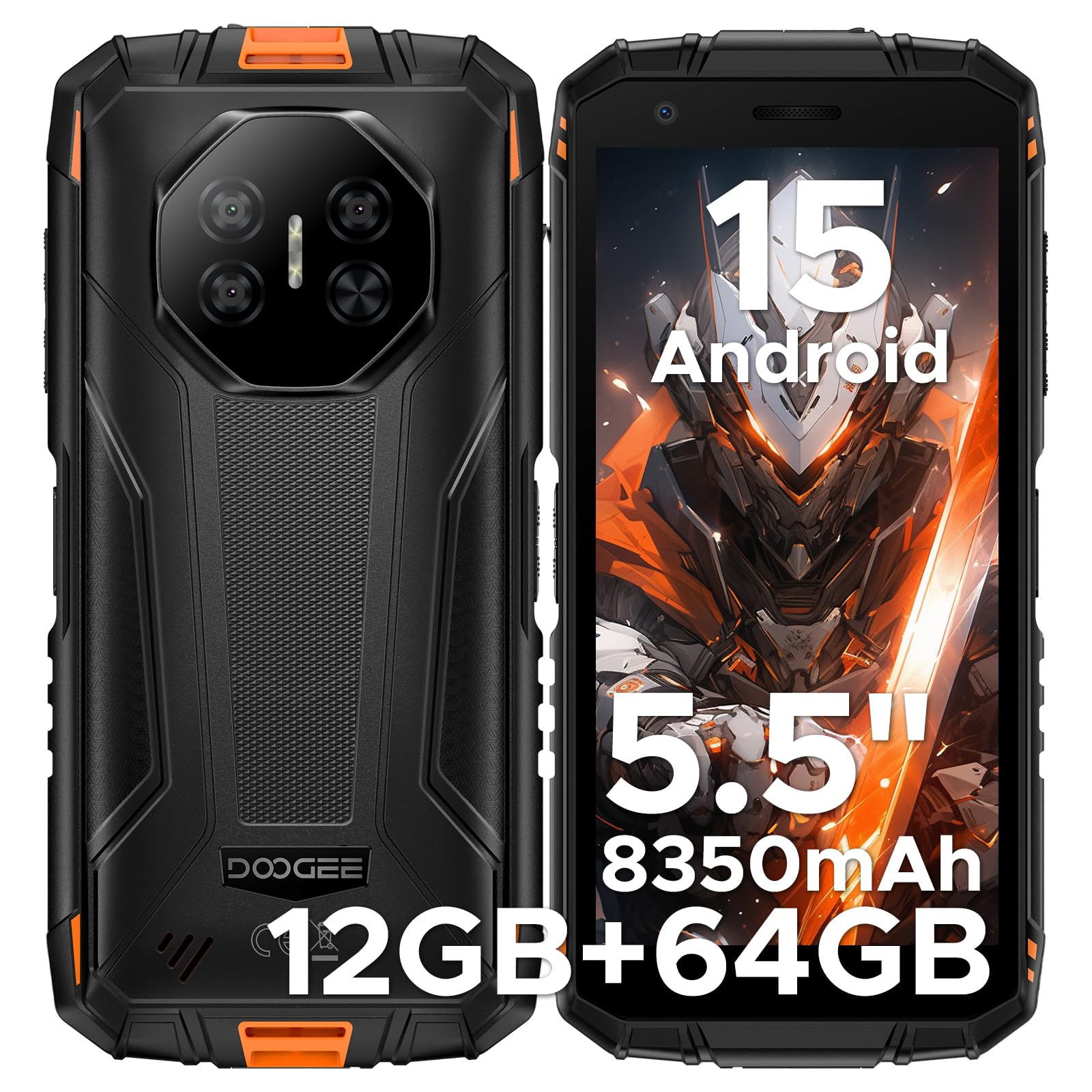
Imej: Depan dan belakang view of the DOOGEE Fire 3 Rugged Phone.
2. Apa yang ada di dalam Kotak
Upon opening your DOOGEE Fire 3 package, you should find the following items:
- DOOGEE Fire 3 Rugged Phone
- Kabel USB
- Penyesuai Kuasa
- Alat Ejector SIM
- Manual Pengguna (dokumen ini)
- Kad Waranti
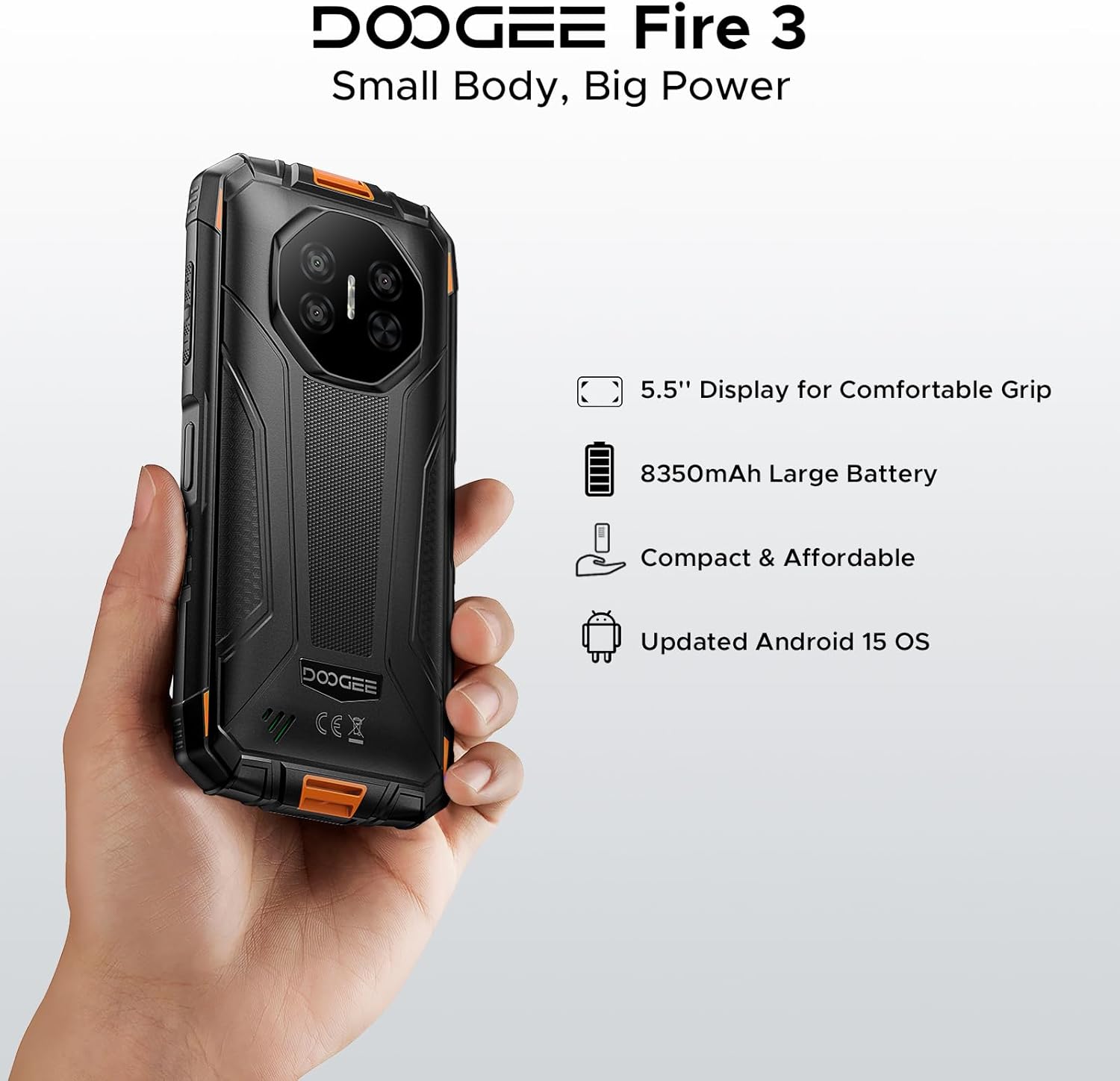
Image: All items included in the DOOGEE Fire 3 retail packaging.
Video: An unboxing video demonstrating the contents of the DOOGEE Fire 3 package.
3. Ciri-ciri Utama
3.1. Paparan
The DOOGEE Fire 3 features a 5.5-inch HD+ IPS display, offering clear visuals and comfortable handling. It includes eye care modes and a dark mode to reduce strain during extended use.

Image: The DOOGEE Fire 3 showcasing its 5.5-inch HD+ IPS display.

Image: The phone's display highlighting eye care features for reduced strain.
3.2. Ketahanan
The DOOGEE Fire 3 is built to military-grade standards, certified with IP68, IP69K, and MIL-STD-810H ratings. This ensures resistance against water, dust, and drops, making it suitable for rugged environments.
- kalis air: Withstands submersion up to 4 feet (1.2 meters) for 30 minutes.
- Kalis habuk: Fully protected against dust, sand, and dirt ingress.
- Kalis jatuh: Designed to survive drops from up to 5 feet (1.5 meters).

Image: The DOOGEE Fire 3 submerged in water, demonstrating its waterproof capability.
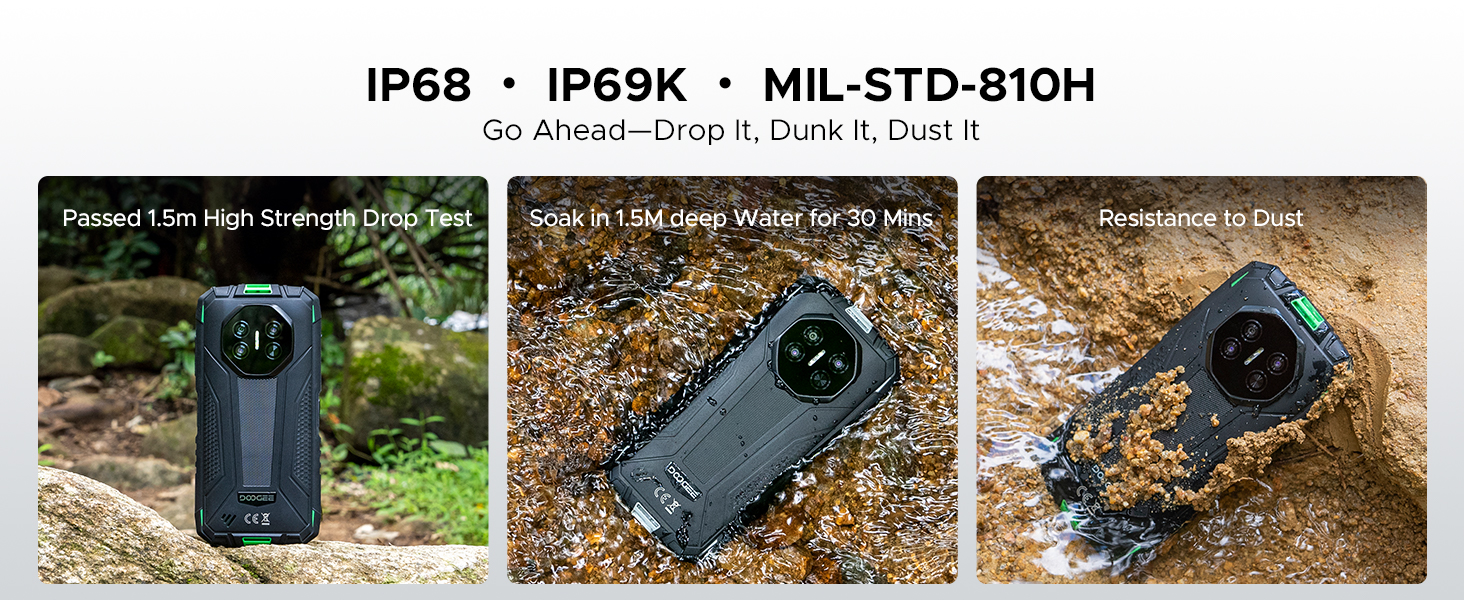
Image: The phone shown resisting impacts and dirt, highlighting its rugged design.
3.3. Prestasi dan Storan
Powered by a Unisoc SC9863A Octa-Core Chipset, the Fire 3 delivers stable and efficient performance. It comes with 12GB RAM (3GB basic + 9GB virtual) and 64GB of internal storage, expandable up to 2TB via a microSD card (not included).
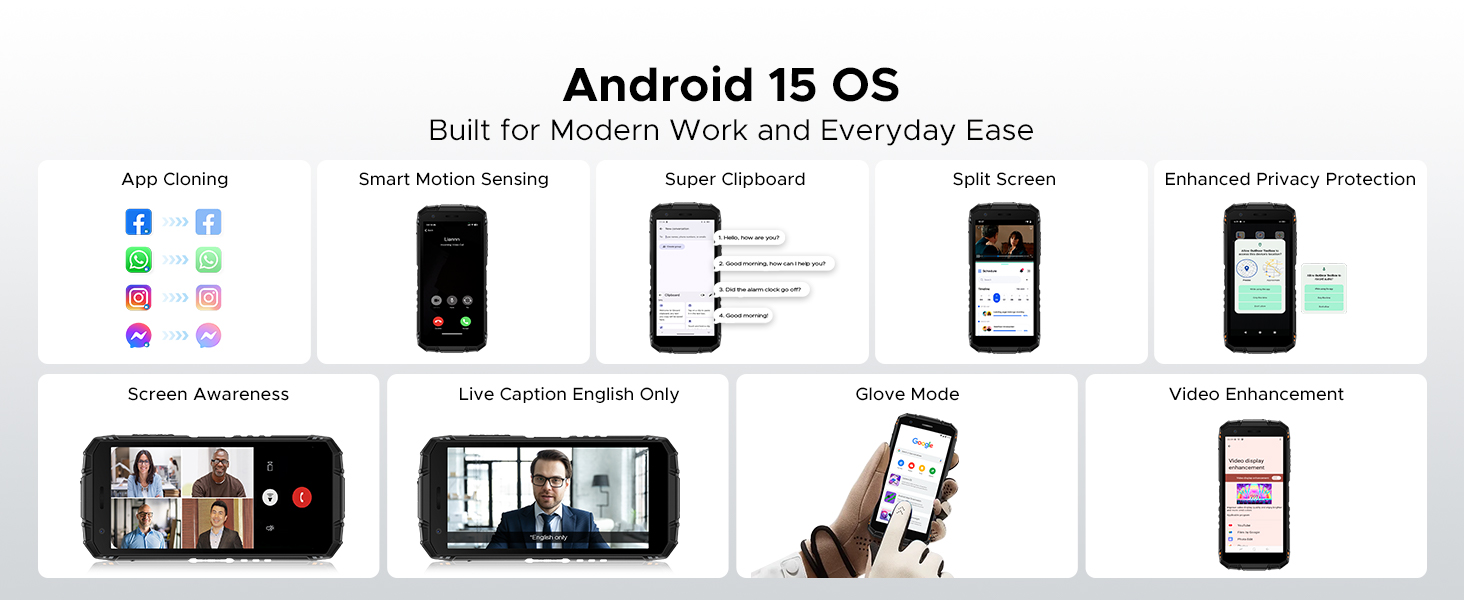
Image: Diagram illustrating the Unisoc SC9863A Octa-Core Chipset.
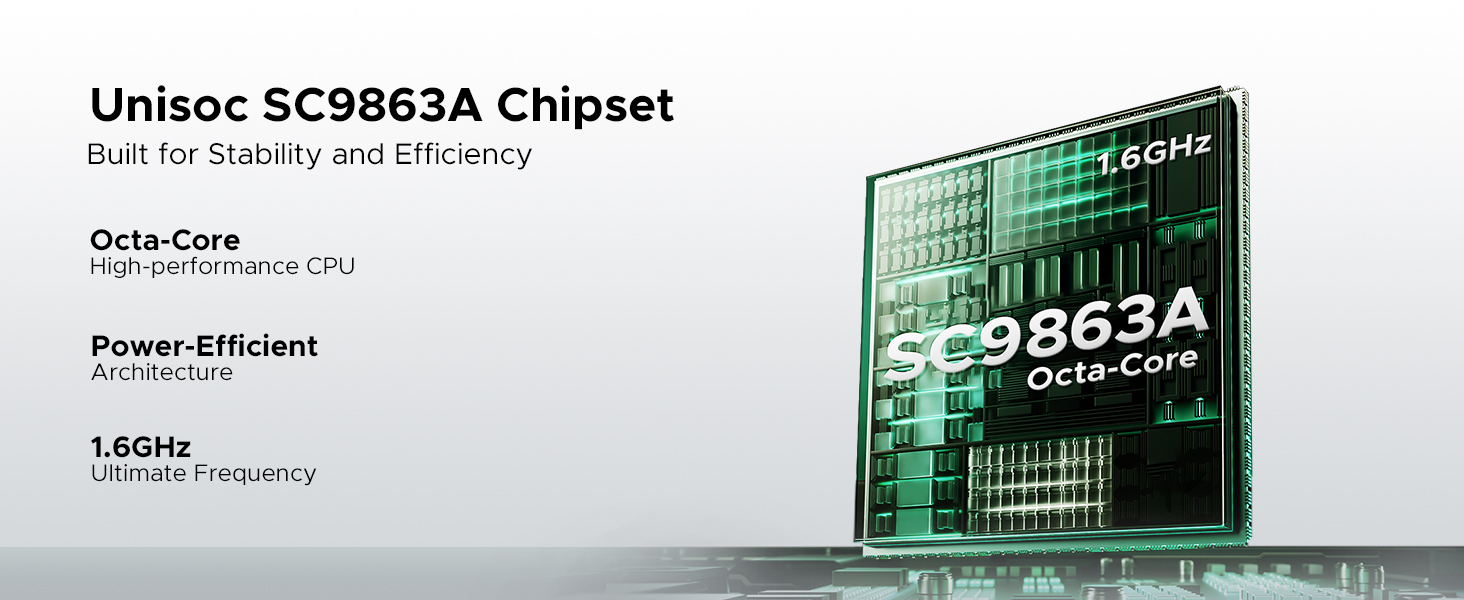
Image: Visual representation of the 12GB RAM and 64GB ROM storage capabilities.
3.4. Bateri
Equipped with a massive 8350mAh battery, the DOOGEE Fire 3 provides extended usage times. It supports 10W charging and reverse charging, allowing you to power other devices.
- Up to 47 days standby
- Sehingga 87 jam main balik muzik
- Up to 28 hours of video watching
- Up to 44 hours of calling
Image: Infographic detailing the impressive battery life statistics of the 8350mAh battery.
Video: A short video highlighting the large battery capacity of the DOOGEE Fire 3.
3.5. Sistem Kamera
Capture your moments with the 13MP AI triple rear camera and take clear selfies with the 8MP front camera. The AI scene recognition optimizes settings for various environments.

Image: Visuals of the 13MP main camera and 8MP front camera in action.

Imej: Cthamples of AI Scene Recognition optimizing photo quality for different scenarios.
3.6. Sistem Pengoperasian dan Ciri-cirinya
The DOOGEE Fire 3 runs on the latest Android 15 OS, offering enhanced privacy, security, and a range of useful features:
- Pengklonan Aplikasi: Run multiple instances of apps.
- Pengesanan Gerakan Pintar: Intuitive gesture controls.
- Papan Klip Super: Advanced clipboard functionality.
- Skrin Pisah: Lakukan pelbagai tugas dengan dua aplikasi secara serentak.
- Peningkatan Video: Kualiti main balik video yang dipertingkatkan.
- Kapsyen Langsung: Kapsyen masa nyata untuk media.
- Perlindungan Privasi yang Dipertingkatkan: Greater control over personal data.
- Mod Sarung Tangan: Use the touchscreen while wearing gloves.
- Kesedaran Skrin: Mengekalkan skrin semasa anda melihatnya.

Imej: Selesaiview of various Android 15 features available on the DOOGEE Fire 3.
3.7. Ketersambungan dan Navigasi
The Fire 3 supports Dual SIM functionality and is compatible with GSM T-Mobile networks. It includes NFC for contactless payments and data transfer, a 3.5mm audio jack, and Face Unlock for secure access. For navigation, it supports GPS, Glonass, and Galileo.

Image: Visuals demonstrating GPS, NFC, 3.5mm headphone jack, and Face Unlock features.
3.8. Kit Alat Digital
The device comes with a built-in digital toolkit, providing practical utilities for various situations:
- Kompas
- Meter Bunyi
- Penggantungan Gambar
- Pembesar
- Protraktor
- Bob tembam
- Loceng penggera
- Kecerunan
- Ukuran Ketinggian

Image: Icons representing the various tools available in the Digital Toolkit.
4. Persediaan
4.1. Memasukkan Kad SIM dan Kad MicroSD
- Cari dulang kad SIM di sisi telefon.
- Gunakan alat ejektor SIM yang disediakan untuk membuka dulang.
- Carefully place your Nano-SIM card(s) and/or microSD card into the designated slots, ensuring correct orientation.
- Tolak dulang perlahan-lahan ke dalam telefon sehingga ia berbunyi pada tempatnya.
4.2. Hidupkan dan Persediaan Awal
- Tekan dan tahan butang Kuasa (biasanya di sebelah kanan) sehingga logo DOOGEE muncul.
- Ikut arahan pada skrin untuk melengkapkan persediaan awal, termasuk pemilihan bahasa, sambungan Wi-Fi, log masuk akaun Google dan tetapan keselamatan.
4.3. Mengecas Peranti
- Connect the USB cable to the phone's charging port (usually USB-C at the bottom).
- Sambungkan hujung kabel USB yang lain ke penyesuai kuasa.
- Palamkan penyesuai kuasa ke salur keluar dinding.
- The charging indicator will appear on the screen. For optimal battery life, fully charge the device before first use.
5. Arahan Operasi
5.1. Navigasi Asas
- Butang Kuasa: Press to turn the screen on/off. Press and hold to power off or restart.
- Butang Kelantangan: Laraskan kelantangan media, kelantangan panggilan atau kelantangan pemberitahuan.
- Gerak isyarat skrin sentuh: Swipe up for app drawer, swipe down for notifications/quick settings, tap to select, pinch to zoom.
5.2. Membuat Panggilan dan Menghantar Mesej
- Open the Phone app to dial a number or select a contact.
- Buka aplikasi Mesej untuk mengarang dan menghantar mesej teks.
5.3. Menyambung ke Rangkaian
- Wi-Fi: Pergi ke Tetapan > Rangkaian & internet > Wi-Fi untuk bersambung ke rangkaian yang tersedia.
- Data mudah alih: Ensure your SIM card is active. Go to Settings > Network & internet > Mobile network to enable or disable mobile data.
5.4. Menggunakan Kamera
- Buka apl Kamera.
- Ketik butang pengatup untuk mengambil foto.
- Switch between front and rear cameras using the icon on the screen.
- Explore different modes like Video, Portrait, or Night mode.
5.5. Ciri-ciri Keselamatan
- Buka Kunci Wajah: Set up Face Unlock in Settings > Security > Face Unlock for convenient and secure access to your device.
- PIN/Corak/Kata Laluan: Konfigurasikan kaedah buka kunci tradisional sebagai sandaran.
6. Penyelenggaraan
6.1. Membersihkan Peranti Anda
To maintain the integrity of your rugged phone:
- Lap skrin dan badan dengan kain lembut,amp kain.
- Elakkan bahan kimia yang keras atau bahan yang melelas.
- Ensure all port covers are securely closed before exposing the phone to water or dust.
6.2. Penjagaan Bateri
- Elakkan suhu yang melampau, yang boleh merendahkan hayat bateri.
- Gunakan pengecas dan kabel asal untuk pengecasan optimum.
- Jangan biarkan telefon dicas sepenuhnya atau dinyahcas sepenuhnya untuk tempoh yang lama.
6.3. Kemas Kini Perisian
Semak dan pasang kemas kini perisian secara berkala untuk memastikan peranti anda mempunyai ciri terkini, tampalan keselamatan dan penambahbaikan prestasi. Pergi ke Tetapan > Sistem > Kemas kini sistem.
7. Penyelesaian masalah
7.1. Isu Biasa
| Isu | Penyelesaian |
|---|---|
| Telefon tidak dihidupkan | Pastikan bateri dicas. Tekan dan tahan butang Kuasa selama sekurang-kurangnya 10-15 saat untuk memaksa mulakan semula. |
| Network connectivity problems | Check if the SIM card is correctly inserted. Restart the phone. Verify network settings or contact your carrier. |
| Apl ranap atau beku | Clear the app's cache (Settings > Apps > [App Name] > Storage > Clear cache). Update the app. |
| Bateri cepat habis | Reduce screen brightness, close unused apps, disable unnecessary features like GPS or Bluetooth when not in use. Check battery usage in Settings. |
7.2. Tetapan Semula Kilang
Jika anda menghadapi masalah perisian yang berterusan, tetapan semula kilang boleh menyelesaikannya. Amaran: Ini akan memadamkan semua data pada telefon anda. Sandarkan data penting sebelum meneruskan.
- Pergi ke Tetapan > Sistem > Tetapkan semula pilihan.
- Pilih "Padam semua data (tetapan semula kilang)".
- Sahkan keputusan anda dan masukkan PIN/corak/kata laluan anda jika digesa.
8. Spesifikasi
| Ciri | Spesifikasi |
|---|---|
| Nombor Model | kebakaran3 |
| Sistem Operasi | Android 15 |
| Paparan | 5.5 Inches IPS HD+ (1080 x 2280 Resolution) |
| Pemproses | MediaTek Helio Octa Core (Unisoc SC9863A) |
| RAM | 12 GB (3GB Basic + 9GB Virtual) |
| Storan Dalaman | 64 GB (Boleh dikembangkan sehingga 2TB melalui microSD) |
| Kamera Belakang | 13 MP |
| Kamera Depan | 8 MP |
| Kapasiti Bateri | 8350 mAh |
| Mengecas | 10W, Supports Reverse Charging |
| Penilaian Ketahanan | IP68, IP69K, MIL-STD-810H |
| Kiraan Slot Kad SIM | Dual SIM |
| Keserasian Pembawa Tanpa Wayar | T-Mobile, Unlocked (GSM, LTE) |
| Ketersambungan | NFC, 3.5 mm Audio Jack |
| Navigasi | GPS, Glonass, Galileo |
| Dimensi | 162.5 x 77.4 x 17.8 mm |
| Berat Barang | 1.08 paun (lebih kurang 490g) |
9. Waranti dan Sokongan
DOOGEE is committed to providing quality products and support. Your DOOGEE Fire 3 comes with the following:
- Waranti Percuma 2 Tahun: Meliputi kecacatan pembuatan dan kerosakan perkakasan di bawah penggunaan biasa.
- Jaminan Wang Dikembalikan 30 Hari: Return the product within 30 days for a full refund, no questions asked.
- 24/7 Professional Support: A dedicated customer service team is available to assist you with any issues or questions.
For support, please refer to the contact information provided on your warranty card or visit the official DOOGEE webtapak.

Imej: Selesaiview of DOOGEE's customer support and warranty offerings.