
1. Pengenalan
The DOOGEE Fire 3 Pro is a rugged smartphone designed for durability and performance in challenging environments. It features a robust build, long-lasting battery, and advanced Android 15 operating system, making it suitable for outdoor activities and demanding daily use. This manual provides essential information for setting up, operating, and maintaining your device.
2. Apa yang ada di dalam Kotak
Carefully unpack your DOOGEE Fire 3 Pro and ensure all items are present:
- 1x Telefon Pintar DOOGEE Fire 3 Pro
- 1x Kabel USB Jenis-C
- 1x Pengecas 18W
- 1x Pembuka Slot Kad
- 1x Sling

Image: Contents of the DOOGEE Fire 3 Pro retail box, including the phone, charger, cable, card slot opener, and sling.
Video: Unboxing dan seterusnyaview of the DOOGEE Fire 3 Pro Rugged Phone, demonstrating the contents and initial setup.
3. Produk Lebihview
The DOOGEE Fire 3 Pro features a compact yet robust design, integrating essential components for reliable performance.
3.1 Ciri Fizikal
- paparan: 5.5-inch IPS HD+ screen.
- Kamera Belakang: 16MP main camera with AI features.
- Kamera Depan: 8MP untuk swafoto dan panggilan video.
- Butang Sisi: Customizable for quick access to functions.
- Pelabuhan: USB Type-C for charging and data, 3.5mm audio jack.
- Slot Kad SIM/TF: Supports 4G Dual SIM (2 Nano SIM cards or 1 Nano SIM card + 1 TF card).

Imej: Depan view of the DOOGEE Fire 3 Pro, highlighting its compact design and display.

Imej: Terperinci view of the phone's side features, including the 3.5mm headphone jack, customizable key, NFC area, and dual card slots.
4. Persediaan
4.1 Pemasangan Kad SIM dan TF
- Cari slot kad SIM/TF di sisi telefon.
- Gunakan pembuka slot kad yang disediakan untuk mengeluarkan dulang.
- Place your Nano SIM card(s) and/or TF card into the designated slots. Ensure correct orientation.
- Masukkan semula dulang dengan berhati-hati ke dalam telefon sehingga ia berbunyi klik pada tempatnya.
4.2 Mengecas Peranti
Connect the provided 18W charger and Type-C USB cable to the phone's charging port. The 8350mAh battery supports fast charging. The phone also supports OTG reverse charging, allowing it to power other devices.

Image: Visual representation of the 8350mAh battery capacity and 18W fast charging capability, including OTG support.
4.3 Kuasa Awal Hidup
Press and hold the Power button until the DOOGEE logo appears. Follow the on-screen instructions to complete the initial setup, including language selection, Wi-Fi connection, and Google account setup.
5. Arahan Operasi
5.1 Ciri Paparan
The 5.5-inch IPS HD+ display offers a resolution of 720x1440 with 295 PPI and a 60Hz refresh rate. It provides clear visibility even in bright outdoor conditions with up to 400 nits brightness. Widevine L1 support ensures high-definition streaming content playback.

Image: The 5.5-inch IPS HD+ display, showcasing its resolution, refresh rate, and pixel density.
5.2 Penggunaan Kamera
Capture moments with the 16MP main camera and 8MP front camera. The phone includes AI intelligent scene recognition, portrait mode, and panorama shooting. An underwater camera mode is also available for capturing photos in wet environments.
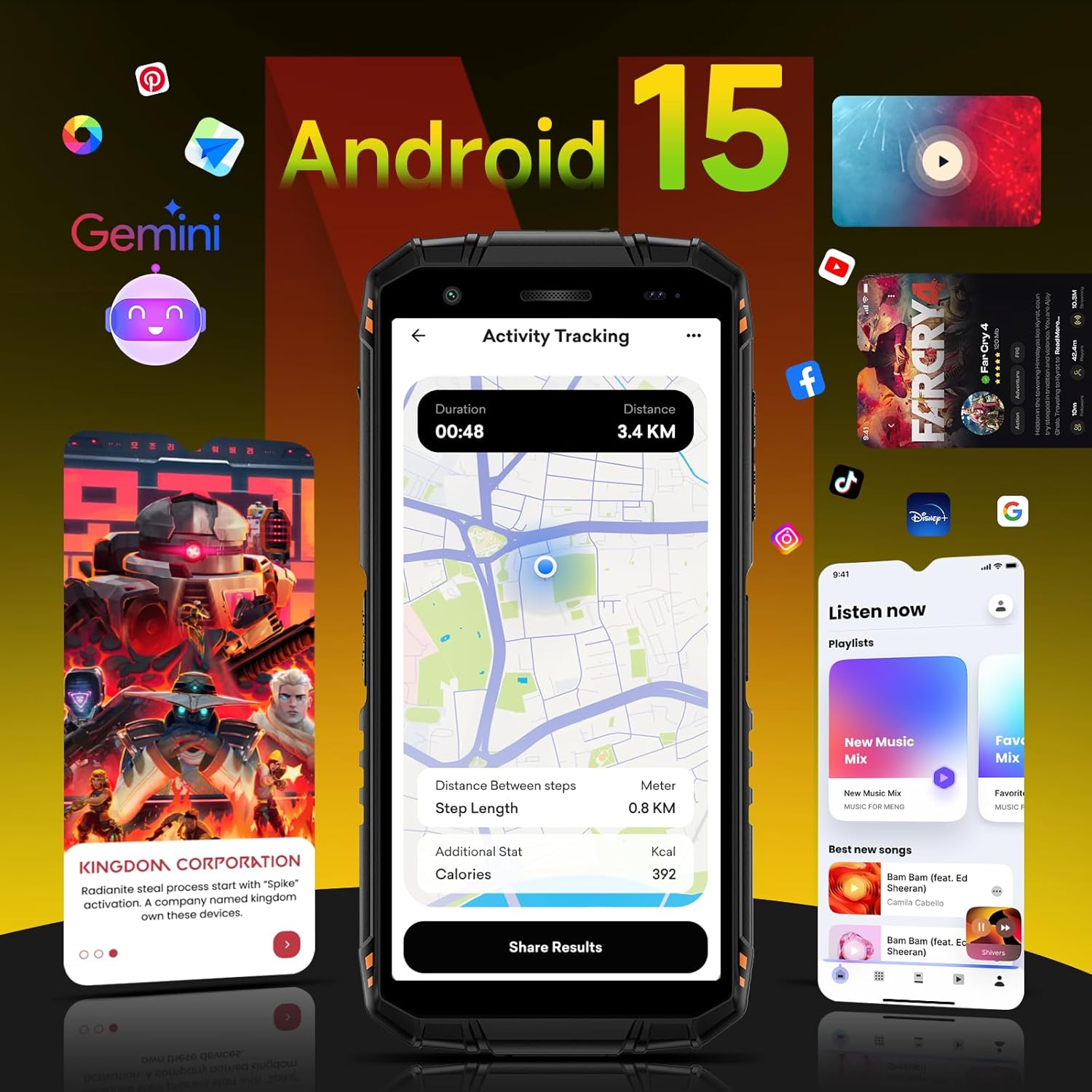
Image: The phone's camera module and exampkurang foto yang diambil dengan kamera belakang 16MP dan kamera hadapan 8MP, termasuk tangkapan bawah air.
5.3 Prestasi dan Perisian
The DOOGEE Fire 3 Pro is powered by an octa-core processor and runs on Android 15, offering a smooth and personalized user experience. It features 16GB RAM (4GB physical + 12GB virtual) and 128GB internal storage, expandable up to 2TB with a TF card. The device also integrates Gemini AI for enhanced functionality.

Image: Diagram illustrating the 16GB RAM (4GB physical + 12GB virtual) and 128GB ROM, with support for up to 2TB TF card expansion.

Image: The Android 15 operating system interface, highlighting its features and customization options.

Image: The DOOGEE Fire 3 Pro integrated with Gemini AI, illustrating its capabilities for conversational interaction, functional applications, and technical implementation.
Video: A detailed look at the DOOGEE Fire 3 Pro's features, including its Android 15 OS, processor, and overall performance.
5.4 Multi-functional Toolkit and Navigation
The phone includes a multi-functional toolkit with various utility apps. For navigation, it supports GPS, GLONASS, Galileo, and BEIDOU systems for precise location tracking.

Imej: Selesaiview of GPS navigation capabilities, Widevine L1 streaming support, and the integrated multi-functional toolbox.
6. Ciri Ketahanan
The DOOGEE Fire 3 Pro is built to withstand harsh conditions, certified with military-grade durability standards.
- IP68 & IP69K: Dustproof and waterproof, capable of submersion up to 1.5 meters for 30 minutes.
- MIL-STD-810H: Military standard certification for drop resistance up to 1.5 meters.
- Kalis habuk 360°: Comprehensive protection against dust ingress.

Image: The DOOGEE Fire 3 Pro highlighting its IP68, IP69K, and MIL-STD-810H certifications for water, dust, and drop resistance.
7. Spesifikasi
| Ciri | Perincian |
|---|---|
| Nama Model | DOOGEE Fire3 Pro |
| Sistem Operasi | Android 15 |
| Pemproses | Octa-core (Unisoc T7200) |
| RAM | 16 GB (4GB fizikal + 12GB maya) |
| Storan Dalaman | 128 GB |
| Memori Boleh Diperkembangkan | Sehingga 2 TB (kad TF) |
| Saiz Skrin | 5.5 Inci |
| Jenis Paparan | IPS HD+ |
| Resolusi | 720 x 1440 |
| Kadar Segar Semula | 60 Hz |
| Kamera Utama | 16 MP |
| Kamera Depan | 8 MP |
| Kapasiti Bateri | 8350 mAh |
| Pengecasan Cepat | 18W |
| Penilaian Ketahanan | IP68, IP69K, MIL-STD-810H |
| Ketersambungan | 4G Dual SIM, Bluetooth, NFC, Wi-Fi 2.4G/5G |
| Navigasi | GPS, GLONASS, Galileo, BEIDOU |
| Bicu Audio | 3.5 mm |
| Dimensi | 162.5 x 77.4 x 17.8 mm |
| Berat badan | 290g (0.63 paun) |
8. Penyelesaian masalah
If you encounter issues with your DOOGEE Fire 3 Pro, consider the following common solutions:
- Peranti tidak dihidupkan: Pastikan bateri dicas. Sambungkan pengecas dan tunggu beberapa minit sebelum cuba menghidupkan semula.
- Isyarat rangkaian yang lemah: Check your SIM card insertion. Ensure you are within network coverage. Note that Verizon/Cricket and AT&T are not supported.
- Apl ranap atau beku: Close background applications. Clear the cache of the problematic app or reinstall it. If the issue persists, consider a factory reset (back up your data first).
- Skrin sentuh tidak bertindak balas: Restart the device. If unresponsive, force restart by holding the power button for an extended period.
- Water or dust exposure: While the phone is rugged, ensure all port covers are securely closed before exposure to water or dust. If wet, dry thoroughly before charging.
Untuk isu yang lebih kompleks, rujuk sumber sokongan rasmi DOOGEE.
9. Waranti dan Sokongan
Your DOOGEE Fire 3 Pro comes with a standard manufacturer's warranty. Please refer to the warranty card included in your product packaging for specific terms and conditions. For technical support, software updates, or service inquiries, visit the official DOOGEE webtapak atau hubungi perkhidmatan pelanggan mereka.


