
pengenalan
Welcome to the Bigme E-reader 6 Zoll user manual. This guide provides essential information for setting up, operating, maintaining, and troubleshooting your new e-reader. The Bigme E-reader is designed to offer a comfortable reading experience with its 6-inch E-Ink display, powerful quad-core processor, and versatile connectivity options.
Kandungan Pakej
Sila tandai kotak untuk item berikut:
- Bigme E-reader 6 Zoll
- Kabel USB
- Manual Pengguna (dokumen ini)

Image: The Bigme E-reader 6 Zoll and its included USB charging cable.
Persediaan
1. Mengecas Peranti
Before first use, fully charge your Bigme E-reader. Connect the included USB cable to the device's USB port and plug the other end into a compatible USB power adapter (not included) or a computer's USB port. The charging indicator light will show the charging status.
2. Menghidupkan/Mematikan
To power on the device, press and hold the power button for a few seconds until the screen activates. To power off, press and hold the power button, then select "Power Off" from the options. A short press will put the device into sleep mode.
3. Persediaan Awal dan Sambungan Wi-Fi
Upon first power-on, follow the on-screen instructions to select your language, time zone, and connect to a Wi-Fi network. A stable Wi-Fi connection is necessary for downloading books, updates, and accessing online services.
Video: Selesai ringkasview of the e-reader's features and initial setup process.
Arahan Operasi
Membaca E-buku
The Bigme E-reader supports various e-book formats including EPUB, MOBI, and PDF. To open a book, navigate to your library and tap on the desired title.
- Membalik Halaman: Tap the left or right side of the screen, or use the physical page-turn buttons (if available on your model) to navigate through pages.
- Font and Display Settings: While reading, tap the center of the screen to bring up the reading menu. Here you can adjust font size, font style, line spacing, margins, and contrast.
- Mod Siang/Malam: Switch between day and night reading modes for optimal comfort in different lighting conditions.

Image: The e-reader displaying adjustable front light settings, offering 36 levels of warm and cold light.
Ciri Audio
The e-reader includes a text-to-speech function and supports MP3 audio files, allowing you to listen to audiobooks or have text read aloud. Connect Bluetooth headphones or speakers for a private listening experience.

Image: The e-reader displaying a book with headphones, illustrating the audio reading function.
Ketersambungan
Your Bigme E-reader features Wi-Fi and Bluetooth connectivity.
- Wi-Fi: Connect to wireless networks to download books, browse the internet, and access cloud services.
- Bluetooth: Pair with Bluetooth headphones, speakers, or other compatible accessories for enhanced functionality.
- USB: Use the USB-C port for charging and transferring files daripada komputer anda.
Storage and Apps
The device comes with 32GB of internal storage, capable of holding thousands of e-books. Storage can be expanded up to 1TB via a TF card slot. The Android Open System allows access to Google Play Store and Kindle app, providing a wide range of reading materials and applications.
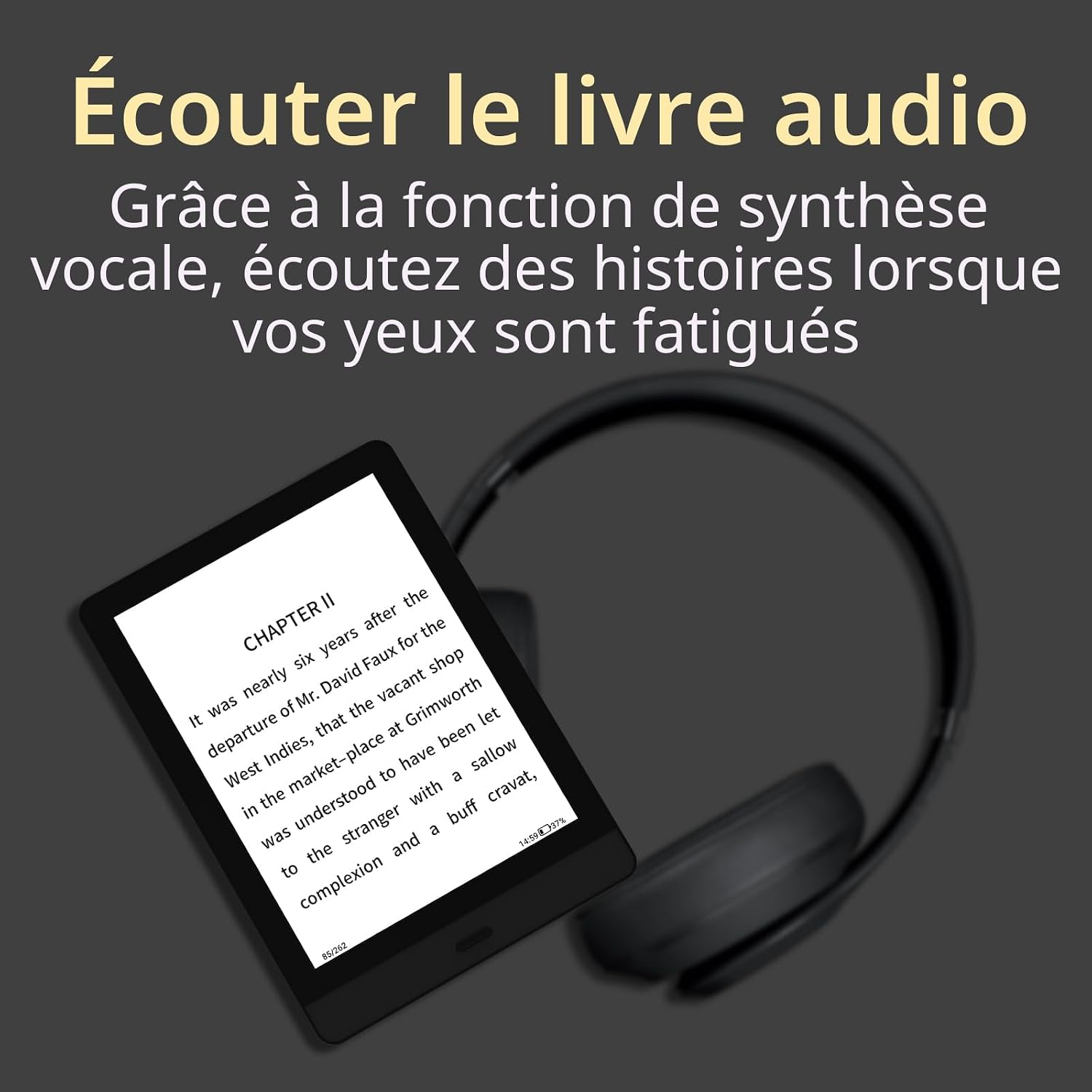
Image: The e-reader highlighting its 32GB storage capacity, sufficient for approximately 24,000 eBooks.

Image: The e-reader's screen showing the Android Open System interface with various third-party applications.
Video: A demonstration of the e-reader in use, showcasing its interface and responsiveness.
Penyelenggaraan
- Pembersihan: Use a soft, dry, lint-free cloth to clean the screen and body of the device. Avoid using liquid cleaners or abrasive materials.
- Storan: Store the e-reader in a cool, dry place away from direct sunlight and extreme temperatures.
- Penjagaan Bateri: Untuk memanjangkan hayat bateri, elakkan daripada kerap mencas sepenuhnya peranti. Caskannya secara berkala, walaupun tidak digunakan untuk tempoh yang lama.
- Kemas Kini Perisian: Semak dan pasang kemas kini perisian secara berkala untuk memastikan prestasi optimum dan akses kepada ciri baharu.
Menyelesaikan masalah
| Masalah | Penyelesaian |
|---|---|
| Peranti tidak dihidupkan. | Ensure the device is charged. Connect to a power source and try turning it on after a few minutes. If unresponsive, perform a hard reset by holding the power button for 10-15 seconds. |
| Skrin dibekukan atau tidak bertindak balas. | Perform a soft reset by holding the power button for 5-7 seconds. If this doesn't work, try a hard reset (hold power button for 10-15 seconds). |
| Tidak dapat menyambung ke Wi-Fi. | Check if Wi-Fi is enabled on the device. Verify your Wi-Fi password. Restart your router and the e-reader. Ensure you are within range of the Wi-Fi signal. |
| Books are not downloading. | Check your Wi-Fi connection. Ensure you have sufficient storage space. Restart the device and try downloading again. |
| Bateri cepat habis. | Reduce screen brightness. Turn off Wi-Fi and Bluetooth when not in use. Close background applications. |
Spesifikasi
- Jenama: Bigme
- Nama Model: E-reader 6 Zoll
- Teknologi Paparan: E-Ink
- Saiz Skrin: 6 Inci
- Resolusi Paparan: 1024 x 768
- Pemproses: Kuad-Teras 1.8 GHz
- Kapasiti Storan Memori: 32 GB (expandable up to 1 TB via TF card slot)
- Teknologi Ketersambungan: USB, Wi-Fi, Bluetooth
- Peranti Serasi: Android
- Disokong File Format: EPUB, MOBI, PDF, MP3
- warna: Hitam
- Dimensi Produk: 16.5L x 12L x 0.8 sentimeter
- Berat Barang: 180 Gram
- Penerangan Bateri: Litium-ion
- Input Antara Muka Manusia: Butang
Waranti dan Sokongan
The Bigme E-reader 6 Zoll comes with a Waranti 2 tahun dari tarikh pembelian. Waranti ini meliputi kecacatan pembuatan dan kerosakan dalam penggunaan biasa. Ia tidak melindungi kerosakan yang disebabkan oleh penyalahgunaan, kemalangan, pengubahsuaian yang tidak dibenarkan atau bencana alam.
For technical support, warranty claims, or further assistance, please contact Bigme customer service through their official website or the retailer where you purchased the device. Please have your proof of purchase and the device's serial number ready when contacting support.