
1. Maklumat Keselamatan Penting
Please read this manual carefully before using the MiLESEEY S50 Laser Distance Meter. Failure to follow these instructions may result in laser radiation exposure, electric shock, fire, or serious injury.
Keselamatan Laser
The MiLESEEY S50 emits Class II laser radiation. Do not stare directly into the laser beam. Direct exposure to the laser beam may cause eye injury.
- Jenis Laser: Class II Green Laser (500-530nm, <1mW) and Class II Red Side Laser (630-670nm, <1mW).
- Never look directly into the laser beam or point it at other people.
- Jangan buka atau ubah suai peranti.
- Jauhkan peranti daripada capaian kanak-kanak.
2. Produk Lebihview
The MiLESEEY S50 is a professional laser distance meter designed for accurate and efficient measurements in various environments. It features advanced green laser technology for enhanced visibility and a wide range of measurement functions.
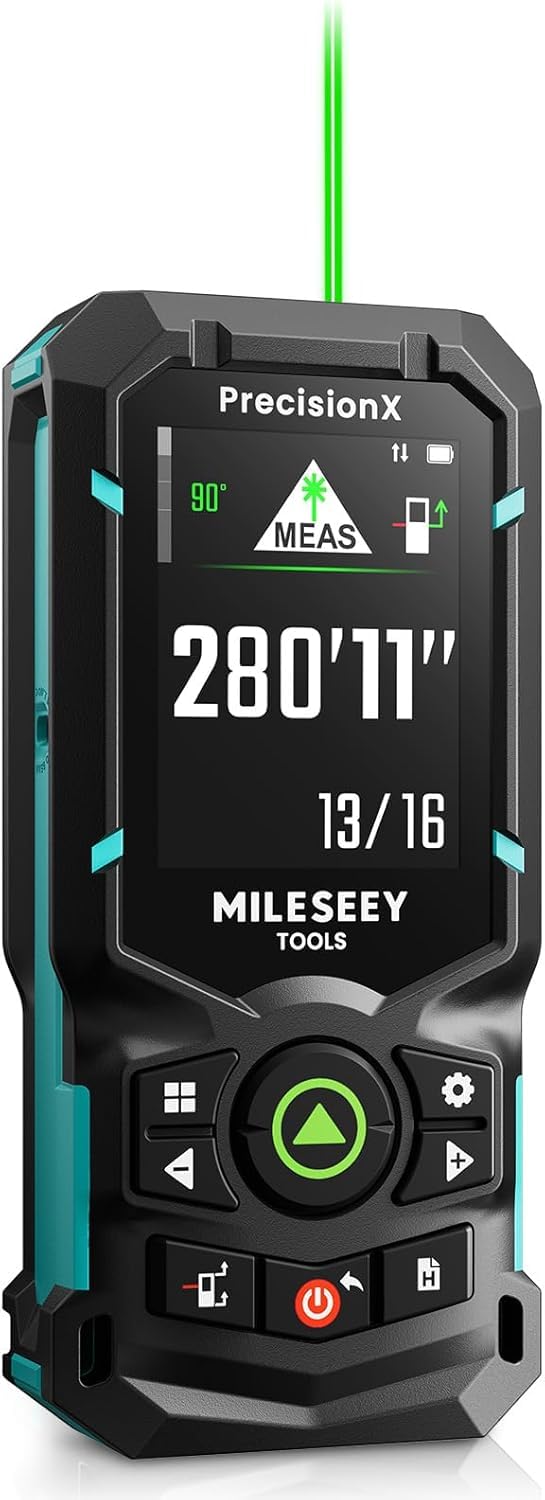
Image: The MiLESEEY S50 Professional Green Laser Distance Meter.
Ciri-ciri Utama
- 4x Brighter Green Laser: Provides superior visibility compared to standard red lasers, especially in outdoor conditions.
- Ketepatan & Kelajuan Tinggi: Utilizes MILESEEY's patented PowerBurst™ technology for stable measurements up to 120m with ±1.5mm accuracy, even in challenging conditions. Up to 8 measurements per second.
- 18 Mod Pengukuran: Includes P2P (Point-to-Point), area, volume, indirect measurements, continuous measurement, and more.
- Flexible References & Units: Easily switch between 4 reference points (front, rear, tripod, lateral laser) and 8 units (ft, 0'00"1/32, 0'00"1/16, in1/32, in1/16, in1/16, cm, m).
- 6.1 cm IPS Backlit Screen: High-resolution display with automatic black and white background switching for clear readings in various lighting conditions.
- Rechargeable NiMH Batteries: Powered by 2xAA 1800mAh NiMH batteries, offering all-day use and USB-C charging.
- Penyepaduan Apl Pintar: Streamline workflow with smart applications for visualizing measurements on floor plans, exporting data, creating reports, and unlimited cloud storage.
- Reka bentuk tahan lasak: Constructed from robust engineering plastic, IP54 dust and water-resistant.

Image: Enhanced visibility of the green laser beam.

Image: PowerBurst technology for consistent precision.

Image: The 6.1 cm IPS backlit screen in different lighting conditions.
Kandungan Pakej
The MiLESEEY S50 package includes:
- 1 x Meter Jarak Laser MiLESEEY S50
- 1 x Kotak Penyimpanan
- 1 x Lanyard
- 2 x Bateri Boleh Dicas Semula AA NiMH
- 1 x Kabel Pengecasan USB-C
- 1 x Manual Pengguna
- 1 x Panduan Mula Pantas

Image: Contents of the MiLESEEY S50 box.
3. Persediaan
Pemasangan dan Pengecasan Bateri
The MiLESEEY S50 uses 2xAA NiMH rechargeable batteries. Ensure batteries are correctly inserted according to polarity markings. For optimal performance, fully charge the batteries before first use.
- Buka penutup petak bateri.
- Insert the 2xAA NiMH batteries, observing the correct polarity.
- Tutup penutup petak bateri dengan selamat.
- Connect the device to a power source using the provided USB-C cable for charging. The screen will indicate charging status.

Image: MiLESEEY S50 with batteries and USB-C charging cable.
Menghidupkan/Mematikan
- Untuk menghidupkan, tekan butang kuasa butang.
- Untuk mematikan, tekan dan tahan kuasa butang selama beberapa saat. Peranti juga akan dimatikan secara automatik selepas tempoh tidak aktif untuk menjimatkan bateri.
4. Arahan Operasi
Pengukuran Asas
Untuk melakukan pengukuran jarak tunggal:
- Halakan laser pada permukaan sasaran.
- Tekan ke MEAS button (green triangle). The measurement will be displayed on the screen.
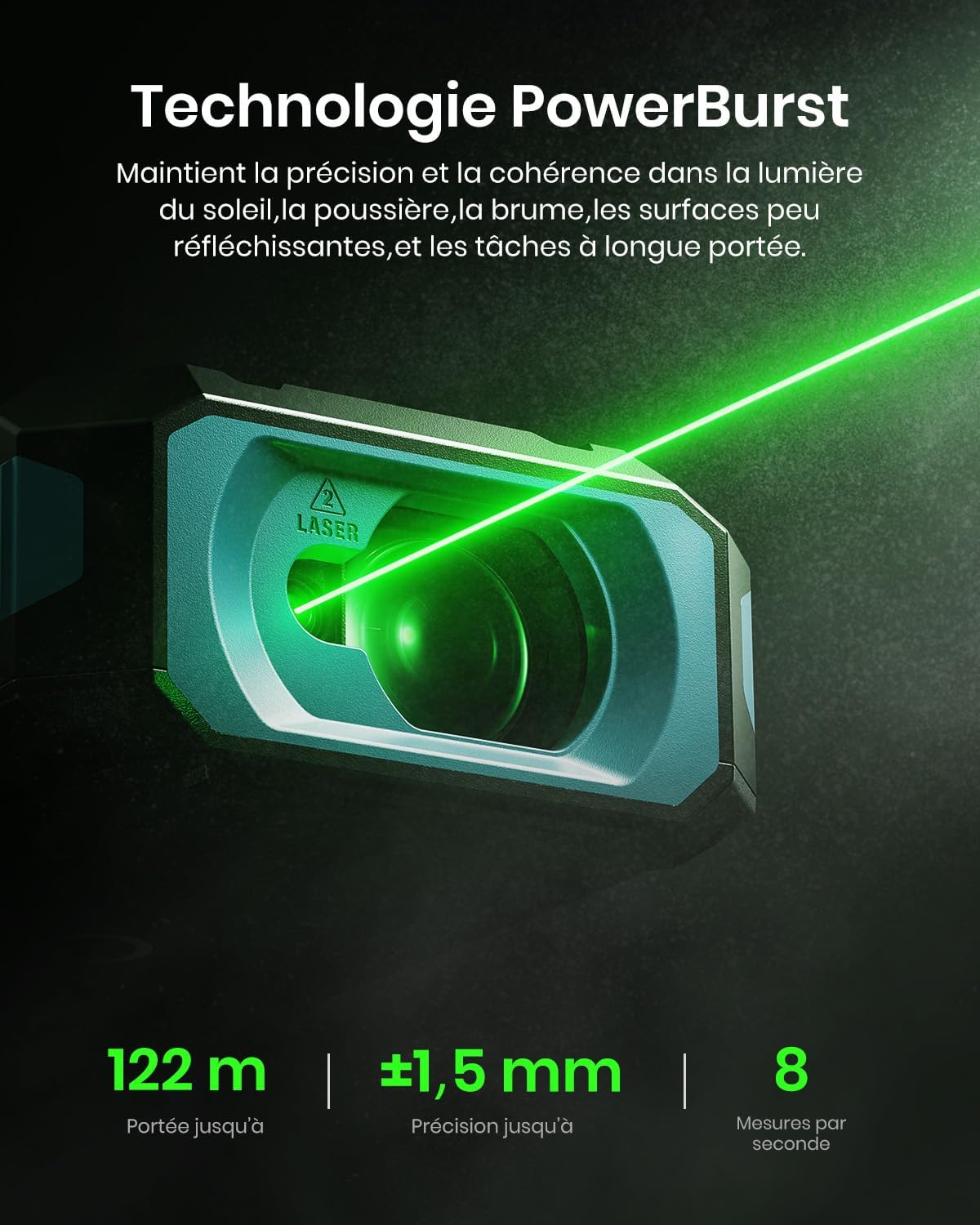
Image: Performing a basic distance measurement.
Changing Units and Reference Points
- Tekan ke Unit button to cycle through available measurement units (e.g., meters, feet, inches).
- Tekan ke Rujukan button to change the measurement reference point (front, rear, tripod, lateral laser).
Memilih Mod Pengukuran
The MiLESEEY S50 offers 18 different measurement modes. Press the Mod button to cycle through the available functions. The screen will display an icon representing the selected mode.

Image: Visual representation of the 18 measurement modes.
5. Ciri Lanjutan
P2P (Point-to-Point) Measurement
The P2P mode allows you to measure the distance between two points from a single location, which is particularly useful for inaccessible areas.
- Select the P2P measurement mode.
- Aim the laser at the first target point and take a measurement.
- Aim the laser at the second target point and take another measurement.
- The device will calculate and display the distance between the two points.

Image: Demonstrating P2P measurement functionality.
Integrasi Aplikasi Pintar
Connect your MiLESEEY S50 to the Smart Life app for enhanced functionality and data management.
- Muat turun aplikasi "Smart Life" daripada gedung aplikasi peranti anda.
- Follow the in-app instructions to pair your S50 device via Bluetooth.
- Setelah disambungkan, anda boleh view measurements on floor plans, export data, create reports, and utilize unlimited cloud storage for your projects.

Image: Smart Life app integration with the MiLESEEY S50.
Lateral Laser Alignment
The red lateral laser alignment feature helps in precise alignment and layout tasks, providing visible markers up to 1 meter.

Image: Using the red lateral laser for alignment.
6. Penyelenggaraan
- Bersihkan peranti dengan kerap dengan lembut, damp kain. Jangan gunakan pembersih atau pelarut yang melelas.
- Ensure the laser lens is clean and free from dust or debris for accurate measurements.
- Simpan peranti di dalam bekas pelindungnya apabila tidak digunakan untuk mengelakkan kerosakan.
- Jika peranti tidak akan digunakan untuk tempoh yang lama, keluarkan bateri.
7. Penyelesaian masalah
| Masalah | Kemungkinan Punca | Penyelesaian |
|---|---|---|
| Peranti tidak dihidupkan. | Low or depleted batteries; incorrectly inserted batteries. | Charge or replace batteries; check battery polarity. |
| Pengukuran yang tidak tepat. | Dirty laser lens; unstable measurement surface; extreme environmental conditions. | Clean the lens; ensure a stable measurement; avoid measuring in conditions outside specified operating range. |
| Pancaran laser tidak kelihatan. | Bright ambient light; laser is off. | Use in lower light conditions or use the green laser for better visibility; ensure laser is activated. |
| Cannot connect to Smart Life app. | Bluetooth is off; device not in pairing mode; app issues. | Ensure Bluetooth is enabled on your phone; restart both devices; check app permissions. |
8. Spesifikasi
| Ciri | Perincian |
|---|---|
| Jenama | Mileseey |
| Nombor Model | S50 |
| Julat Pengukuran | Sehingga 120m |
| Ketepatan Pengukuran | ±1.5 mm |
| Laser Type (Main) | Class II Green Laser (500-530nm, <1mW) |
| Laser Type (Lateral) | Class II Red Laser (630-670nm, <1mW) |
| Paparan | 6.1 cm IPS Backlit Screen |
| Sumber Kuasa | 2xAA NiMH 1800mAh Rechargeable Batteries |
| Port Pengecasan | USB-C |
| bahan | Acrylonitrile Butadiene Styrene, Rubber |
| Tahan Air | IP54 (Tahan Habuk dan Air) |
| Berat badan | 150 Gram |
9. Waranti dan Sokongan
The MiLESEEY S50 Laser Distance Meter comes with a Waranti pengilang 24 bulan dari tarikh pembelian. Waranti ini melindungi kecacatan pada bahan dan mutu kerja di bawah penggunaan biasa.
For warranty claims, technical support, or any inquiries, please contact Mileseey customer service through the retailer where the product was purchased or visit the official Mileseey webtapak untuk maklumat hubungan.
Sila simpan bukti pembelian anda untuk pengesahan waranti.