
pengenalan
The GRIFEMA GA2902B is a compact digital indoor thermometer and hygrometer designed to provide accurate and real-time measurements of temperature and humidity. Its clear LCD display includes comfort indicators, making it easy to monitor environmental conditions in various indoor settings such as homes, greenhouses, nurseries, and cellars. This manual will guide you through the setup, operation, and maintenance of your device.
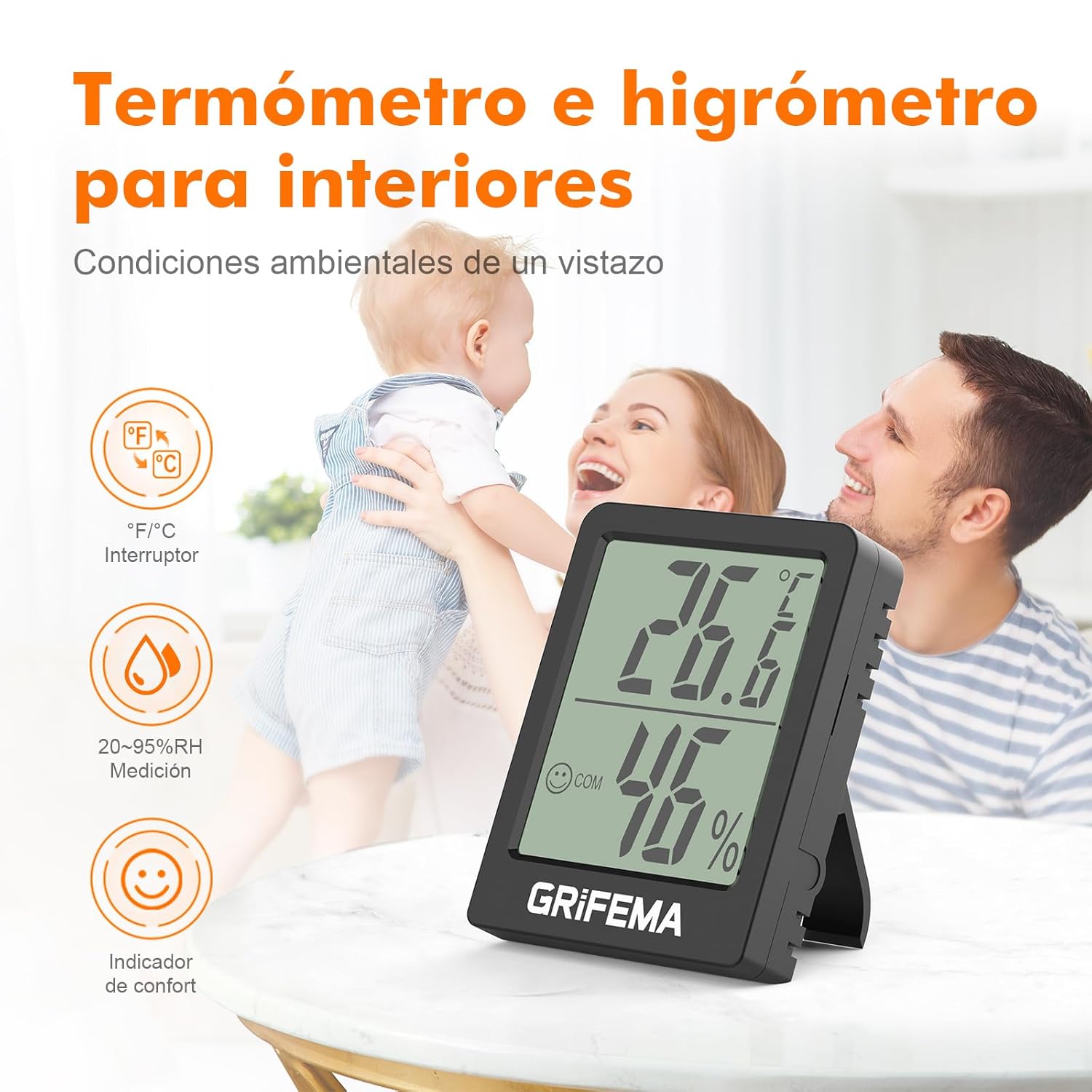
Image: The GRIFEMA GA2902B device displaying temperature and humidity, along with comfort indicators.
Arahan Persediaan
- Pemasangan Bateri: The device comes with a CR2032 button cell battery. Locate the battery compartment on the back of the device. If a protective plastic tab is present, gently pull it out to activate the battery. If the battery is not pre-installed, open the compartment (often secured with a small screw), insert the CR2032 battery with the positive (+) side facing up, and close the compartment.

Imej: Belakang view of the device, highlighting its compact design and the battery compartment.
- Paparan Awal: Once the battery is activated, the LCD screen will immediately display the current temperature and humidity readings. Allow a few minutes for the device to stabilize and provide accurate readings for its environment.
- penempatan: The GRIFEMA GA2902B offers flexible placement options:
- Atas meja: Extend the integrated kickstand on the back of the device to place it upright on any flat surface.
- Lampiran Magnetik: Utilize the magnetic base on the back to attach the device to metallic surfaces such as refrigerators or metal shelves.

Image: Demonstrates the flexible placement options: using the kickstand on a table and magnetic attachment to a vertical surface.
Arahan Operasi
- Membaca Paparan: The large LCD screen clearly shows:
- Suhu: Displayed in large digits at the top.
- Kelembapan: Displayed in large digits at the bottom, followed by "% RH".
- Penunjuk Keselesaan: A small smiley face icon indicates the comfort level based on temperature and humidity.
- Happy Face: Indicates comfortable conditions (typically 20-26 °C and 40-70% RH).
- Muka Neutral: Indicates slightly outside comfortable range.
- Muka Sedih: Indicates uncomfortable conditions (too dry or too humid/hot/cold).

Image: Close-up of the display, illustrating the temperature, humidity, and comfort indicator, along with the precision sensor details.
- Unit Conversion (°C/°F): To switch between Celsius (°C) and Fahrenheit (°F), press the small button located on the back of the device. Each press will toggle the temperature unit.
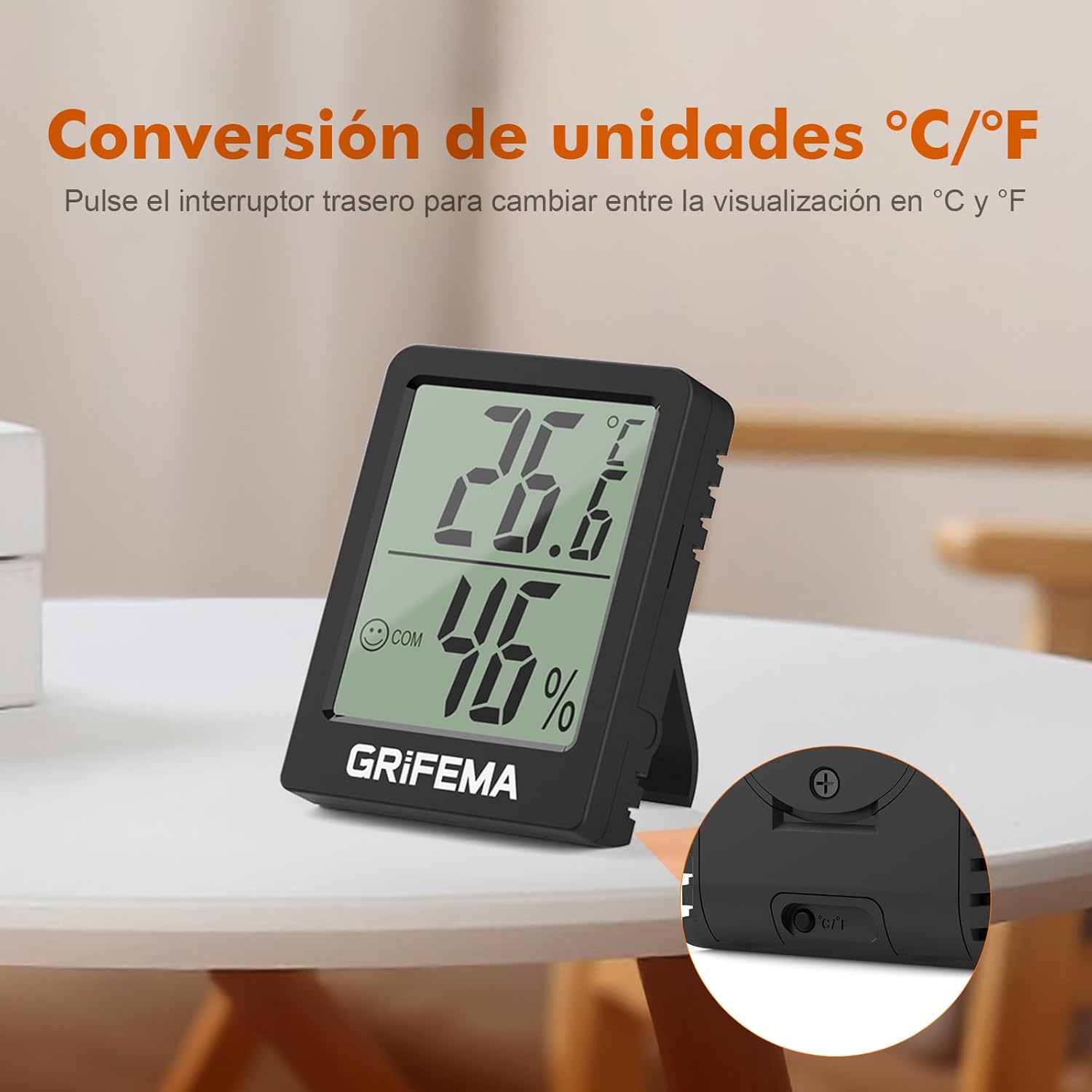
Image: The back of the device, highlighting the button for switching between Celsius and Fahrenheit.
- Kemas Kini Masa Nyata: The device updates its temperature and humidity readings every 10 seconds, ensuring you always have the most current environmental data.
Penyelenggaraan
- Penggantian Bateri: The CR2032 button cell battery typically lasts for at least one and a half years due to the device's low power consumption. When the display becomes dim or stops functioning, it's time to replace the battery.
- Cari petak bateri di bahagian belakang peranti.
- If secured, use a small screwdriver to open the compartment cover.
- Keluarkan bateri CR2032 lama.
- Masukkan bateri CR2032 baharu dengan bahagian positif (+) menghadap ke atas.
- Tutup petak bateri dengan selamat.
- Pembersihan: Wipe the device with a soft, dry cloth. Do not use abrasive cleaners or immerse the device in water. Ensure the ventilation holes on the sides are free from dust or obstructions to maintain accurate readings.
Menyelesaikan masalah
| Masalah | Kemungkinan Punca | Penyelesaian |
|---|---|---|
| Tiada paparan atau paparan malap | Bateri mati atau tidak dipasang dengan betul. | Replace the CR2032 battery or ensure it is correctly inserted with the protective tab removed. |
| Bacaan tidak tepat |
|
|
| Tidak boleh bertukar antara °C/°F | Button not pressed correctly or device malfunction. | Ensure you are pressing the correct button firmly on the back. If the issue persists after battery replacement, contact customer support. |
Spesifikasi
- model: GA2902B
- Dimensi: 5.8 cm (Panjang) x 4.5 cm (Lebar) x 1.55 cm (Tebal)
- Berat: Kira-kira 40 g
- Julat Pengukuran Suhu: -10°C hingga +50°C (14°F hingga 122°F)
- Ketepatan Suhu: ±1°C
- Julat Pengukuran Kelembapan: 20% RH hingga 95% RH
- Kadar Kemas Kini: Setiap 10 saat
- Jenis Bateri: 1 x Sel Butang CR2032 (termasuk)
- paparan: LCD with comfort indicators
- Pilihan Peletakan: Kickstand, Magnetic

Image: Detailed product dimensions of the GRIFEMA GA2902B.
Waranti dan Sokongan
For information regarding warranty coverage or technical support, please refer to the product packaging or contact GRIFEMA customer service directly through their official webtapak atau peruncit tempat produk itu dibeli.