
1. Pengenalan
This manual provides essential information for setting up, operating, maintaining, and troubleshooting your Lenovo Laptop Computer 2026 Edition, Model IdeaPad Slim 3. Please read this manual thoroughly before using your device to ensure proper function and longevity.
2. Kandungan Pakej
Sahkan bahawa semua item terdapat dalam pakej anda:
- Lenovo Laptop Computer 2026 Edition (IdeaPad Slim 3)
- Penyesuai Kuasa
- Pembaca Kad SD
- Panduan Mula Pantas (jika disertakan)
- Warranty Information Card (if included)
3. Produk Lebihview
Familiarize yourself with the components and features of your Lenovo IdeaPad Slim 3 laptop.
3.1 Ciri-ciri Utama

This image displays the Lenovo IdeaPad Slim 3 laptop and highlights its primary features. It includes an Intel Core i7-13620H processor, a 15.3-inch WUXGA IPS display (1920x1200 resolution), and an HD camera with a privacy shutter. The laptop is 0.70 inches thin and weighs 3.51 lbs. It comes with 24GB DDR5 RAM, upgradable to 40GB, and a 512GB SSD, upgradable to 4TB. Audio is provided by dual 2W speakers. The device supports Rapid Charge Boost and features a Metal A Cover for durability, meeting Military Grade standards.
3.2 Paparan dan Papan Kekunci

This image focuses on the laptop's display and keyboard. The 15.3-inch WUXGA IPS display offers a 1920x1200 resolution, 300 nits brightness, anti-glare properties, and a 16:10 aspect ratio. It boasts up to a 90% active area ratio and is an Eyesafe Display, TÜV Rheinland Certified for low blue light. The keyboard is non-backlit and includes a numeric keypad.
3.3 Power and Audio
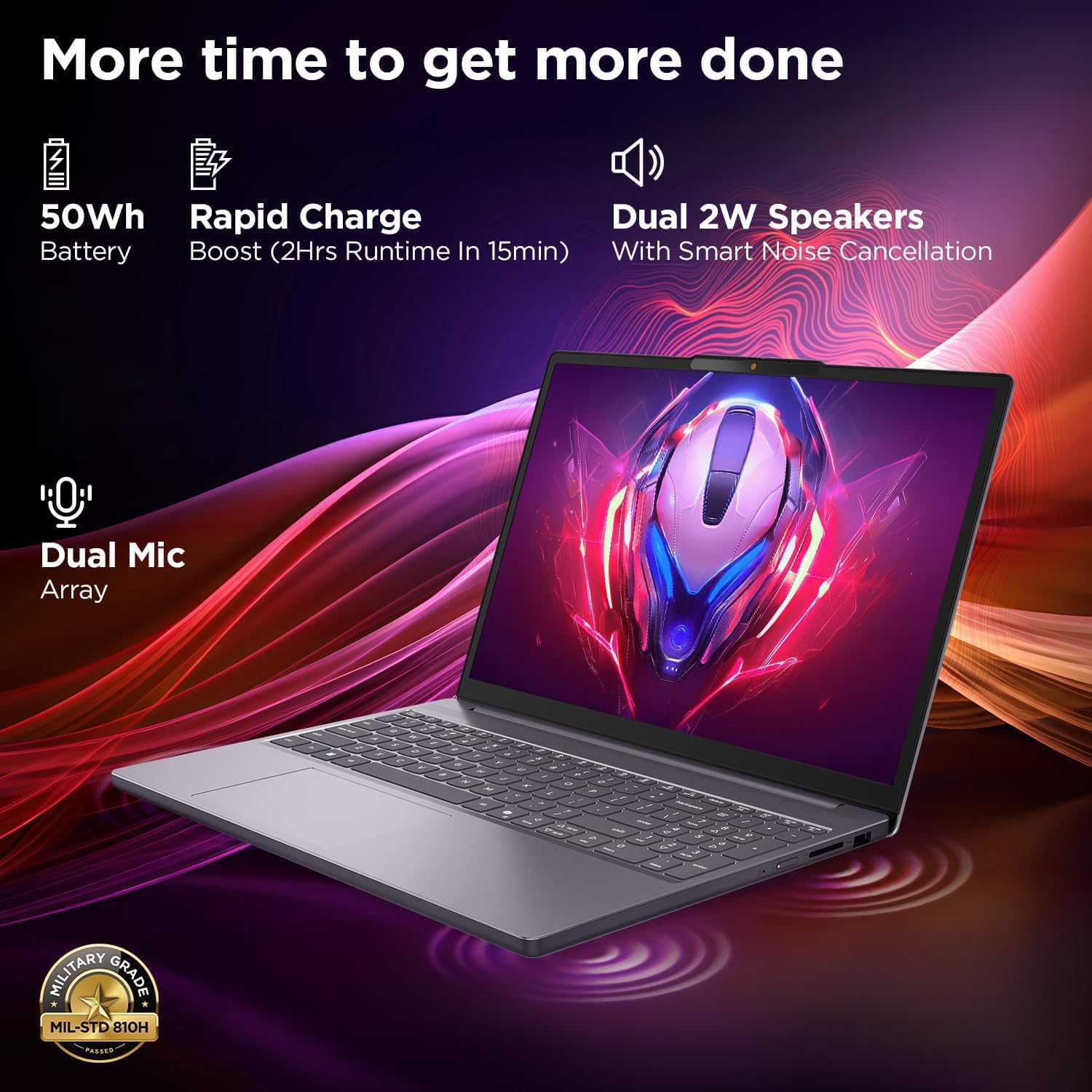
This image highlights the laptop's power and audio capabilities. It features a 50Wh battery with Rapid Charge Boost, providing 2 hours of runtime from a 15-minute charge. Dual 2W speakers with Smart Noise Cancellation and a Dual Mic Array enhance audio quality. The laptop also meets Military Grade MIL-STD 810H durability standards.
3.4 Pelabuhan dan Ketersambungan

This image illustrates the various ports available on the Lenovo IdeaPad Slim 3. These include a power button, an SD card reader, a power connector, two USB-A ports (5Gbps), an HDMI port, and a USB-C port (5Gbps) with USB Power Delivery 3.0 and DisplayPort 1.2 support for data transfer and external displays. A headphone/microphone combo jack (3.5mm) is also present.
3.5 Keyboard and Touchpad Layout
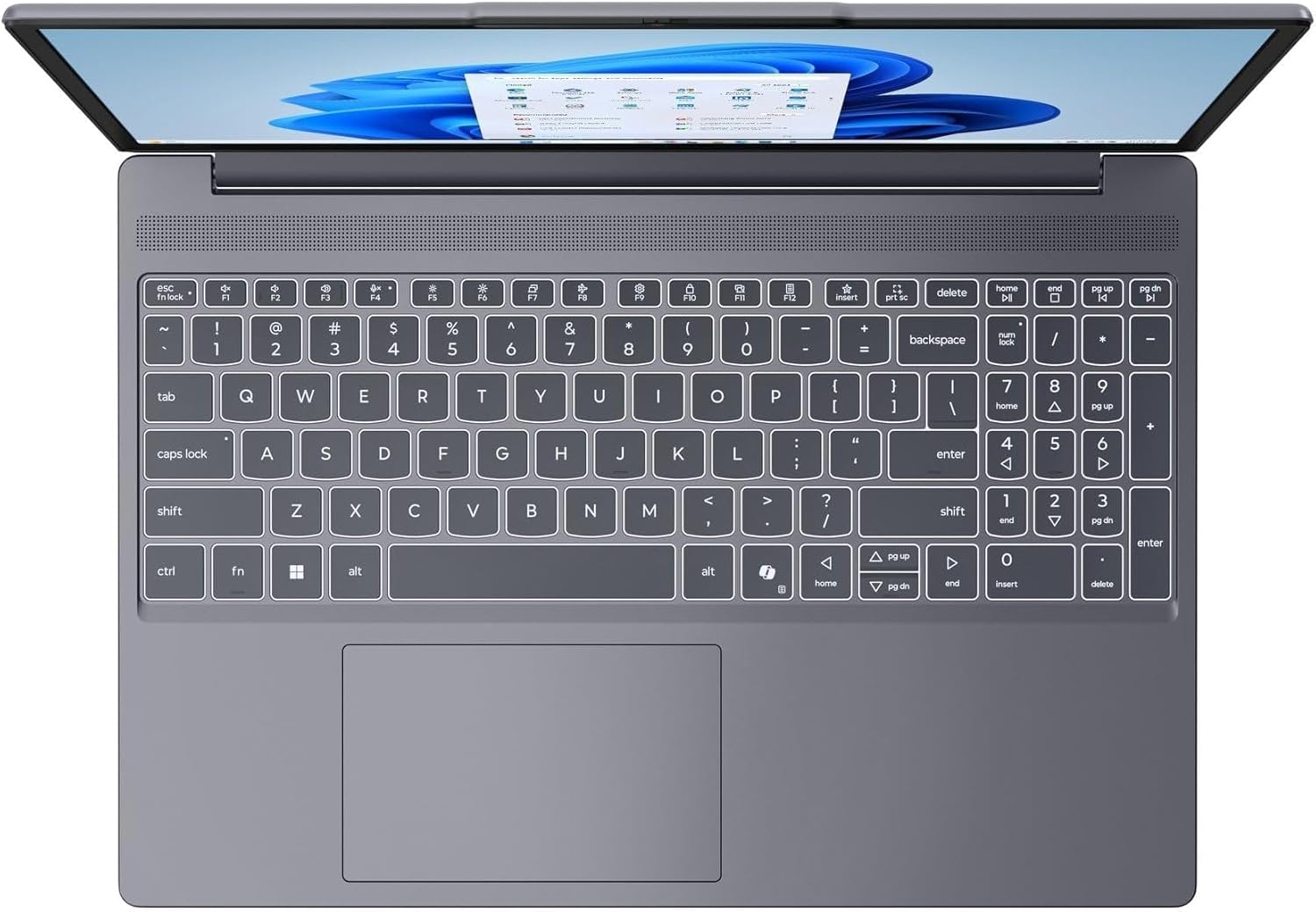
Imej ini menyediakan atas ke bawah view of the laptop's full-size keyboard with a numeric keypad and the integrated touchpad. It shows the standard QWERTY layout along with function keys and dedicated navigation keys.
3.6 Laptop Exterior (Closed)
This image shows the top cover of the Lenovo IdeaPad Slim 3 laptop when closed, featuring the Lenovo brand logo centrally placed on the grey metallic surface.
3.7 Laptop Bottom View

This image displays the bottom panel of the Lenovo IdeaPad Slim 3 laptop, showing the ventilation grilles for cooling and rubber feet for stability.
4. Persediaan
4.1 Penghidupan dan Pengecasan Awal
- Sambungkan Penyesuai Kuasa: Plug the power adapter into the laptop's power connector and then into a wall outlet.
- Cas Bateri: Benarkan komputer riba mengecas sekurang-kurangnya 30 minit sebelum penggunaan awal, atau sehingga penunjuk bateri menunjukkan cas yang mencukupi.
- Hidupkan kuasa: Open the laptop lid and press the power button located on the side or keyboard deck.
- Persediaan Windows: Ikut arahan pada skrin untuk melengkapkan persediaan Windows 11 Home, termasuk bahasa, wilayah, sambungan rangkaian dan penciptaan akaun pengguna.
4.2 Menyambung ke Rangkaian
- Wi-Fi: During Windows setup or later, click the Wi-Fi icon in the taskbar, select your network, enter the password, and click Connect.
- Ethernet (if applicable via adapter): Connect an Ethernet cable from your router/modem to a compatible USB-C adapter (not included) and then to the laptop's USB-C port.
5. Arahan Operasi
5.1 Menggunakan Papan Kekunci dan Pad Sentuh
- papan kekunci: The laptop features a full-size keyboard with a numeric keypad. Use the Fn key in combination with function keys (F1-F12) for special functions like adjusting brightness, volume, or enabling/disabling Wi-Fi.
- Pad sentuh: The integrated touchpad supports multi-touch gestures for navigation, scrolling, and zooming. Refer to Windows settings for customizing touchpad gestures.
5.2 Menyambung Peranti Luaran
- Peranti USB: Connect USB peripherals (mouse, keyboard, external drives) to the available USB-A or USB-C ports.
- HDMI/Port Paparan: Use the HDMI port or USB-C (with DP 1.2 support) to connect an external monitor or projector.
- Peranti Bluetooth: Enable Bluetooth in Windows settings to pair wireless headphones, speakers, or other Bluetooth accessories.
- Kad SD: Insert an SD card into the dedicated SD card reader slot for data transfer.
5.3 Pengurusan Kuasa
- Mod tidur: Close the lid or press the power button briefly to put the laptop into sleep mode.
- Tutup: Click the Start button, then Power, and select "Shut down" to turn off the laptop completely.
- Mulakan semula: Click the Start button, then Power, and select "Restart" to reboot the laptop.
6. Penyelenggaraan
6.1 Membersihkan Komputer Riba
- Skrin: Gunakan kain lembut yang tidak berbulu dampdiisi dengan air atau pembersih skrin. Jangan sembur cecair terus ke skrin.
- Papan Kekunci dan Casis: Gunakan kain lembut dan kering. Untuk kotoran degil, sedikit damp kain dengan larutan sabun lembut boleh digunakan, memastikan tiada cecair memasuki bukaan.
- Pengudaraan: Bersihkan jeriji pengudaraan secara berkala dengan udara termampat untuk mengelakkan pengumpulan habuk, yang boleh menjejaskan prestasi penyejukan.
6.2 Penjagaan Bateri
- Elakkan suhu yang melampau.
- Jangan keluarkan bateri sepenuhnya dengan kerap.
- Jika menyimpan komputer riba untuk tempoh yang lama, cas bateri sehingga kira-kira 50-60%.
6.3 Kemas Kini Perisian
- Semak kemas kini Windows secara kerap melalui Tetapan > Kemas Kini Windows.
- Lawati sokongan rasmi Lenovo website for driver and firmware updates specific to your IdeaPad Slim 3 model.
7. Penyelesaian masalah
| Masalah | Penyelesaian yang Mungkin |
|---|---|
| Komputer riba tidak dihidupkan. | Ensure the power adapter is securely connected and the outlet is functional. Try a different outlet. If the battery is completely drained, allow it to charge for a while before attempting to power on. |
| Paparan kosong atau hitam. | Check if the laptop is powered on. Adjust screen brightness using function keys. Connect an external monitor to check if the issue is with the laptop's internal display. |
| Isu sambungan Wi-Fi. | Ensure Wi-Fi is enabled in Windows settings. Restart your router/modem. Check for updated Wi-Fi drivers on the Lenovo support webtapak. |
| Prestasi perlahan. | Close unnecessary applications. Check Task Manager for resource-intensive processes. Ensure Windows and drivers are up to date. Run a disk cleanup. |
| Papan kekunci atau pad sentuh tidak responsif. | Restart the laptop. Check for driver updates. Ensure no physical obstructions are present. |
8. Spesifikasi
| Ciri | Perincian |
|---|---|
| Jenama | Lenovo |
| Nama Model | IdeaPad Slim 3 |
| Saiz Skrin | 15.3 Inches WUXGA IPS |
| Resolusi | 1920 x 1200 piksel |
| Pemproses | 13th Gen Intel Core i7-13620H (2.4 GHz, up to 4.9 GHz) |
| RAM | 24GB DDR5 RAM (Upgradable to 40GB) |
| Penyimpanan | 1TB NVMe M.2 SSD (Upgradable to 4TB) |
| Sistem Operasi | Windows 11 Home |
| Grafik | Bersepadu |
| Kesambungan Wayarles | WiFi 6 (802.11ax) |
| Bluetooth | Bluetooth 5.2 |
| Pelabuhan | 2x USB-A (5Gbps), 1x USB-C (5Gbps, PD 3.0, DP 1.2), 1x HDMI, 1x Headphone/Mic Combo, 1x SD Card Reader, Power Connector |
| Webcam | HD Camera with Privacy Shutter |
| Audio | Dual 2W Speakers with Smart Noise Cancellation, Dual Mic Array |
| Bateri | 50Wh, Rapid Charge Boost |
| Dimensi (P x L x T) | 13.52" x 9.43" x 0.7" |
| Berat badan | 3.51 paun |
| Ciri Khas | Privacy Shutter, Power Delivery, Military Grade Durability (MIL-STD 810H) |
9. Maklumat Waranti
Your Lenovo Laptop Computer 2026 Edition (IdeaPad Slim 3) comes with a Waranti Terhad. The specific terms and duration of your warranty may vary by region and purchase date. For detailed warranty information, including coverage, terms, and conditions, please refer to the warranty card included with your product or visit the official Lenovo support webtapak:
https://support.lenovo.com/warranty
Adalah disyorkan untuk mendaftarkan produk anda pada Lenovo website to facilitate warranty claims and receive important updates.
10. Sokongan
For further assistance, technical support, or to download the latest drivers and manuals, please visit the official Lenovo Support webtapak:
You may also contact Lenovo customer service directly. Contact information can typically be found on the support webtapak untuk wilayah khusus anda.