
1. Pengenalan
This manual provides comprehensive instructions for the safe and efficient operation, installation, and maintenance of your Electactic Commercial Ice Maker, Model ICE91122. Please read this manual thoroughly before using the appliance to ensure proper function and to prevent damage or injury. This commercial ice machine is designed for high-volume ice production, suitable for various commercial and home environments.
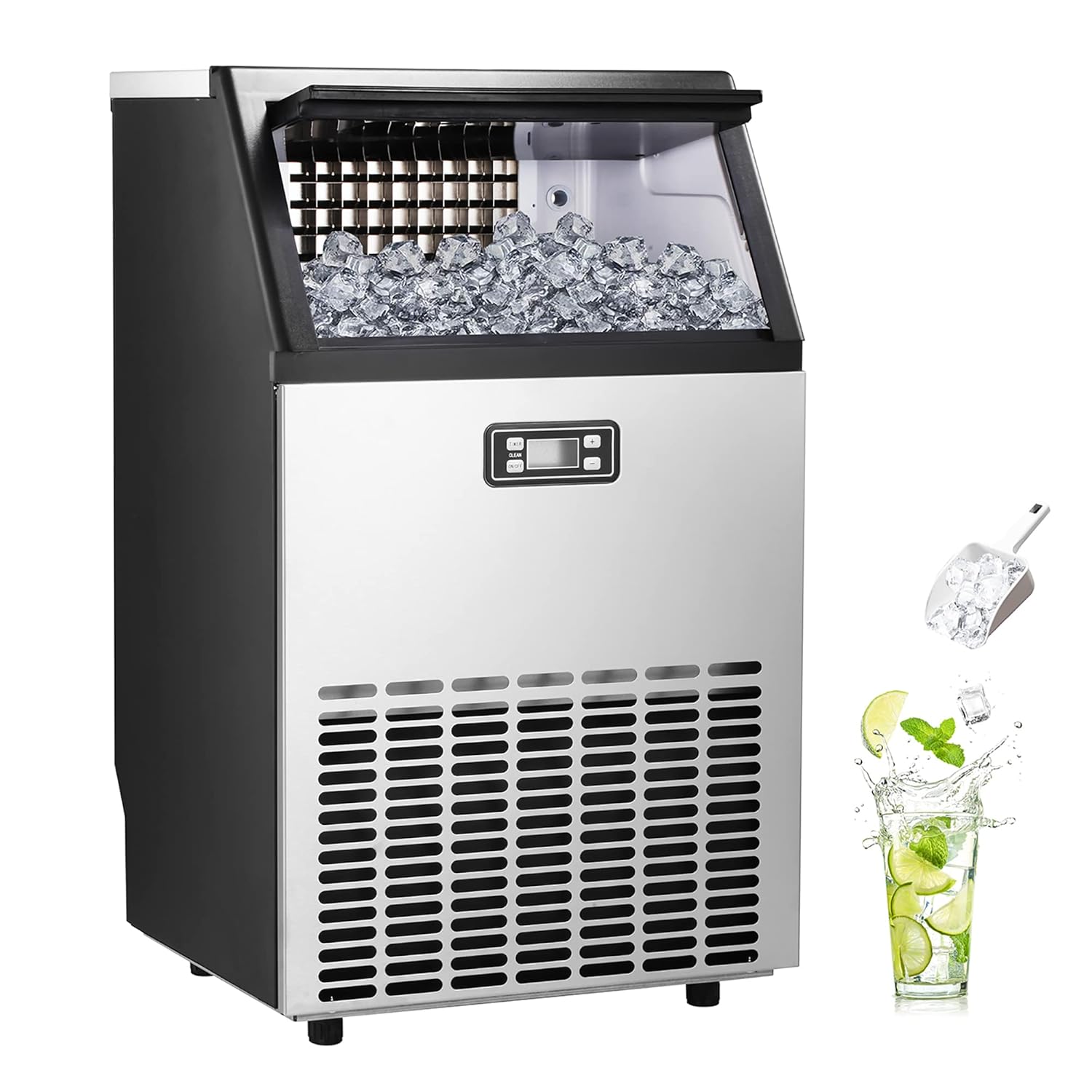
Rajah 1.1: Depan view of the Electactic Commercial Ice Maker, showcasing its stainless steel finish and integrated control panel. This machine is designed for efficient ice production in commercial settings.

Rajah 1.2: Illustration of the ice maker's capacity, highlighting its ability to produce up to 100 lbs of ice per day with a 48 lbs maximum storage capacity. The image also shows ice cubes and a glass with lime, suggesting its use for beverages.
2. Apa yang ada di dalam Kotak
Setelah membuka bungkusan, sila sahkan bahawa semua komponen ada dan tidak rosak:
- Unit Pembuat Ais
- Skop Ais
3. Spesifikasi
| Ciri | Perincian |
|---|---|
| Jenama | Elektik |
| Nama Model | ICE91122 |
| Dimensi Produk | 31"D x 12"W x 17"H (78.7cm D x 30.5cm W x 43.2cm H) |
| Berat badan | 71 paun (32.2 kg) |
| Kapasiti Membuat Ais | 100 Lbs/Day |
| Kapasiti Penyimpanan Ais | 48 Lbs |
| Kitaran Pengeluaran Ais | 48 pieces in 12-18 minutes |
| Wattage | 200 watt |
| bahan | Keluli Tahan Karat |

Rajah 3.1: Detailed size guide for the ice maker, showing its dimensions (17.6" x 15.7" x 31.4") and the approximate size of individual ice cubes (0.9" x 0.9" x 0.9").
4. Persediaan
- Membongkar: Keluarkan pembuat ais dari pembungkusannya dengan berhati-hati. Periksa sebarang kerosakan penghantaran.
- penempatan: Place the freestanding ice maker on a stable, level surface in a well-ventilated area. Ensure there is adequate clearance around the unit for proper air circulation. The unit has 2-inch feet to keep it away from ground moisture.
- Pembersihan Awal: Before first use, it is crucial to clean the ice maker thoroughly. Refer to the 'Maintenance' section for detailed cleaning instructions.
- Kedudukan Tegak: After unboxing and before connecting to power or water, keep the ice maker upright for at least 24 hours. This allows the compressor's oil to settle.
- Sambungan Air: Connect the water inlet port to a potable water supply. Ensure all connections are secure to prevent leaks.
- Sambungan Saliran: Connect the water draining port to a suitable drain.
- Sambungan Kuasa: Pasangkan pembuat ais ke soket elektrik yang dibumikan.

Rajah 4.1: belakang view of the ice maker illustrating the connection points for the water inlet, water draining port, and power cord. Proper connection is essential for operation.
5. Arahan Operasi
The Electactic Commercial Ice Maker features an intelligent LCD control panel for easy operation.
- Hidupkan/Mati Kuasa: Press the 'ON/OFF' button to turn the unit on or off.
- Pengeluaran Ais: Once powered on and connected to water, the machine will begin the ice-making process. The LCD indicators will display the current status.
- Adjusting Ice Thickness/Time: Use the '+' or '-' buttons on the control panel to adjust the ice production time, which in turn affects the thickness of the ice cubes. Longer times result in thicker ice.
- Memantau Tahap Ais: The machine can store up to 48 pounds of ice. Monitor the ice level and transfer ice to a freezer for long-term storage as the ice maker is not a refrigerator.
- Force Ice Harvest: Long press the 'TIMER/CLEAN' button for 5 seconds to manually initiate an ice harvest process.

Rajah 5.1: Close-up of the intelligent LCD control panel, showing buttons for Timer, Clean, On/Off, and '+' / '-' for adjusting settings. The display indicates ice making status and time.

Rajah 5.2: Visual representation of the three ice thickness options: Thin (9-12 minutes), Middle (12-15 minutes), and Thick (15-18 minutes). Different thicknesses are suitable for various applications like keeping food fresh, making cold drinks, or cooling down temperatures.
6. Penyelenggaraan
Regular cleaning and maintenance are essential for the longevity and optimal performance of your ice maker.
- Pembersihan Automatik: The ice maker is equipped with an automatic cleaning function. To activate, long press the 'TIMER/CLEAN' button for 5 seconds. Follow the instructions on the LCD display.
- Pembersihan tetap: Periodically clean the interior and exterior surfaces of the ice maker with a mild detergent and warm water. Rinse thoroughly and dry completely.
- Saliran: Ensure the water draining port is clear and free of obstructions. Regularly drain any residual water from the unit.
- Scoop Ais: The included ice scoop can be hung on the hook on the inner wall for hygienic storage.
7. Penyelesaian masalah
If you encounter issues with your Electactic Commercial Ice Maker, please refer to the following common troubleshooting tips:
- Tiada Pengeluaran Ais: Check if the water supply is connected and turned on. Ensure the unit is properly plugged into a working power outlet. Verify that the ice bin is not full.
- Ice Not Forming Properly: Adjust the ice thickness settings using the '+' or '-' buttons. Ensure the ambient temperature is within the recommended operating range.
- Bunyi Luar Biasa: Check for any obstructions in the ice-making mechanism or fan. Ensure the unit is level.
- Kebocoran air: Verify that all water inlet and drain connections are secure and not damaged.
For persistent issues not resolved by these steps, please contact Electactic customer support.
8. Waranti dan Sokongan
For information regarding the product warranty, please refer to the warranty card included with your purchase or contact Electactic customer support directly. Our support team is available to assist with any questions or concerns you may have regarding your Electactic Commercial Ice Maker.
Maklumat Hubungan: Please visit the official Electactic website or refer to your product packaging for the most current customer support contact details.