
1. Pengenalan
This manual provides detailed instructions for the proper use and maintenance of your ANYSECU W63-US 4G Network Radio. The W63-US is an intelligent handheld transceiver operating on Android 9.0, designed for Push-to-Talk (PTT) communication over 4G networks. It supports popular platforms like Zello and RealPTT, offering features such as GPS, Bluetooth, Wi-Fi, and a flashlight function. Its robust design includes IP68 waterproof and dustproof ratings, making it suitable for various environments.
2. Kandungan Pakej
Please verify that all items listed below are included in your product package. If any items are missing or damaged, contact your vendor.
- ANYSECU W63-US Radio Body (x1)
- Antena (x1)
- Bateri (x1)
- Kabel Kuasa (x1)
- Penyesuai Kuasa (x1)
- Klip Tali Pinggang (x1)
- Manual Pengguna (x1)
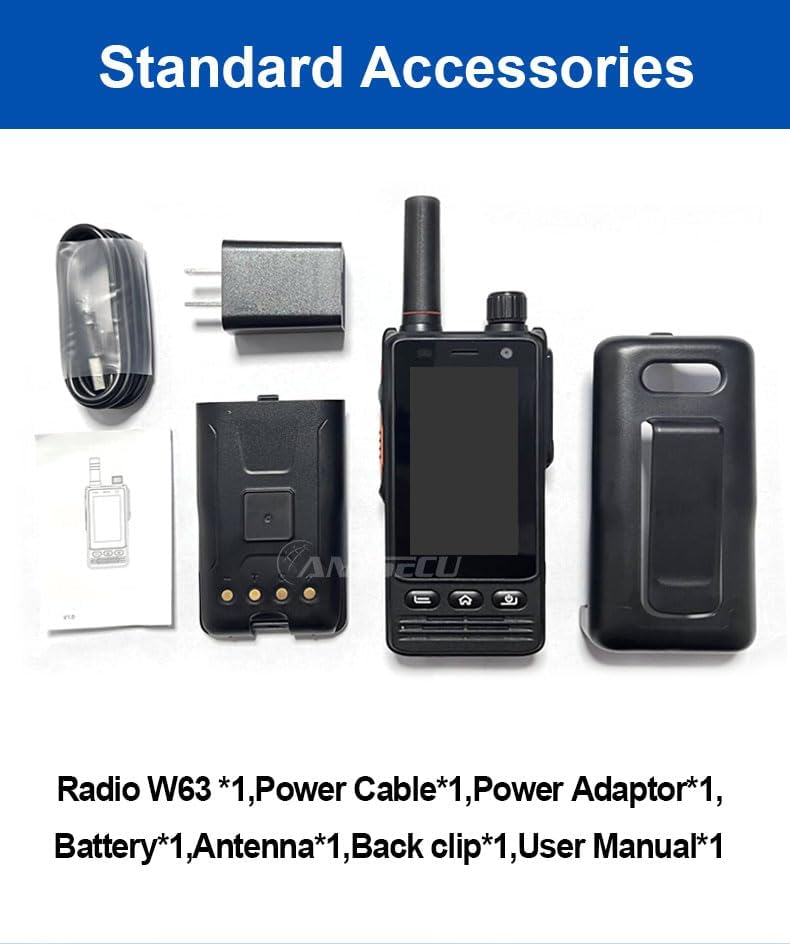
Image: Standard accessories included with the ANYSECU W63-US radio.
3. Produk Lebihview
The ANYSECU W63-US features a compact design with a 2.95-inch high-definition touch screen and physical buttons for intuitive operation. It is equipped with both front and rear cameras, and a high-capacity battery for extended use.

Imej: Depan view of the ANYSECU W63-US radio highlighting Android 9, touch screen, GPS/BT/WiFi, and flashlight function.

Imej: Belakang view of the ANYSECU W63-US radio, showing the 5MP front and 13MP rear cameras with built-in flash.
Komponen Utama:
- Antena: Untuk penerimaan dan penghantaran isyarat.
- Tombol Kelantangan: Melaraskan tahap output audio.
- Butang SOS: For emergency alerts.
- Butang PTT: Butang Tekan untuk Bercakap untuk komunikasi.
- paparan: 2.95-inch touch screen (854*480 pixels).
- Butang Navigasi: Home, Back, and Power buttons.
- Port USB-C: Untuk pengecasan dan pemindahan data.
- Klip tali pinggang: Untuk mudah dibawa.

Image: The ANYSECU W63-US radio shown with its high-quality waist clip for portability.
4. Persediaan
4.1 Pemasangan Bateri
- Pastikan peranti dimatikan.
- Cari penutup petak bateri di belakang radio.
- Keluarkan penutup dengan berhati-hati.
- Insert the provided 4000mAh 3.8V battery, aligning the contacts.
- Replace the battery compartment cover, ensuring it is securely latched.

Image: The ANYSECU W63-US radio highlighting its 4000mAh high-capacity battery.
4.2 SIM Card / SD Card Installation
The W63-US supports 4G network connectivity. Insert your SIM card into the designated slot. If desired, an SD card can also be installed for additional storage.
4.3 Kuasa Awal Hidup
- Tekan dan tahan butang Kuasa sehingga skrin menyala.
- Ikut arahan pada skrin untuk persediaan awal, termasuk pemilihan bahasa dan konfigurasi rangkaian.
Video: Demonstration of the ANYSECU W63-US radio's physical features and initial power-on sequence.
5. Arahan Operasi
5.1 Navigasi Asas
- Skrin Sentuh: Navigate menus and applications by tapping and swiping on the 2.95-inch display.
- Butang rumah: Kembali ke skrin utama.
- Butang Belakang: Kembali ke skrin sebelumnya.
- Butang Kuasa: Short press to lock/unlock screen, long press to power off/restart.

Image: A hand interacting with the 2.95-inch high-definition touch screen of the ANYSECU W63-US radio.
5.2 PTT Communication (Zello/RealPTT)
The W63-US is compatible with Zello and RealPTT applications for Push-to-Talk communication. Ensure you have an active account and are logged into your preferred application.
- Open the Zello or RealPTT application from the home screen.
- Select your desired contact or channel.
- Press and hold the dedicated Butang PTT on the side of the radio to transmit your voice.
- Lepaskan butang PTT untuk mendengar.
5.3 Kesambungan Rangkaian
The device supports global 4G networks, Wi-Fi, and Bluetooth for versatile connectivity.
- Rangkaian 4G: Automatically connects if a valid SIM card is inserted and configured.
- Wi-Fi: Access Wi-Fi settings through the Android interface to connect to available networks.
- Bluetooth: Pair with compatible Bluetooth accessories like headsets.
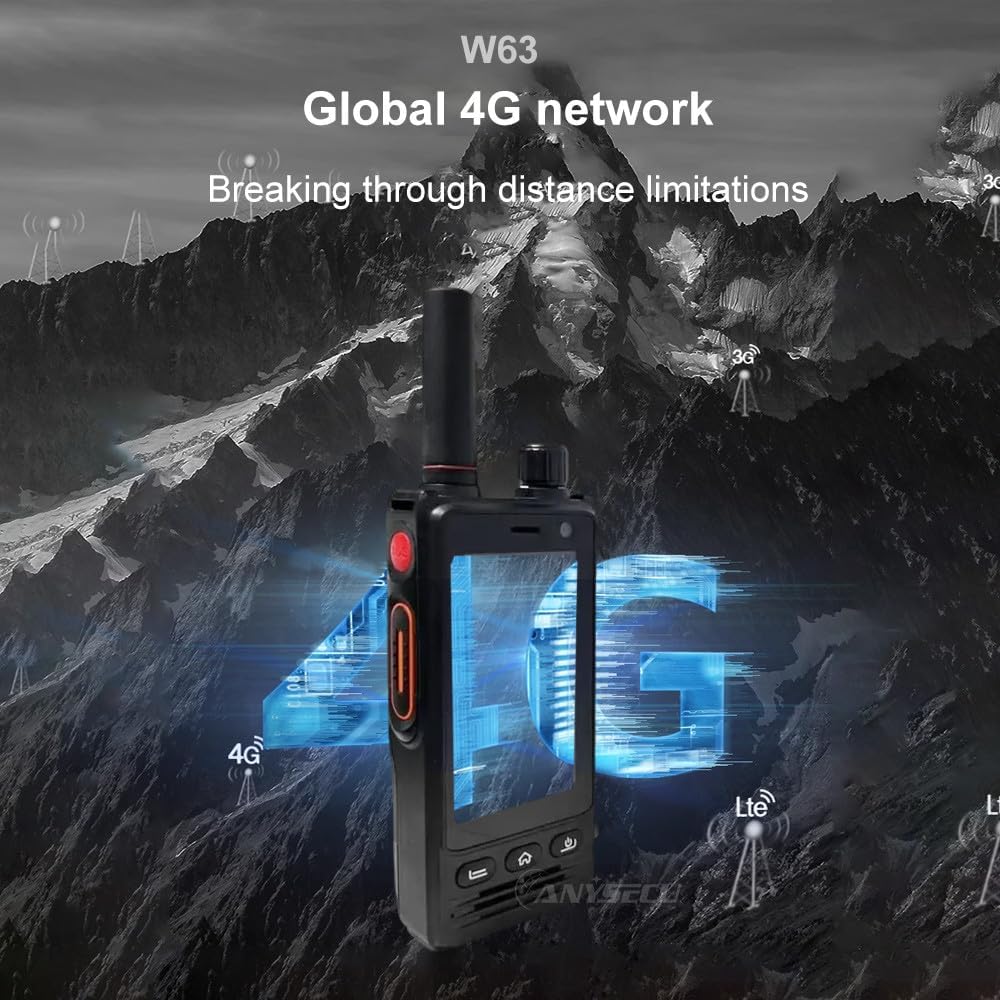
Image: The ANYSECU W63-US radio demonstrating its global 4G network capabilities.
6. Penyelenggaraan
6.1 Membersihkan Peranti
Gunakan yang lembut, damp cloth to clean the exterior of the radio. Avoid using harsh chemicals or abrasive materials that could damage the device or screen.
6.2 Penjagaan Bateri
- Cas bateri sepenuhnya sebelum penggunaan pertama.
- Elakkan mengecas berlebihan atau mengeringkan bateri sepenuhnya untuk memanjangkan jangka hayatnya.
- Simpan radio dan bateri di tempat yang sejuk dan kering apabila tidak digunakan untuk tempoh yang lama.
6.3 Tahan Air dan Habuk
The W63-US is rated IP68 waterproof and dustproof. This means it can withstand immersion in water up to 1.5 meters for 30 minutes and is protected against dust ingress. Ensure all ports and covers are securely closed before exposing the device to water or dust.

Image: The ANYSECU W63-US radio demonstrating its IP68 waterproof and dustproof features. An optional explosion-proof version may also be available.
7. Penyelesaian masalah
If you encounter issues with your ANYSECU W63-US radio, refer to the following common problems and solutions:
- Peranti tidak dihidupkan:
Ensure the battery is correctly installed and charged. Connect the radio to the charger and attempt to power on again. - Tiada sambungan rangkaian:
Verify that your SIM card is properly inserted and active. Check network settings to ensure 4G is enabled. If using Wi-Fi, confirm you are connected to a valid network. - PTT function not working:
Ensure you are logged into your Zello or RealPTT account. Check the application settings to confirm the PTT button is correctly mapped. Verify you have an active internet connection. - Audio issues (no sound/distorted sound):
Adjust the volume knob. Check if a headset is connected and properly functioning. Restart the device. - Skrin sentuh tidak bertindak balas:
Restart the device. If the issue persists, ensure the screen is clean and free from debris.
8. Spesifikasi
| Ciri | Perincian |
|---|---|
| Jenama | SEBARANG |
| Nombor Model | W63-AS |
| warna | Hitam |
| Sistem Operasi | Android 9.0 |
| Protokol Ketersambungan | 4G |
| Jenis Penala | 4G |
| Paparan | 2.95 inch High-definition (854*480 pixels) Touch Screen |
| Tahap Ketahanan Air | IP68 Kalis Air |
| Bateri | 4000mAh 3.8V (1 AA battery required, included) |
| Bilangan Saluran | 1000 |
| Julat Percakapan Maksimum | 10 Batu |
| Ciri Khas | Long Range, GPS, Bluetooth, Wi-Fi, Flashlight |
| Peranti Serasi | Zello, RealPTT |
| Kamera | Front 5MP, Rear 13MP with Built-in Flash |
9. Waranti dan Sokongan
9.1 Maklumat Waranti
The ANYSECU W63-US radio body is covered by a Waranti 1 tahun from the date of purchase. This warranty covers manufacturing defects under normal use. Please retain your proof of purchase for warranty claims. The warranty does not cover damage caused by misuse, accidents, unauthorized modifications, or normal wear and tear.
9.2 Sokongan Pelanggan
For technical assistance, troubleshooting beyond this manual, or warranty inquiries, please contact your authorized ANYSECU dealer or visit the official ANYSECU webtapak untuk sumber sokongan.