
1. Pengenalan
Thank you for choosing the OBEST Mini 4K WiFi Action Camera. This manual provides essential information for the safe and effective use of your camera. Please read it thoroughly before operation and retain it for future reference. This camera is designed to capture high-quality video and photos in various environments, including sports, outdoor activities, and underwater adventures.
2. Produk Lebihview
Ciri-ciri Utama
- Rakaman Video HD 4K: Capture high-resolution videos at 3840 x 2160.
- Kanta Sudut Lebar 120°: Menyediakan bidang yang luas untuk view untuk penangkapan pemandangan yang komprehensif.
- POV Hands-Free Mode: Record from a first-person perspective.
- IP68 Waterproof (with case): Submersible up to 30 meters (98 feet) with the included waterproof housing.
- Reka Bentuk Magnetik: Allows for flexible mounting options.
- Kesambungan Wi-Fi: Control the camera and view hidup footage via a smartphone app.
- Padat dan Mudah Alih: Ultra-compact form factor for easy carrying.
- Hayat Bateri yang Panjang: Masa rakaman sehingga 150 minit.
Komponen Kamera
The camera features a lens, power/mode button, recording button, status indicators, and a MicroSD card slot. Refer to the image below for a visual guide.

Dimensions and Packing List
The camera is designed to be ultra-compact. The package includes various accessories for different mounting scenarios.

3. Persediaan
3.1 Mengecas Kamera
Before first use, fully charge the camera. Connect the camera to a power source (laptop, power bank, or PC) using the provided USB cable. The charging time is approximately 120 minutes for a full charge, providing up to 150 minutes of battery life.
3.2 Memasukkan Kad MicroSD
The camera supports MicroSDHC flash memory cards. Insert a Class 10, UHS Speed Class 3, or Video Speed Class V60 MicroSD card (up to 256GB, not included) into the designated slot. Ensure the card is inserted correctly to avoid damage.
3.3 Using the Waterproof Case
For underwater activities or protection against harsh environments, place the camera inside the waterproof case. The case provides protection up to 30 meters (98 feet) depth.

3.4 Pilihan Pemasangan
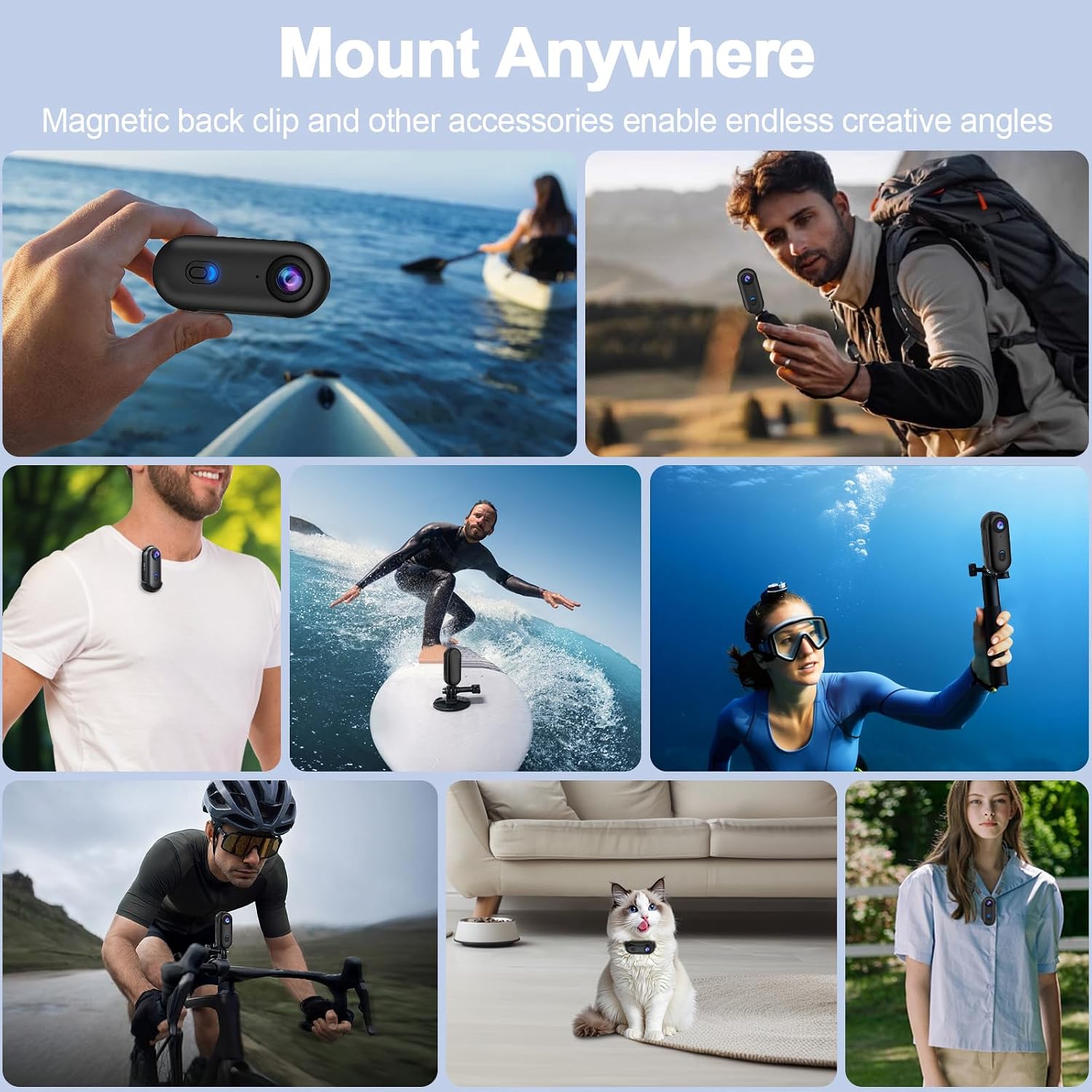
The camera offers multiple installation methods, including a magnetic back clip, spring-loaded clip, and various kits for bikes and helmets. This allows for versatile placement to capture different perspectives.


4. Arahan Operasi
4.1 Hidupkan/Mati Kuasa
Untuk menghidupkan kamera, tekan dan tahan butang kuasa sehingga lampu penunjuk menyala. Untuk mematikan, tekan dan tahan butang kuasa sekali lagi sehingga lampu penunjuk padam.
4.2 Merakam Video
Once powered on, press the recording button to start video recording. The indicator light will change to indicate recording is in progress. Press the recording button again to stop recording. Videos are saved in MP4 format.
4.3 Capturing Photos
Switch to photo mode (if available, refer to specific button functions) and press the recording button to capture a photo. Photos are saved in JPEG format.
4.4 Wi-Fi APP Control
Download the dedicated smartphone application to control your camera remotely. Connect your smartphone to the camera's Wi-Fi network. The app allows for live preview, playback, and downloading of content.

4.5 POV Hands-Free Recording
Utilize the various mounting accessories to achieve a hands-free, first-person perspective (POV) recording. This is ideal for capturing dynamic activities like cycling, skiing, or vlogging.

5. Penyelenggaraan
5.1 Pembersihan
- Lap badan kamera dengan kain lembut dan kering.
- Untuk kanta, gunakan kain dan larutan pembersih kanta khusus untuk mengelakkan calar.
- After using the waterproof case in saltwater, rinse it with fresh water and let it air dry.
5.2 Penyimpanan
Store the camera in a cool, dry place away from direct sunlight and extreme temperatures. Ensure the battery is partially charged (around 50%) if storing for extended periods.
6. Penyelesaian masalah
Kamera Tidak Dihidupkan
- Ensure the battery is charged. Connect to a power source and check if the charging indicator lights up.
- Try resetting the camera by pressing and holding the power button for 10 seconds.
Isu Rakaman
- Check if a MicroSD card is inserted and if it has sufficient free space.
- Ensure the MicroSD card meets the recommended specifications (Class 10, UHS Speed Class 3, V60).
- Format kad MicroSD (ini akan memadamkan semua data, membuat sandaran data penting files pertama).
Masalah Sambungan Wi-Fi
- Ensure Wi-Fi is enabled on the camera and your smartphone.
- Mulakan semula kamera dan telefon pintar anda.
- Make sure you are within the camera's Wi-Fi range.
7. Spesifikasi
| Ciri | Spesifikasi |
|---|---|
| Jenama | OBEST |
| Nombor Model | be993f6a-5a5f-47ad-8fd7-5e01108783b0 |
| Resolusi Rakaman Video | 4K (3840 x 2160) |
| Teknologi Penderia Optik | CMOS |
| Jenis Kanta | Sudut Lebar (120°) |
| Teknologi Ketersambungan | Wi-Fi |
| Tahap Ketahanan Air | Waterproof (with case, up to 30M) |
| Jenis Memori Denyar | MicroSDHC (Max 256GB, C10, U3, V60 recommended) |
| Format Tangkapan Video | MP4 |
| Format Imej Disokong | JPEG |
| Format Audio Disokong | AAC |
| Purata Hayat Bateri | 150 minit |
| warna | Hitam |
| Peranti Serasi | Telefon Pintar, Tablet, Komputer |
| Penstabilan Imej | Digital (No optical stabilization) |
| Jenis Fokus | Fokus Tetap |
| Nisbah Aspek | 16:9 |
| Mod Penangkapan | Underwater, Night, Sport |
8. Waranti dan Sokongan
For warranty information and technical support, please refer to the documentation included with your purchase or contact OBEST customer service directly. Keep your proof of purchase for warranty claims.