
1. Produk Lebihview
The Gydom Smart Watch GTX20 is a versatile wearable device designed to enhance your daily life with smart features and comprehensive health and fitness tracking. It features a vibrant AMOLED display, Bluetooth calling, AI voice assistance, and extensive sports modes.
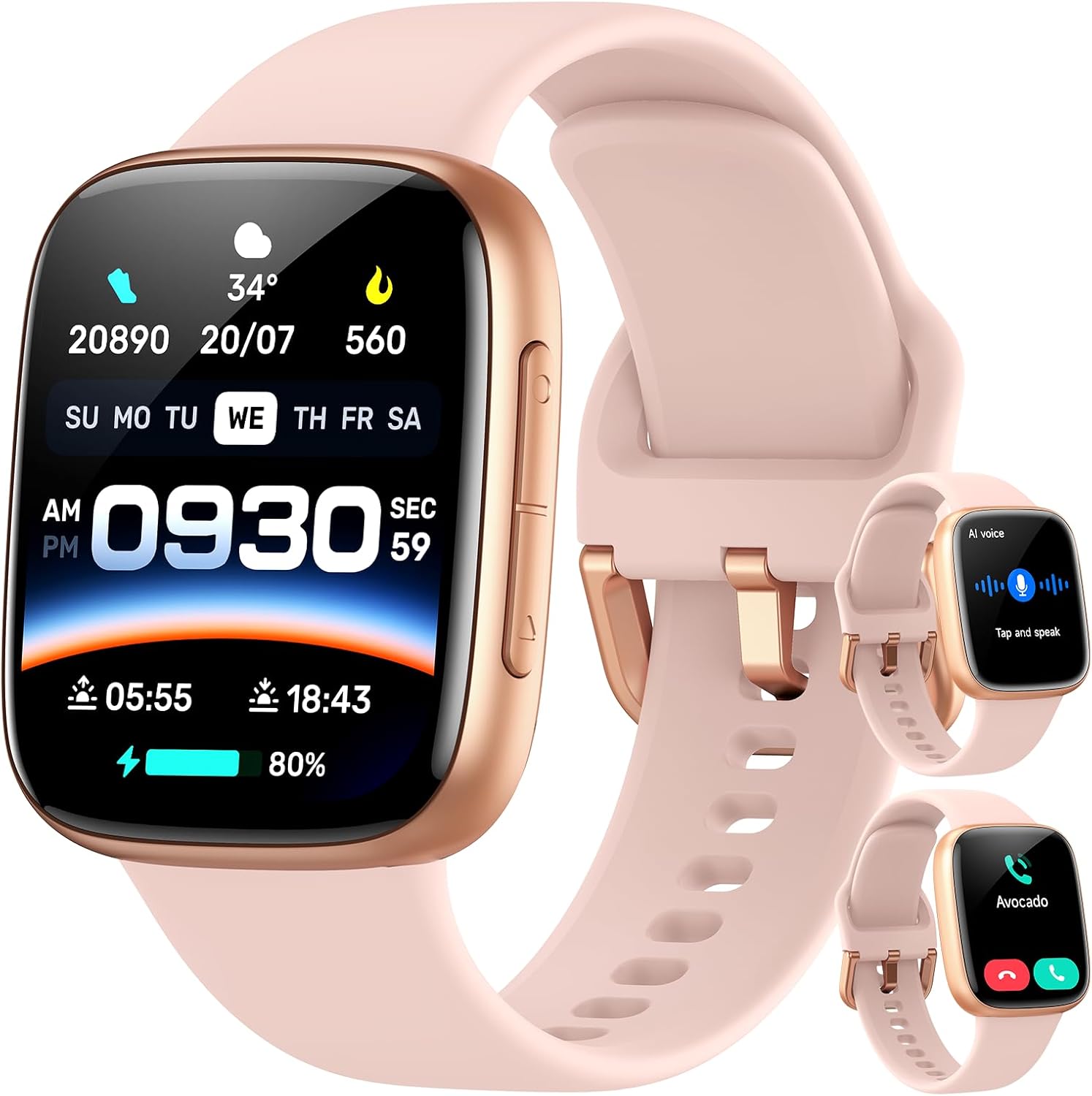
Figure 1: Gydom Smart Watch GTX20 in Blush Pink, showcasing the main display and silicone strap.
2. Kandungan Pakej
Sahkan bahawa semua item terdapat dalam pakej anda:
- Gydom Smart Watch GTX20
- Tali Silikon
- Kabel Pengecasan
- Manual Pengguna

Figure 2: Illustration of the Gydom Smart Watch GTX20 package contents, including the watch, silicone strap, charging cable, and user manual.
3. Panduan Persediaan
3.1 Mengecas Peranti
Before initial use, fully charge your Gydom Smart Watch GTX20. The watch is powered by a 350mAh battery and takes approximately 2 hours to fully charge, providing up to 7 days of typical use.
- Sambungkan kabel pengecas magnet ke titik pengecasan di bahagian belakang jam tangan.
- Plug the USB end of the cable into a compatible USB power adapter (not included).
- Paparan jam tangan akan menunjukkan status pengecasan.

Figure 3: The Gydom Smart Watch GTX20 connected to its magnetic charging cable, displaying battery status.
3.2 Pemasangan Apl dan Berpasangan
To unlock the full potential of your smartwatch, install the 'VeryFit' app on your smartphone.
- Download the 'VeryFit' app from the App Store (iOS) or Google Play (Android).
- Ensure Bluetooth and GPS are enabled on your smartphone.
- Open the 'VeryFit' app, navigate to the device section, and search for 'GTX20' to connect.

Figure 4: Visual guide for downloading the 'VeryFit' app, enabling Bluetooth/GPS, and connecting to the GTX20 smartwatch.
3.3 Strap Installation/Adjustment
The smartwatch comes with a comfortable silicone strap. The strap can be easily removed and replaced if desired.
4. Arahan Operasi
4.1 Navigasi Asas
The Gydom Smart Watch GTX20 features a responsive 1.85" AMOLED touchscreen for intuitive navigation. Swipe up, down, left, or right to access different functions and menus. Use the side buttons for power on/off and quick access to the main menu.
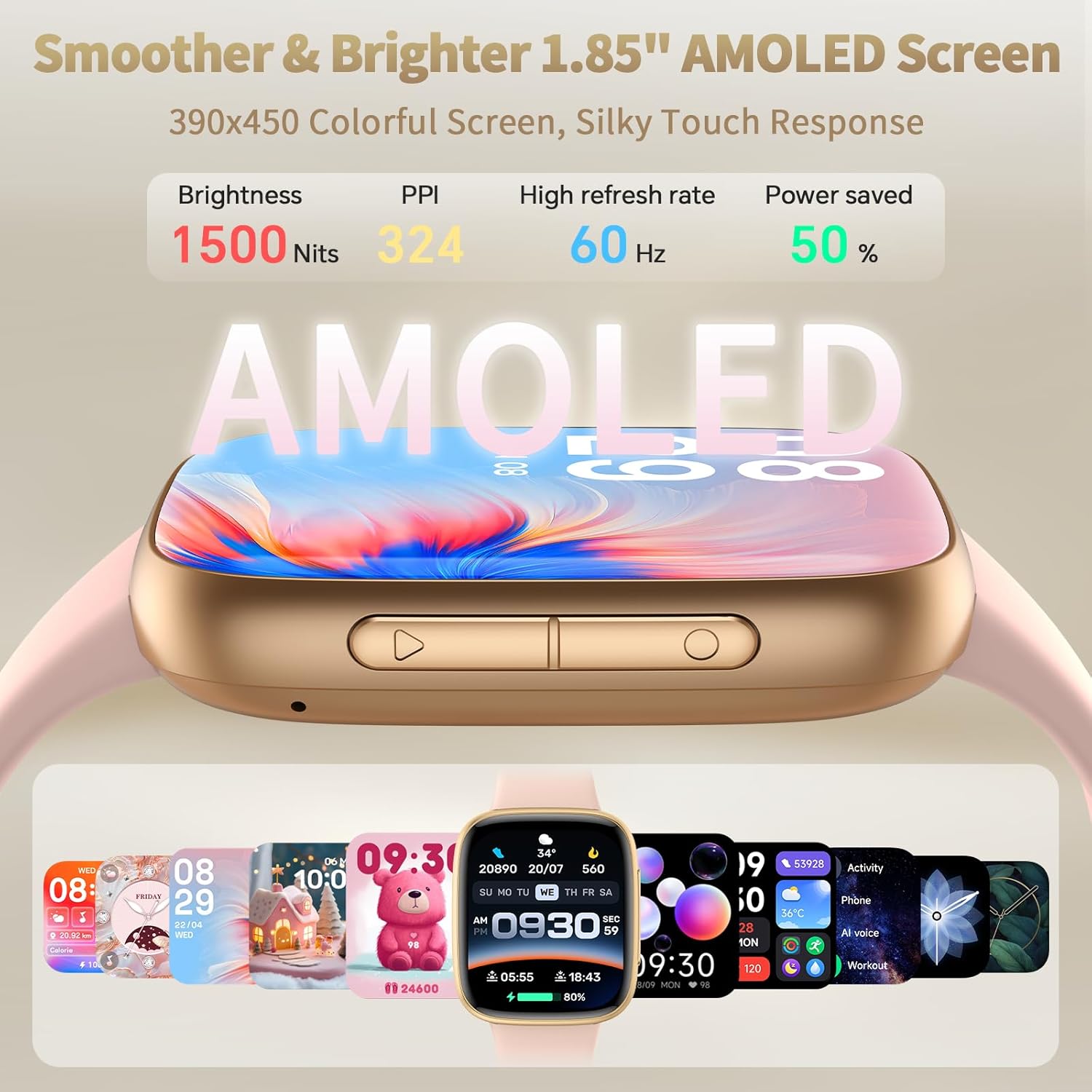
Figure 5: The 1.85-inch AMOLED screen of the Gydom Smart Watch GTX20, highlighting its brightness, PPI, refresh rate, and power saving features.
4.2 Penyesuaian Muka Jam Tangan
Personalize your watch with a variety of watch faces available through the 'VeryFit' app. You can choose from numerous designs to match your style or display essential information at a glance.

Figure 6: A selection of customizable watch faces for the Gydom Smart Watch GTX20, allowing users to personalize their device.
4.3 Bluetooth Call and Smart Notifications
With Bluetooth 5.3 connectivity, you can make and receive calls directly from your wrist. The smartwatch also displays smart notifications for messages and app alerts from your connected smartphone. Note: Message reply is not supported.

Figure 7: The Gydom Smart Watch GTX20 displaying a call interface, illustrating the ability to make and receive calls directly from the wrist.

Figure 8: The Gydom Smart Watch GTX20 showing various smart message notifications from different social media and messaging apps.
4.4 Pembantu Suara AI
Utilize the built-in AI assistant for hands-free control. Ask questions, set reminders, or control music directly from your wrist.

Figure 9: A user interacting with the AI Voice Assistant on the Gydom Smart Watch GTX20, demonstrating voice commands for tasks like checking weather or setting timers.
4.5 Ciri Tambahan
- Kawalan Muzik: Manage your smartphone's music playback.
- Kawalan Kamera: Cetuskan kamera telefon anda dari jauh.
- Ramalan cuaca: Dapatkan kemas kini cuaca masa nyata.
- Kalendar: View jadual anda.
- Kalkulator: Lakukan pengiraan asas.
- Cari Telefon: Cari telefon pintar anda yang salah letak.
- Wake Gesture: Angkat pergelangan tangan anda untuk membangunkan skrin.

Figure 10: A collage of additional features available on the Gydom Smart Watch GTX20, including music control, calendar, camera control, find my phone, weather, games, calculator, and wake gesture.
5. Pemantauan Kesihatan
The GTX20 smartwatch is equipped with a high-precision wrist PPG sensor for continuous health monitoring.
5.1 Pemantauan Kadar Jantung
Monitor your heart rate 24/7 to stay informed about your cardiovascular health. Real-time alerts help you maintain optimal activity levels.

Figure 11: The Gydom Smart Watch GTX20 displaying real-time heart rate data, with a graph showing heart rate trends over time.
5.2 Pemantauan Oksigen Darah (SpO2)
Track your blood oxygen levels to understand your body's oxygen saturation and overall well-being.
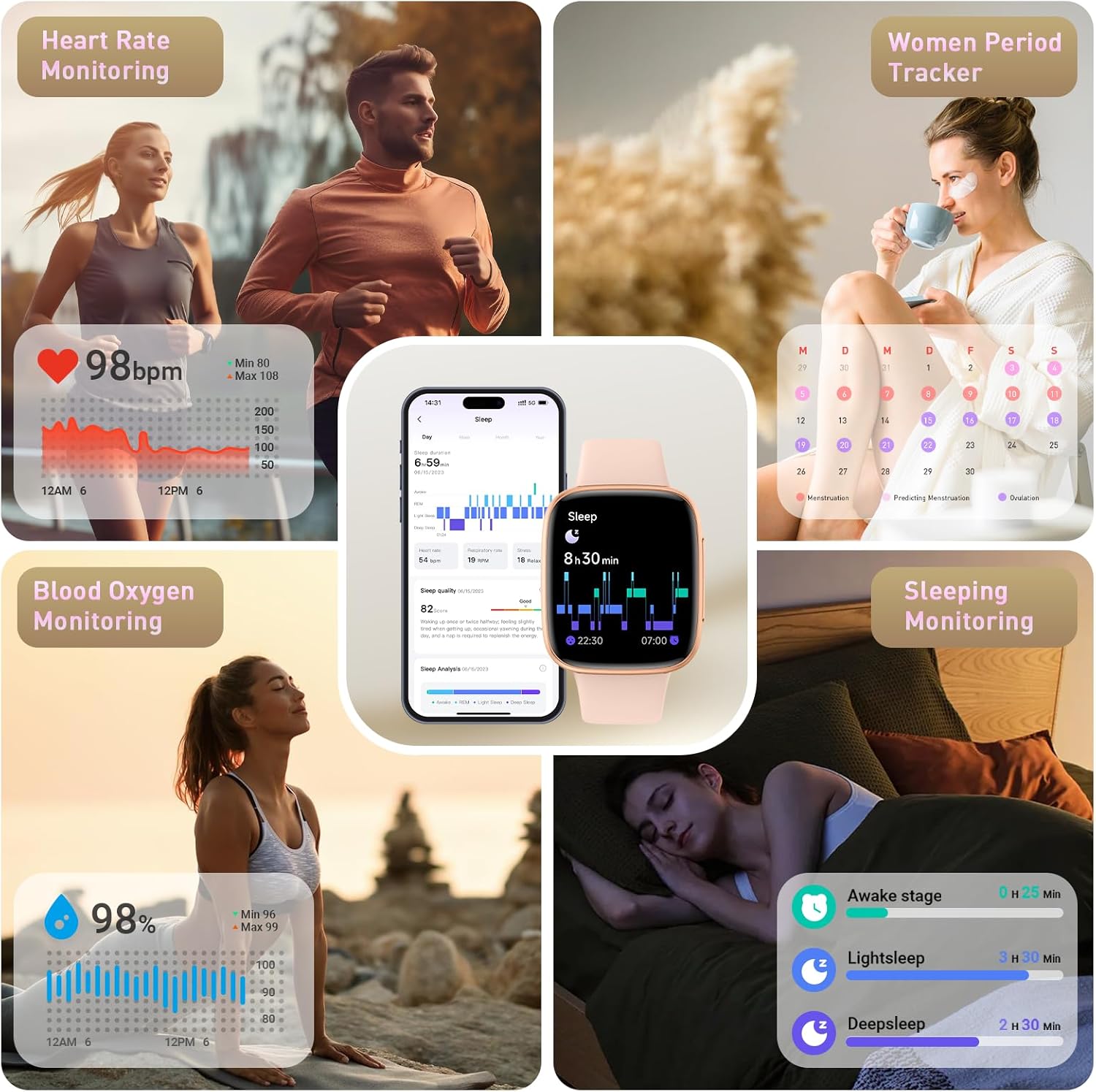
Figure 12: A visual representation of the Gydom Smart Watch GTX20's blood oxygen monitoring feature, showing current SpO2 levels and historical data.
5.3 Pemantauan Tidur
The watch analyzes your sleep patterns, including awake, light sleep, and deep sleep stages, to help you improve sleep quality.

Figure 13: The Gydom Smart Watch GTX20 displaying sleep condition analysis, showing different sleep stages and overall sleep quality.
5.4 Stress Assessment
Stay aware of your stress levels and manage them effectively with the watch's pressure monitoring feature.
5.5 Penjejakan Kitaran Haid
For women, the smartwatch offers accurate menstrual cycle recording and period/ovulation prediction, helping you understand your cycle better.

Figure 14: The Gydom Smart Watch GTX20 showing the menstrual cycle tracking interface, providing accurate period recording and predictions.
6. Penjejakan Kecergasan
6.1 120+ Sport Modes
The smartwatch supports over 120 sports modes, providing detailed data tracking for calories, steps, and distance to meet all your fitness needs.
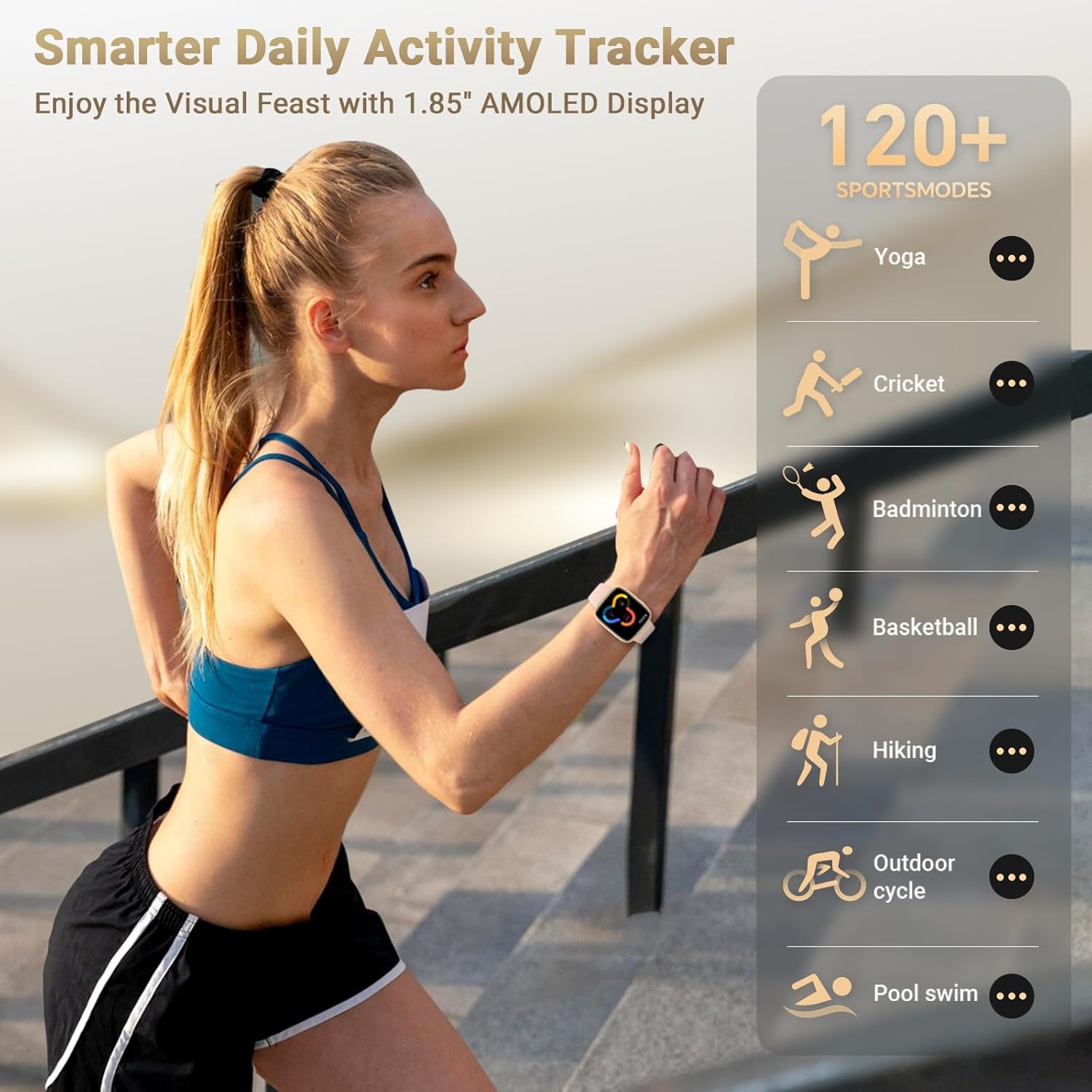
Figure 15: A visual representation of the Gydom Smart Watch GTX20's 120+ sports modes, including yoga, cricket, badminton, basketball, hiking, outdoor cycling, and pool swimming.
6.2 All-Day Activity Tracking
Monitor your daily activity, including steps, calories burned, and distance covered, to celebrate every active moment of your day.

Figure 16: The Gydom Smart Watch GTX20 tracking daily activity, showing steps, calories, heart rate, and distance during a workout.
6.3 IP68 kalis air
The smartwatch is IP68 waterproof certified, protecting it against splashes and short swims. It has passed durability tests including 3-meter immersion for 1.5 hours.

Figure 17: A person swimming while wearing the Gydom Smart Watch GTX20, demonstrating its 3ATM waterproof capability.
7. Spesifikasi
| Ciri | Perincian |
|---|---|
| Nombor Model | GTX20 |
| Saiz Skrin | 1.85 Inci AMOLED |
| Kapasiti Bateri | 350 mAh |
| Hayat Bateri | Sehingga 7 hari (penggunaan biasa) |
| Masa Mengecas | lebih kurang 2 jam |
| Penilaian Kalis Air | IP68 |
| Ketersambungan | Bluetooth 5.3 |
| Sistem Operasi | Android & iOS compatible |
| Ciri Khas | Activity Tracker, Calendaring, Camera, GPS (via smartphone), Notifications, AI Assistant |
| Berat Barang | 5.3 auns |
8. Penyelesaian masalah
If you encounter any issues with your Gydom Smart Watch GTX20, please refer to the following common troubleshooting steps:
- Isu Sambungan: Ensure Bluetooth is enabled on your smartphone and the watch is within range. Restart both devices and try pairing again.
- Bacaan Tidak Tepat: Pastikan jam tangan dipakai dengan kemas di pergelangan tangan anda. Bersihkan sensor di bahagian belakang jam tangan.
- Longkang Bateri: Reduce screen brightness, disable unnecessary notifications, or limit continuous heart rate monitoring to extend battery life.
- Paparan Tidak Menjawab: Try restarting the watch by long-pressing the side button.
9. Penyelenggaraan
To ensure the longevity and optimal performance of your Gydom Smart Watch GTX20, follow these maintenance guidelines:
- Pembersihan: Regularly clean the watch screen and strap with a soft, damp kain. Elakkan menggunakan bahan kimia yang keras.
- Storan: Simpan jam tangan di tempat yang sejuk dan kering apabila tidak digunakan.
- Elakkan Suhu Melampau: Do not expose the watch to extreme hot or cold temperatures, as this may affect battery life and performance.
- mengecas: Use only the provided charging cable. Avoid overcharging the device.
10. Waranti dan Sokongan
Gydom is committed to providing high-quality products and excellent customer service. Your purchase of the Gydom Smart Watch GTX20 includes:
- 365-Day Extended Service: Covers both logistic and any accidental issues.
- 24/7 Professional Support: Dedicated 1-on-1 support is available for any inquiries or assistance you may need.
For further assistance, please contact Gydom US customer support.