
1. Pengenalan
This manual provides essential instructions for the safe and efficient use of your Samsung Smart FHD 43'' TV, model LS43F6000FGXZD. Please read this manual thoroughly before operating the device and retain it for future reference. Your new television features Full HD resolution, HDR technology, PurColor, and the Tizen™ operating system for a rich viewpengalaman dalam.
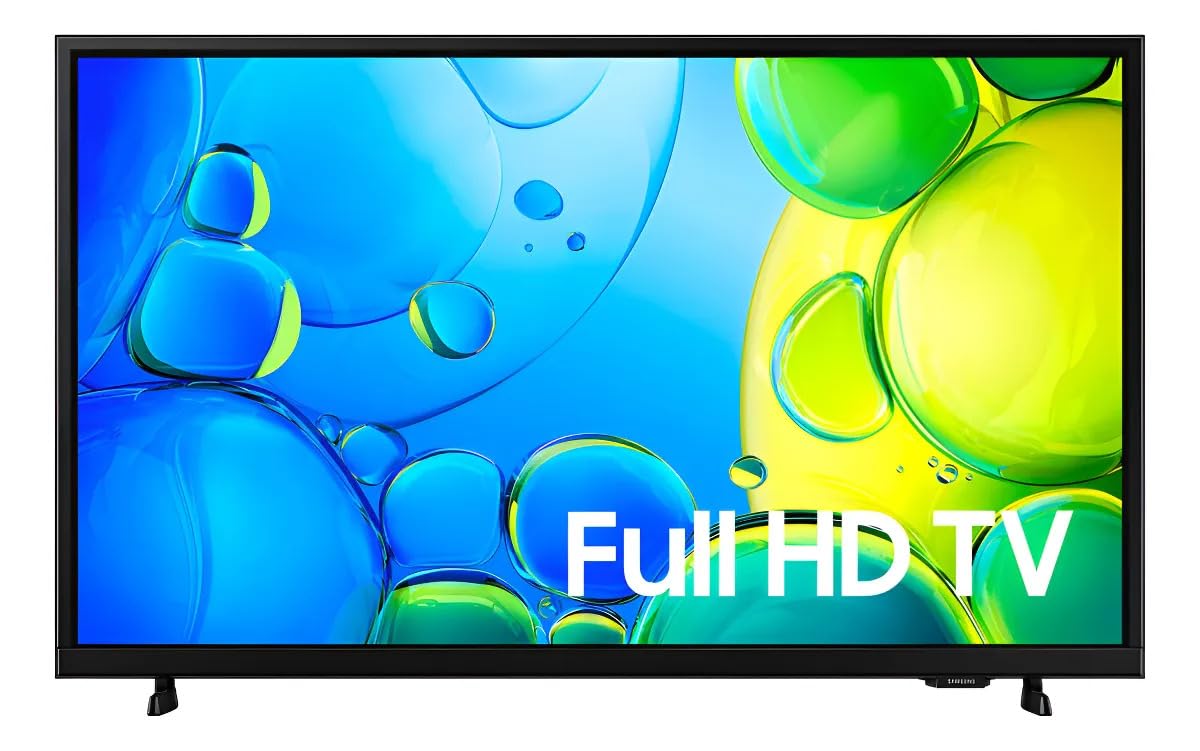
Rajah 1: Depan view of the Samsung Smart FHD 43'' TV.
2. Maklumat Keselamatan
Always follow these basic safety precautions to reduce the risk of fire, electric shock, and injury.
- Jangan dedahkan radas ini kepada hujan atau lembapan.
- Jangan sekat sebarang bukaan pengudaraan. Pasang mengikut arahan pengilang.
- Jangan pasang berhampiran mana-mana sumber haba seperti radiator, daftar haba, dapur, atau radas lain (termasuk amppenghidup) yang menghasilkan haba.
- Lindungi kord kuasa daripada berjalan atau tersepit, terutamanya pada palam, bekas kemudahan dan tempat keluar dari radas.
- Hanya gunakan lampiran/aksesori yang ditentukan oleh pengilang.
- Rujuk semua perkhidmatan kepada pegawai perkhidmatan yang berkelayakan. Servis diperlukan apabila alat telah rosak dengan cara apa pun.
- Ensure the TV is placed on a stable surface or securely mounted to prevent tipping.
3. Apa yang ada di dalam Kotak
Carefully unpack your TV and ensure all components are present. If any items are missing or damaged, contact your retailer.
- Samsung Smart FHD 43'' TV
- Kawalan Jauh (memerlukan 2 bateri AA, tidak selalu disertakan)
- Kabel Kuasa
- Video Adapter (if applicable)
- Stand Components (Base/Feet)
- Manual Pengguna (dokumen ini)
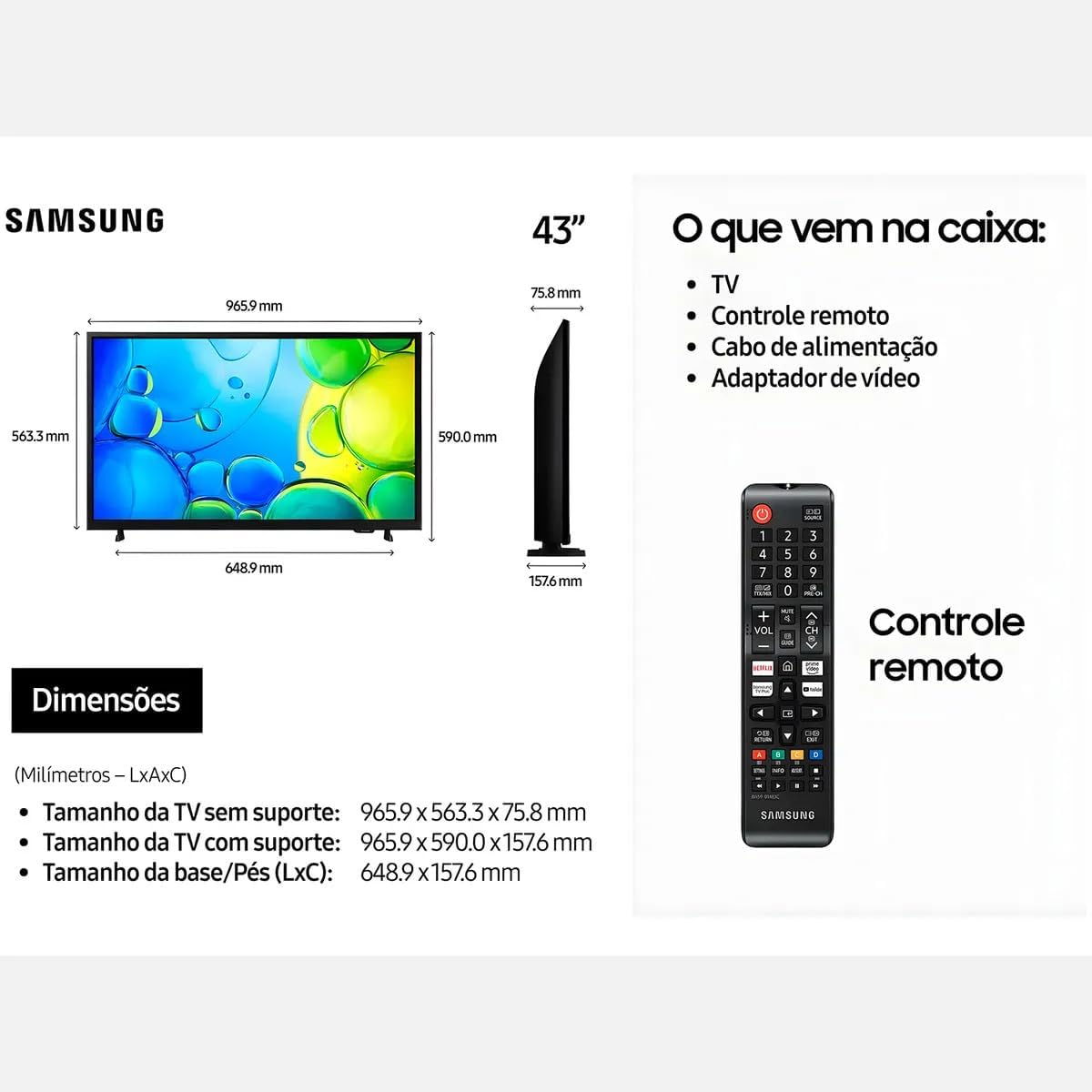
Figure 2: Illustration of items typically included in the product packaging, along with TV dimensions.
4. Persediaan
4.1 Membongkar
Remove the TV and all accessories from the packaging. It is recommended to keep the original packaging for future transport or servicing.
4.2 Memasang Stand
If you are placing the TV on a table or cabinet, attach the included stand. Follow the instructions provided in the stand assembly guide. Ensure all screws are tightened securely.
4.3 Pemasangan Dinding
For wall mounting, use a VESA-compliant wall mount kit (100 x 200 mm, sold separately). Consult a professional for wall mounting to ensure proper installation and safety.
4.4 Menyambung Peranti
Sambungkan peranti luaran anda ke TV menggunakan port yang sesuai.
- HDMI: Connect Blu-ray players, game consoles, or set-top boxes to the HDMI ports. This TV has 2 HDMI ports.
- USB: Connect USB storage devices for media playback to the USB 3.0 port. This TV has 1 USB 3.0 port.
- Rangkaian (LAN): Untuk sambungan internet berwayar, sambungkan kabel Ethernet ke port LAN.
- Antena/Kabel: Sambungkan suapan antena atau TV kabel anda.
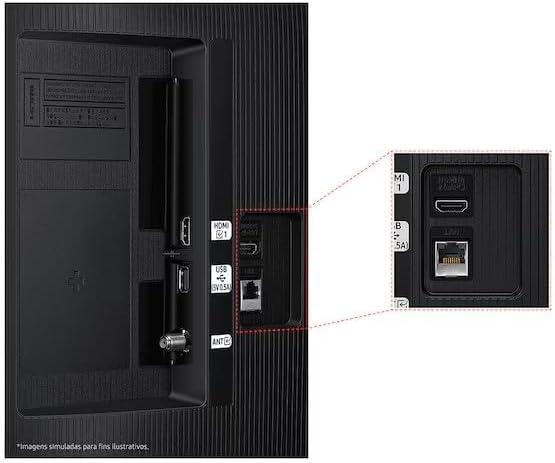
Figure 3: Rear panel connections, highlighting HDMI, USB, and LAN ports.
4.5 Kuasa Awal Hidup dan Wizard Persediaan
After connecting all necessary cables, plug the power cord into an electrical outlet. The TV will power on and guide you through the initial setup wizard, which includes language selection, network connection (Wi-Fi or wired), channel scanning, and smart features configuration.
5. Mengendalikan TV
5.1 Alat Kawalan Jauh Lebihview
Insert two AA batteries into the remote control. The remote allows you to navigate menus, change channels, adjust volume, and access smart features. Refer to the diagram on the remote control for button functions.
5.2 Fungsi Asas TV
- Kuasa: Tekan butang kuasa pada alat kawalan jauh untuk menghidupkan atau mematikan TV.
- Kelantangan: Gunakan butang Kelantangan Naik/Turun untuk melaraskan tahap bunyi.
- Saluran: Gunakan butang Saluran Atas/Bawah untuk menukar saluran.
- Sumber: Press the Source button to switch between connected input devices (HDMI 1, HDMI 2, TV, etc.).
5.3 Ciri TV Pintar (Tizen OS)
Your Samsung Smart TV runs on the Tizen™ operating system, providing access to a wide range of applications and services. Connect your TV to the internet via Wi-Fi or Ethernet to utilize these features.
- App Store: Download and install various applications like Netflix, YouTube, and Amazon Prime Video.
- Web pelayar: Semak imbas internet terus dari TV anda.
- Hab Pintar: Access all your smart features, apps, and connected devices from one central location.

Figure 4: The Tizen operating system interface, showing available applications.
The TV also features Knox Security, ensuring your data and privacy are protected.
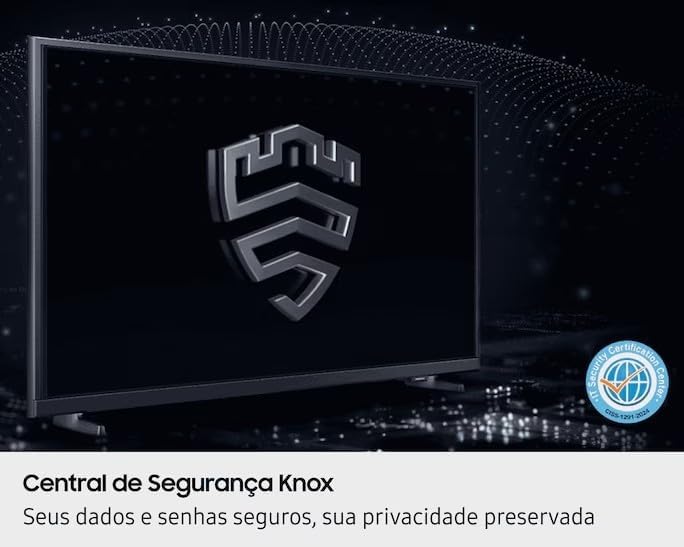
Figure 5: Knox Security Central, highlighting data and privacy protection.
5.4 Tetapan Gambar
Laraskan tetapan gambar untuk mengoptimumkan viewpengalaman dalam.
- Mod Gambar: Select from various preset modes (Standard, Dynamic, Movie, etc.) or customize your own.
- Kecerahan/Kontras: Laraskan tetapan ini agar sesuai dengan persekitaran anda.
- Teknologi HDR: This TV supports HDR10+, providing greater depth in details, even in very bright or dark scenes.
- PurColor: Enhances color accuracy and vibrancy for a more lifelike image.
- Penambah Kontras: Automatically adjusts contrast for improved picture depth.

Figure 6: HDR Technology in action, showing enhanced detail in both bright and dark areas.
5.5 Tetapan Bunyi
Customize audio output through the sound settings menu. Options may include sound modes, equalizer settings, and audio output selection (TV speakers, external soundbar, Bluetooth audio).
5.6 Ketersambungan
- Bluetooth: Sambungkan peranti Bluetooth yang serasi seperti fon kepala atau bar bunyi secara wayarles.
- Wi-Fi: Connect to your home wireless network for internet access and smart features.
6. Penyelenggaraan
6.1 Membersihkan TV
- Skrin: Lap skrin perlahan-lahan dengan kain lembut yang tidak berbulu. Untuk tanda degil, sedikit dampen kain dengan air atau pembersih skrin khusus. Jangan sekali-kali menyembur cecair terus ke skrin.
- Badan TV: Gunakan kain lembut dan kering untuk mengelap habuk dari bingkai TV dan panel belakang.
- Penting: Sentiasa cabut plag TV dari salur keluar kuasa sebelum membersihkan.
6.2 Kemas Kini Perisian
Your TV may receive software updates to improve performance and add new features. You can usually configure the TV to update automatically or check for updates manually through the settings menu (typically under Support > Software Update).
7. Penyelesaian masalah
Jika anda menghadapi masalah dengan TV anda, rujuk kepada penyelesaian biasa berikut sebelum menghubungi sokongan.
| Masalah | Penyelesaian yang Mungkin |
|---|---|
| Tiada kuasa | Pastikan kord kuasa dipasang dengan kukuh pada TV dan soket elektrik yang berfungsi. Uji soket dengan peranti lain. |
| Tiada gambar, tetapi bunyi hadir | Semak sumber input. Pastikan peranti yang disambungkan dihidupkan dan berfungsi dengan betul. Cuba kabel HDMI yang berbeza. |
| Tiada bunyi, tetapi ada gambar | Check the volume level and ensure the TV is not muted. Verify audio output settings. If using external speakers, check their connections and power. |
| Alat kawalan jauh tidak berfungsi | Replace the batteries (AA type). Ensure there are no obstructions between the remote and the TV's IR sensor. |
| Tidak dapat menyambung ke Wi-Fi | Ensure your router is on and functioning. Re-enter the Wi-Fi password. Try restarting both the TV and your router. |
| Isu kualiti gambar (cth, kabur, herot) | Periksa resolusi sumber. Laraskan tetapan gambar (kecerahan, kontras, ketajaman). Pastikan kabel disambungkan dengan selamat. |
8. Spesifikasi
Key technical specifications for the Samsung Smart FHD 43'' TV (Model: LS43F6000FGXZD).
| Ciri | Perincian |
|---|---|
| Nombor Model | LS43F6000FGXZD |
| Saiz Skrin | 43 Inci |
| Teknologi Paparan | FHD (Definisi Tinggi Penuh) |
| Resolusi | FHD (1920 x 1080 pixels) |
| Kadar Segar Semula | 60 Hz |
| Sistem Operasi | Tizen™ |
| Sokongan HDR | HDR10+ |
| Penambahbaikan Gambar | HDR Technology, PurColor, Contrast Enhancer |
| Ketersambungan | Bluetooth, Wi-Fi, 2x HDMI, 1x USB 3.0 |
| Perkhidmatan Internet yang Disokong | Netflix, YouTube, Amazon Prime |
| Pemasangan VESA Standard | 100 x 200 mm |
| Dimensi (W x D x H) tanpa pendirian | 965.9 x 75.8 x 563.3 mm |
| Dimensions (W x D x H) with stand | 965.9 x 157.6 x 590.0 mm |
| Berat (tanpa penyangga) | 6.5 kg |
| Voltage | 110-220 Volts (check product label for specific range) |
| Jenis Bateri Kawalan Jauh | AA (x2) |
9. Waranti dan Sokongan
9.1 Waranti Produk
This Samsung Smart FHD 43'' TV (Model: LS43F6000FGXZD) comes with a Waranti terhad 12 bulan from the date of purchase. This warranty covers manufacturing defects and malfunctions under normal use. Please retain your proof of purchase for warranty claims. For detailed terms and conditions, refer to the warranty card included with your product or visit the official Samsung support webtapak.
9.2 Sokongan Pelanggan
For technical assistance, troubleshooting beyond this manual, or warranty service, please contact Samsung Customer Support. You can find contact information (phone numbers, chat support, service center locations) on the official Samsung webtapak untuk wilayah anda.
When contacting support, please have your TV's model number (LS43F6000FGXZD) and serial number ready. The serial number is typically located on a sticker on the back of the TV.


