
1. Pengenalan
Thank you for choosing the Newsoul 4K QLED Portable Monitor M1703. This manual provides essential information for setting up, operating, and maintaining your monitor. Please read it thoroughly to ensure optimal performance and safe use of your device.
The Newsoul M1703 is a 17.3-inch 4K QLED portable monitor designed for high-resolution visual experiences, featuring a 120Hz refresh rate, 0.1ms response time, and 100% DCI-P3 color gamut, suitable for various applications including gaming, professional work, and entertainment.
2. Maklumat Keselamatan
- Jangan dedahkan monitor kepada hujan atau kelembapan untuk mengelakkan kebakaran atau renjatan elektrik.
- Elakkan meletakkan monitor di bawah cahaya matahari langsung atau berhampiran sumber haba.
- Use only the power adapter and cables provided or approved by Newsoul.
- Jauhkan monitor daripada medan magnet yang kuat.
- Jangan cuba membuka atau membaiki monitor sendiri. Rujuk semua servis kepada kakitangan yang berkelayakan.
- Pastikan pengudaraan yang betul di sekeliling monitor untuk mengelakkan terlalu panas.
3. Kandungan Pakej
Sahkan bahawa semua item terdapat dalam pakej anda:
- Newsoul 4K QLED Portable Monitor (M1703)
- Kabel USB-C ke USB-C (x2)
- Kabel Mini HDMI ke HDMI
- Penyesuai Kuasa
- Protective Sleeve / Stand
4. Produk Lebihview
Familiarize yourself with the monitor's physical features and ports.

This image illustrates the monitor's full aluminum alloy construction, emphasizing its slim profile (0.23 inches thick) and light weight (2.19 lbs), which contributes to durability and efficient heat dissipation.
4.1. Port dan Butang
- Port HDMI Mini: For video and audio input from devices with HDMI output.
- Port Jenis-C (x2): Multifunctional ports for power, video, and audio input from compatible USB-C devices. One port can provide both power and display signal, while the other can be used for additional power if needed.
- Bicu Audio 3.5mm: Untuk menyambungkan fon kepala atau pembesar suara luaran.
- Butang Kuasa/Kembali: Press and hold to power on/off. Short press to go back in the OSD menu.
- Pulley Button (Joystick): Used for navigating the On-Screen Display (OSD) menu and adjusting settings.
4.2. Ciri-ciri Fizikal
- Stand Terbina dalam: The monitor features a 180° adjustable stand integrated into its design, allowing for flexible viewsudut-sudut.
- VESA Mountable: Compatible with 75x75mm VESA mounts (M4*4mm screws) for alternative mounting solutions.
- Langsing dan Ringan: With a thickness of 0.23 inches and a weight of 2.19 lbs, the monitor is designed for portability.
5. Persediaan
5.1. Menyambung ke Peranti
The monitor supports various devices via USB-C and Mini HDMI connections.
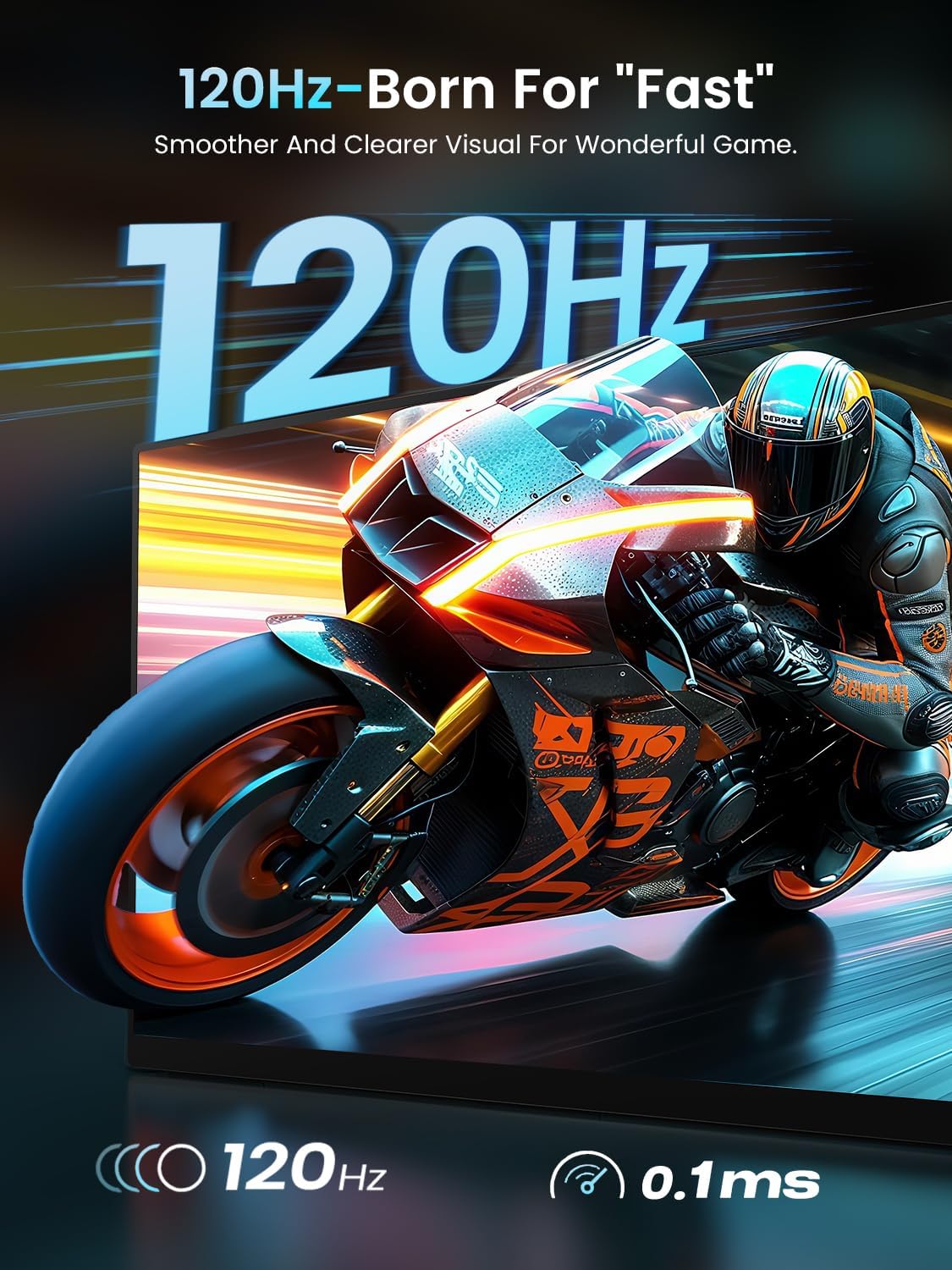
This image highlights the monitor's 120Hz refresh rate and 0.1ms ultra-fast response time, ensuring fluid visuals and a smooth gaming experience, free from tearing and stuttering.
- For Laptops/MacBooks (USB-C with DisplayPort Alt Mode): Connect one end of the USB-C to USB-C cable to your laptop's USB-C port and the other end to one of the monitor's Type-C ports. If your laptop can provide sufficient power, a single cable may suffice for both power and display.
- For Laptops/Desktops (HDMI): Connect one end of the Mini HDMI to HDMI cable to the monitor's Mini HDMI port and the other end to your device's HDMI port. You will also need to connect the monitor to power using a USB-C to USB-C cable and the provided power adapter.
- For Smartphones (USB-C with DisplayPort Alt Mode): Connect one end of the USB-C to USB-C cable to your smartphone's USB-C port and the other end to one of the monitor's Type-C ports. Ensure your smartphone supports video output over USB-C.
- For Game Consoles (HDMI): Connect one end of the Mini HDMI to HDMI cable to the monitor's Mini HDMI port and the other end to your game console's HDMI port. Power the monitor separately using a USB-C to USB-C cable and the power adapter.
5.2. Menghidupkan Monitor
Monitor boleh dikuasakan dalam dua cara:
- Kabel USB-C Tunggal: If your connected device (e.g., laptop) provides enough power through its USB-C port, a single USB-C cable can deliver both video signal and power to the monitor.
- Penyesuai Kuasa Luaran: For optimal brightness and speaker volume, or when connecting via HDMI, use the provided power adapter connected to one of the monitor's USB-C ports.
5.3. Melaraskan Pendirian
The integrated stand allows for a 180° adjustment range. Gently pivot the stand to achieve your desired viewsudut ing.
5.4. Pemasangan VESA
For a more permanent setup, the monitor can be mounted using a VESA-compatible arm or stand.

This image demonstrates the monitor's versatility with both a built-in 180° adjustable stand for flexible viewing angles and VESA mount compatibility (75x75mm, M4*4mm screws) for alternative setups.
- Ensure the monitor is powered off and disconnected from all cables.
- Locate the four screw holes on the back of the monitor.
- Attach your VESA mount (75x75mm) using M4*4mm screws. Do not overtighten.
6. Mengendalikan Monitor
6.1. Hidupkan/Mati Kuasa
To power on the monitor, press and hold the Butang Kuasa/Kembali for a few seconds. To power off, press and hold the same button until the screen turns off.
6.2. Menu Paparan Pada Skrin (OSD).
The OSD menu allows you to adjust various display settings. Use the Pulley Button (Joystick) to navigate and select options.

This image displays the Newsoul 17.3-inch 4K QLED Portable Monitor, showcasing its key features such as 4K resolution, 120Hz refresh rate, QLED technology, 100% DCI-P3 color gamut, 0.1ms response time, and 500 Nits brightness, with a dynamic racing car graphic on screen.
- Mengakses Menu: Press the Pulley Button to open the OSD menu.
- Navigasi: Move the Pulley Button up/down/left/right to navigate through menu options.
- Pilihan: Press the Pulley Button inward to select an option or confirm a setting.
- Keluar: Press the Power/Back Button to go back one level or exit the OSD menu.
Tetapan OSD Biasa:
- Kecerahan/Kontras: Laraskan tahap pencahayaan dan kontras paparan.
- Tetapan Warna: Ubah suai suhu warna, rona dan ketepuan.
- Sumber Input: Pilih secara manual antara input USB-C dan Mini HDMI.
- FreeSync: Enable or disable FreeSync for smoother gaming (if supported by your connected device).
- Nisbah Aspek: Adjust the display aspect ratio (e.g., 16:9).
- Mod HDR: Enable or disable High Dynamic Range.
6.3. Keluaran Audio
The monitor has built-in dual 2W speakers. For private listening or higher quality audio, connect headphones or external speakers to the 3.5mm audio jack.
7. Penyelenggaraan
7.1. Membersihkan Skrin
- Power off the monitor and disconnect all cables.
- Lap skrin perlahan-lahan dengan kain lembut yang tidak berbulu.
- Untuk tanda degil, ringankan dampen kain dengan air atau larutan pembersih skrin. Jangan sembur cecair terus ke skrin.
- Elakkan menggunakan pembersih yang kasar, alkohol atau larutan berasaskan ammonia.
7.2. Penjagaan dan Penyimpanan Am
- Apabila tidak digunakan, simpan monitor di dalam sarung pelindungnya untuk mengelakkan calar dan pengumpulan habuk.
- Elakkan meletakkan objek berat pada monitor.
- Transport the monitor carefully to prevent impact damage.
8. Penyelesaian masalah
Jika anda menghadapi masalah dengan monitor anda, rujuk kepada masalah dan penyelesaian biasa berikut:
| Masalah | Penyelesaian yang Mungkin |
|---|---|
| No image on screen / 'No Signal' message |
|
| Monitor tidak dihidupkan |
|
| Image tearing or stuttering during gaming |
|
| Tiada bunyi dari pembesar suara atau fon kepala |
|
| OSD menu navigation is difficult |
|
9. Spesifikasi
Detailed technical specifications for the Newsoul M1703 Portable Monitor:
| Ciri | Spesifikasi |
|---|---|
| Nombor Model | M1703 |
| Saiz Skrin | 17.3 Inci |
| Resolusi | 3840 x 2160 (4K UHD) |
| Kadar Segar Semula | 120Hz |
| Masa Tindak Balas | 0.1ms |
| Jenis Panel | QLED, Fast IPS |
| Warna Gamut | 100% DCI-P3 |
| Nisbah Kontras | 2000:1 |
| Kecerahan | 500 Candela (Nit) |
| Nisbah Aspek | 16:9 |
| Ketersambungan | 1x Mini HDMI, 2x USB-C |
| Audio | Built-in Dual 2W Speakers, 3.5mm Audio Jack |
| Melekap | VESA 75x75mm |
| Dimensi Produk | 0.23 x 15.5 x 9.5 inci |
| Berat Barang | 2.19 paun |
10. Waranti dan Sokongan
Newsoul products are manufactured to high quality standards. For information regarding warranty coverage, please refer to the warranty card included with your product or visit the official Newsoul webtapak.
If you require technical assistance or have questions not covered in this manual, please contact Newsoul customer support through the contact information provided on the official webtapak atau platform pembelian anda.