1. Pengenalan
This manual provides detailed instructions for the installation, operation, and maintenance of your Hiseeu 12MP PoE Security Camera System. This CCTV security camera system is designed for comprehensive home surveillance, offering high-resolution monitoring and advanced features for enhanced security.
The system includes 8 pieces of 12MP PoE outdoor security cameras, ensuring wide coverage and clear image capture. Please read this manual thoroughly before setting up and operating your system to ensure proper functionality and safety.
Video 1: Hiseeu 12MP PoE Security Camera System Overview. This video provides a general introduction to the system's capabilities and features.
2. Apa yang ada dalam Kotak?
Before beginning installation, please verify that all components listed below are present in your package. If any items are missing or damaged, please contact Hiseeu customer support.

Imej 1: All components included in the Hiseeu 12MP PoE Security Camera System package.
- 1x 8-Port 12MP PoE NVR (with 4TB HDD pre-installed)
- 8x 12MP Dome Cameras
- 4x 20m (64ft) Ethernet Cables
- 4x 30m (100ft) Ethernet Cables
- 1x Power Adapter for NVR
- 1x Kabel Ethernet 3 kaki
- 1x Kabel HDMI
- 1x USB Tetikus
- 1x Manual Pengguna
- 2x Warning Stickers
- 8x Screws Bag (for camera mounting)
3. Arahan Persediaan
Follow these steps to set up your Hiseeu 12MP PoE Security Camera System.
Video 2: Hiseeu 12MP PoE Security Camera System Unboxing & Setup Guide. This video demonstrates the unboxing and initial setup process.
3.1. Camera Cable Connection
Prepare the Ethernet Cable: Take one side of an Ethernet cable and attach it to the camera cable port. Ensure the rubber ring is positioned close to this side for a secure, waterproof seal.
Imej 2: Step-by-step process of connecting the Ethernet cable to the camera and securing the waterproof cap.
Secure the Waterproof Cap: Insert the rubber plug tightly into the connector and twist the waterproof cap to secure the connection. This protects the Ethernet connection from environmental elements.
3.2. NVR Connections
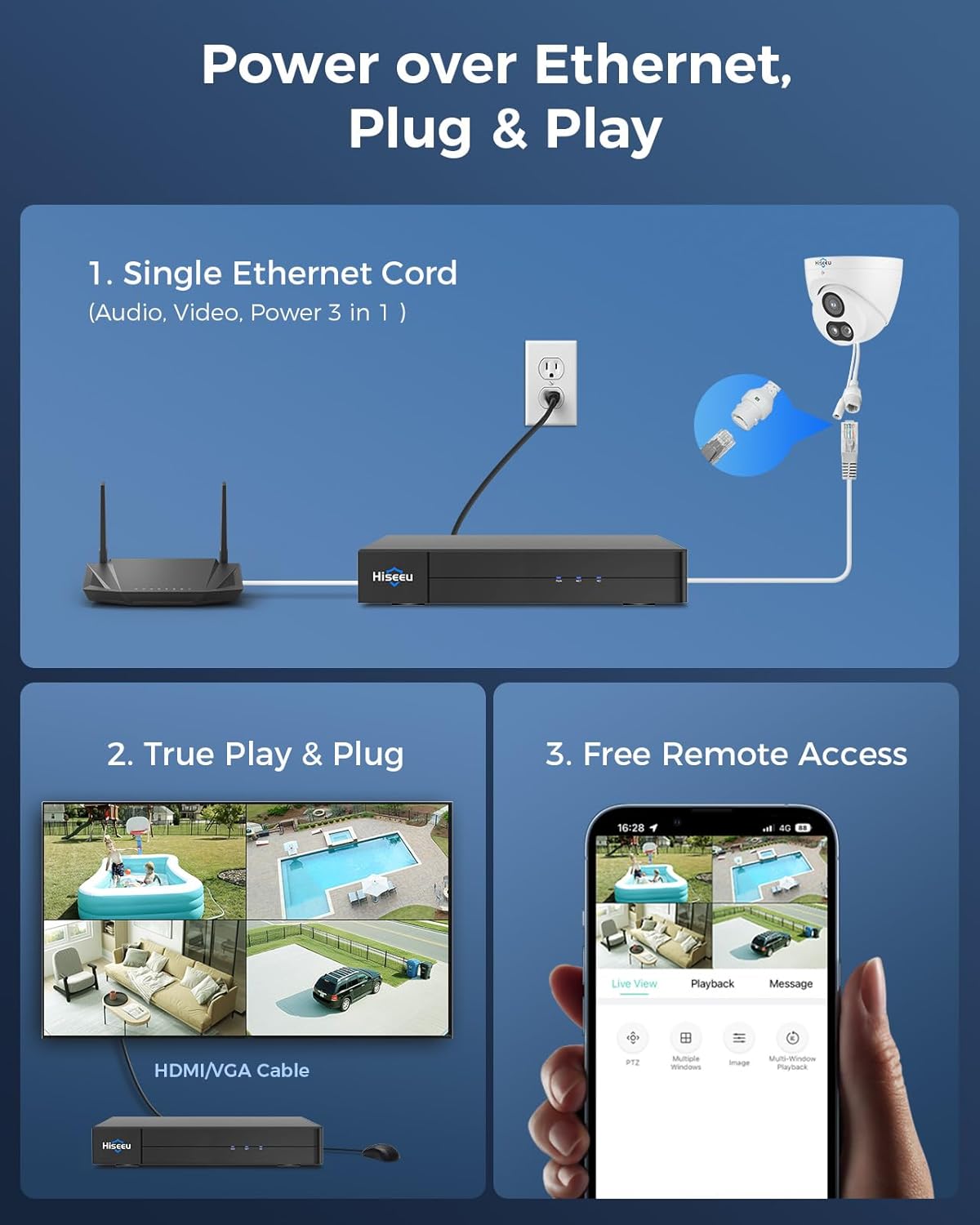
Sambungkan Kamera ke NVR: Use the other side of the Ethernet cable from each camera to connect to the PoE ports on the NVR. The NVR provides both data and power to the cameras via these ports.
Connect NVR to Network Router: Connect the NVR to your network router using the provided 3ft network cable. This enables remote access and network features.
Sambungkan NVR ke Monitor: Connect a TV monitor or display to the NVR's HDMI port using the provided 3ft HDMI cable. This allows you to view the camera feeds and configure settings directly.
Sambungkan Tetikus USB: Plug the USB mouse into one of the NVR's USB ports for easy navigation and control of the NVR interface.
Hidupkan kuasa: Connect the power adapter to the NVR and plug it into a power outlet. The system will power on and initiate. The cameras will automatically connect to the NVR once powered.
4. Arahan Operasi
4.1. High-Resolution Monitoring
The Hiseeu 12MP PoE Security Camera System provides a striking 12MP HD image (3840*2880 pixels), capturing fine details for clear surveillance footage.
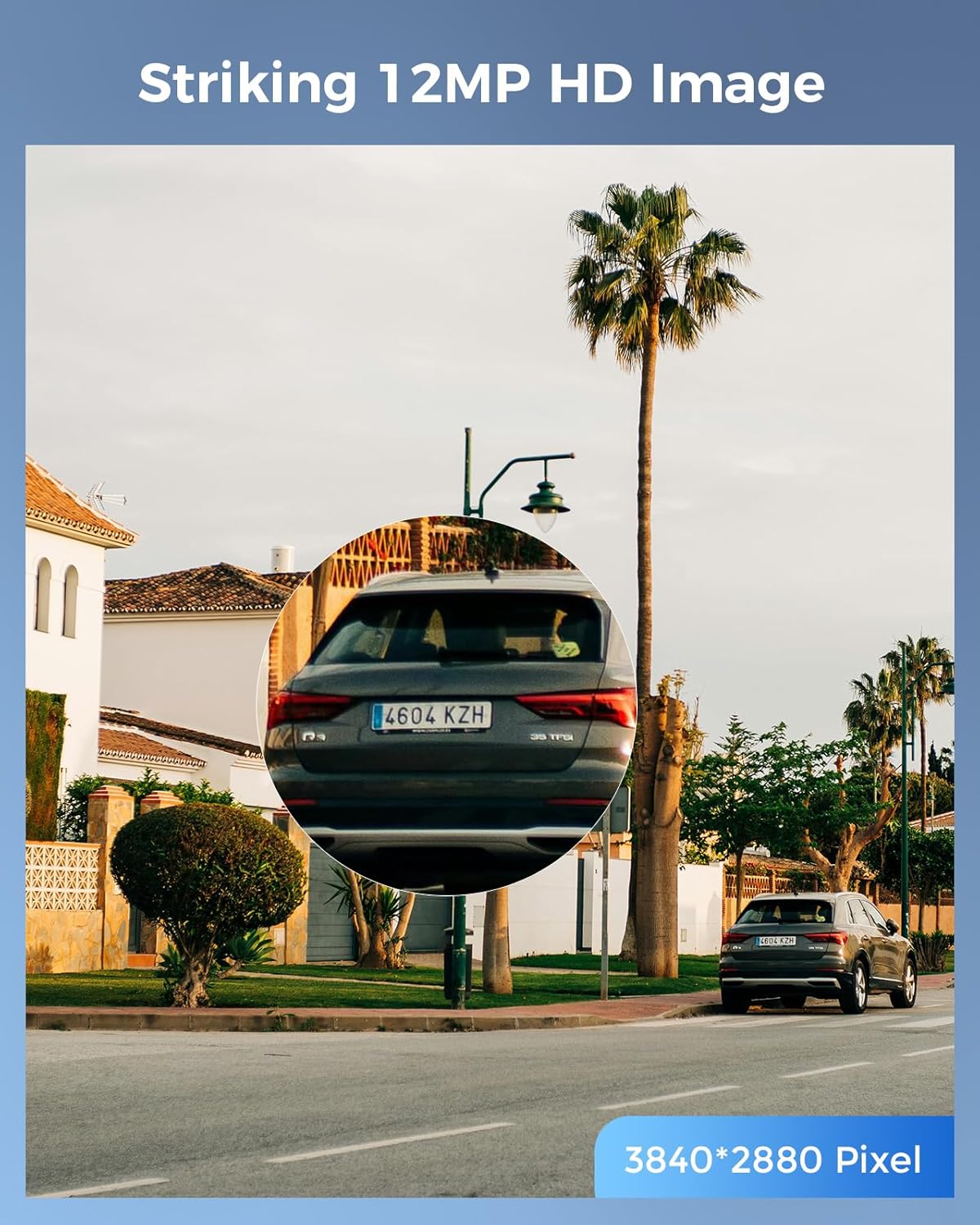
Imej 3: Demonstrates the high-definition clarity of the 12MP camera, capable of capturing intricate details like vehicle license plates.
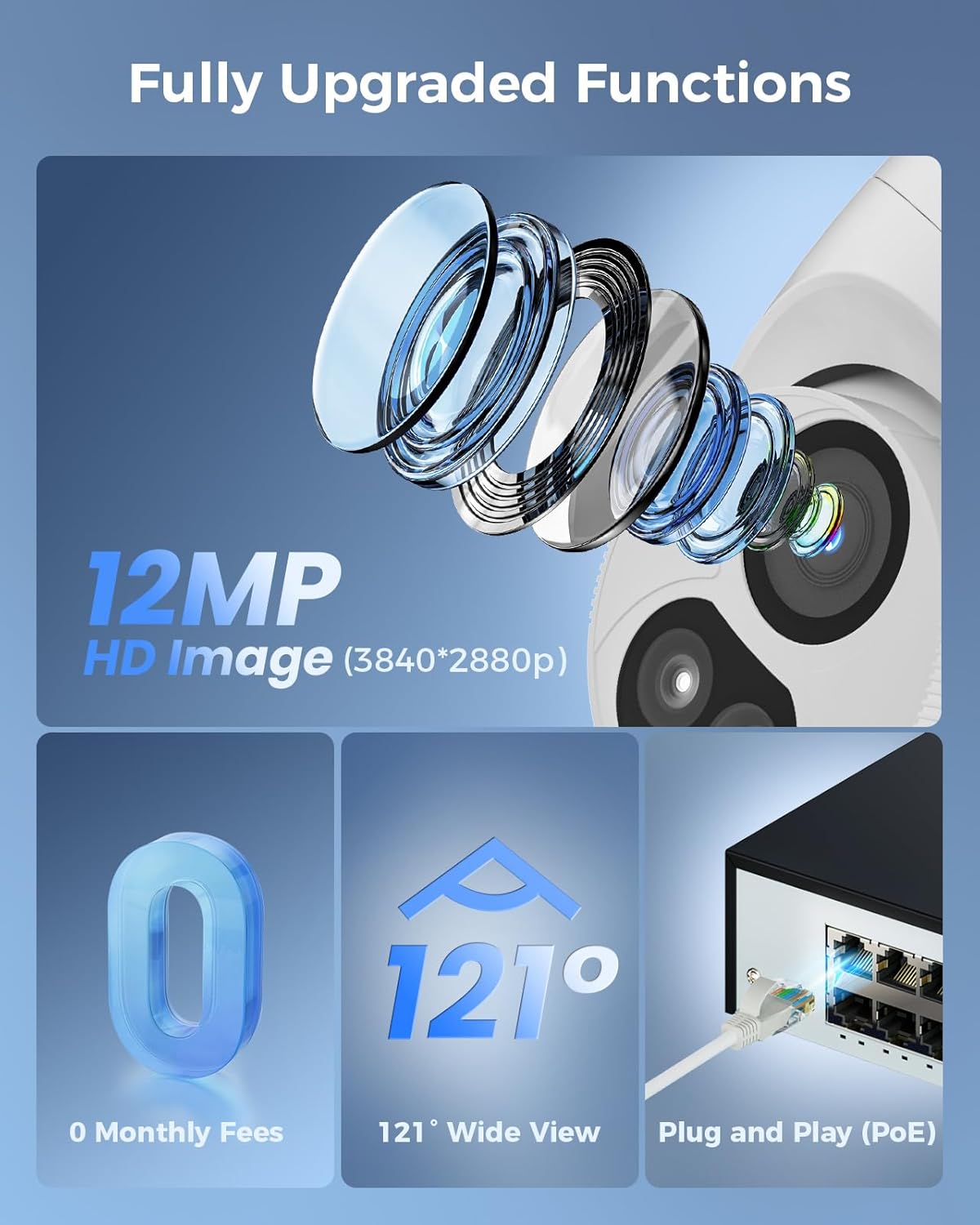
Imej 4: Berakhirview of key features including 12MP HD image, no monthly fees, 121-degree wide view, and Plug and Play PoE functionality.
4.2. Lebar View sudut
Each camera features a 121° wide view angle, providing extensive coverage and reducing blind spots compared to narrower angle cameras.
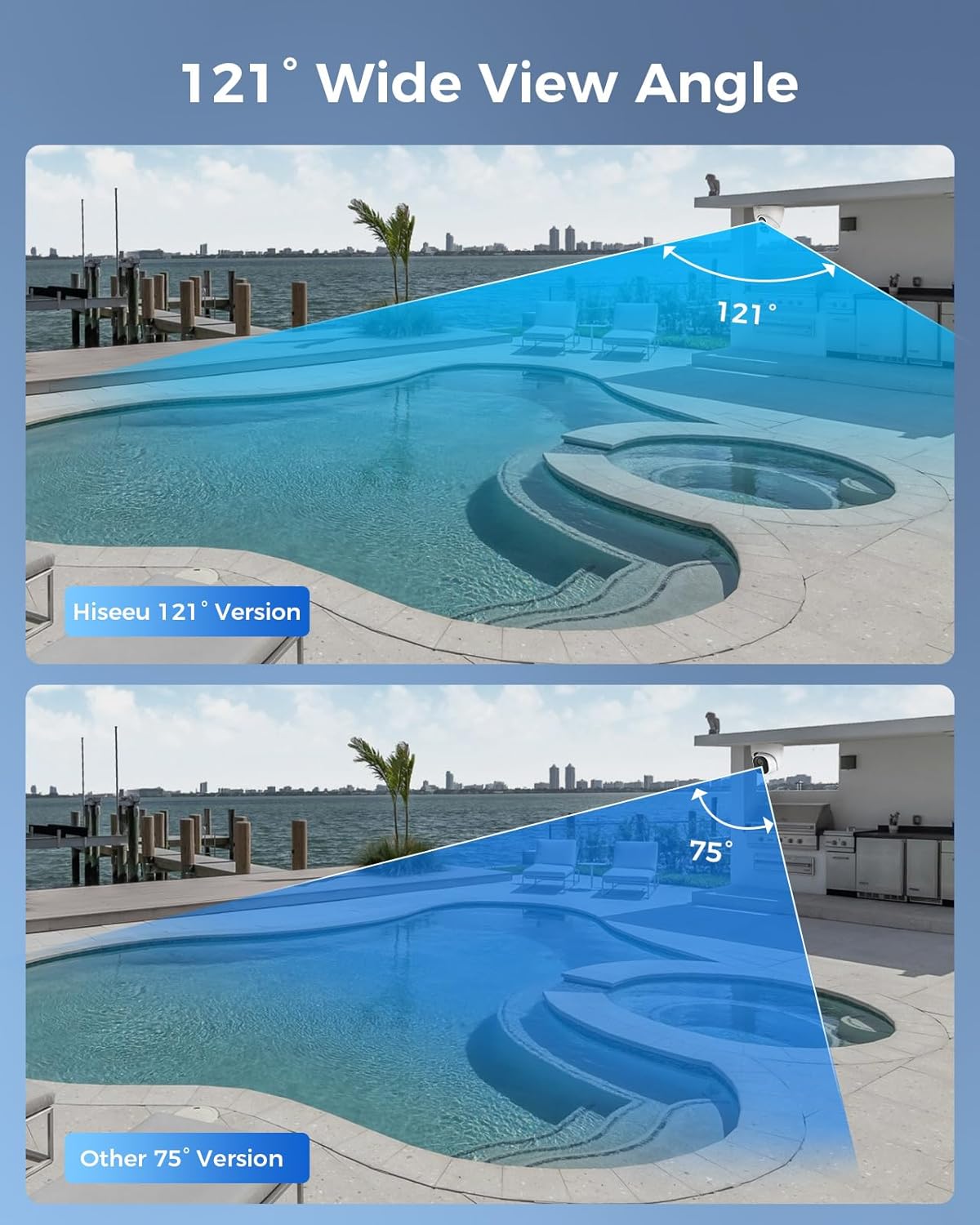
Imej 5: Visual comparison illustrating the broader coverage provided by the 121-degree wide-angle lens.
4.3. Smart Human/Vehicle Detection
The system supports advanced intrusion and crossing line detection specifically for humans and vehicles. You can customize surveillance areas or set virtual lines, and the system will trigger alerts (App Push, Sound Alerts, Light Alarm) upon detecting human or vehicle activity within these defined zones.
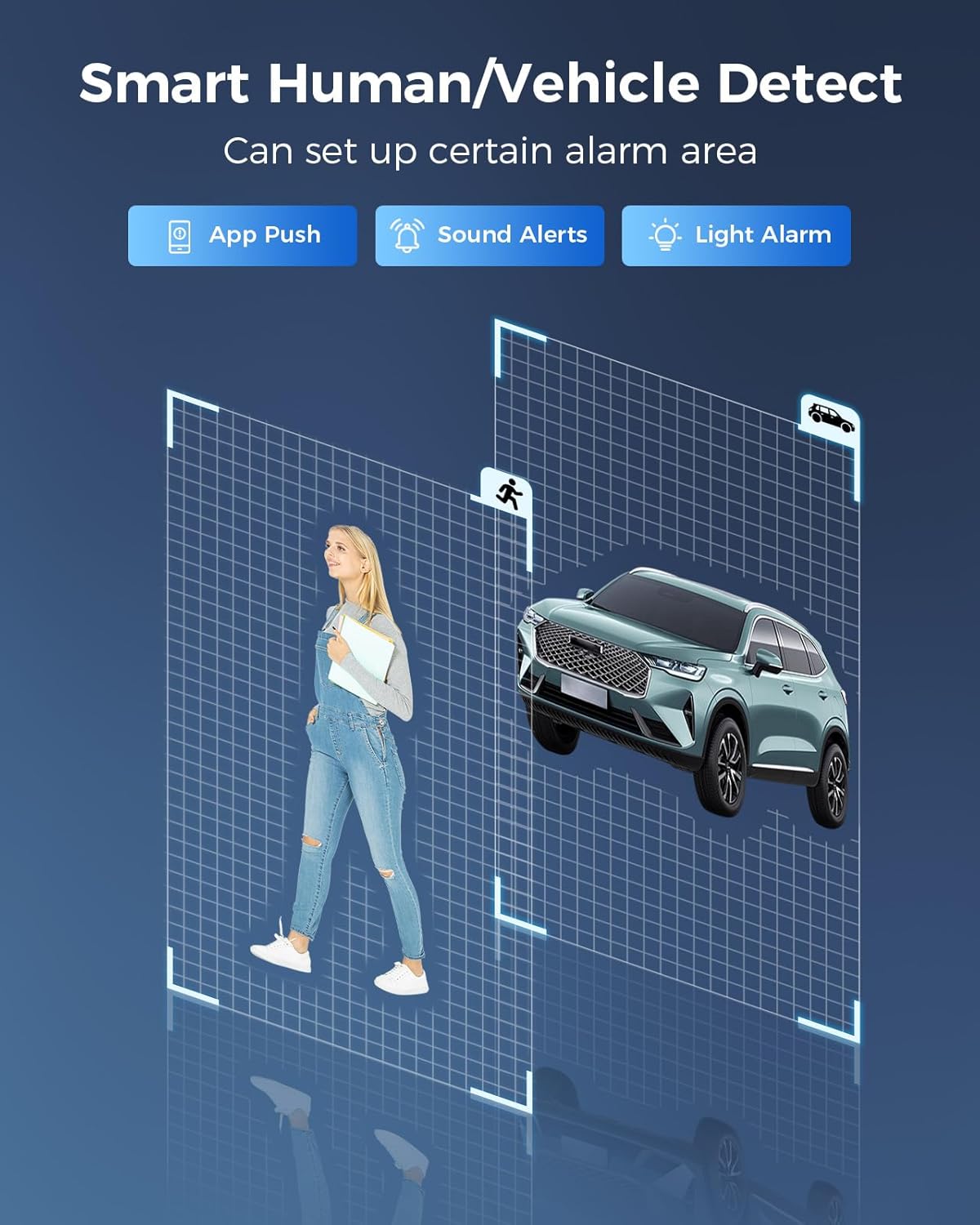
Imej 6: Illustration of customizable detection areas for human and vehicle recognition, triggering various alert types.
4.4. Audio Dua Hala
Each camera is equipped with two-way audio functionality, allowing you to listen and speak through the camera using the mobile application. This feature is useful for communicating with visitors or deterring intruders.

Imej 7: Depicts the mobile application's two-way audio feature, enabling real-time communication via the camera.
4.5. Akses Jauh
Access your camera feeds and NVR settings remotely from your smartphone, tablet, or personal computer. The system offers free remote access without additional subscription fees.
5. Penyelenggaraan
- Pembersihan tetap: Bersihkan kanta kamera secara berkala dengan lembut, damp kain untuk memastikan kualiti imej yang jelas. Elakkan pembersih yang kasar.
- Kemas kini Firmware: Check the Hiseeu official website or the mobile application for available firmware updates for your NVR and cameras. Keeping firmware updated ensures optimal performance and security.
- Pemeriksaan Kabel: Regularly inspect all Ethernet cables and power connections for any signs of wear, damage, or loose connections, especially for outdoor installations.
- Kesihatan Cakera Keras: The NVR includes a 4TB HDD. Monitor its health through the NVR interface and ensure sufficient storage space for recordings. Back up important footage secara berkala.
- Perlindungan Alam Sekitar: Ensure outdoor cameras are installed in locations that minimize direct exposure to extreme weather conditions where possible, even though they are designed for outdoor use.
6. Penyelesaian masalah
- No Image from Camera:
- Check the Ethernet cable connection between the camera and the NVR PoE port.
- Ensure the NVR is powered on and functioning correctly.
- Verify the camera is properly connected and recognized by the NVR in the system settings.
- Tiada Akses Jauh:
- Confirm the NVR is connected to your network router via the Ethernet cable.
- Semak sambungan internet anda.
- Ensure the mobile application or PC client is correctly configured and logged in.
- Verify network settings on the NVR (IP address, gateway, DNS).
- Kualiti Imej Lemah:
- Clean the camera lens for any dirt or obstructions.
- Pastikan kamera dipasang dengan selamat dan tidak bergetar.
- Check for strong light sources directly facing the camera, which can cause glare.
- Pengesanan Pergerakan Tidak Berfungsi:
- Verify that motion detection is enabled in the NVR settings for the specific camera.
- Adjust the sensitivity and detection zones as needed.
- Pastikan tiada halangan dalam bidang kamera view that might block detection.
For further assistance, please refer to the full user manual or contact Hiseeu customer support.
7. Spesifikasi
| Nombor Model | PK-8YHC812-DT |
| Resolusi Tangkapan Video | 12MP (3840*2880p) |
| Bilangan Saluran | 8 |
| Kapasiti Penyimpanan Memori | 4 TB HDD (pre-installed) |
| Teknologi Ketersambungan | Ethernet, Wired (PoE) |
| Sumber Kuasa | Elektrik Bertali |
| Ciri Khas | App Control, Audio Recording, Human/Vehicle Detection |
| Penggunaan yang Disyorkan | Indoor, Outdoor Surveillance |
| Peranti Serasi | Cameras, Personal Computers, Smartphones, Tablets |
| Dimensi Produk | 25.4 x 33.02 x 30.48 cm |
| Berat Barang | 11.6 kg |
8. Waranti dan Sokongan
For warranty information, technical support, or any inquiries regarding your Hiseeu 12MP PoE Security Camera System, please visit the official Hiseeu website or contact their customer service directly. Details can typically be found on the product packaging or the Hiseeu brand store on Amazon.
Hiseeu Brand Store: Visit Hiseeu Store on Amazon