
pengenalan
This manual provides detailed instructions for the ESR Flexible Keyboard Case, designed to enhance your iPad experience. It features a detachable magnetic keyboard, a large precision trackpad, and versatile viewing angles, offering comprehensive protection and functionality.
Sila baca manual ini dengan teliti sebelum menggunakan produk untuk memastikan operasi yang betul dan untuk memaksimumkan ciri-cirinya.
Keserasian
This keyboard case is compatible only with the following iPad models:
- iPad 11" (A16) 2025
- iPad 10th Generation 2022
Compatible model numbers include: A2696, A2757, A2777, A3354, A3355, A3162, A3356.
To verify your iPad model number, locate it on the back of your iPad.

Image: Compatibility chart for ESR Flexible Keyboard Case, highlighting supported iPad 11" (A16) 2025 and iPad 10th Gen 2022 models, and illustrating where to find the model number on the back of the iPad.
Persediaan
- Cas papan kekunci: Before initial use, ensure the keyboard is fully charged. Connect the provided charging cable to the keyboard's charging port and a power source. The charging indicator will show the charging status.
- Pasangkan iPad pada Sarung: Carefully place your compatible iPad into the protective case. Ensure all corners and edges are securely fitted. The reinforced Air Guard corners provide enhanced protection.
- Lampirkan Papan Kekunci: The keyboard attaches magnetically to the case. Align the keyboard with the magnetic strip at the bottom edge of the case until it snaps into place.
- Berpasangan melalui Bluetooth:
- Hidupkan papan kekunci dengan menekan butang kuasa.
- Pada iPad anda, pergi ke tetapan > Bluetooth.
- Pastikan Bluetooth diaktifkan.
- Select the "ESR Keyboard" (or similar name) from the list of available devices.
- Ikuti mana-mana gesaan pada skrin untuk melengkapkan proses berpasangan.
- Once paired, the keyboard will automatically connect to your iPad when turned on and within range (up to 32.8 ft).
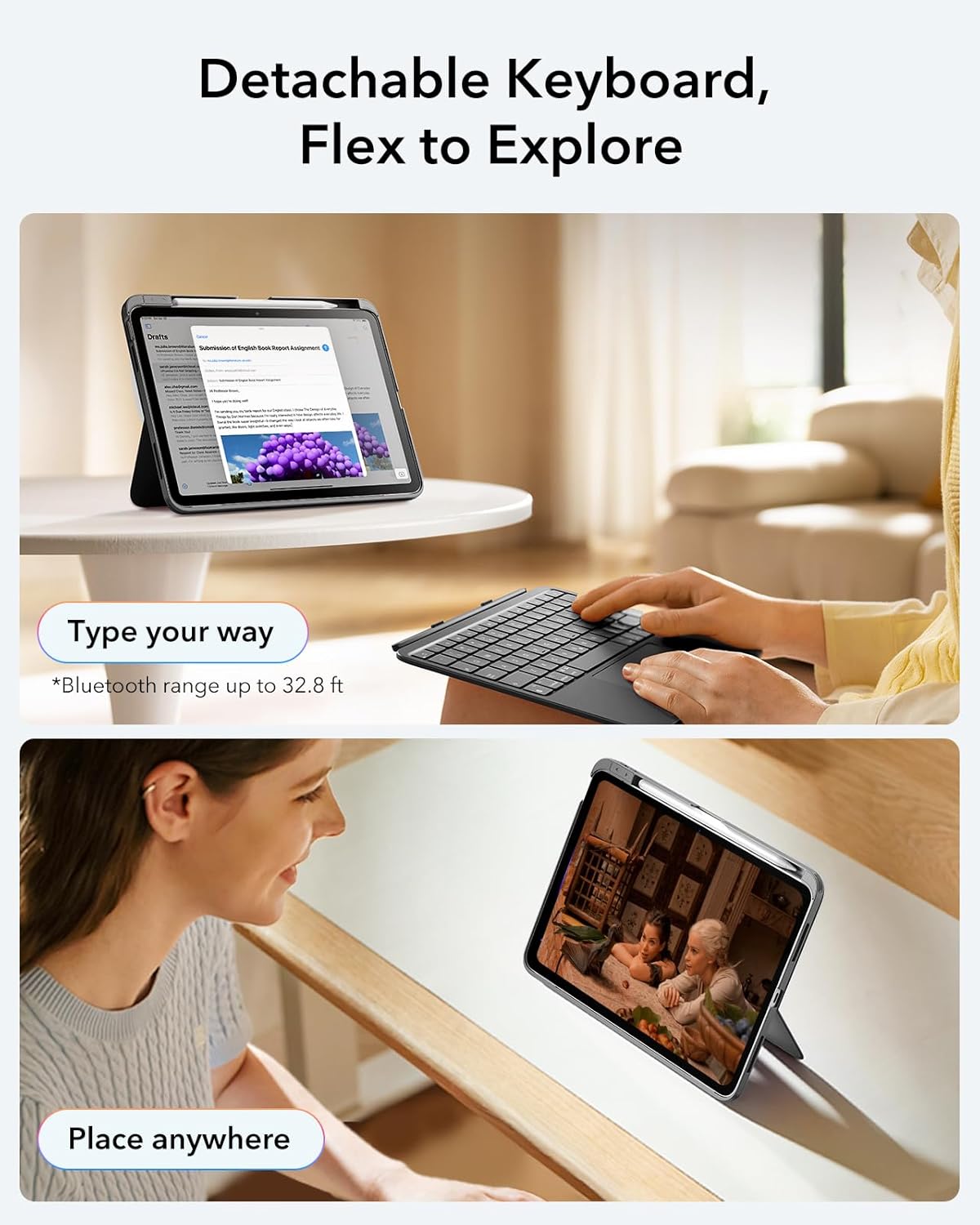
Image: The ESR Flexible Keyboard Case with the detachable keyboard in use, demonstrating its magnetic attachment and portability.
Arahan Operasi
Detachable Magnetic Keyboard
The keyboard can be easily attached or removed from the case due to its strong magnetic connection. This allows for flexible usage, enabling you to switch between a laptop-like setup and a pure tablet mode for reading, watching videos, or sketching.
The keyboard features a QWERTZ layout, which is standard for German-speaking regions. Please be aware of this layout difference if you are accustomed to other keyboard layouts (e.g., QWERTY or AZERTY).
Boleh laras Viewsudut
The case offers two stable viewing angles, supported by a triangular stand design to prevent wobbling:
- Sudut 65°: Ideal for working, reading, or watching videos.
- Sudut 20°: Suitable for writing or drawing.

Image: The ESR Flexible Keyboard Case demonstrating its two stable viewing angles: 20 degrees for drawing/writing and 65 degrees for viewing/typing.
Pad Jejak Ketepatan
The extra-large trackpad provides smooth and precise navigation. It supports intuitive multi-touch gestures for efficient operation:
- Klik: Single finger tap.
- Tatal: Leret dua jari ke atas atau ke bawah.
- Zum: Picit dengan dua jari.
- Rumah: Three-finger swipe up.
For optimal trackpad performance, you can adjust the cursor speed on your iPad: Go to iPad Settings > Umum > Pad jejak and adjust the cursor speed (10 levels available).
Note: This keyboard does not feature a backlight.

Image: A close-up of the large precision trackpad, illustrating various multi-touch gestures like click, scroll, zoom, and home.
Pencil Storage and Release
The case includes a quick-access pen slot for secure storage of your Apple Pencil. A one-handed release mechanism allows for easy retrieval.

Image: The ESR Flexible Keyboard Case featuring a dedicated slot for the Apple Pencil and a quick-release mechanism for easy access.
Penyelenggaraan
- Pembersihan: Use a soft, dry, lint-free cloth to clean the keyboard and case. For stubborn dirt, slightly dampen kain dengan air. Elakkan menggunakan bahan kimia yang keras atau pembersih yang kasar.
- mengecas: Recharge the keyboard when the battery indicator shows low power. Regular charging helps maintain battery health.
- Storan: When not in use for extended periods, store the keyboard and case in a cool, dry place. Ensure the keyboard is turned off to conserve battery life.
- Perlindungan: The robust case with reinforced Air Guard corners is designed to protect your iPad from scratches, drops, and dust. While durable, avoid exposing the case to extreme temperatures or direct impact.
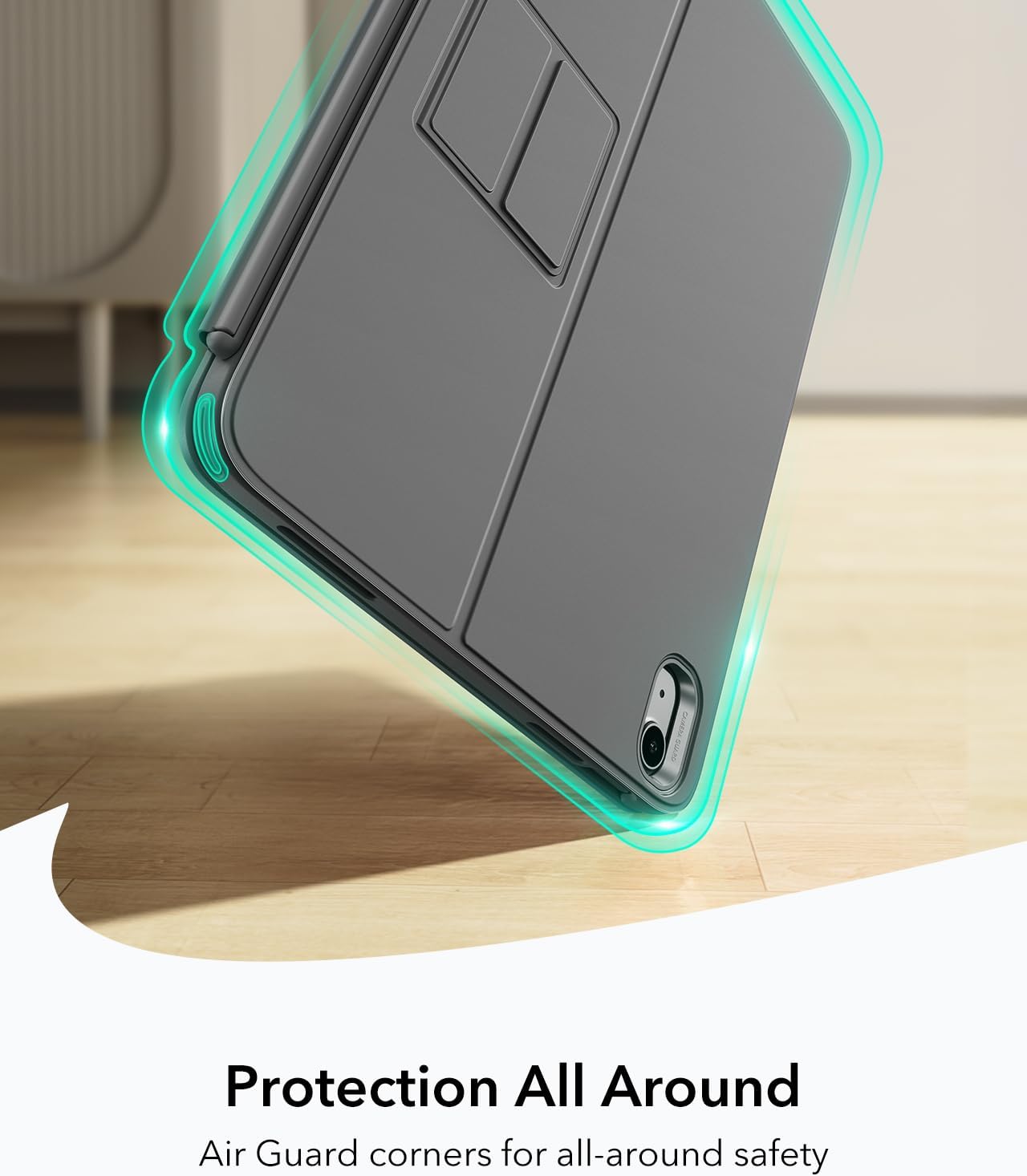
Image: The ESR Flexible Keyboard Case highlighting its Air Guard reinforced corners for all-around protection.
Menyelesaikan masalah
| Masalah | Kemungkinan Punca | Penyelesaian |
|---|---|---|
| Papan kekunci tidak bersambung melalui Bluetooth. | Keyboard is off, low battery, Bluetooth off on iPad, or not paired. |
|
| Pad jejak tidak bertindak balas. | Keyboard not connected, trackpad disabled (if applicable), or software glitch. |
|
| Kunci tidak bertindak balas. | Low battery, connection issue, or keyboard malfunction. |
|
| Incorrect key input (e.g., QWERTZ vs QWERTY). | Keyboard layout is QWERTZ. |
|
Spesifikasi
- Jenama: ESR
- model: Flexible Keyboard Case
- Keserasian: iPad 11" (A16) 2025, iPad 10th Gen 2022 (Models: A2696, A2757, A2777, A3354, A3355, A3162, A3356)
- Ketersambungan: Bluetooth
- Susun atur Papan Kekunci: QWERTZ (German style)
- Bilangan Kunci: 78
- Pad jejak: Extra-large precision trackpad with multi-touch gesture support
- Lampu latar: Tiada lampu latar
- Viewsudut: 65° (working/viewing), 20° (writing/drawing)
- Sumber Kuasa: Dikuasakan bateri (boleh dicas semula)
- Bahan: plastik
- Weight (Case & Keyboard): Kira-kira 530 g
- Ketebalan: Kira-kira 6.9 mm
- Julat Bluetooth: Sehingga 32.8 kaki (10 meter)
- Ciri Khas: Detachable magnetic keyboard, reinforced Air Guard corners, quick-access pen slot.
- Keserasian Sistem Pengendalian: iPadOS

Image: The ESR Flexible Keyboard Case held in hand, emphasizing its lightweight design (530g) for portability.
Waranti dan Sokongan
For warranty information and customer support, please refer to the official ESR website or contact their customer service directly. Details regarding specific warranty periods and support procedures are typically provided with your purchase documentation or on the manufacturer's webtapak.
Sila simpan bukti pembelian anda untuk sebarang tuntutan waranti.