
1. Produk Lebihview
The Anona Pano 4K UHD Indoor Camera is a versatile security solution designed for monitoring pets, babies, and general indoor surveillance. It features 4K Ultra HD resolution, 360° pan and 110° tilt capabilities, dual-band Wi-Fi 6 connectivity, and advanced AI detection for persons, pets, and baby crying. This manual provides detailed instructions for setting up, operating, and maintaining your Anona Pano camera.
1.1 Ciri-ciri Utama
- Stunning 4K UHD & 8x Zoom: Captures ultra-clear videos with professional-grade lens and 8X digital zoom.
- AI Person/Pet/Crying Detection: Advanced algorithms detect and notify for human presence, pet activity, and baby crying.
- Ultra-Smooth 360° Pan & 110° Tilt: Provides comprehensive coverage with remote-controlled pan and tilt, including auto-tracking.
- Faster Dual-Band Wi-Fi 6: Ensures stable and smooth data transmission with support for both 2.4 GHz and 5 GHz Wi-Fi networks.
- Safer Local or Cloud Storage: Offers flexible storage options with support for up to 512 GB microSD card (not included) and encrypted cloud storage.
- Audio Dua hala: Enables communication through the camera.
- Mod Privasi: Allows instant cessation of recording and live view for privacy.
- Berfungsi dengan Alexa & Google Assistant: Integrates with smart home ecosystems for voice control and streaming.
1.2 Kandungan Pakej
Pastikan semua item ada dalam pakej:
- Anona Pano Camera
- 5V2A Power Adapter (3m power cable)
- Plat Pemasangan
- Screws & Anchors Kit
- Panduan Mula Pantas

Image: Anona Pano 4K UHD Indoor Camera with a smartphone showing its live feed.
2. Panduan Persediaan
2.1 Sebelum Anda Bermula
- Ensure your Wi-Fi network is available (supports 2.4 GHz and 5 GHz).
- Have your Wi-Fi network name (SSID) and password ready.
- Download the Anona App from your smartphone's app store (iOS or Android).
2.2 Menghidupkan Kamera
- Connect the provided 5V2A power adapter to the camera's power port.
- Palamkan penyesuai kuasa ke salur keluar dinding.
- Kamera akan dihidupkan, dan lampu penunjuknya akan mula berkelip, menunjukkan ia sedia untuk persediaan.
2.3 Connecting to Wi-Fi via Anona App
- Open the Anona App on your smartphone.
- Buat akaun atau log masuk jika anda sudah mempunyai akaun.
- Ketik ikon "+" untuk menambah peranti baharu.
- Follow the on-screen instructions to select your camera model and connect it to your Wi-Fi network. This typically involves scanning a QR code displayed on your phone with the camera, or entering Wi-Fi credentials.
- Setelah disambungkan, lampu penunjuk kamera akan bertukar padat dan anda akan melihat suapan langsung dalam apl.
2.4 Memasang Kamera
The Anona Pano camera can be placed on a flat surface (tabletop) or mounted to a ceiling.
Peletakan Atas Meja:
- Place the camera on a stable, flat surface within range of your Wi-Fi signal.
- Pastikan kamera mempunyai garis penglihatan yang jelas ke kawasan yang ingin anda pantau.
Pemasangan siling:
- Choose a suitable location on the ceiling.
- Use the provided mounting plate as a template to mark drill holes.
- Drill holes and insert the anchors if necessary.
- Secure the mounting plate to the ceiling using the provided screws.
- Pasangkan kamera pada plat pelekap dengan memusingkannya sehingga ia terkunci pada tempatnya.
- In the Anona App settings, enable "Image Rotation" if the camera is mounted upside down.
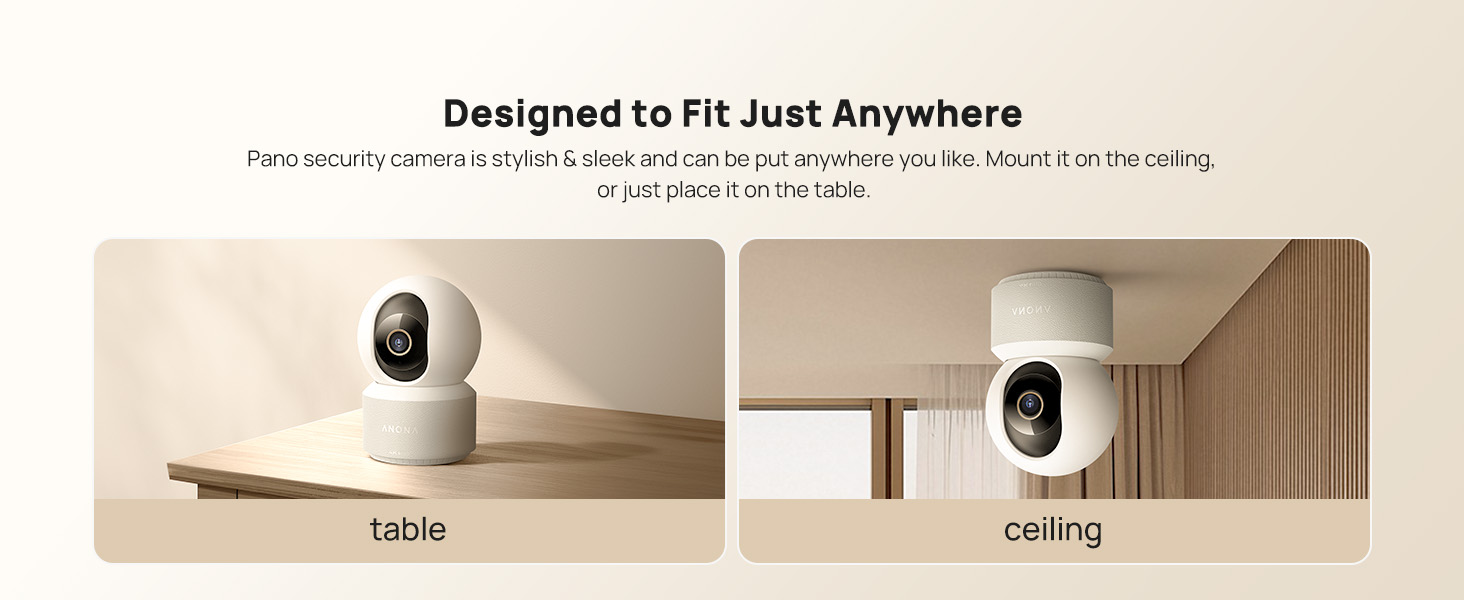
Image: The Anona Pano camera can be placed on a table or mounted to a ceiling.
3. Mengendalikan Kamera Anda
3.1 Langsung View dan Kawalan Pan/Tilt
- Open the Anona App and select your camera to view suapan langsung.
- Gunakan kawalan arah dalam aplikasi untuk menggeser kamera secara mendatar (360°) dan condongkannya secara menegak (110°) untuk melaraskan viewsudut ing.

Image: The Anona Pano camera offers 360° pan and 110° tilt for full room coverage.
3.2 Auto-Tracking
Enable auto-tracking in the app settings. The camera will automatically detect and follow moving objects within its field of view, ensuring continuous recording of activity.
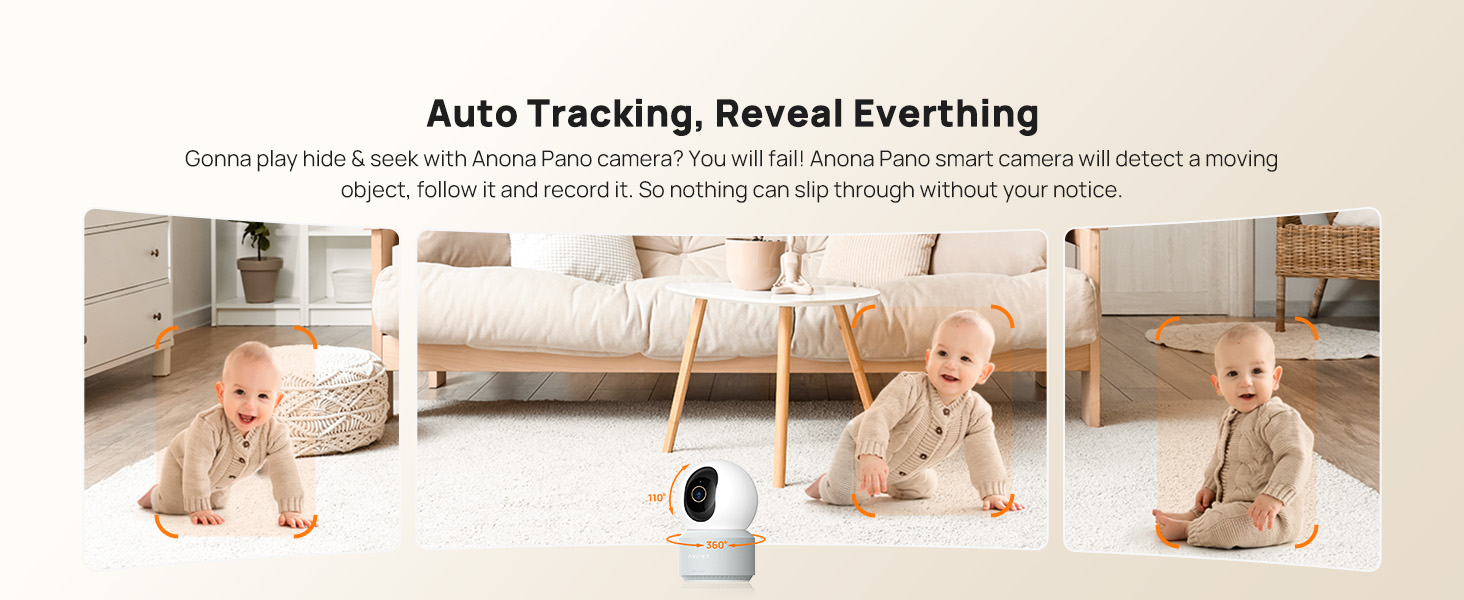
Image: The camera's auto-tracking feature follows moving subjects like a crawling baby.
3.3 AI Detection and Alerts
The Anona Pano camera utilizes AI algorithms for intelligent detection:
- Pengesanan Orang: Identifies human shapes and movements, sending real-time alerts.
- Pengesanan Haiwan Peliharaan: Recognizes cats and dogs, alerting you to their activity.
- Pengesanan tangisan bayi: Detects the sound of a baby crying and sends immediate notifications.
Configure alert settings and notification preferences within the Anona App.
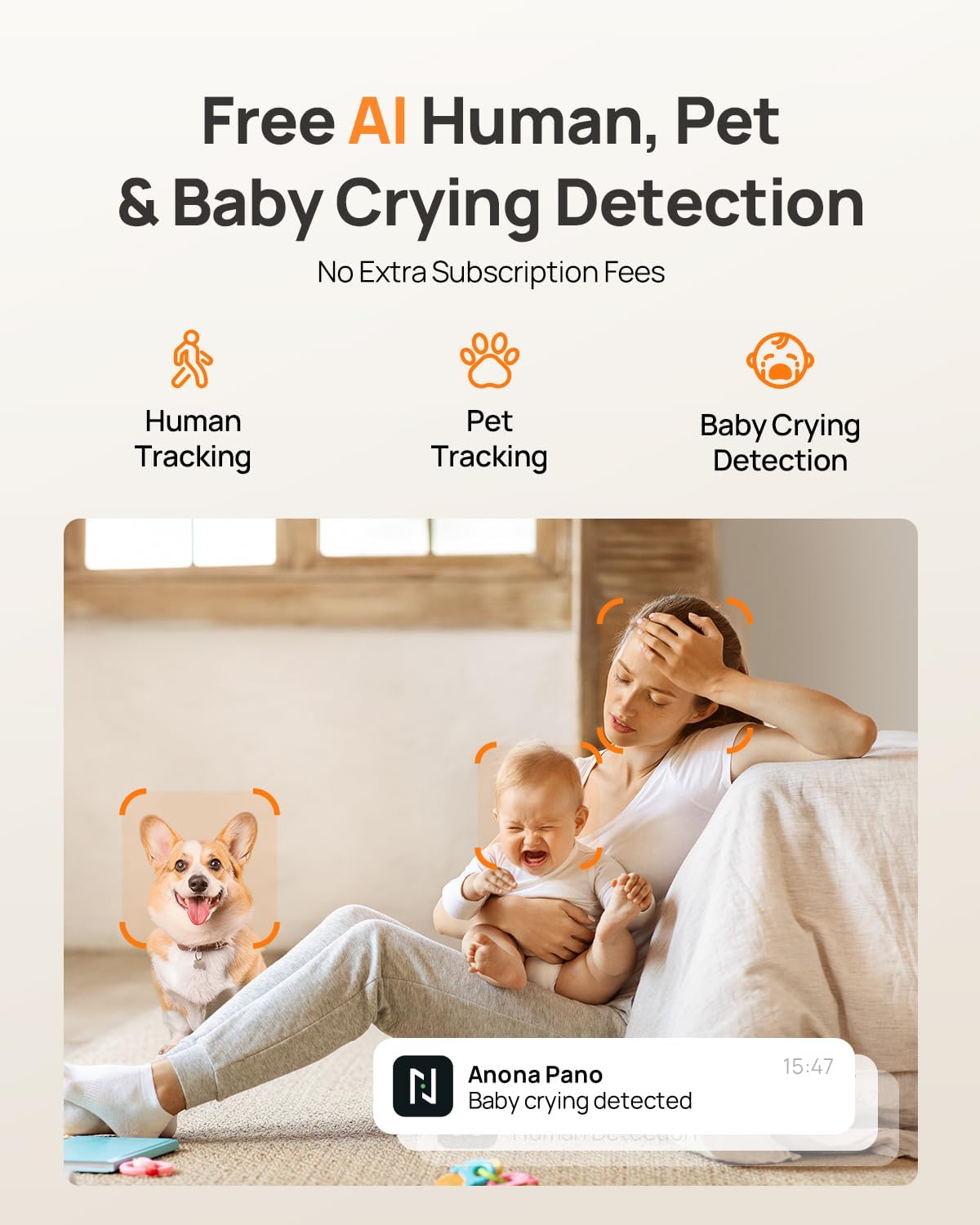
Image: AI detection for human, pet, and baby crying events, with app notification example.
3.4 Audio Dua Hala
Gunakan ciri audio dua hala untuk berkomunikasi dengan individu berhampiran kamera. Ketik ikon mikrofon dalam siaran langsung view interface of the Anona App to speak, and listen through the camera's speaker.
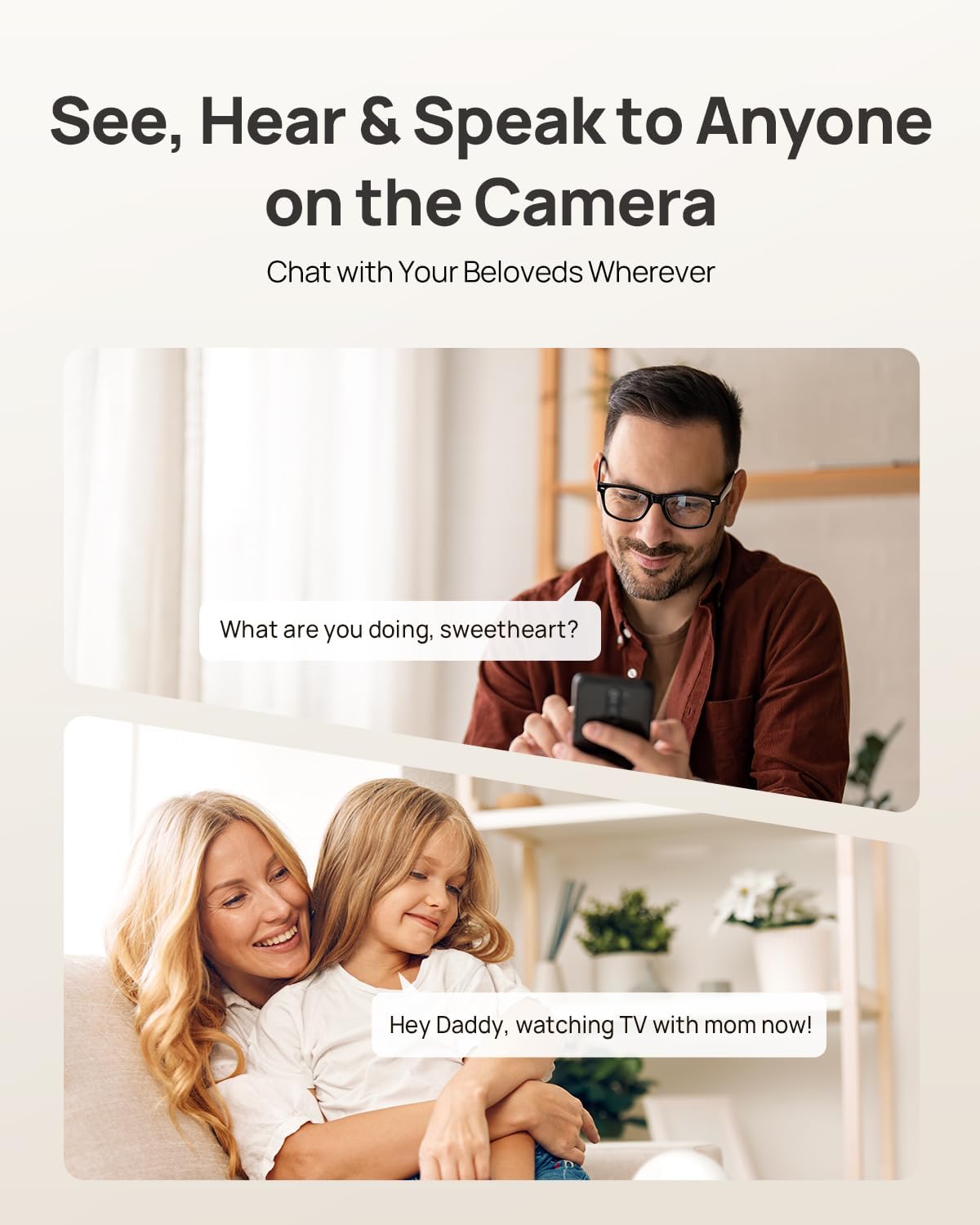
Image: Two-way audio allows communication with family members or pets via the camera.
3.5 Mod Privasi
Activate Privacy Mode via a single tap in the Anona App. This feature instantly stops live view and recording, providing privacy without needing to unplug the camera.

Image: Privacy Mode can be activated with one tap in the app, stopping recording and live view.
3.6 Pilihan Storan
The Anona Pano camera supports two storage methods:
- Local Storage (MicroSD Card): Insert a microSD card (up to 512 GB, not included) into the camera's designated slot for local recording. This allows saving up to 150 days of motion-triggered videos or 14 days of 24/7 recordings.
- Storan Awan: Opt for Anona Cloud service to save videos securely with AES-128 encryption. Subscription may be required for cloud services.
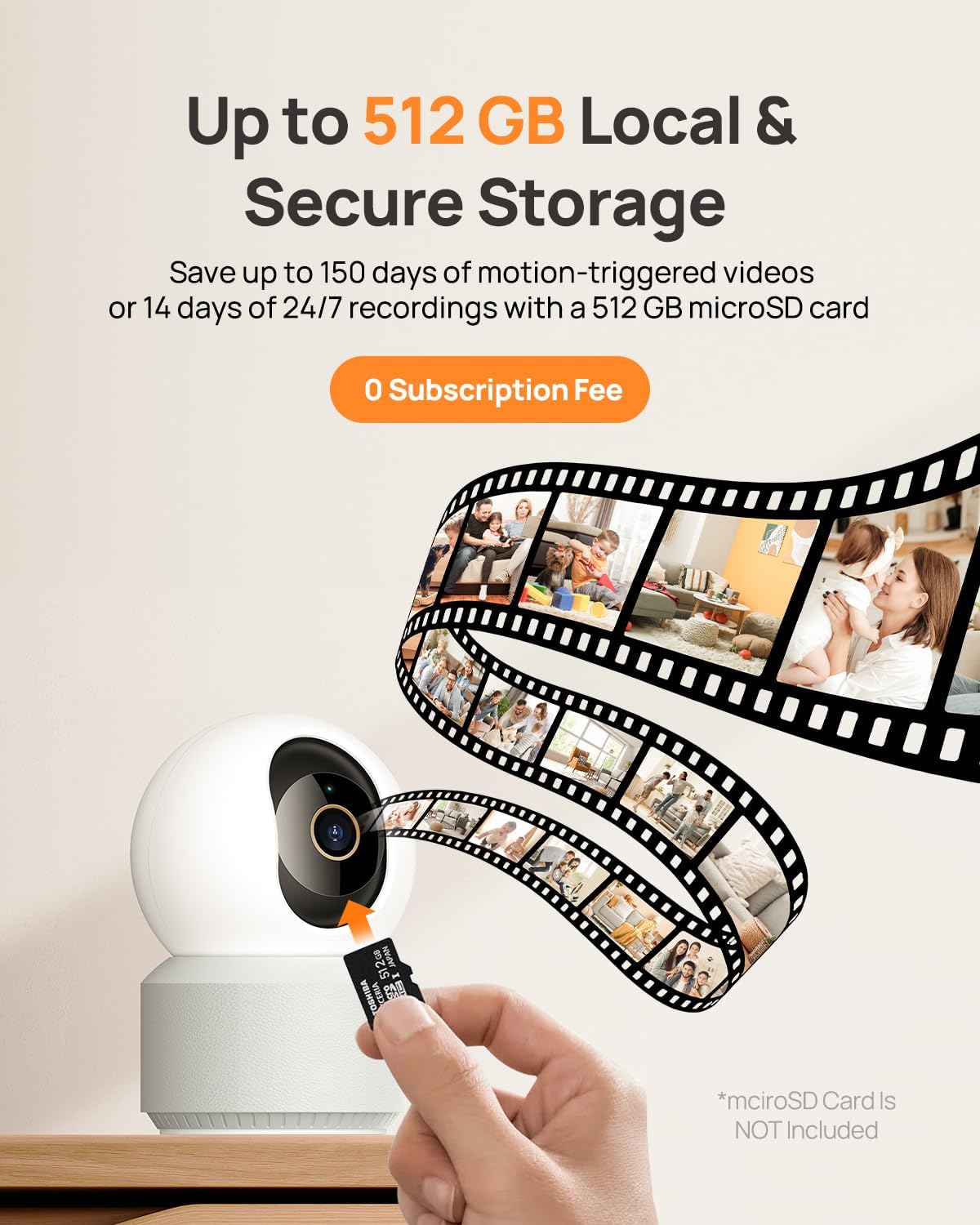
Image: The camera supports local storage via a microSD card (up to 512 GB).
3.7 Penglihatan Malam
The camera features F1.6 aperture and powerful IR LEDs for enhanced night vision, allowing clear 4K UHD footage even in low-light or pitch-black conditions up to 30 feet.
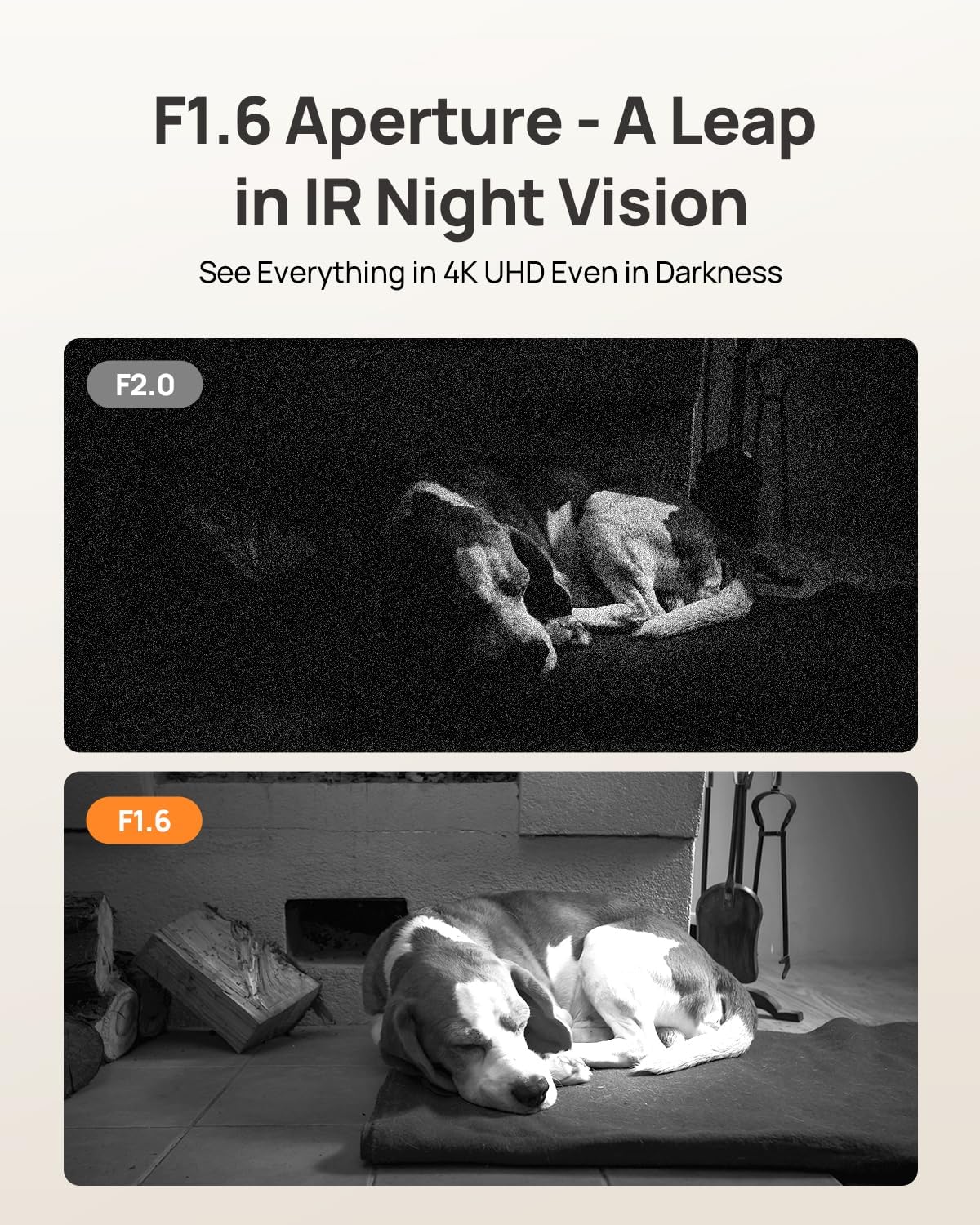
Image: F1.6 aperture provides superior night vision clarity compared to F2.0.
3.8 Integrasi Rumah Pintar
The Anona Pano camera is compatible with Amazon Alexa and Google Assistant. Link your camera through the respective smart home apps to enable voice commands and stream live video to compatible smart displays.
- Example command: "Hey Alexa, show me the Anona Pano camera!"
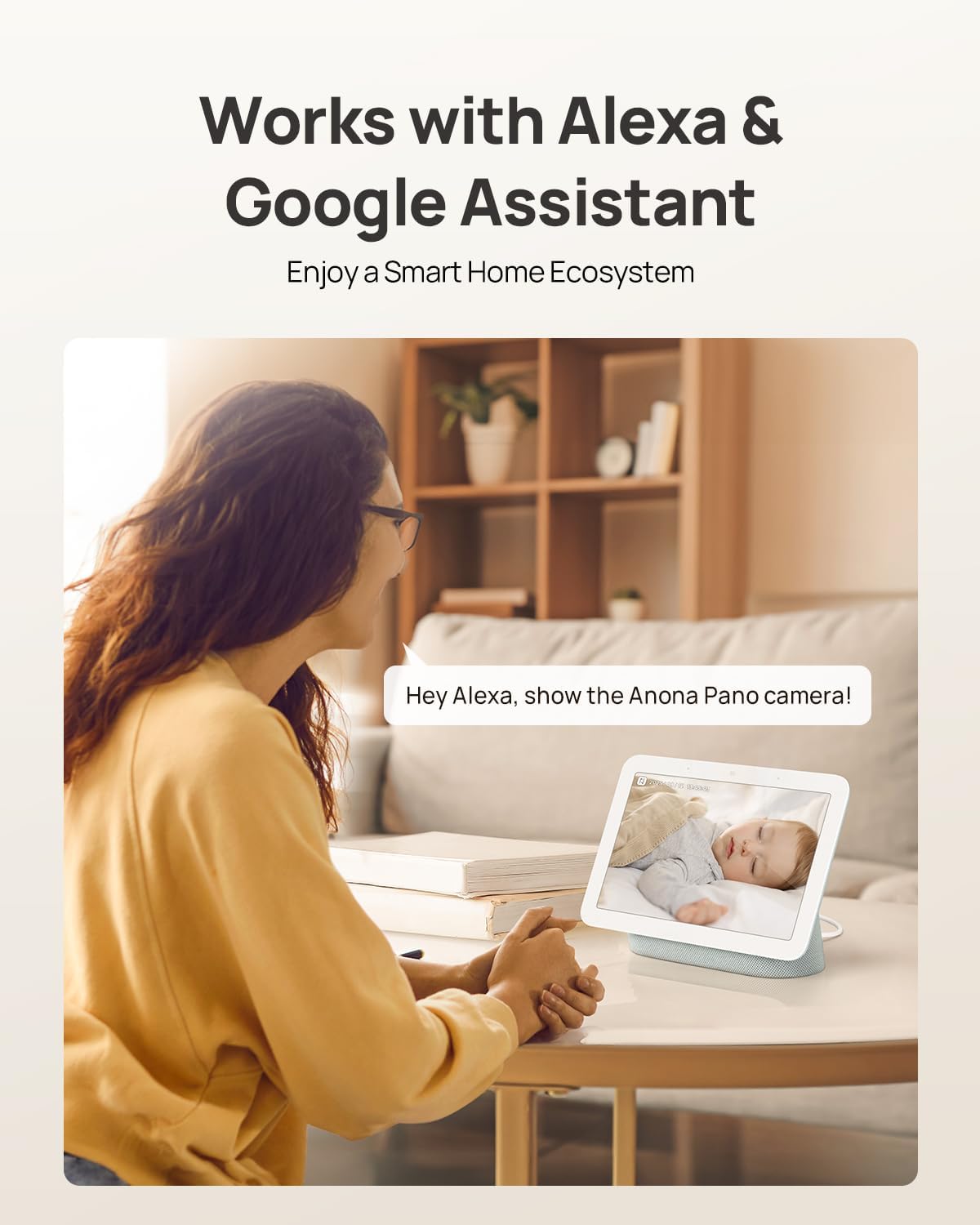
Image: The camera integrates with smart home devices like Amazon Echo Show or Google Nest Hub.
4. Penyelenggaraan
4.1 Membersihkan Kamera
- Pastikan kamera dimatikan sebelum membersihkannya.
- Gunakan kain lembut dan kering untuk mengelap badan kamera.
- For the lens, use a lens cleaning cloth specifically designed for optics to avoid scratches. Do not use harsh chemicals or abrasive cleaners.
4.2 Kemas Kini Perisian Tegar
Regularly check for firmware updates through the Anona App. Updates often include performance improvements, new features, and security enhancements. The app will typically notify you when an update is available and guide you through the process.
4.3 Pengurusan Storan
- Kad MicroSD: Semula secara berkalaview and back up important recordings from your microSD card. When the card is full, older footage will typically be overwritten.
- Storan Awan: Manage your cloud storage subscription and review foo disimpantage directly through the Anona App.
5. Penyelesaian masalah
5.1 Isu dan Penyelesaian Biasa
| Isu | Kemungkinan Punca | Penyelesaian |
|---|---|---|
| Kamera tidak dihidupkan | Penyesuai kuasa tidak disambungkan atau alur keluar rosak. | Pastikan penyesuai kuasa disambungkan dengan selamat dan cuba salur keluar kuasa lain. |
| Tidak dapat menyambung ke Wi-Fi | Incorrect Wi-Fi password, camera too far from router, or network interference. | Verify Wi-Fi password, move camera closer to router, ensure router supports 2.4/5 GHz, and restart router. |
| Kualiti video yang teruk | Weak Wi-Fi signal, dirty lens, or insufficient lighting. | Improve Wi-Fi signal strength, clean the camera lens, ensure adequate lighting or rely on night vision. |
| AI detection not working | Detection settings disabled in app, or objects are out of detection range/angle. | Check and enable detection settings in the Anona App. Adjust camera position for optimal coverage. |
| Isu audio dua hala | Microphone/speaker muted in app, or network latency. | Ensure audio settings are enabled in the app. Check network connection for stability. |
| Kad MicroSD tidak merakam | Card not inserted correctly, card full, or card not formatted. | Reinsert card, check storage status in app, format card via app if necessary. Ensure card is compatible (up to 512 GB). |
For further assistance, refer to the Anona App's help section or contact customer support.
6. Spesifikasi Produk
| Ciri | Perincian |
|---|---|
| Nama Model | Anona Pano |
| Penggunaan Dalaman/Luar | Dalaman |
| Resolusi Tangkapan Video | 4K (8MP) |
| Zum Optik | 8x |
| Sudut Pan | 360 Darjah |
| Sudut Kecondongan | 110 Darjah |
| Teknologi Ketersambungan | Wayarles (Wi-Fi) |
| Teknologi Komunikasi Tanpa Wayar | Bluetooth, Wi-Fi (Dual-Band 2.4/5 GHz Wi-Fi 6) |
| Sumber Kuasa | Elektrik Bertali arus (5V) |
| Jenis Pengawal | Aplikasi, Alat Kawalan Jauh, Suara (Amazon Alexa, Google Assistant) |
| Jenis Pemasangan | Tabletop Mount, Freestanding, Ceiling Mount |
| Julat Penglihatan Malam | 30 Kaki |
| Kadar Bingkai | 15 bingkai sesaat |
| bahan | plastik |
| Dimensi Item (L x W x H) | 3.23 x 3.11 x 4.77 inci |
| Berat Barang | 14.9 auns (0.93 paun) |
| Saiz Maksimum yang Disokong Memori Flash | 512 GB (Mikro SD) |
| Ciri Khas | 2-Way Talk, 2.4/5G WiFi, 355° Pan & 110° Tilt, 4K 8MP Resolution, AI Person/Pet/Cry Detection |
7. Waranti dan Sokongan
7.1 Waranti Produk
Anona products typically come with a manufacturer's warranty. Please refer to the warranty card included in your product packaging or visit the official Anona website for detailed warranty terms and conditions. Protection plans may also be available for extended coverage.
- Optional 2-Year Protection Plan
- Optional 3-Year Protection Plan
7.2 Sokongan Pelanggan
If you encounter any issues or have questions regarding your Anona Pano camera, please contact Anona Customer Support. You can usually find contact information (email, phone, or support portal) on the official Anona website or within the Anona App's help section.
Untuk maklumat terkini dan sumber sokongan, sila layari Anona Store on Amazon.