
pengenalan
This manual provides essential information for the safe and efficient operation of your TABWEE T80 Android 15 Tablet. Please read this manual thoroughly before using the device and retain it for future reference.
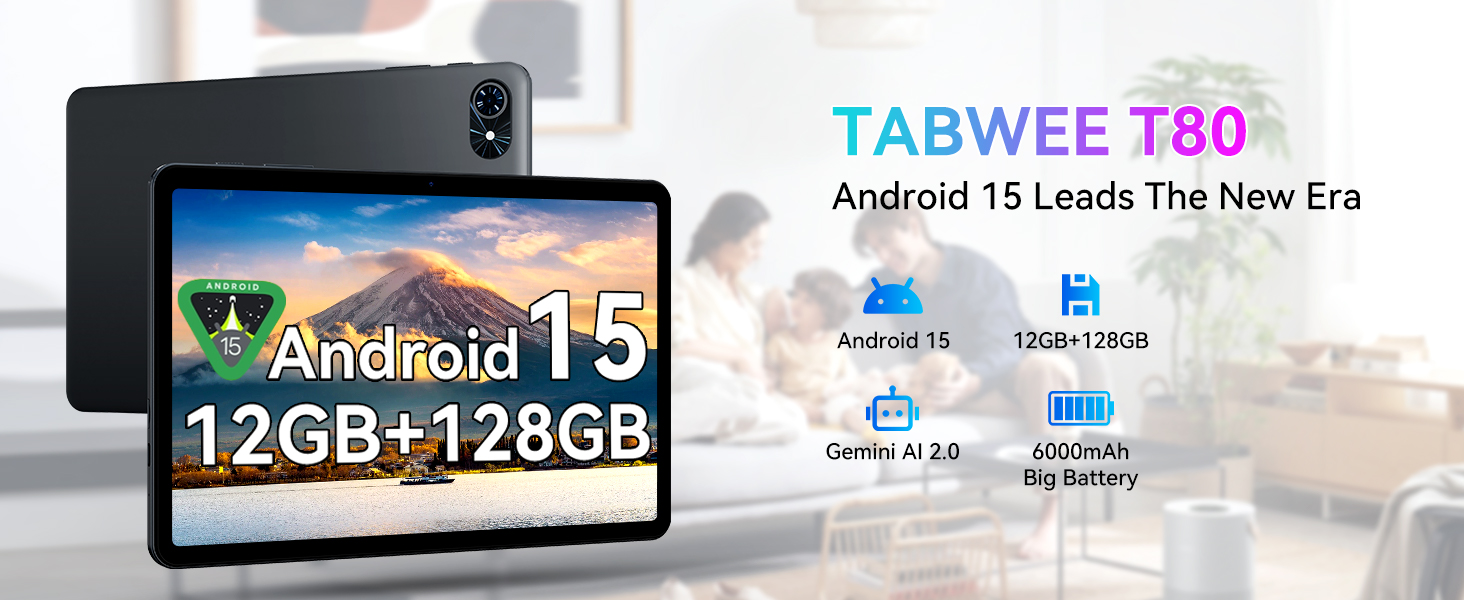
Imej: Selesaiview of the TABWEE T80 tablet, showcasing its primary features including the Android 15 operating system, memory configuration, AI capabilities, and battery capacity.
Kandungan Pakej
Sahkan bahawa semua item yang disenaraikan di bawah terdapat dalam pakej produk anda:
- TABWEE T80 Tablet
- Kabel USB
Persediaan
Pengecasan Awal
Before first use, fully charge the tablet. Connect the provided USB cable to the tablet's Type-C charging port and the other end to a compatible power adapter (not included) or a computer's USB port. The 6000mAh battery supports fast charging.
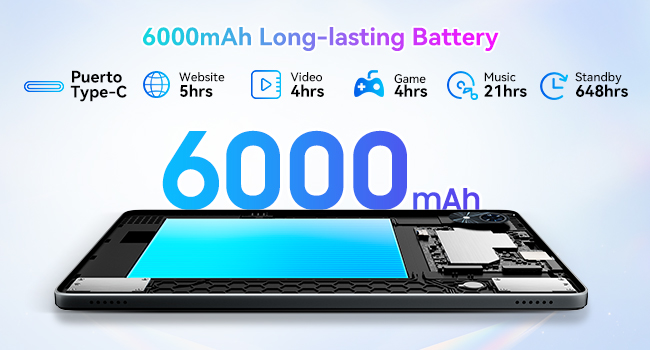
Image: Illustration of the tablet's internal 6000mAh battery and the external Type-C charging port, indicating its long-lasting capacity.
Menghidupkan/Mematikan
- Untuk Menghidupkan: Press and hold the Power button until the TABWEE logo appears.
- Untuk Mematikan: Tekan dan tahan butang Kuasa, kemudian pilih "Matikan" daripada pilihan yang dipaparkan pada skrin.
Konfigurasi Awal
Upon first power-on, the tablet will guide you through the initial setup process. This includes selecting your language, connecting to a Wi-Fi network, setting up your Google account, and configuring basic security settings.
Arahan Operasi
Sistem Operasi Android 15
Your TABWEE T80 tablet operates on Android 15, providing a secure, efficient, and user-friendly interface. Key features include enhanced privacy controls, improved multitasking capabilities, and a cleaner user experience.
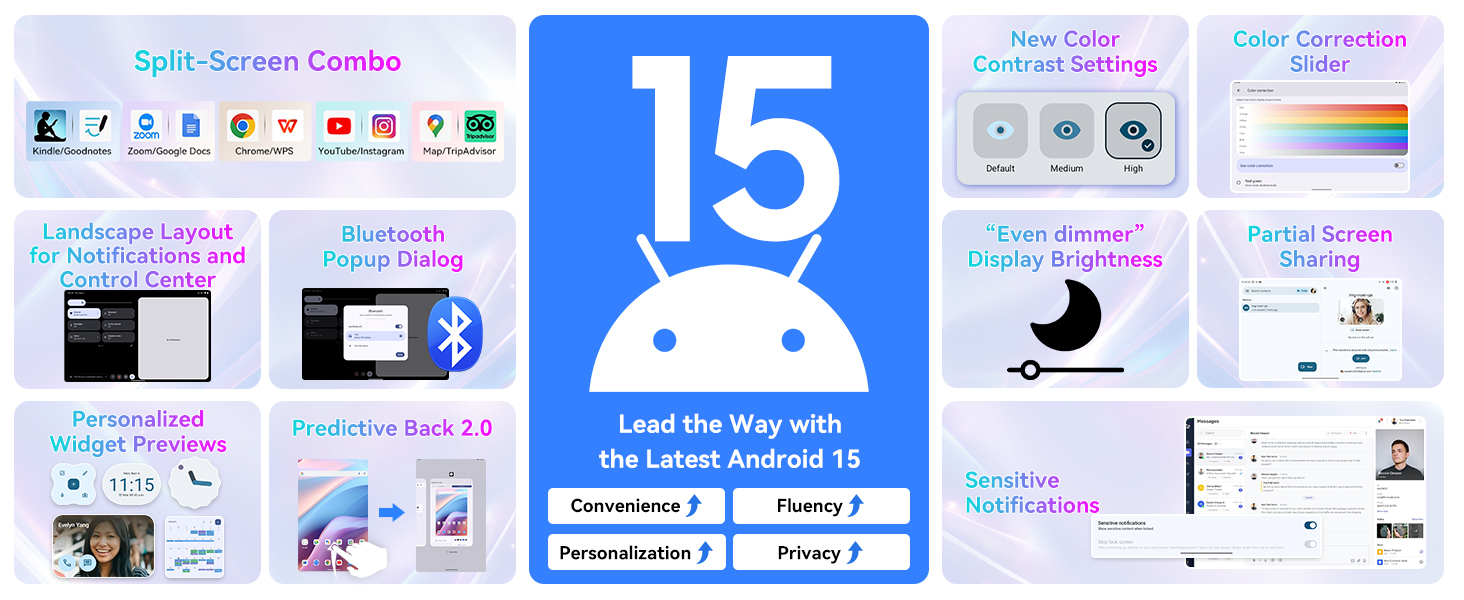
Image: Visual representation of new features in Android 15, such as split-screen functionality, advanced display settings, and improved notification management.
Gemini AI 2.0 Integration
The tablet is equipped with Gemini AI 2.0, offering intelligent assistance for various tasks. This includes smart chats, text-to-image generation, voice-enabled Q&A, smart control, real-time conversations, and full-screen smart assistance.
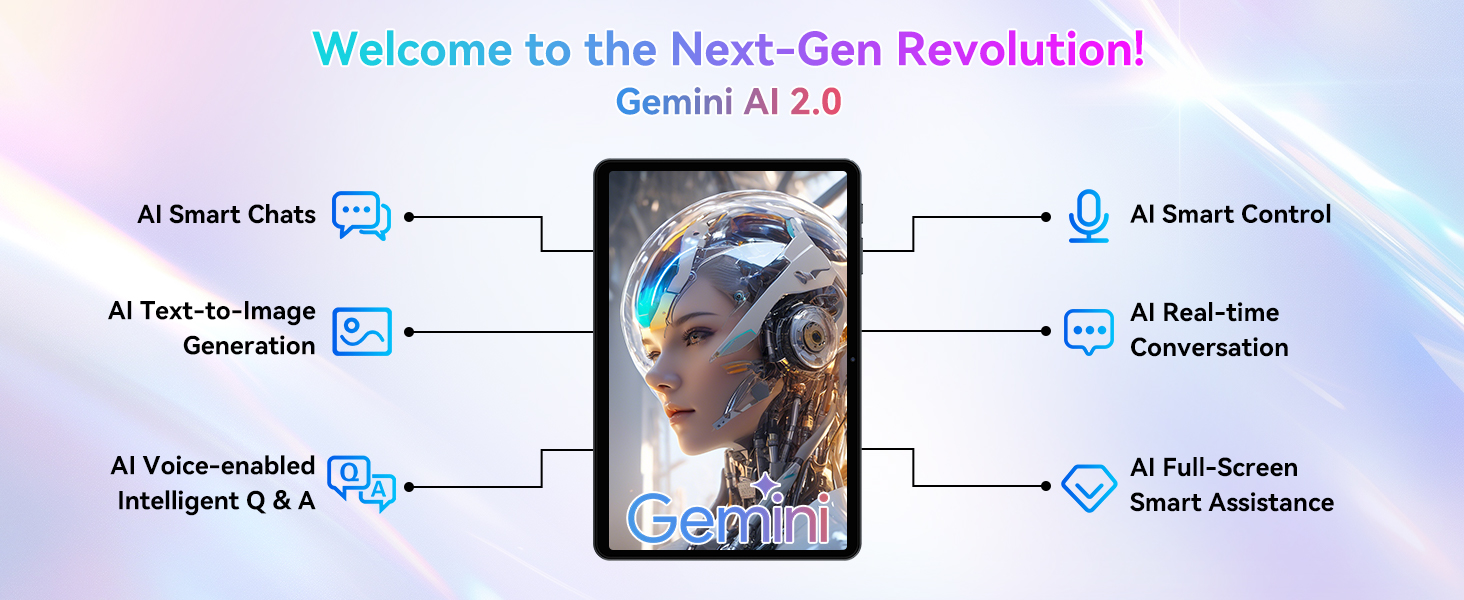
Image: Diagram illustrating the various functionalities of Gemini AI 2.0, including communication, content creation, and intelligent control features.
Paparan dan Visual
The 10-inch display features a 1280 x 800 pixel resolution with a 120Hz touch sampling rate for smooth interaction. It offers a 178-degree full view and 84.9% screen-to-body ratio for an immersive visual experience. The display supports 1080P HD content and has dual-channel audio with a 3.5mm jack for immersive sound.
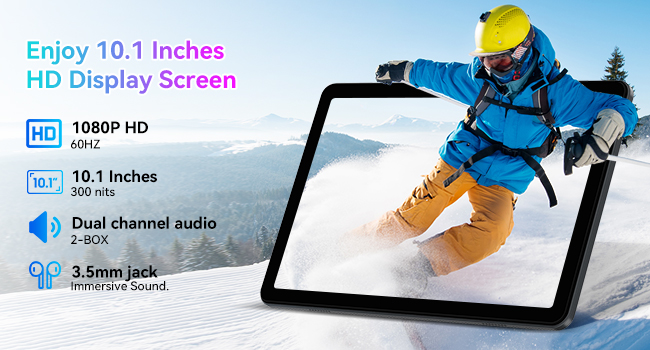
Image: Details of the tablet's 10.1-inch HD display, highlighting its resolution, refresh rate, brightness, and audio capabilities.
Prestasi dan Storan
The tablet is equipped with 12GB RAM (4GB base + 8GB expansion) and 128GB of internal storage. Storage can be expanded up to 2TB using a Micro SD card (not included), providing ample space for applications, media, and documents. The Unisoc T310 processor ensures fluid performance for multitasking, gaming, and productivity.
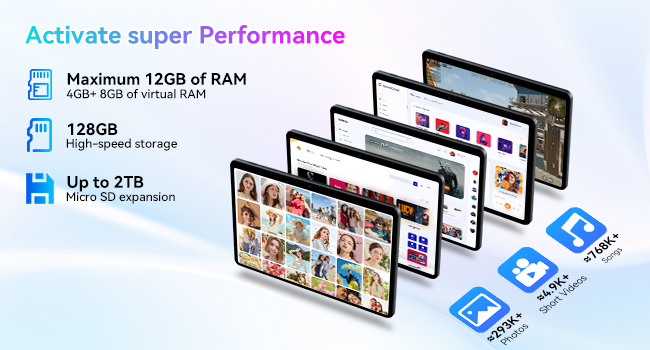
Image: Illustration detailing the tablet's memory and storage capabilities, including RAM expansion and Micro SD card support.
Ketersambungan
The TABWEE T80 supports ultra-fast 5G WiFi (802.11ac) and stable Bluetooth 5.0 for reliable wireless connections. This allows for seamless online meetings, video calls, and pairing with various accessories.
Cameras and Smart Lens
The tablet features a 5MP rear camera and a 2MP front camera, suitable for video calls and capturing moments. It also integrates Google Smart Lens functionality, enabling you to translate text, identify objects, solve homework queries, and explore places by simply pointing the camera.

Image: Depiction of the tablet's dual camera system, highlighting the 5MP rear camera with LED flash and the 2MP front camera.

Imej: Selesaiview of Google Smart Lens capabilities, demonstrating its use for translation, object identification, and information retrieval.
Penyelenggaraan
Penjagaan Bateri
To maximize battery lifespan, avoid extreme temperatures. Charge the tablet using the provided USB cable and a compatible charger. The 6000mAh battery provides approximately 5 hours of website browsing, 4 hours of video playback, 4 hours of gaming, 21 hours of music, and 648 hours of standby time.
Pengurusan Storan
Kerap semulaview dan padam yang tidak perlu files and applications to maintain optimal performance. Utilize the 2TB Micro SD card expansion slot for large media files untuk mengosongkan storan dalaman.
Pembersihan
Use a soft, lint-free cloth to clean the tablet screen and body. Avoid using abrasive cleaners or solvents, which may damage the device.
Menyelesaikan masalah
This section addresses common issues you might encounter with your tablet. For problems not listed here, please contact customer support.
- Tablet tidak boleh dihidupkan: Ensure the battery is charged. Connect the tablet to a charger for at least 30 minutes, then attempt to power on again.
- Skrin tidak bertindak balas: Try restarting the tablet by holding the power button for approximately 10-15 seconds until it reboots.
- Isu sambungan Wi-Fi: Verify that Wi-Fi is enabled on the tablet and that you are within range of a known network. Restart your Wi-Fi router if necessary.
- Aplikasi ranap: Ensure your applications are updated to their latest versions. Clear the app's cache or reinstall the application if the issue persists.
- Prestasi perlahan: Close unused applications running in the background. Clear cache and temporary files. Consider performing a factory reset as a last resort (back up your data first).
Spesifikasi
| Ciri | Perincian |
|---|---|
| Nama Model | T80(12+128) |
| Nombor Model Item | T80(6+128) |
| Jenama | TABWEE |
| Sistem Operasi | Android 15 |
| Saiz Skrin | 10 Inci |
| Resolusi Skrin | 1280 x 800 Piksel |
| Pemproses | 3 GHz (Unisoc T310) |
| RAM | 12GB (4GB base + 8GB expansion) |
| Storan Dalaman | 128 GB |
| Storan Boleh Dikembangkan | Sehingga 2TB (Mikro SD) |
| Jenis Wayarles | 802.11ac (5G WiFi) |
| Bluetooth | Bluetooth 5.0 |
| Resolusi Kamera Belakang | 5 MP |
| Resolusi Kamera Depan | 2 MP |
| Kapasiti Bateri | 6000mAh |
| Purata Hayat Bateri | 5 hours (general use) |
| Berat Barang | 2.05 paun |
| Dimensi Produk (LxWxH) | 7.8 x 20 x 0.5 inci |
| warna | Kelabu |
Waranti dan Sokongan
Maklumat Waranti
Your TABWEE T80 tablet comes with a 2-year warranty from the date of purchase. This warranty covers manufacturing defects and malfunctions under normal use. Please retain your proof of purchase for warranty claims.
Sokongan Pelanggan
For technical assistance, troubleshooting, or warranty inquiries, please contact TABWEE Official Store customer support. They guarantee a reply within 24 hours.
Anda boleh melawat TABWEE Store on Amazon untuk mendapatkan maklumat lanjut dan sumber sokongan.