1. Pengenalan
Thank you for choosing the YESIMOM Baby Monitor Indoor WiFi Camera 8SM. This device is designed to provide reliable monitoring of your baby or indoor space with advanced features such as 360° pan-tilt-zoom, two-way audio, and app control. This manual will guide you through the setup, operation, and maintenance of your camera to ensure optimal performance and safety.
2. Kandungan Pakej
Sila semak kandungan pakej semasa membuka kotak. Jika ada item yang hilang atau rosak, hubungi sokongan pelanggan.
- 1 × YESIMOM Baby Monitor Camera
- 1 × Penyesuai Kuasa
- 1 × Kabel Kuasa
- Skru 3 ×
- 3 × Palam Dinding
- 1 × Reset Pin
- 1 × Multilingual Instruction Manual (this document)
- 1 × Video Guide Card
3. Produk Lebihview dan Ciri
The YESIMOM 8SM camera offers a range of features for comprehensive indoor monitoring.
3.1 Ciri-ciri Utama
- Resolusi 1080p HD Penuh: Menyediakan foo video yang jelas dan terperincitage.
- Zum Pan-Condong-360° (PTZ): Horizontal 355° and vertical 60° rotation for complete room coverage.
- Audio Dua hala: Communicate with your baby or family members through the camera.
- Pengesanan Pergerakan dan Bunyi: Receive instant notifications on your smartphone for detected activity.
- Invisible Night Vision: Monitor in low-light conditions without disturbing sleep.
- Storan Fleksibel: Supports local TF card storage (up to 256GB, not included) and cloud storage options.
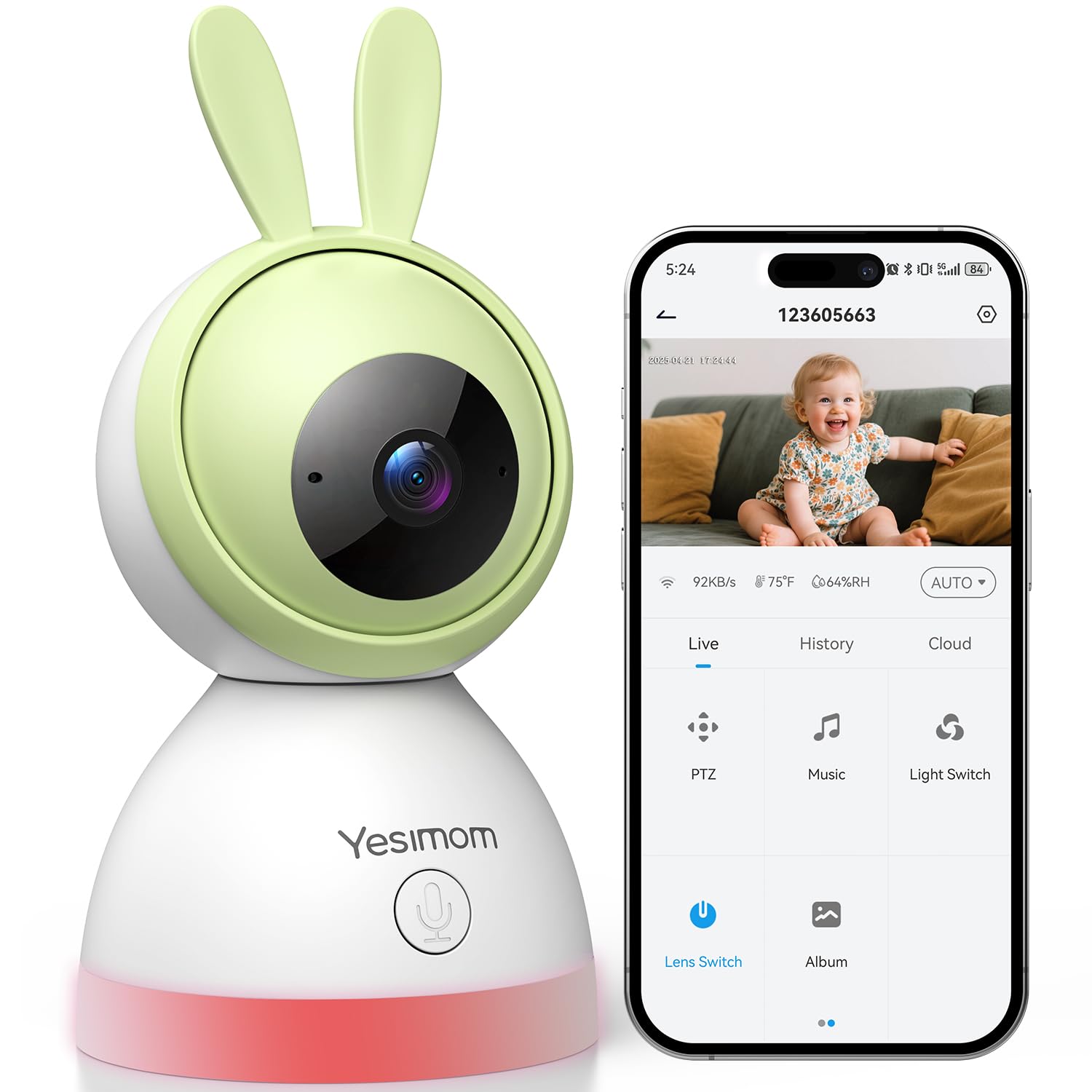
- Kawalan Apl: Mengurus dan view live feed from your iOS or Android device.
- One-Click Call Function: Initiate a call directly from the camera.
3.2 Komponen Kamera
Familiarize yourself with the camera's physical components.

Imej: Depan view of the YESIMOM Baby Monitor Camera. This image displays the camera's lens, microphone, and speaker, along with its distinctive rabbit ear design.
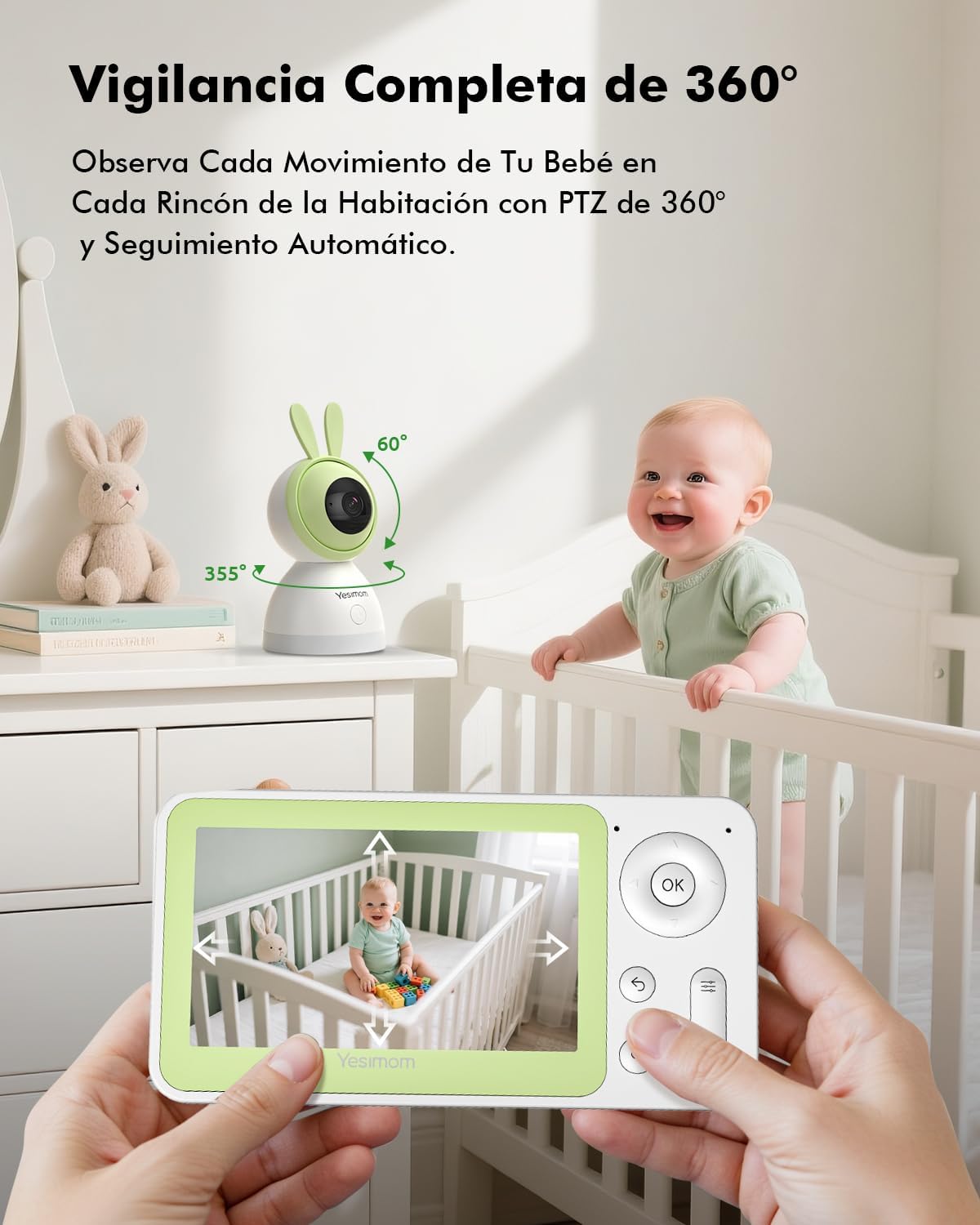
Imej: Illustration of the camera's 360-degree pan and tilt capabilities. The image shows arrows indicating 355 degrees horizontal rotation and 60 degrees vertical tilt, demonstrating the camera's wide coverage.

Imej: Depiction of the camera's flexible storage options, including a visible TF card slot. This image highlights the ability to record and store footage locally or via cloud services.

Imej: Visual representation of the camera's 4X digital zoom capability. The image shows a zoomed-in section of a larger scene, illustrating the clarity maintained even when magnified.
4. Panduan Persediaan
Follow these steps to set up your YESIMOM Baby Monitor.
4.1 Pemasangan Fizikal
- Pilih Lokasi: Place the camera on a flat surface like a table or shelf, or mount it to a wall using the provided screws and wall plugs. Ensure it has a clear view kawasan yang anda ingin pantau.
- Sambungan Kuasa: Connect the power cable to the camera's power port and plug the adapter into a power outlet. The camera will power on and initiate its startup sequence.
- Masukkan Kad TF (Pilihan): If you plan to use local storage, gently insert a TF card (up to 256GB, not included) into the designated slot on the camera.
4.2 Muat Turun Apl dan Pendaftaran Akaun
- Muat turun Apl: Cari untuk the official YESIMOM app in the Apple App Store (for iOS devices) or Google Play Store (for Android devices).
- Daftar/Log Masuk: Buka apl dan ikut arahan pada skrin untuk mendaftar akaun baharu atau log masuk jika anda sudah memilikinya.
4.3 Sambungan Wi-Fi
The camera supports Rangkaian Wi-Fi 2.4GHz sahaja. It is not compatible with 5GHz Wi-Fi networks. Ensure your router is configured to use 2.4GHz or has a mixed mode enabled.
- Tambah Peranti: Dalam aplikasi, ketik ikon "+" atau "Tambah Peranti" untuk memulakan proses penyandingan.
- Select Camera Type: Choose the appropriate camera model from the list.
- Pairing Bluetooth: The camera uses Bluetooth for initial setup. Ensure Bluetooth is enabled on your smartphone. The app will guide you through connecting to the camera via Bluetooth.
- Konfigurasi Wi-Fi: Once connected via Bluetooth, the app will prompt you to select your 2.4GHz Wi-Fi network and enter the password.
- Pengesahan: Follow any further on-screen instructions to complete the connection. The camera will indicate a successful connection (e.g., a specific LED light pattern or voice prompt).
5. Arahan Operasi
Once set up, you can utilize the camera's features through the YESIMOM app.
5.1 Langsung View dan Kawalan PTZ
- Akses Suapan Langsung: Open the app and select your camera from the device list to view strim video langsung.
- Kuali dan Condongkan: Use the directional controls within the app to remotely rotate the camera horizontally (355°) and vertically (60°) to adjust the viewsudut ing.
- Zum Digital: Pinch to zoom in or out on the live feed to get a closer look (up to 4X digital zoom).
5.2 Audio Dua Hala
- Dengar: The camera's microphone captures audio from the monitored area, which you can hear through the app.
- Cakap: Tap the microphone icon in the app to speak. Your voice will be transmitted through the camera's speaker, allowing you to communicate with your baby or anyone near the camera.
5.3 Pengesanan Gerakan dan Bunyi
- Dayakan Makluman: In the app settings, navigate to "Detection Settings" to enable motion and sound detection.
- Sensitiviti: Laraskan kepekaan pengesanan untuk meminimumkan penggera palsu.
- Pemberitahuan: When motion or sound is detected, you will receive instant push notifications on your smartphone.
- Penjejakan Automatik: Kamera boleh menjejaki pergerakan yang dikesan secara automatik dalam medannya view.
5.4 Rakaman dan Penyimpanan
- TF Card Recording: If a TF card is inserted, the camera will automatically record events or continuous footage based on your settings. You can review rakaman terus daripada apl.
- Storan Awan: The app offers optional cloud storage services (subscription may be required). Refer to the app for details on plans and activation.
- Event Playback: Access recorded events and playback history through the app's timeline or event list.
5.5 One-Click Call
The camera features a physical button that can be configured for a one-click call function. This allows a person near the camera to initiate a call to a pre-set contact via the app.
- Konfigurasi: In the app settings, locate the "One-Click Call" or similar option.
- Set Contact: Assign a contact from your app's contact list to the one-click call button.
- penggunaan: Press the button on the camera to initiate a call to the configured contact.
Imej: Illustration of the camera's one-click call button and its interaction with a smartphone app. The image shows a finger pressing the button on the camera and a phone screen displaying an incoming call, demonstrating the ease of communication.
6. Penyelenggaraan
Penyelenggaraan yang betul memastikan jangka hayat dan prestasi optimum kamera anda.
- Pembersihan: Gunakan kain lembut dan kering untuk membersihkan kanta dan badan kamera. Elakkan penggunaan bahan kimia yang keras atau bahan yang melelas.
- Kemas Kini Perisian: Regularly check the app for firmware updates for your camera. Updates often include performance improvements and security enhancements.
- penempatan: Ensure the camera is placed in a stable environment, away from direct sunlight, extreme temperatures, and moisture.
7. Penyelesaian masalah
Jika anda menghadapi masalah, rujuk penyelesaian biasa berikut.
| Masalah | Penyelesaian yang Mungkin |
|---|---|
| Kamera tidak bersambung ke Wi-Fi |
|
| Tiada suapan video langsung |
|
| Pengesanan Gerakan/Bunyi tidak berfungsi |
|
| Isu audio dua hala |
|
8. Spesifikasi
| Ciri | Perincian |
|---|---|
| Nama Model | 8SM |
| Jenama | YESIMOM |
| Teknologi Ketersambungan | Wired (Power), Bluetooth & 2.4G WiFi (Data) |
| Resolusi Tangkapan Video | 1080p |
| Format Tangkapan Video | MPEG-4 |
| Ciri Khas | Two-way audio, Motion Detection, Sound Detection, Automatic Tracking, Invisible Night Vision, 360° PTZ, App Control, One-Click Call |
| Penggunaan Dalaman/Luar | Dalaman |
| Jenis Pemasangan | Tabletop (with wall mounting option) |
| Bateri Diperlukan | Tidak |
| Dimensi Item | 16.2 x 8 x 8 cm |
| Pilihan Storan | Kad TF (sehingga 256GB), Storan Awan |
| UPC | 658215565984 |
9. Waranti dan Sokongan
The YESIMOM Baby Monitor Indoor WiFi Camera 8SM comes with a standard manufacturer's warranty. For detailed warranty information, please refer to the warranty card included in your package or visit the official YESIMOM webtapak.
If you require technical assistance, have questions about your product, or need to report an issue, please contact YESIMOM customer support through the contact information provided on the official website or within the app. Please have your model number (8SM) and purchase details ready when contacting support.