
1. Pengenalan
This manual provides detailed instructions for the installation, operation, and maintenance of your Girafit GRF-T350SW 3K 5MP Indoor/Outdoor Pan/Tilt/Zoom Wi-Fi Security Camera. Please read this manual thoroughly before using the product to ensure proper functionality and safety. Keep this manual for future reference.
2. Produk Lebihview
Ciri-ciri Utama
- 3K 5MP Resolution with 4X Digital Zoom: Menyediakan foo video yang jelas dan terperincitage.
- 360° Pan and 180° Tilt: Offers comprehensive coverage of your monitoring area.
- AI Person/Pet/Vehicle Detection: Advanced artificial intelligence for accurate identification of subjects, reducing false alerts.
- Penjejakan Gerakan Automatik: Automatically follows detected subjects within the camera's field of view.
- Penglihatan Malam Warna Cahaya Bintang: Enhanced low-light performance for vivid color images at night.
- Audio Dua hala: Mikrofon dan pembesar suara terbina dalam untuk komunikasi masa nyata.
- Auto Alert Siren: Deters intruders with an audible alarm.
- Penilaian Kalis Cuaca IP65: Suitable for outdoor use in various weather conditions.
- Pilihan Storan Fleksibel: Supports encrypted US cloud storage and local Micro SD card storage (up to 256GB).
- 2.4GHz/5GHz Wi-Fi Connectivity: Dual-band Wi-Fi support for stable connection.
Apa yang ada dalam Kotak
- Girafit GRF-T350SW Camera Body
- Penyesuai Kuasa
- Skru dan Penambat Pemasangan
- Templat Pemasangan
- Manual Pengguna

Figure 2.1: Girafit GRF-T350SW camera showing its pan and tilt capabilities.

Figure 2.2: The Girafit GRF-T350SW camera operating reliably in both rainy and sunny conditions, highlighting its IP65 weatherproof design.
3. Persediaan
3.1 Pemasangan Fizikal
- Pilih Lokasi: Select a suitable outdoor or indoor location that provides the desired viewing angle and is within range of your Wi-Fi network. Ensure the power outlet is accessible.
- Lekapkan Kamera: Use the provided mounting template to mark drill holes. Secure the mounting bracket to the wall or ceiling using the screws and anchors. Attach the camera to the bracket.
- Sambungkan Kuasa: Plug the power adapter into the camera and then into a power outlet. The camera will power on and initiate its startup sequence.
3.2 Pemasangan Aplikasi dan Penciptaan Akaun
- Download the Girafit App: Cari untuk 'Girafit' in your smartphone's app store (iOS or Android) and download the official application.
- Buat Akaun: Open the app and follow the on-screen instructions to register a new account.
3.3 Sambungan Rangkaian
- Tambah Peranti: In the Girafit app, tap the '+' icon to add a new device. Select your camera model.
- Ikut Arahan Dalam Apl: The app will guide you through connecting the camera to your 2.4GHz or 5GHz Wi-Fi network. This typically involves scanning a QR code displayed on your phone with the camera lens.
- penyiapan: Once connected, the camera's status indicator will change, and you will see the live feed in the app.
4. Beroperasi
4.1 Pan, Tilt, and Zoom Control
Dari siaran langsung view in the Girafit app, use the on-screen controls to remotely adjust the camera's viewing angle. The camera supports 360° horizontal pan and 180° vertical tilt. You can also digitally zoom in up to 4X to view butiran.

Figure 4.1: Visual comparison demonstrating the clarity of 3K 5MP resolution with 4X zoom compared to standard 3MP resolution.
4.2 Pengesanan Gerakan dan Penjejakan Automatik
The camera features advanced AI detection capabilities to identify humans, pets, and vehicles. When motion is detected, the camera can automatically track the subject, zoom in, record the event, and send push notifications to your smartphone.
- Dayakan Pengesanan: Navigate to the camera settings in the app to enable AI Person/Pet/Vehicle Detection.
- Set Detection Zones: Tentukan kawasan tertentu dalam kamera view where you want motion detection to be active.
- Activate Auto Tracking: Enable auto tracking in the settings to allow the camera to follow detected subjects.
- Auto Alert Siren: Configure the camera to trigger an audible siren upon detection to deter unwanted visitors.

Figure 4.2: Illustration of the camera's automatic tracking feature, showing a person being followed with a 4X zoom.

Figure 4.3: The camera's AI accurately detecting a human, a pet, and a vehicle in a home environment.

Figure 4.4: The camera detecting activity in a defined hexagonal area and issuing an auto voice alert.
4.3 Penglihatan Malam
The GRF-T350SW offers multiple night vision modes for clear surveillance in low-light conditions.
- Penglihatan Malam Warna Cahaya Bintang: Utilizes a Starlight Sensor and f/1.6 aperture to capture more light, providing full-color video even in very dim environments.
- Mod Inframerah: Penglihatan malam hitam putih standard menggunakan LED inframerah.
- Mod Tumpuan: Activates built-in spotlights to illuminate the area and capture color video when motion is detected at night.
You can switch between these modes or set them to automatic in the app settings.

Figure 4.5: Visual representation of the camera's Starlight Color Night Vision, Infrared Mode, and Spotlight Mode capabilities.
4.4 Audio Dua Hala
The integrated microphone and speaker allow for two-way communication. You can speak through the camera to visitors or deter intruders directly from your smartphone via the Girafit app.
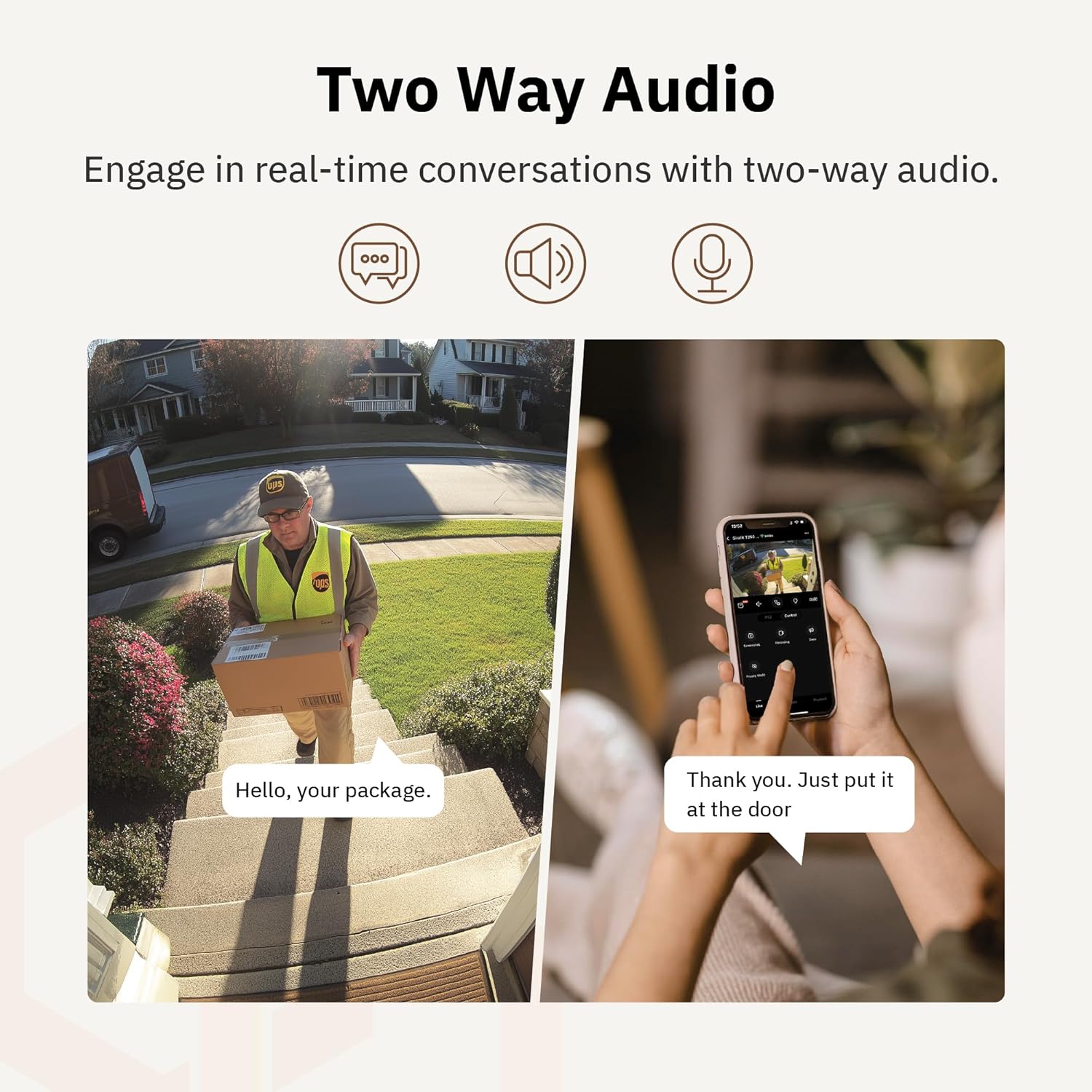
Rajah 4.6: Bekasample of using two-way audio to communicate with a delivery person at the door.
4.5 Mod Privasi
For enhanced privacy, the camera features a privacy mode. When activated, the camera lens physically tilts down by 180°, ensuring no live feed is captured or transmitted. This provides 100% privacy protection when needed.

Figure 4.7: The camera in privacy mode, with the lens tilted downwards to ensure no recording or live view.
4.6 Penyimpanan Video
The camera supports two primary methods for video storage:
- Kad SD mikro: Insert a Micro SD card (up to 256GB, not included) into the designated slot on the camera for local storage of recordings.
- Storan Awan: Girafit offers encrypted cloud storage services in the US. Refer to the app for subscription options and details.
5. Penyelenggaraan
5.1 Pembersihan
To maintain optimal performance, periodically clean the camera lens and housing. Use a soft, damp kain untuk mengelap habuk dan kotoran. Elakkan menggunakan bahan kimia yang keras atau bahan kasar yang boleh merosakkan kanta atau kemasan.
5.2 Kemas Kini Perisian Tegar
Girafit regularly releases firmware updates to improve camera performance, add new features, and enhance security. Check the Girafit app periodically for available updates and follow the in-app instructions to install them. Ensure the camera has a stable power supply during updates.
6. Penyelesaian masalah
- Kamera Tidak Menyambung ke Wi-Fi:
- Ensure your Wi-Fi network is 2.4GHz or 5GHz and the password is correct.
- Gerakkan kamera lebih dekat ke penghala Wi-Fi anda.
- Mulakan semula penghala anda dan kamera.
- Kualiti Video Lemah:
- Semak kelajuan sambungan internet anda.
- Bersihkan lensa kamera.
- Ensure the camera is receiving adequate power.
- Pengesanan Pergerakan Tidak Berfungsi:
- Sahkan bahawa pengesanan gerakan diaktifkan dalam tetapan aplikasi.
- Adjust detection sensitivity and detection zones.
- Pastikan tiada halangan yang menghalang kamera view.
- Isu Audio Dua Hala:
- Check microphone and speaker permissions for the Girafit app on your phone.
- Pastikan mikrofon dan pembesar suara kamera tidak terhalang.
For further assistance, please contact Girafit customer support.
7. Spesifikasi
| Ciri | Penerangan |
|---|---|
| Nama Model | GRF-T350SW |
| Resolusi Tangkapan Video | 3K (5MP) |
| Penggunaan Dalaman/Luar | Luar |
| Teknologi Ketersambungan | Wi-Fi (2.4GHz/5GHz), Wired |
| Sumber Kuasa | Elektrik Bertali |
| Jenis Pemasangan | Lekap di dinding |
| Ciri Khas | 2-Way Audio, AI Detection (Human/Pet/Vehicle), Auto Tracking, Color Night Vision, IP65 Weatherproof |
| Peranti Serasi | Desktop, Laptop, Smartphone (Android/iOS) |
| Dimensi Item (L x W x H) | 2.63 x 2.63 x 4.76 inci |
| Berat Barang | 14.7 auns |
| Pilihan Storan | Kad Mikro SD (sehingga 256GB), Storan Awan |
| UPC | 764742517881 |
8. Waranti dan Sokongan
Girafit products are designed for reliability and performance. For warranty information, please refer to the warranty card included with your product or visit the official Girafit website. For technical support, troubleshooting assistance, or any inquiries regarding your Girafit GRF-T350SW camera, please contact Girafit customer service through the contact information provided on the official website or within the Girafit app.