
Lockin Veno Smart Lock
Manual Pengguna Lockin Veno Smart Lock
Model: Veno Smart Lock
pengenalan
This manual provides essential information for the installation, operation, and maintenance of your Lockin Veno Smart Lock. Please read this guide thoroughly before using the product to ensure proper functionality and safety.
Produk Selesaiview
Komponen
The Lockin Veno Smart Lock system includes the exterior smart lock unit, the interior lock mechanism, and a rechargeable battery pack. Familiarize yourself with all components before beginning installation.

Image: Lockin Veno Smart Lock components.
Ciri-ciri Utama
- Pengecaman Urat Sawit Generasi Seterusnya: Unlock in 0.17 seconds with 99.9% accuracy. This touchless system offers military-grade security and hygiene benefits.
- Kaedah Membuka Kunci Berbilang: Choose from palm vein recognition, fingerprint scan, passcode, smartphone app, Bluetooth, or emergency mechanical key for flexible access.
- Hayat Bateri 7 Bulan: Powered by intelligent power management, the smart lock lasts an incredible 7 months on a single charge, with automatic app notifications for low battery.
- Perlindungan IP65 Semua Cuaca: Built with a reinforced zinc alloy housing, the lock is IP65-certified against rain, dust, and extreme temperatures (-4°F to 158°F).

Image: Palm vein recognition functions reliably under various hand conditions.
Persediaan
Pemasangan
The Lockin Veno Smart Lock is designed for quick and hassle-free installation. No complicated wiring or special tools are typically needed. Refer to the detailed installation guide included in your product packaging for step-by-step instructions specific to your door type.
Arahan Operasi
Kaedah Membuka Kunci
Your Lockin Veno Smart Lock offers six convenient ways to access your home:
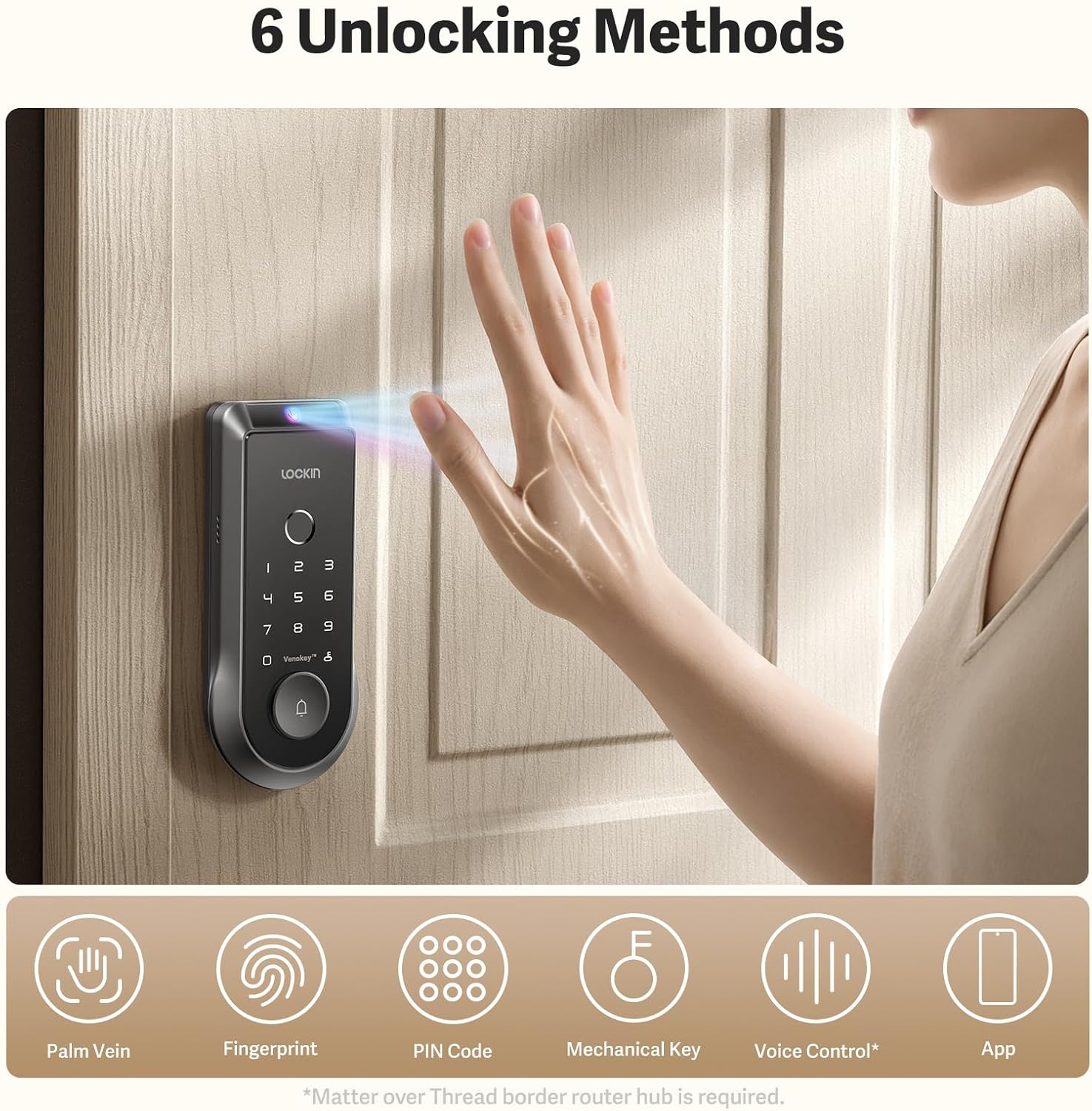
Imej: Selesaiview of the six unlocking methods.
- Pengecaman Vena Palma: Simply wave your hand over the sensor for rapid, touchless entry.
- Imbasan Cap Jari: Use the integrated fingerprint scanner for quick and secure access.
- Kod laluan: Enter your personalized numerical code on the keypad.
- Apl Telefon Pintar: Control and unlock your door remotely via the Lockin app.
- Bluetooth: Unlock using Bluetooth connectivity through the app when in close proximity.
- Kunci Mekanikal Kecemasan: A traditional key is provided for manual unlocking in emergencies.

Image: Palm vein recognition and app interface.
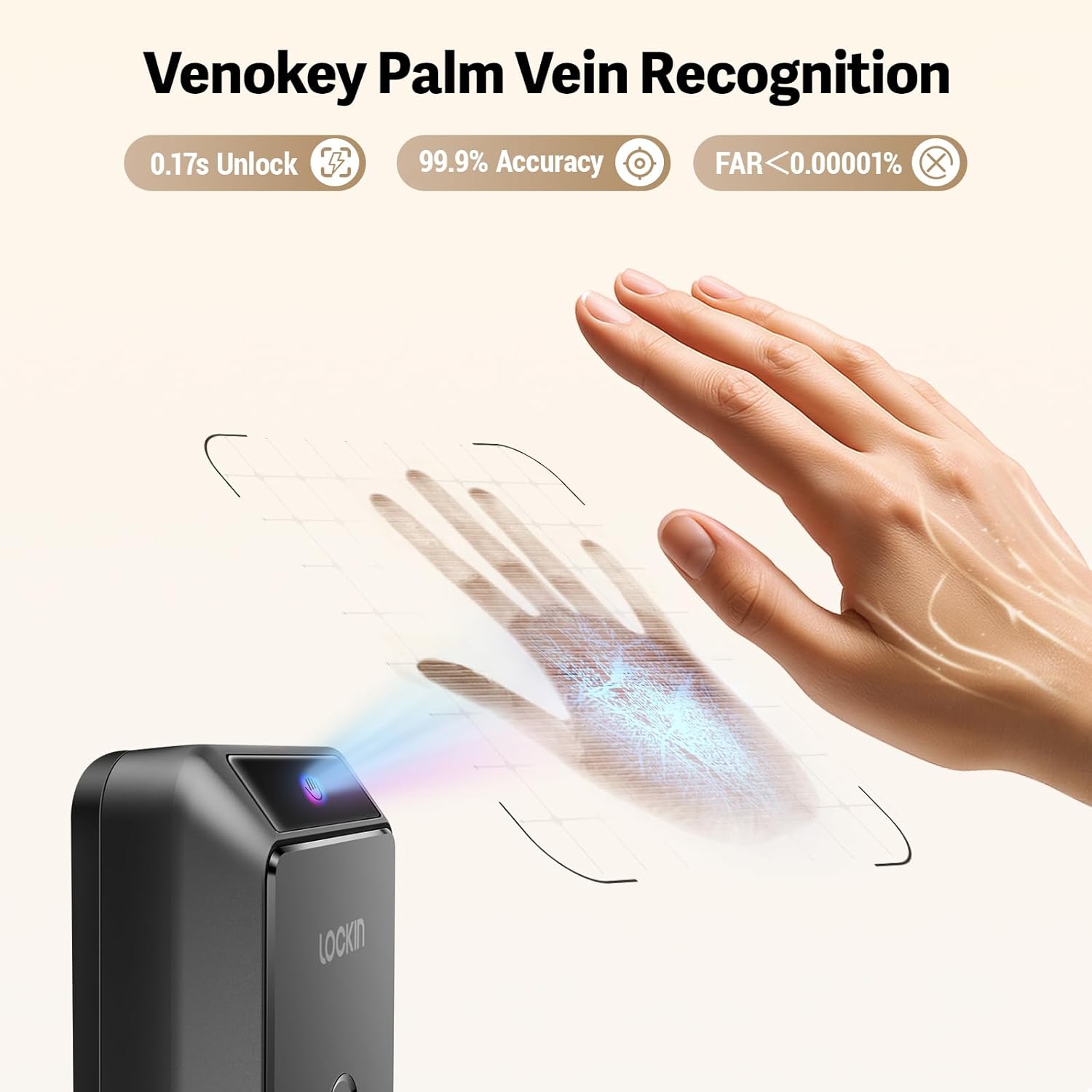
Imej: Terperinci view of Venokey Palm Vein Recognition in action.
Ciri Apl
Lockin App Functionality
The Lockin app provides comprehensive control and monitoring capabilities:
- Real-time Video: View live 2K Kelvin video from your lock's integrated camera.
- Panoramik 180 Darjah View: Get a wide-angle perspective of your entryway.
- AI Alerts: Receive intelligent alerts for suspicious activity or events.
- Pengurusan Berbilang Pengguna: Easily add, remove, and manage access permissions for family members, guests, or service providers.
Pengurusan Bateri
Hayat Bateri dan Pengecasan
The Lockin Veno Smart Lock is designed for extended use, offering up to 7 months of battery life on a single charge. The intelligent power management system ensures efficiency. You will receive automatic app notifications when the battery level drops below 20%, providing ample time for recharging.

Image: Rechargeable battery pack for the Lockin Veno Smart Lock.

Image: USB-C charging options for the battery pack.

Image: Battery specifications and weather resistance.
Penyelenggaraan
Penjagaan dan Perlindungan
To ensure the longevity and optimal performance of your Lockin Veno Smart Lock, regular maintenance is recommended. The lock features an IP65 rating, providing protection against dust and water splashes. Its reinforced zinc alloy housing is designed to withstand daily wear and tear. Clean the exterior with a soft, damp kain. Elakkan pembersih atau pelarut yang melelas yang boleh merosakkan kemasan atau komponen elektronik.
Menyelesaikan masalah
Isu Biasa
If you encounter any issues with your Lockin Veno Smart Lock, please refer to the comprehensive troubleshooting section in the full product manual. Common issues and their solutions, including battery concerns, connectivity problems, and recognition errors, are detailed there. For further assistance, contact Lockin customer support.
Spesifikasi
| Atribut | Perincian |
|---|---|
| Gaya Model | Veno Smart Lock & Rechargeable Battery |
| ASIN | B0FDVFCQJW |
| Tarikh Mula-mula Tersedia | 10 Jun 2025 |
Waranti dan Sokongan
The Lockin Veno Smart Lock comes with a manufacturer's warranty. Please refer to the warranty card included with your product for specific terms and conditions. For technical support, product inquiries, or warranty claims, please visit the official Lockin website or contact their customer service department directly. Contact information can be found in your product packaging or on the Lockin brand store page.
Ask a question about this manual
Ask about setup, troubleshooting, compatibility, parts, safety, or missing instructions. Manuals+ will review the question and use this page’s manual context to help answer it.