
Bagotte A6 Pro
Bagotte A22/A6 Pro Robot Vacuum and Mop User Manual
Model: A6 Pro (A22/A21)
pengenalan
Thank you for choosing the Bagotte A22/A6 Pro Robot Vacuum and Mop. This device is designed to provide efficient and convenient cleaning for your home. This manual will guide you through the setup, operation, and maintenance of your robot vacuum to ensure optimal performance and longevity.
Sila baca manual ini dengan teliti sebelum menggunakan produk ini dan simpannya untuk rujukan pada masa hadapan.
Arahan Keselamatan Penting
Sebelum menggunakan produk ini, sila baca semua arahan keselamatan. Kegagalan mematuhi arahan ini boleh mengakibatkan renjatan elektrik, kebakaran atau kecederaan serius.
- Perkakas ini boleh digunakan oleh kanak-kanak berumur 8 tahun ke atas dan orang yang kurang keupayaan fizikal, deria atau mental atau kurang pengalaman dan pengetahuan jika mereka telah diberi penyeliaan atau arahan mengenai penggunaan perkakas dengan cara yang selamat dan memahami bahaya yang terlibat .
- Kanak-kanak tidak boleh bermain dengan perkakas. Pembersihan dan penyelenggaraan pengguna tidak boleh dibuat oleh kanak-kanak tanpa pengawasan.
- Hanya gunakan penyesuai kuasa asal yang disediakan oleh pengilang.
- Do not use the product in environments with open flames or flammable materials.
- Ensure the charging station is placed on a flat surface against a wall, with no obstacles within 1 meter on either side and 2 meters in front.
- Do not immerse the robot or charging station in water.
- Bersihkan berus dan penapis secara berkala untuk mengekalkan prestasi optimum.
- Jauhkan rambut, pakaian longgar, jari dan semua bahagian badan daripada bukaan dan bahagian yang bergerak.
Produk Selesaiview
Kandungan Pakej
Sahkan bahawa semua komponen terdapat dalam pakej:

Image: All components included in the Bagotte A22/A6 Pro Robot Vacuum and Mop package. This includes the robot vacuum cleaner, 2-in-1 water tank, charging station, remote control, power adapter, cleaning brush, mop holder, 2 mop cloths, 2 side brushes, and Hepa filters.
- Bagotte A22 Robot Vacuum Cleaner x 1
- 2-in-1 Water Tank x 1
- Stesen Pengecasan x 1
- Alat kawalan jauh x 1
- Penyesuai Kuasa x 1
- Berus Pembersih x 1
- Mop Holder x 1
- Kain Mop x 2
- Side Brushes x 2
- HEPA Filters x 1
- Manual Pengguna x 1
Komponen Robot
The Bagotte A22/A6 Pro features a compact design for efficient cleaning.

Image: The Bagotte A22/A6 Pro Robot Vacuum highlighting its slim profile of 2.87 inches, allowing it to clean under furniture. It also features automatic boost and can handle angles up to 15 degrees and obstacles up to 15mm in height.
The robot is equipped with various sensors for navigation and obstacle avoidance, including anti-drop sensors to prevent falls from elevated surfaces.
Persediaan
1. Pasang Berus Sisi
Tekan berus sisi pada siaran di bahagian bawah robot sehingga ia mengklik pada tempatnya.
2. Place the Charging Station
Place the charging station against a wall in an open, uncluttered area. Ensure there are no obstacles within 1 meter (3 feet) on either side and 2 meters (6 feet) in front of the charging station. Connect the power adapter to the charging station and plug it into a wall outlet.

Image: The Bagotte A22/A6 Pro Robot Vacuum automatically returning to its charging station when its battery is low. The image illustrates the recommended clear space around the charging station for optimal docking.
3. Caj Permulaan
Place the robot on the charging station to fully charge the battery before first use. The indicator light on the robot will show charging status. A full charge typically takes 4-5 hours.
4. Connect to Tuya Smart App (Optional)
For advanced features and remote control, download the Tuya Smart app from your mobile app store. Follow the in-app instructions to connect your robot vacuum to your 2.4GHz Wi-Fi network.
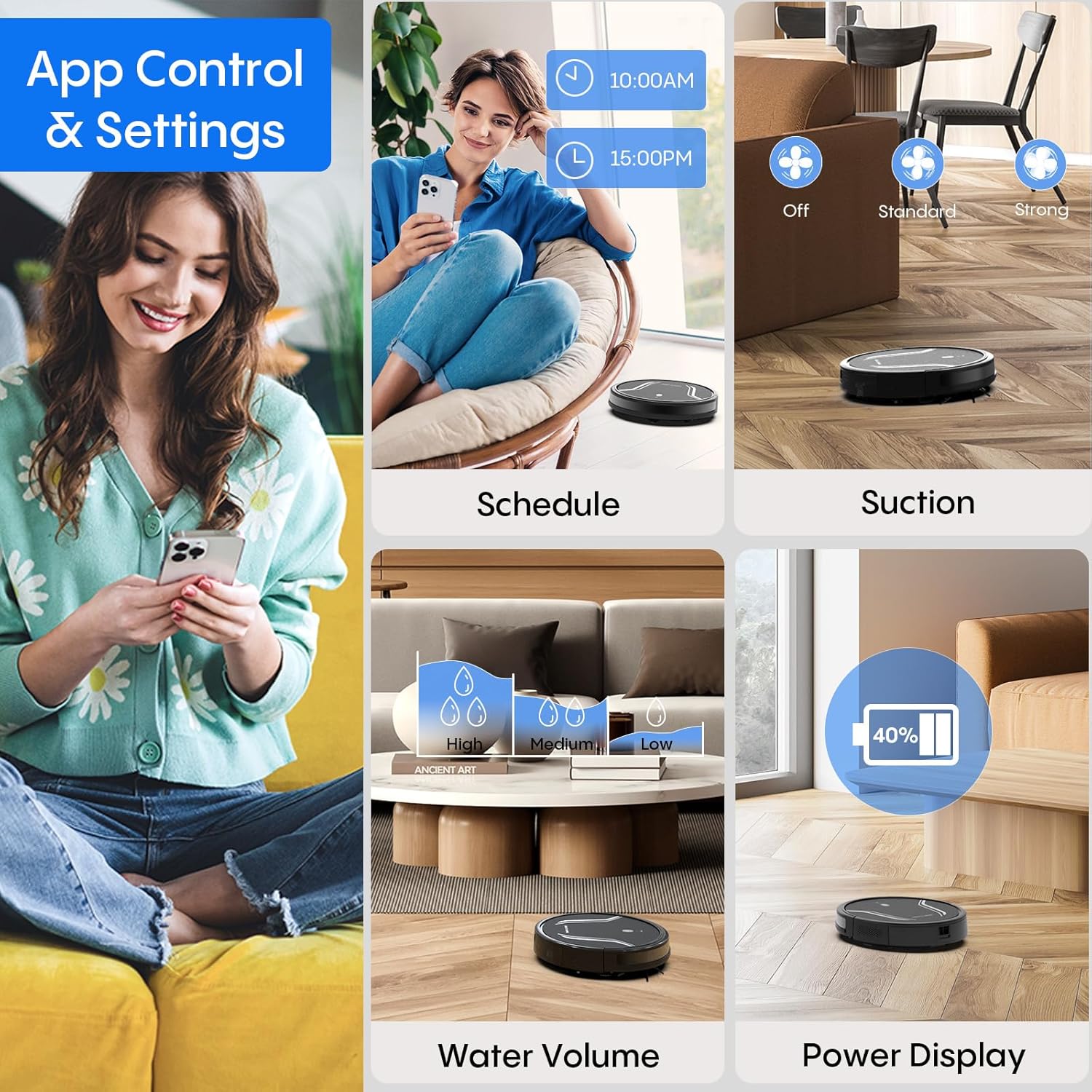
Image: A smartphone screen displaying the Bagotte A22/A6 Pro Robot Vacuum's app control interface, showing options for scheduling, suction adjustment, water volume control, and power display.
Arahan Operasi
Memulakan Kitaran Pembersihan
Press the power button on the robot or the "Clean" button on the remote control/app to start an automatic cleaning cycle.
Mod Pembersihan
The Bagotte A22/A6 Pro offers four cleaning modes:
- Pembersihan Auto: Robot bijak mengemudi dan membersihkan seluruh kawasan lantai.
- Pembersihan Tepi: Robot membersihkan sepanjang dinding dan tepi perabot.
- Pembersihan Tempat: Robot itu memberi tumpuan kepada kawasan kotor tertentu, membersihkan dalam corak lingkaran.
- Pembersihan Manual: Control the robot's direction using the remote control or app.

Imej: Overhed view illustrating the four distinct cleaning modes of the Bagotte A22/A6 Pro Robot Vacuum: Auto Cleaning, Edge Cleaning, Spot Cleaning, and Manual Cleaning, showing their respective cleaning paths.
Fungsi Mopping
Untuk menggunakan fungsi mengemop:
- Fill the 2-in-1 water tank with clean water.
- Attach a clean mop cloth to the mop holder and then attach it to the water tank.
- Masukkan tangki air yang telah diisi ke dalam robot.
- Adjust the water flow level (low/medium/high) via the Tuya Smart app.

Image: The Bagotte A22/A6 Pro Robot Vacuum demonstrating its 3-in-1 functionality: vacuuming, sweeping, and mopping. The image highlights the two levels of waterflow adjustment and three levels of suction adjustment.
Penyesuaian Kuasa Sedutan
The robot features 5000Pa suction power with adjustable levels (Standard, Maximum) through the app or remote control to suit different cleaning needs.
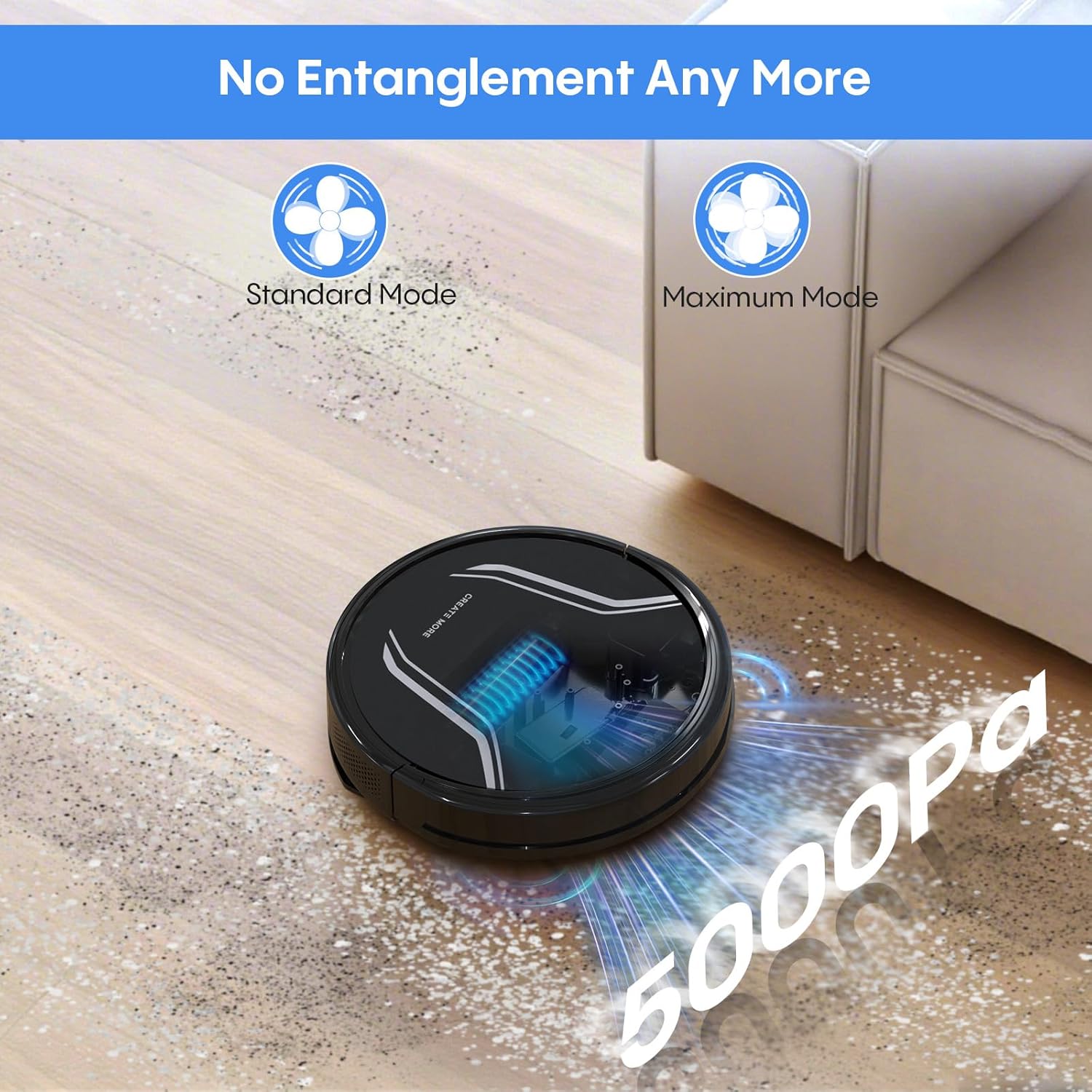
Image: The Bagotte A22/A6 Pro Robot Vacuum demonstrating its 5000Pa suction power, showing debris being collected. The image also indicates Standard Mode and Maximum Mode for suction adjustment.
Kawalan Suara (Alexa/Pembantu Google)
Integrate your robot vacuum with Amazon Alexa or Google Assistant for convenient voice commands. Follow the instructions in the Tuya Smart app to link your device.

Image: The Bagotte A22/A6 Pro Robot Vacuum being controlled via voice commands through an Amazon Echo device, alongside a smartphone displaying the app interface. This illustrates the convenience of both voice and app control.
Penyelenggaraan
Regular maintenance ensures your robot vacuum operates efficiently.
Mengosongkan Tong Sampah
Empty the dustbin after each cleaning cycle. Press the release button to remove the dustbin, open it, and discard the collected debris.
Membersihkan Penapis
Tap the HEPA filter to remove dust. Rinse the pre-filter and sponge filter with water. Allow them to air dry completely before reinstalling. Do not wash the HEPA filter with water.
Membersihkan Berus Utama
Remove the main brush cover and lift out the main brush. Use the cleaning tool to remove hair and debris tangled around the brush.
Membersihkan Berus Sisi
Periodically check side brushes for wear or damage. Remove any tangled hair or debris. Replace worn brushes as needed.
Membersihkan Penderia dan Mengecas Kenalan
Wipe the anti-drop sensors, obstacle sensors, and charging contacts on both the robot and the charging station with a clean, dry cloth.
Membersihkan Tangki Air dan Kain Mop
After mopping, empty any remaining water from the tank. Rinse the water tank and allow it to air dry. Wash the mop cloth by hand or machine and air dry.
Menyelesaikan masalah
| Masalah | Kemungkinan Punca | Penyelesaian |
|---|---|---|
| Robot tidak dihidupkan. | Bateri lemah; Matikan kuasa. | Cas robot; Pastikan suis kuasa HIDUP. |
| Robot tidak mengecas. | Charging contacts dirty; Charging station not powered. | Bersihkan kenalan pengecasan; Pastikan stesen pengecasan dipasang. |
| Kuasa sedutan lemah. | Tong sampah penuh; Penapis tersumbat; Berus utama kusut. | Empty dustbin; Clean/replace filters; Clean main brush. |
| Robot kerap tersangkut. | Obstacles on floor; Sensors dirty. | Bersihkan lantai daripada kabel/barangan kecil; Bersihkan sensor. |
| Fungsi mengemop tidak berfungsi. | Water tank empty; Mop cloth dry; Water flow setting too low. | Fill water tank; Wet mop cloth; Adjust water flow in app. |
| App connection failed. | Incorrect Wi-Fi password; Not 2.4GHz Wi-Fi; Robot too far from router. | Verify password; Connect to 2.4GHz network; Move robot closer to router. |
Spesifikasi
| Ciri | Perincian |
|---|---|
| Jenama | Bagotte |
| Nama Model | A21 (A6 Pro) |
| Kuasa Sedutan | 5000Pa |
| Mod Pembersihan | Auto, Edge, Spot, Manual |
| Kaedah Kawalan | App, Remote Control, Voice (Alexa, Google Assistant) |
| Hayat Bateri | Sehingga 120 minit |
| Mengecas | Pengecasan Sendiri |
| Jenis Penapis | HEPA |
| Dimensi Produk | 15"L x 12.5"W x 4"H |
| Berat Barang | 7.13 paun |
| Syor Permukaan | Lantai Keras, Permaidani Rendah Cerucuk |
Waranti dan Sokongan
Bagotte provides a 12-month service warranty for this product. For technical support, warranty claims, or any questions regarding your Bagotte A22/A6 Pro Robot Vacuum and Mop, please contact Bagotte customer service.
Please refer to the contact information provided in the original packaging or on the official Bagotte webtapak untuk mendapatkan butiran sokongan yang paling terkini.
Ask a question about this manual
Ask about setup, troubleshooting, compatibility, parts, safety, or missing instructions. Manuals+ will review the question and use this page’s manual context to help answer it.