
1. Pengenalan
This manual provides essential information for the safe and effective operation of your LDAILY 61 Key Keyboard Piano. Please read this manual thoroughly before use and retain it for future reference. This electronic digital piano is designed for beginners and features 61 keys, built-in speakers, and various functions to support musical learning and practice.
2. Maklumat Keselamatan
- Sumber Kuasa: Use only the provided AC adapter or 4 AA batteries. Ensure the voltage sepadan dengan keperluan produk.
- Keselamatan Bateri: Jangan campurkan bateri lama dan baharu, atau jenis bateri yang berbeza. Tanggalkan bateri jika unit ini tidak akan digunakan untuk tempoh yang lama.
- Air dan Kelembapan: Keep the keyboard away from water, moisture, and high humidity. Do not operate with wet hands.
- Pengudaraan: Jangan sekat bukaan pengudaraan. Pastikan aliran udara yang mencukupi di sekeliling unit.
- Pembersihan: Clean only with a dry, soft cloth. Do not use liquid cleaners or aerosols.
- Kanak-kanak: This product contains small parts and electronic components. Adult supervision is recommended for young children.
3. Kandungan Pakej
Sahkan bahawa semua item yang disenaraikan di bawah disertakan dalam pakej anda:
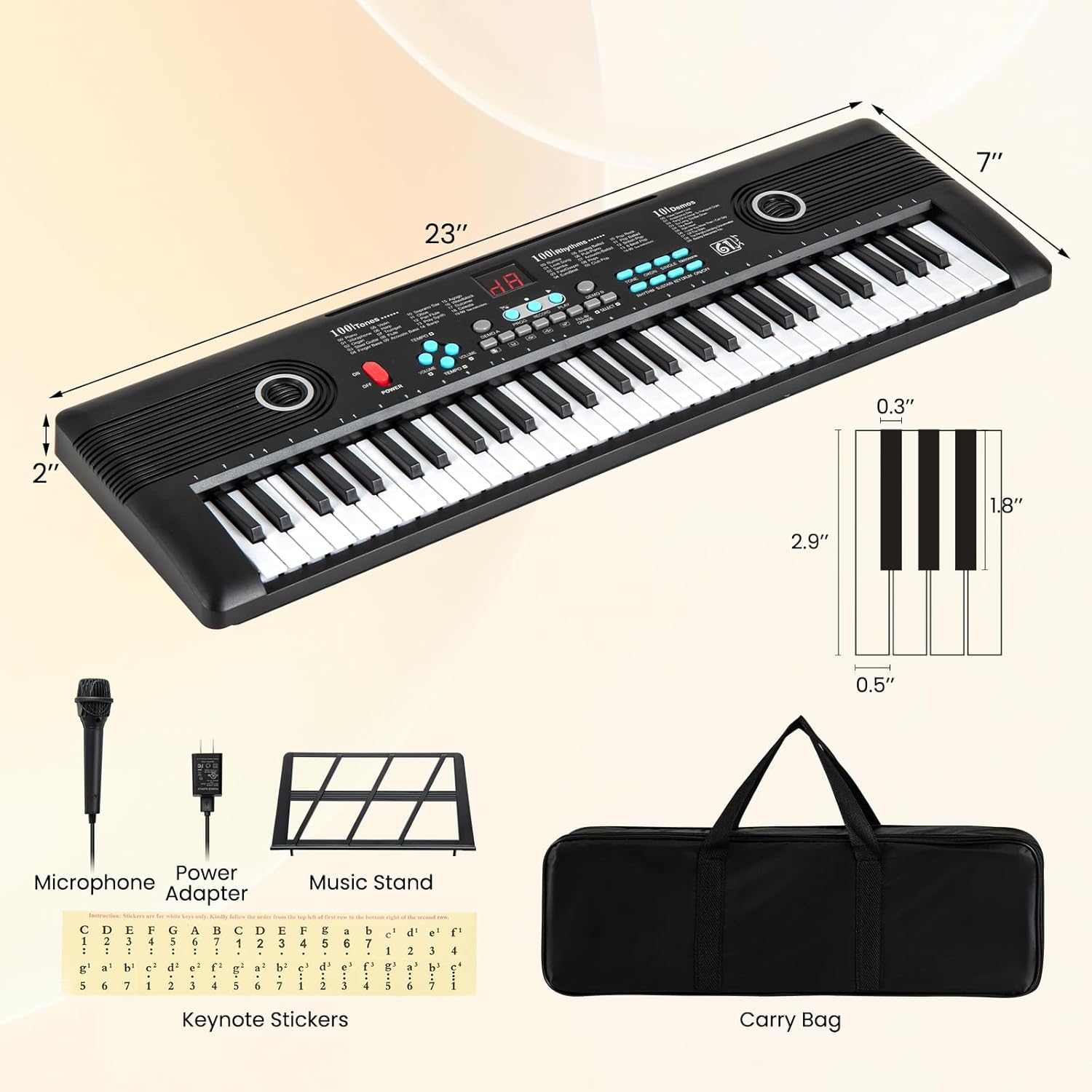
- 1 x LDAILY 61 Key Keyboard Piano
- 1 x Music Stand
- 1 x Keynote Stickers
- 1 x Mikrofon
- 1 x Penyesuai Kuasa
- 1 x Sarung Pembawa
- 1 x Panduan Pengguna (manual ini)

4. Produk Lebihview
4.1 Keyboard Layout and Controls
Familiarize yourself with the main controls and features of your keyboard piano.

- Butang Kuasa: Turns the keyboard on or off.
- Kawalan Kelantangan: Melaraskan tahap output bunyi keseluruhan.
- Pemilihan Nada: Buttons to select from 100 different instrument sounds.
- Pemilihan Irama: Buttons to select from 100 rhythmic patterns.
- Lagu Demo: Buttons to play 10 pre-recorded demonstration songs.
- Percik: Buttons for 5 different percussion sounds.
- Metronom: Provides a steady beat for practice.
- Rakam/Main Semula: Records and plays back your performances.
- Kekal: Adds a sustain effect to notes.
- Pengaturcaraan: Allows for custom rhythm programming.
- Paparan Digital: Shows current settings (e.g., tone number, rhythm number).
4.2 Port Kesambungan
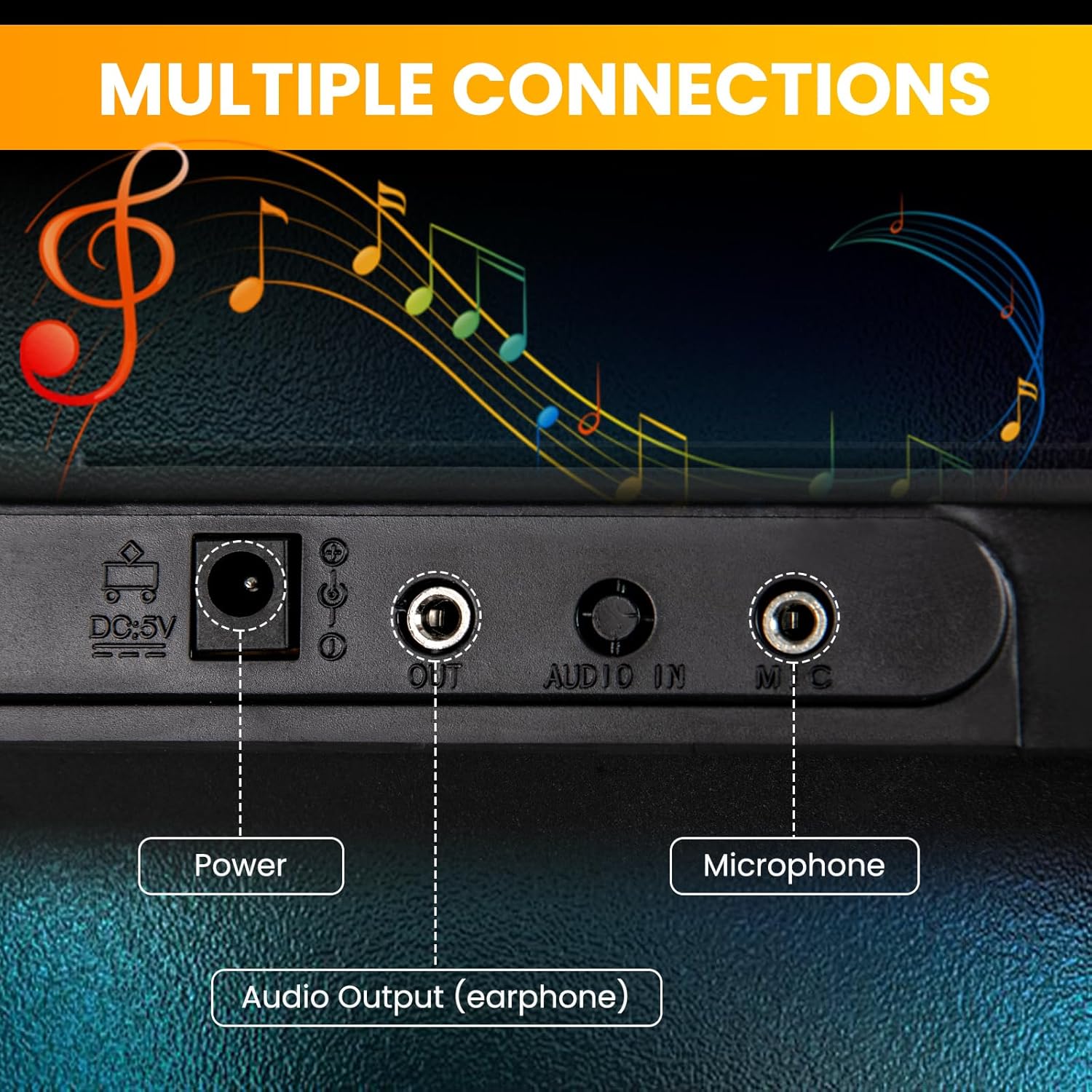
- Input Kuasa DC 5V: Sambungkan penyesuai AC yang disertakan di sini.
- Audio Output (Earphone): Sambungkan fon kepala untuk latihan peribadi.
- Input Mikrofon: Connect the included microphone.
4.3 Pembesar Suara Terbina dalam
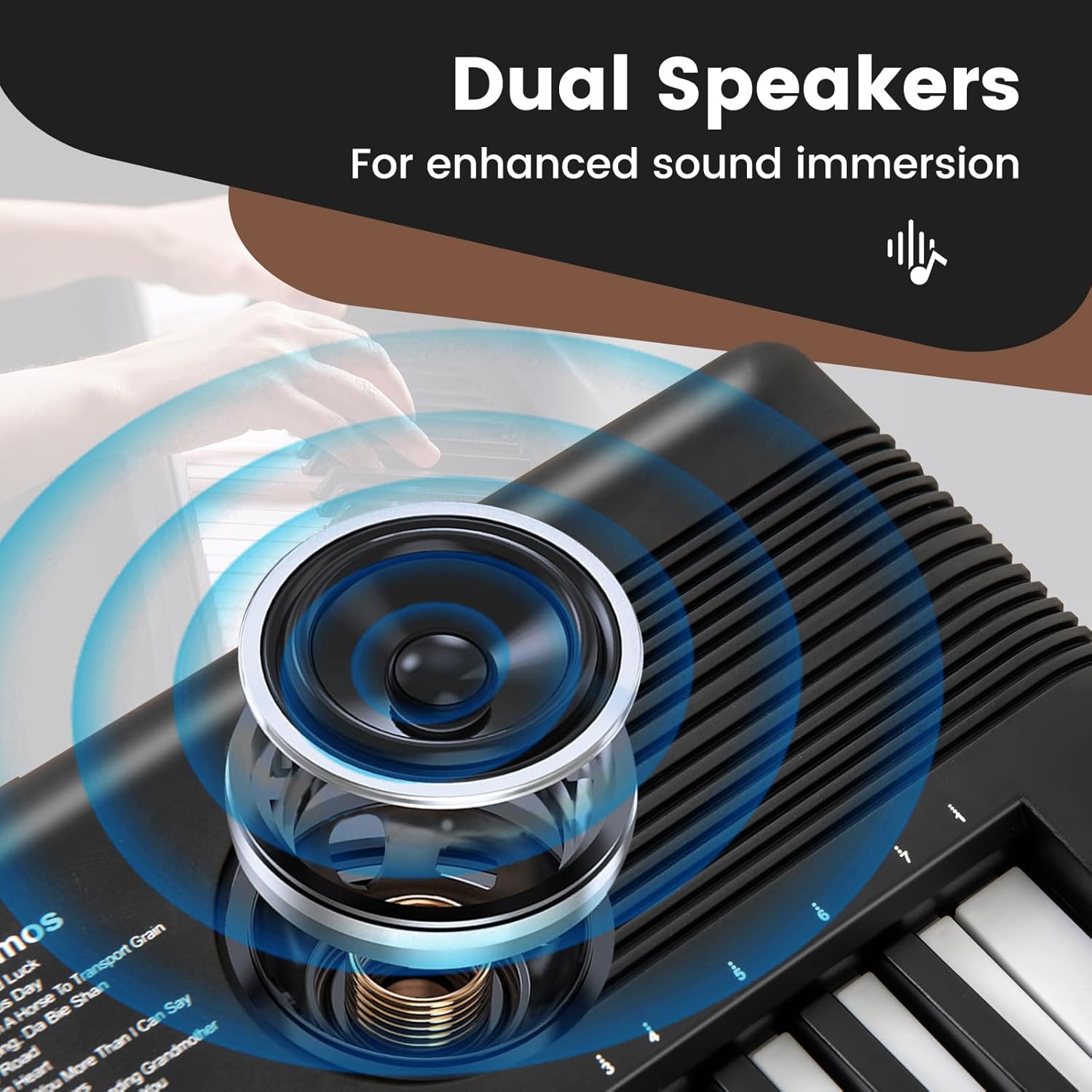
The keyboard features dual high-fidelity speakers for clear sound reproduction.
5. Persediaan
5.1 Sambungan Kuasa
- Penyesuai AC: Connect the small end of the power adapter to the DC 5V input port on the keyboard. Plug the other end into a standard wall outlet.
- Bateri (Pilihan): If using batteries, open the battery compartment on the underside of the keyboard. Insert 4 AA batteries (not included), ensuring correct polarity (+/-). Close the compartment securely.
5.2 Music Stand Assembly
Insert the music stand into the designated slots on the top panel of the keyboard. Ensure it is firmly seated.
5.3 Keynote Stickers Application
For beginners, apply the included keynote stickers to the keys as guided by the sticker sheet. This aids in learning note identification.
6. Arahan Operasi
6.1 Hidupkan/Mati Kuasa dan Kelantangan
- Tekan ke KUASA button to turn the keyboard on. The digital display will illuminate.
- Putar JILID knob to adjust the desired sound level.
- Tekan ke KUASA button again to turn the keyboard off.
6.2 Selecting Tones (Instrument Sounds)
- Tekan ke TONA button. The display will show the current tone number.
- Use the number buttons (0-9) to enter a specific tone number (e.g., 01 for Piano, 02 for Bright Piano). Refer to the tone list printed on the keyboard or in the full user guide for a complete list.
- Sebagai alternatif, gunakan + or - butang untuk mengitar antara nada yang tersedia.
6.3 Memilih Ritma
- Tekan ke RITMA button. The display will show the current rhythm number.
- Use the number buttons (0-9) to enter a specific rhythm number.
- Gunakan + or - buttons to cycle through the available rhythms.
- Tekan MULA/BERHENTI untuk memulakan atau menamatkan main balik irama.
- Laraskan tempo irama menggunakan TEMPO + or TEMPO - butang.
6.4 Playing Demo Songs
- Tekan ke LAGU DEMO button. The display will show the current demo song number.
- Use the number buttons (0-9) or +/- buttons to select a demo song.
- The selected demo song will begin playing automatically. Press LAGU DEMO sekali lagi untuk menghentikan main balik.
6.5 Rakaman dan Main semula
- Tekan ke REKOD button. The keyboard is now in recording mode.
- Play your desired melody on the keys.
- Tekan ke MAIN SEMULA button to stop recording and listen to your recorded performance.
6.6 Metronome Function
- Tekan ke METROME button to activate the metronome.
- Gunakan TEMPO + or TEMPO - buttons to adjust the metronome speed.
- Tekan ke METROME butang sekali lagi untuk mematikannya.
6.7 Sustain Function
Tekan ke KEUSAHAWANAN button to apply a sustain effect to the notes played. Press it again to deactivate.
6.8 Microphone and Headphone Use
- mikrofon: Plug the included microphone into the MIC input port. Adjust the keyboard's volume for microphone output.
- Fon kepala: Pasangkan fon kepala 3.5mm standard ke dalam AUDIO OUT (EARPHONE) port for private listening. The built-in speakers will mute automatically.

7. Penyelenggaraan
- Pembersihan: Wipe the keyboard surface with a soft, dry cloth. Do not use abrasive cleaners, solvents, or waxes.
- Storan: When not in use, store the keyboard in its carrying case in a cool, dry place, away from direct sunlight and extreme temperatures.
- Penyingkiran Bateri: Jika menyimpan untuk tempoh yang lama, keluarkan bateri untuk mengelakkan kebocoran.
8. Penyelesaian masalah
| Masalah | Kemungkinan Punca | Penyelesaian |
|---|---|---|
| Papan kekunci tidak dihidupkan. | No power, low batteries, or faulty adapter. | Ensure AC adapter is properly connected or replace batteries. |
| Tiada bunyi dari pembesar suara. | Volume too low, headphones connected, or speaker issue. | Increase volume, disconnect headphones, or check power. |
| Mikrofon tidak berfungsi. | Microphone not plugged in correctly or volume too low. | Ensure microphone is fully inserted into the MIC port and adjust keyboard volume. |
| Kekunci tidak responsif. | Keyboard may be in a specific mode (e.g., programming) or a temporary glitch. | Try turning the keyboard off and on again. Check if any special function is active. |
9. Spesifikasi
| Ciri | Perincian |
|---|---|
| Nombor Model | LD-10116US-BK-MU |
| Bilangan Kunci | 61 |
| Dimensi (L x W x H) | 23" x 7" x 2" (58.4 cm x 17.8 cm x 5.1 cm) |
| Berat Barang | 2.2 paun (1 kg) |
| Nada | 100 |
| Irama | 100 |
| Lagu Demo | 10 |
| Percussion Sounds | 5 |
| Input Kuasa | 100V-240V~50/60Hz |
| Output Kuasa | 5V 1A |
| Jenis Bateri | 4 x bateri AA (tidak termasuk) |
| Jack Fon Kepala | 3.5mm |
| Ciri Khas | Built-In Speaker, Digital Display, Portable, Record/Playback, Metronome, Sustain |
10. Waranti dan Sokongan
For warranty information or technical support, please refer to the contact details provided with your purchase documentation or visit the official LDAILY webtapak. Simpan bukti pembelian anda untuk tuntutan waranti.