
1. Pengenalan
This manual provides comprehensive instructions for the safe and effective use of your OnePlus Watch 3. Please read this manual thoroughly before operating the device and retain it for future reference. The OnePlus Watch 3 is a sophisticated smartwatch designed to integrate seamlessly into your daily life, offering advanced health monitoring, fitness tracking, and smart connectivity features.

Figure 1: The OnePlus Watch 3 in Black Steel, showcasing its round display and textured fluoroelastomer band.
2. Persediaan
2.1 Membuka Kotak dan Caj Permulaan
Upon unboxing your OnePlus Watch 3, ensure all components are present: the smartwatch, charging cable, and quick start guide. Before first use, fully charge the device using the provided charging cable. Connect the magnetic end of the cable to the charging pins on the back of the watch and the USB end to a compatible power adapter.

Rajah 2: Belakang view of the OnePlus Watch 3, highlighting the charging pins and health sensors.
2.2 Berpasangan dengan Telefon Pintar Anda
- Download the OHealth app from your smartphone's app store (Google Play Store).
- Pastikan Bluetooth didayakan pada telefon pintar anda.
- Open the OHealth app and follow the on-screen instructions to add a new device.
- Select 'OnePlus Watch 3' from the list of available devices.
- Sahkan kod gandingan yang dipaparkan pada jam tangan dan telefon pintar anda.
3. Mengendalikan Peranti
3.1 Navigasi Asas
- Skrin sentuh: Swipe left/right, up/down to navigate menus and screens. Tap to select items.
- Mahkota: Rotate the crown to scroll through lists or adjust settings. Press the crown to return to the watch face or open the app drawer.
- Butang Bawah: Customizable shortcut button, typically used for quick access to fitness tracking or health checks.

Figure 3: The front of the OnePlus Watch 3, illustrating the interactive display and physical crown for navigation.
3.2 Menyesuaikan Muka Jam
The OnePlus Watch 3 offers a variety of pre-installed watch faces and allows for further customization through the OHealth app. You can also set personal photos as watch faces for a personalized touch.

Figure 4: A personalized watch face on the OnePlus Watch 3, demonstrating customization options.
4. Penjejakan Kesihatan
The OnePlus Watch 3 is equipped with advanced sensors for comprehensive health monitoring. Data is synchronized with the OHealth app for detailed analysis and insights.
- Pemantauan Denyut Jantung: Penjejakan kadar denyutan jantung berterusan sepanjang hari.
- Penjejakan Oksigen Darah (SpO2): Mengukur tahap ketepuan oksigen darah.
- Penjejakan Tidur: Memantau tidur stages (Deep, Light, REM) and provides a sleep score, including sleep breathing risk detection.
- Pemantauan Tekanan: Assesses stress levels based on heart rate variability.
- Arterial Stiffness: Provides insights into vascular health.
- Penjejakan Kitaran: Helps track menstrual cycles for women.

Figure 5: The OnePlus Watch 3 showing various health metrics on its display.
5. Penjejakan Latihan
The watch supports over 100 professional-level tracking modes, providing detailed metrics for various activities. GPS is integrated for accurate outdoor activity tracking.
- Navigasi GPS: Supports Beidou, GPS, Galileo, GLONASS, and QZSS for precise location tracking during outdoor workouts.
- Penjejakan Aktiviti: Merekod langkah, jarak, kalori yang dibakar dan minit aktif.
- Fat Burning Evaluation: Provides insights into your workout effectiveness for fat burning.

Figure 6: The OnePlus Watch 3 being used during a cycling activity, demonstrating its fitness tracking capabilities.
6. Design & Build Quality
The OnePlus Watch 3 features a premium design with durable materials for everyday wear.
- Kes: 43mm polished stainless steel case.
- Perlindungan Paparan: Sapphire Crystal for enhanced scratch resistance.
- Band: Comfortable fluoroelastomer band.
- Tahan Air: IP68 and 5 ATM rating, suitable for swimming and daily water exposure.
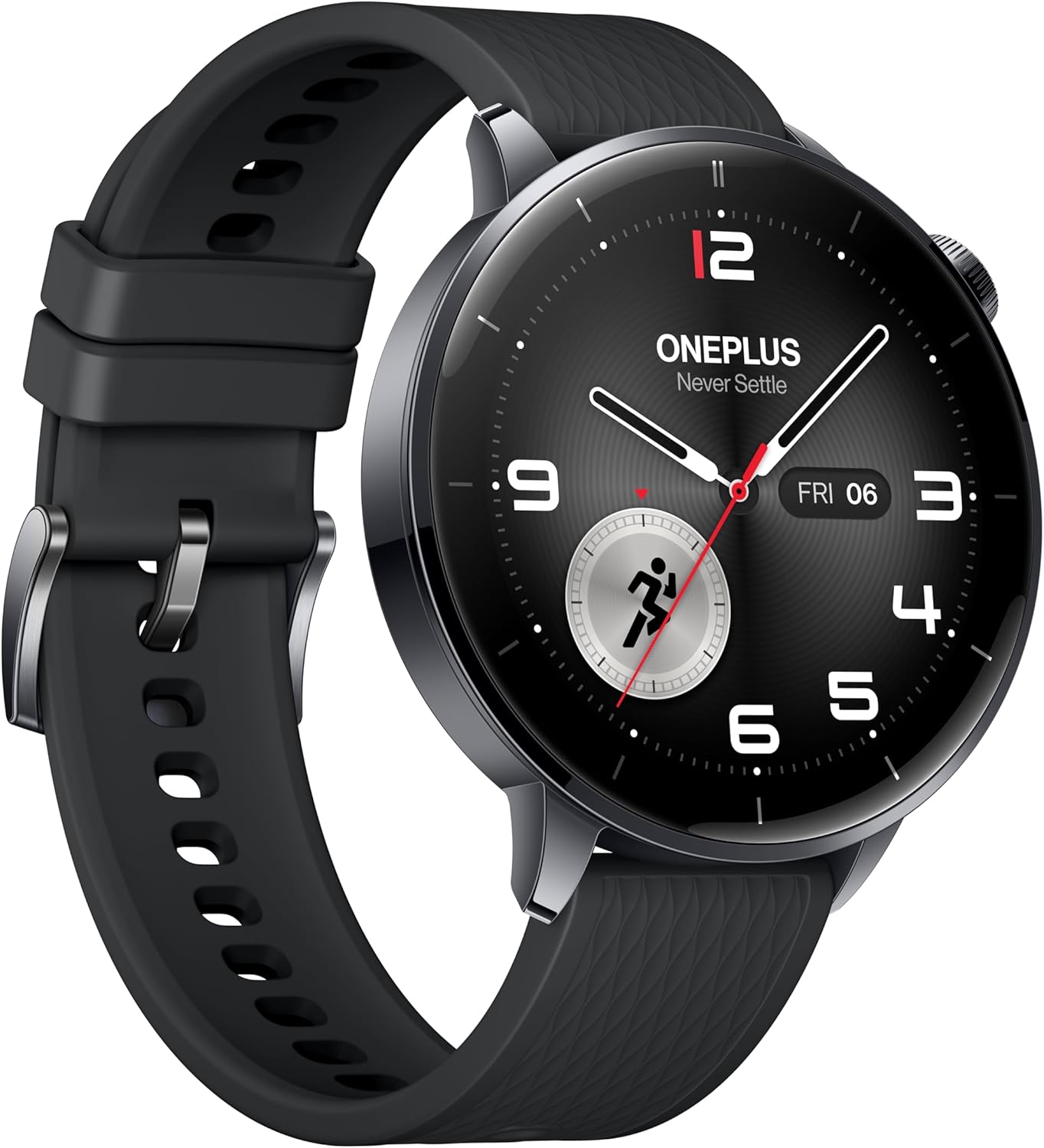
Rajah 7: Pro sampinganfile of the OnePlus Watch 3, showcasing its polished stainless steel case and integrated crown.
7. Spesifikasi Teknikal
| Ciri | Spesifikasi |
|---|---|
| Model | OnePlus Watch 3 (43mm Black Steel) |
| Paparan | 1.32-inch AMOLED, Round Face |
| Sistem Operasi | WearOS 5 (at launch) |
| Pemproses | Snapdragon W5 Gen 1 |
| RAM | 2GB |
| Penyimpanan | 32GB |
| Kapasiti Bateri | 345mAh (up to 60 hours in Smart Mode) |
| Mengecas | VOOC Quick Charging |
| Ketersambungan | Bluetooth, Wi-Fi (5G/2.4G, 802.11 a/b/g/n), NFC |
| GPS | Beidou, GPS, Galileo, GLONASS, QZSS |
| Tahan Air | IP68, 5 ATM |
| Berat (tanpa tali) | 49.7g |
| Bahan | Polished Stainless Steel Case, Sapphire Crystal, Fluoroelastomer Band |
8. Prestasi Bateri
The OnePlus Watch 3 offers exceptional battery life for a WearOS smartwatch, providing up to 60 hours of use in Smart Mode. Power-saving features can extend this significantly.

Figure 8: The OnePlus Watch 3 highlighting its impressive 60-hour battery life in Smart Mode.
9. Paparan
The 1.32-inch AMOLED display provides vibrant colors and excellent readability, even in bright sunlight. The display is protected by Sapphire Crystal for durability.
Figure 9: A close-up of the OnePlus Watch 3's vibrant AMOLED display.
10. Ketersambungan
The watch offers robust connectivity options for seamless integration with your digital ecosystem.
- Bluetooth: For connecting to your smartphone and compatible accessories like earbuds.
- Wi-Fi: Enables faster app downloads and updates from the Play Store.
- NFC: Supports Google Wallet for contactless payments.

Figure 10: The OnePlus Watch 3's app drawer, illustrating the range of applications available.
11. Software (Wear OS 5.0)
Running on Wear OS 5.0, the OnePlus Watch 3 provides a smooth and feature-rich user experience with access to a wide range of Google apps and services.
- Google Play Apps: Download and install your favorite apps directly from the watch.
- Google Wallet: Convenient contactless payments.
- Pembantu Google: Voice-activated assistant for quick tasks and information.
- Dual OS: Combines Wear OS for smart features with an RTOS-based system for power efficiency in core functions.
12. Smartphone App (OHealth)
The OHealth app serves as the central hub for managing your OnePlus Watch 3, providing detailed health and fitness data, watch face customization, and device settings.
- Health Insights: Comprehensive summaries and tips based on your prolonged usage data.
- Rekod Latihan: Detailed logs of your fitness activities, including maps, heart rate zones, and elevation data.
- Pengurusan Peranti: Control watch settings, notifications, and app installations.
13. Penyelenggaraan
To ensure the longevity and optimal performance of your OnePlus Watch 3, follow these maintenance guidelines:
- Pembersihan: Regularly wipe the watch and band with a soft, damp kain. Elakkan bahan kimia yang keras.
- Pendedahan Air: While water-resistant, avoid prolonged submersion in saltwater or exposure to high-pressure water. Rinse with fresh water after swimming.
- mengecas: Use only the original charging cable. Keep charging contacts clean and dry.
- Storan: Simpan jam tangan di tempat yang sejuk dan kering apabila tidak digunakan.
14. Penyelesaian masalah
If you encounter any issues with your OnePlus Watch 3, try the following common solutions:
- Tonton tidak dihidupkan: Pastikan jam tangan dicas sepenuhnya.
- Isu gandingan: Ensure Bluetooth is on, the watch is in pairing mode, and the OHealth app is updated. Try restarting both devices.
- Data kesihatan tidak tepat: Ensure the watch is worn snugly on your wrist. Clean the sensors regularly.
- Ketepatan GPS yang lemah: Pastikan anda berada di kawasan terbuka dengan langit cerah view.
- App crashes/slowness: Restart the watch. Ensure all apps and Wear OS are updated.
For persistent issues, refer to the online support resources or contact OnePlus customer service.
15. Waranti dan Sokongan
Your OnePlus Watch 3 comes with a limited manufacturer's warranty. Please refer to the warranty card included in your product packaging for specific terms and conditions. For technical support, FAQs, and additional resources, visit the official OnePlus support webtapak atau hubungi perkhidmatan pelanggan mereka.