
1. Pengenalan
This manual provides detailed instructions for the proper use and maintenance of your OnePlus Buds 4 Wireless Earbuds. Please read this manual thoroughly before using the product to ensure optimal performance and longevity.
Kandungan Pakej
Sahkan bahawa semua item terdapat dalam pakej:
- OnePlus Buds 4 Earbuds (Left and Right)
- Kes Pengecasan
- Kabel Pengecas USB-C
- Multiple Ear Tip Sizes (S, M, L)
- Manual Pengguna (dokumen ini)

Image: Contents of the OnePlus Buds 4 retail package, showing the earbuds, charging case, USB-C cable, and various ear tip sizes.
2. Persediaan
2.1 Pengecasan Awal
Before first use, fully charge the OnePlus Buds 4 and their charging case. Connect the provided USB-C charging cable to the charging port on the case and a power source. The indicator light on the case will show charging status.
- A full charge provides extended playback time.
- The charging case has a 530mAh battery capacity.

Image: OnePlus Buds 4 earbuds in their open charging case, highlighting the extended battery life capability.
2.2 Berpasangan dengan Peranti
- Pastikan fon telinga berada dalam bekas pengecasan dan penutupnya terbuka.
- Press and hold the function button on the charging case until the indicator light flashes white, indicating pairing mode.
- On your device (smartphone, tablet, etc.), go to Bluetooth settings and select "OnePlus Buds 4" from the list of available devices.
- Once connected, the indicator light will turn solid white or off.
The OnePlus Buds 4 utilize Bluetooth 5.4 for stable connectivity and support Fast Pair for quick setup with compatible Android devices.

Image: OnePlus Buds 4 earbuds and charging case with a Bluetooth signal icon, illustrating stable connectivity via Bluetooth 5.4.
2.3 Memakai Fon Telinga
Choose the ear tips that provide the best seal and comfort for your ears. A proper fit is crucial for optimal sound quality and effective Active Noise Cancellation.
- Masukkan fon telinga ke dalam saluran telinga anda dengan lembut.
- Putarkannya sedikit sehingga ia berasa selamat dan selesa.
3. Arahan Operasi
3.1 Kawalan Sentuhan
The OnePlus Buds 4 feature intuitive touch controls on the stem of each earbud.
| Tindakan | Fungsi |
|---|---|
| Ketik Tunggal | Mainkan / Jeda muzik, Jawapan / Tamatkan panggilan |
| Ketik Dua Kali | Next track, Reject call |
| Ketik Tiga Kali | Lagu sebelumnya |
| Tekan dan Tahan (Kiri/Kanan) | Switch Noise Control Mode (ANC/Transparency) |
| Swipe Up/Down (Stem) | Laraskan Kelantangan |

Image: Close-up of OnePlus Buds 4 earbuds showing the area for volume swipe control on the stem.
3.2 Pembatalan Bunyi Aktif (ANC) dan Mod Ketelusan
The earbuds feature advanced Active Noise Cancellation to reduce ambient noise and a Transparency Mode to allow you to hear your surroundings.
- Pembatalan Bunyi Aktif: Reduces external sounds for an immersive listening experience.
- Mod Ketelusan: Amplifies ambient sounds, allowing you to stay aware of your environment without removing the earbuds.
- Mod Adaptif: Intelligently switches between ANC and Transparency modes based on your environment.
Switch between these modes by pressing and holding the touch area on either earbud.

Image: A person wearing OnePlus Buds 4 earbuds outdoors, illustrating the effect of Active Noise Cancellation.
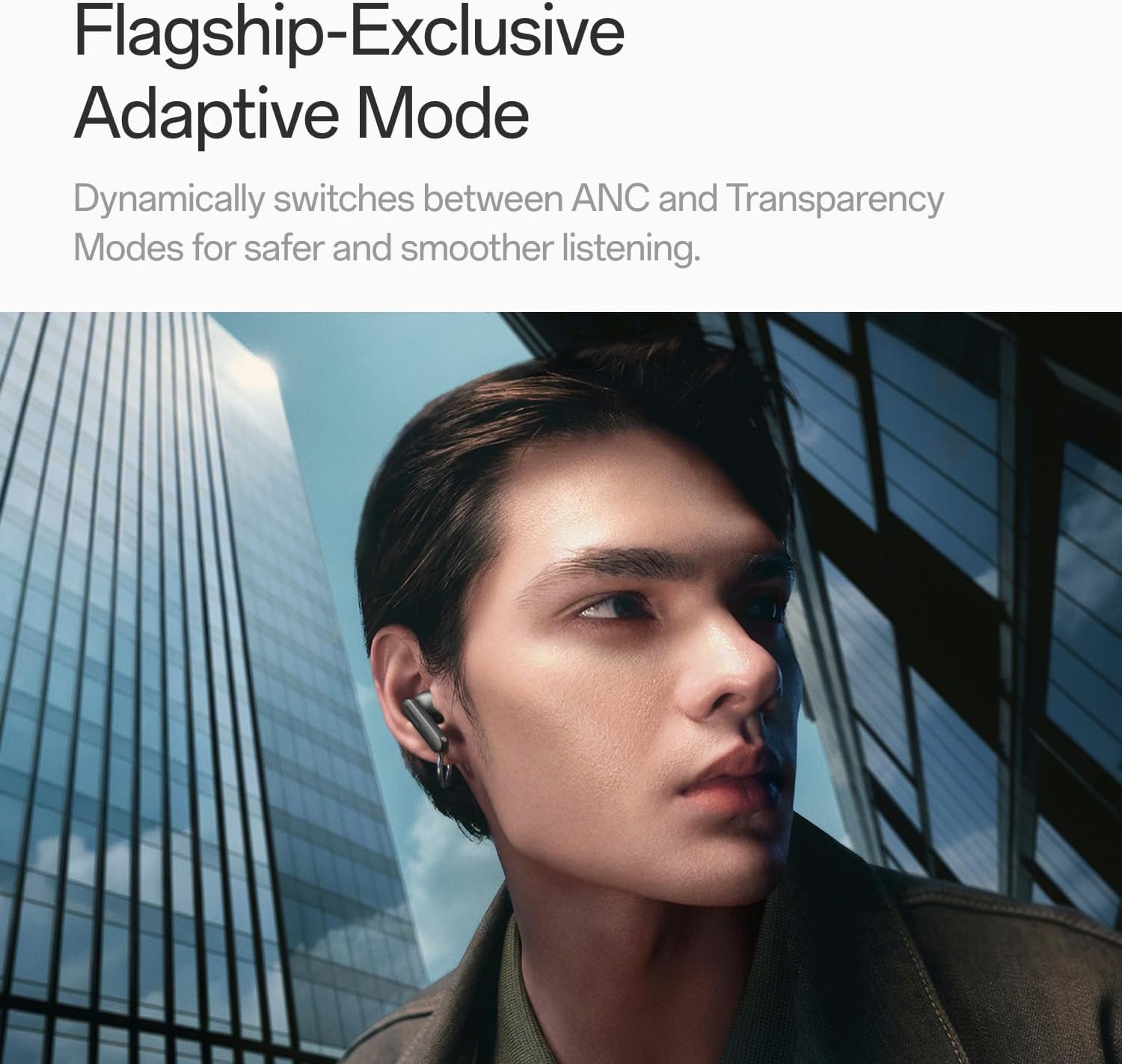
Image: A person wearing OnePlus Buds 4 earbuds in a city setting, highlighting the Adaptive Mode feature.
3.3 Ciri Audio
The OnePlus Buds 4 deliver high-quality audio with advanced technologies.
- 11mm Audio Drivers: Provide balanced, true-to-life acoustics.
- Hi-Res Audio & LHDC 5.0: For detailed, studio-grade sound reproduction.
- Immersive 3D Spatial Audio: Creates a richer, surrounding sound experience.

Image: OnePlus Buds 4 earbuds with Hi-Res Audio and LHDC 5.0 branding, emphasizing advanced audio capabilities.

Image: OnePlus Buds 4 earbuds depicted with a visual effect suggesting immersive 3D Spatial Audio.

Imej: Meletup view diagram of a OnePlus Buds 4 earbud, highlighting its internal sound components and drivers.
3.4 Ciri Panggilan
The earbuds are equipped with features to enhance call clarity.
- 3-mic AI Call Noise Cancellation: Filters out noise and wind for clear calls in various environments.
- 3x Voice Cancellation: Reduces vocal distractions in noisy settings like cafes or trains.

Image: A person lying down with OnePlus Buds 4 earbuds, representing the effect of voice cancellation for undisturbed listening.

Imej: Telus view of a OnePlus Buds 4 earbud, highlighting the 3-mic system for AI Call Noise Cancellation.
3.5 Terjemahan AI
With a compatible OnePlus phone, the earbuds can facilitate real-time conversations in multiple languages.

Image: OnePlus Buds 4 earbuds alongside a smartphone screen demonstrating AI translation functionality.
4. Penyelenggaraan
4.1 Pembersihan
- Bersihkan fon telinga dan bekas pengecas dengan kerap menggunakan kain yang lembut, kering dan tidak berbulu.
- Tanggalkan hujung telinga dan bersihkannya dengan air dan sabun lembut jika perlu, pastikan ia benar-benar kering sebelum dipasang semula.
- Do not use abrasive materials or harsh chemicals.
4.2 Tahan Air
The OnePlus Buds 4 are water resistant. This means they can withstand splashes and sweat, making them suitable for workouts. However, they are not waterproof and should not be submerged in water.
4.3 Penyimpanan
Apabila tidak digunakan, simpan fon telinga dalam bekas pengecasnya untuk melindunginya dan memastikan ia kekal dicas.
5. Penyelesaian masalah
If you encounter issues with your OnePlus Buds 4, refer to the following common solutions:
5.1 Isu Berpasangan
- Ensure the earbuds are charged and in pairing mode (flashing white light).
- Matikan dan hidupkan Bluetooth pada peranti anda.
- Forget the device in your Bluetooth settings and attempt to pair again.
- Cuba tetapkan semula fon telinga (rujuk manual pengguna penuh untuk arahan tetapan semula khusus).
5.2 Isu Bunyi
- Check the earbud fit and try different ear tip sizes.
- Clean the ear tips and speaker meshes to remove any debris.
- Ensure the volume on both your device and earbuds is adjusted correctly.
5.3 Isu Pengecasan
- Sahkan kabel pengecas disambungkan dengan selamat pada kedua-dua bekas dan sumber kuasa.
- Pastikan sentuhan pengecas pada fon telinga dan bahagian dalam bekas bersih dan bebas daripada halangan.
- Cuba kabel USB-C atau penyesuai kuasa yang lain.
6. Spesifikasi
| Ciri | Perincian |
|---|---|
| Nama Model | OnePlus Buds 4 |
| Nombor Model | E513A |
| Jenama | OnePlus |
| warna | Zen Green |
| Penempatan Telinga | Di Telinga |
| Faktor Bentuk | Di Telinga |
| Kawalan Bunyi | Pembatalan Bunyi Aktif |
| Saiz Pemacu Audio | 11 Milimeter |
| Jenis Pemacu Audio | Pemandu Dinamik |
| Respons Kekerapan | 40 Hz |
| Sensitiviti | 100 dB |
| Impedans | 18 Ohm |
| Teknologi Ketersambungan | Bluetooth |
| Teknologi Komunikasi Tanpa Wayar | Bluetooth |
| Versi Bluetooth | 5.4 |
| Julat Bluetooth | 33 Kaki |
| Kaedah Kawalan | Sentuh |
| Jenis Pengawal | Kawalan Sentuh |
| Kapasiti Kes Pengecasan | 530mAh |
| Tahap Ketahanan Air | Tahan Air |
| Berat Barang | 0.15 Kilogram (5.3 auns) |
| Komponen yang Disertakan | Cable, Charging Case, Eartip, User Manual |
7. Waranti dan Sokongan
7.1 Waranti Pengilang
The OnePlus Buds 4 are backed by a one-year manufacturer warranty. This warranty covers defects in materials and workmanship under normal use. For specific terms and conditions, please refer to the warranty card included in your product packaging or visit the official OnePlus support webtapak.
7.2 Sokongan Pelanggan
For further assistance, technical support, or warranty claims, please contact OnePlus customer service through their official webtapak atau maklumat hubungan yang diberikan dalam dokumentasi produk anda.
Official OnePlus Store: OnePlus Store on Amazon