
pengenalan
Thank you for choosing the boAt Aavante 2.1 1600D Soundbar. This manual provides essential information for setting up, operating, and maintaining your soundbar to ensure a high-quality audio experience. Please read these instructions carefully before use and retain them for future reference.
Apa yang ada dalam Kotak
Selepas membongkar, sila pastikan semua item berikut ada:
- Bar bunyi
- Subwufer
- Cable (Power Cable, Audio Cables depending on model)
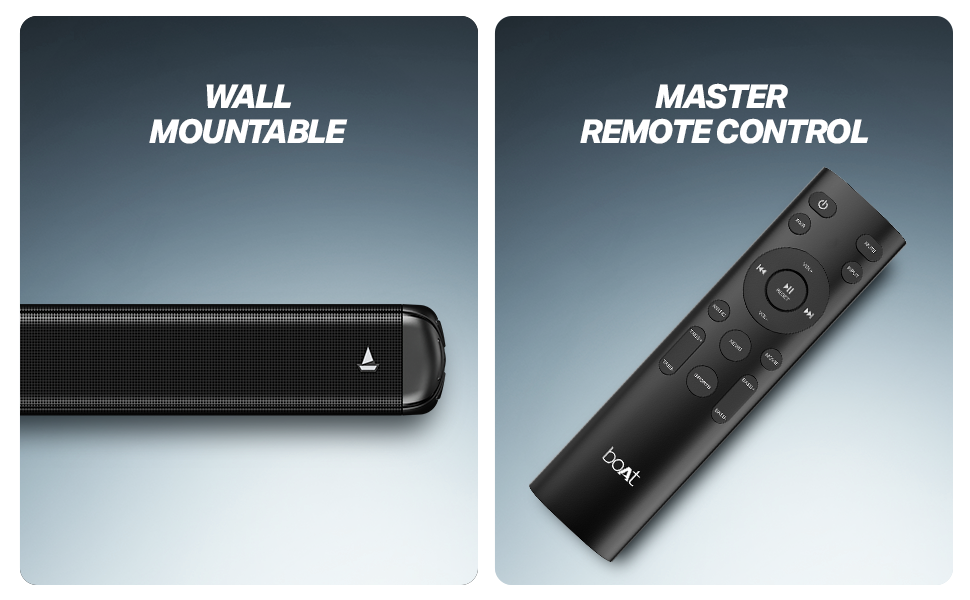
- Remote Control (with 2 AA batteries included)

Rajah 1: Soundbar, remote control, and wall-mountable feature overview.
Persediaan
Penempatan
Place the soundbar centrally below your television. The wired subwoofer should be placed on the floor near the soundbar for optimal bass response. Ensure there is adequate ventilation around both units.
The soundbar is also wall-mountable. Refer to the included mounting template (if applicable) for proper installation.
Rajah 2: Recommended placement of the soundbar and subwoofer for an immersive audio experience.
Sambungan
- Sambungan Kuasa: Connect the power cable to the soundbar and subwoofer, then plug them into a wall outlet.
- Sambungan Subwufer: Sambungkan subwoofer berwayar ke bar bunyi menggunakan kabel yang disediakan.
- Input Audio: Pilih salah satu daripada kaedah berikut untuk menyambungkan sumber audio anda:
- HDMI (ARC): Untuk kualiti dan kawalan audio terbaik, sambungkan kabel HDMI daripada port HDMI ARC TV anda ke port HDMI ARC bar bunyi.
- Optik: Sambungkan kabel optik daripada output optik TV anda ke input optik bar bunyi.
- AUX: Use a 3.5mm audio cable to connect your device to the soundbar's AUX input.
- USB: Masukkan pemacu USB dengan audio files ke dalam port USB bar bunyi.
Arahan Operasi
Hidupkan/Mati Kuasa
Tekan butang kuasa pada bar bunyi atau alat kawalan jauh untuk menghidupkan atau mematikan unit.
Pemilihan Sumber
Use the 'Input' or 'Source' button on the remote control to cycle through available input modes: Bluetooth, AUX, USB, Optical, and HDMI (ARC).
Kawalan Kelantangan
Adjust the volume using the 'Volume +' and 'Volume -' buttons on the remote control or the soundbar.
Berpasangan Bluetooth
- Select Bluetooth mode on the soundbar. The LED indicator will flash.
- Dayakan Bluetooth pada peranti anda (telefon pintar, tablet, dll.).
- Cari untuk 'boAt Aavante 1600D' in your device's Bluetooth list and select it to pair.
- Once paired, the LED indicator will stop flashing and remain solid.
Mod EQ
The soundbar features multiple EQ modes to optimize audio for different content types. Use the dedicated buttons on the remote control to select:
- Muzik: Enhanced for musical playback.
- Filem: Dioptimumkan untuk skap bunyi sinematik.
- Berita: Clearer dialogue for news and spoken content.
- 3D: Creates a more immersive, spatial audio effect.
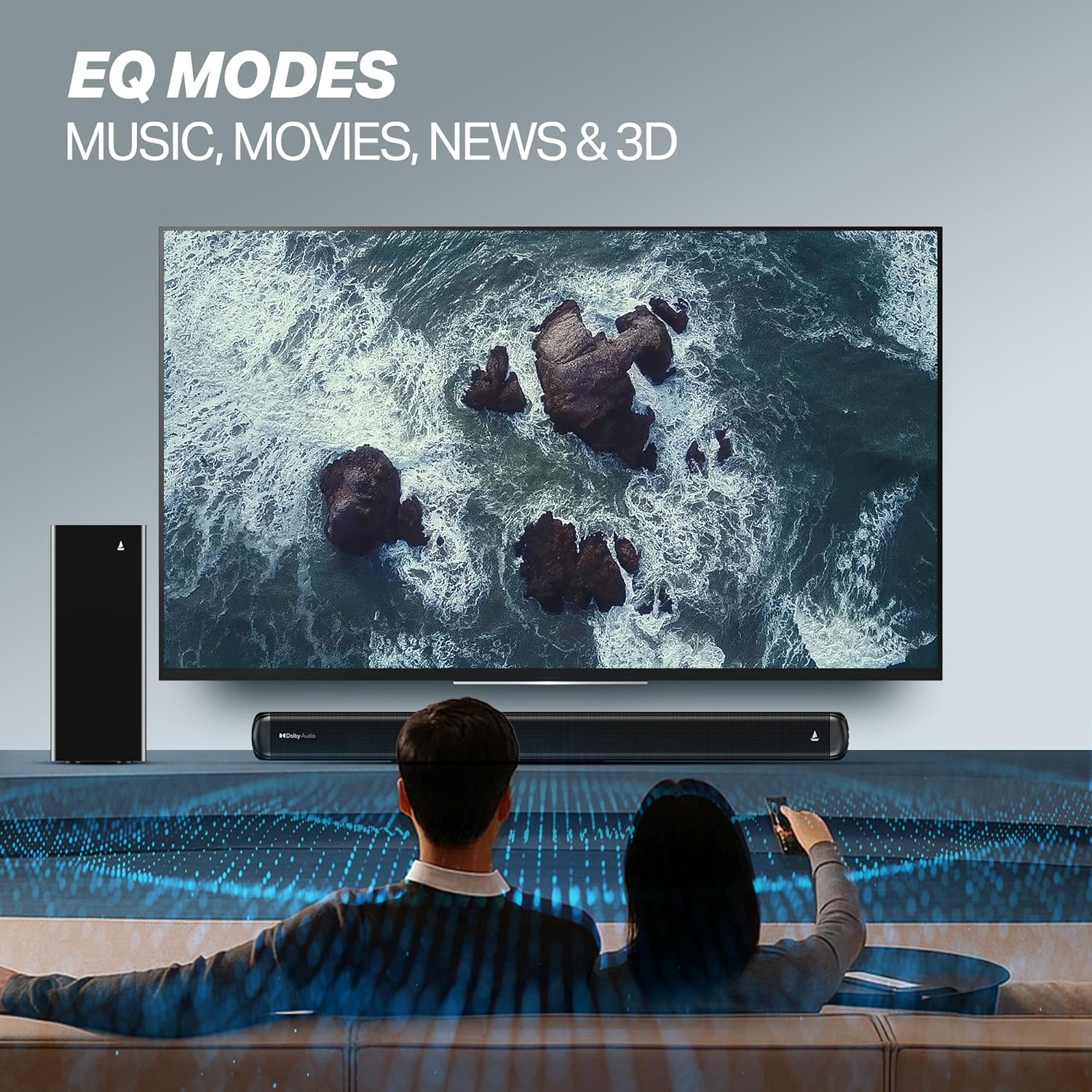
Rajah 3: EQ Modes for various content types.
Penyelenggaraan
Pembersihan
- Sentiasa tanggalkan palam bar bunyi dan subwoofer daripada soket kuasa sebelum membersihkan.
- Use a soft, dry cloth to wipe the surfaces.
- Do not use liquid cleaners, aerosols, or abrasive materials, as they may damage the finish.
Penyimpanan
If storing the unit for an extended period, ensure it is clean, dry, and stored in a cool, well-ventilated area away from direct sunlight and extreme temperatures.
Menyelesaikan masalah
| Masalah | Kemungkinan Punca | Penyelesaian |
|---|---|---|
| Tiada kuasa | Kabel kuasa tidak disambungkan; Alur keluar kuasa tidak berfungsi | Ensure power cables are securely connected; Try a different power outlet. |
| Tiada bunyi | Incorrect input source; Volume too low; Mute activated; Audio cable not connected properly | Select the correct input source; Increase volume; Deactivate mute; Check audio cable connections. |
| Isu berpasangan Bluetooth | Device too far; Soundbar not in pairing mode; Interference | Move device closer; Ensure soundbar is in Bluetooth pairing mode; Turn off other Bluetooth devices. |
| Alat kawalan jauh tidak berfungsi | Bateri berkurangan; Halangan antara alat kawalan jauh dan bar bunyi | Gantikan bateri; Keluarkan sebarang halangan. |
Spesifikasi
| Nama Model | Aavante |
| Nombor Model | HA0127 |
| Jenis Pembesar Suara | Bar bunyi |
| Mod Keluaran Audio | 2.1 Saluran |
| Kuasa Output Maksimum Pembesar Suara | 160 Watt |
| Teknologi Ketersambungan | Bluetooth v5.4, AUX, USB, Optik, HDMI (ARC) |
| Julat Bluetooth | 10 Meter |
| Konfigurasi Saluran Bunyi Sekeliling | 2.1 |
| Kaedah Kawalan | Jauh |
| Dimensi Produk | 80D x 6.6W x 7.5H Sentimeter |
| Berat Barang | 6 kg |
| Sumber Kuasa | berwayar |
| Bateri Diperlukan (untuk alat kawalan jauh) | 2 bateri AA (termasuk) |
| Pengeluar | Imagine Marketing Sdn. Bhd. |
| Negara Asal | China |
Waranti dan Sokongan
Maklumat Waranti
This product comes with a Limited Warranty. Please refer to the warranty card included in your package or visit the official boAt website for detailed terms and conditions regarding warranty coverage and claims.
Sokongan Pelanggan
For any technical assistance, product inquiries, or support, please visit the official boAt support page or contact their customer service. You can find contact details on the boAt webtapak: boAt Official Store