
1. Pengenalan
Thank you for choosing the Soobest 12-inch Digital Day Clock. This clock is designed with a large, high-definition display to clearly show the time, date, and day of the week, making it ideal for seniors. It includes versatile display modes, up to 20 customizable alarm reminders, and automatic brightness adjustment to enhance daily routines and provide comfort.
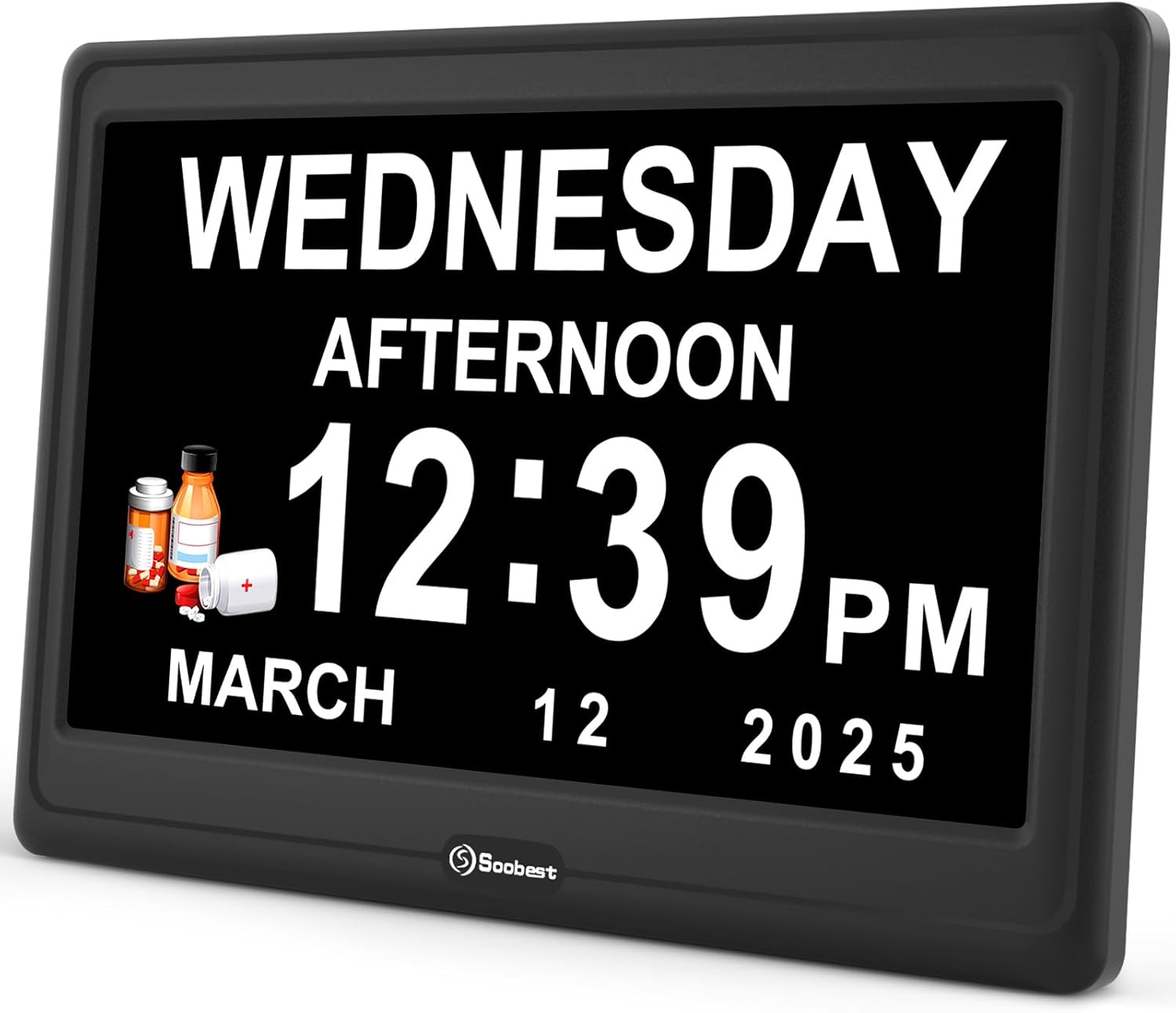
Depan view of the Soobest 12-inch Digital Day Clock, displaying time and date.
2. Kandungan Pakej
- Soobest 12-inch Digital Day Clock
- Power Adapter (Corded Type C)
- Manual Arahan
3. Persediaan
3.1 Sambungan Kuasa
- Connect the provided power adapter to the DC 5V input port on the back of the clock.
- Plug the adapter into a standard electrical outlet. The clock will power on automatically.

belakang view of the clock, highlighting the DC 5V input and control buttons.
3.2 Battery Installation (Memory Function)
For the memory function to retain time and alarm settings during a power outage, install 2 AAA batteries (not included).
- Cari petak bateri di belakang jam.
- Buka penutup petak.
- Masukkan 2 bateri AAA, pastikan kekutuban (+/-) betul.
- Tutup penutup petak bateri.

Illustration of the battery compartment for the memory function, requiring 2 AAA batteries.
3.3 Penempatan
The clock can be placed on a tabletop using its built-in stand or mounted on a wall using the keyhole slots on the back.

The 12-inch clock dimensions are 10.1 inches wide by 6.72 inches high.
4. Arahan Operasi
The clock is operated using the buttons on the back: Up, Down, Left, Right, OK, and MENU/EXIT.
4.1 Initial Settings (Time, Date, Language)
- Tekan ke MENU/KELUAR butang untuk masuk ke menu tetapan.
- Gunakan Atas/Bawah buttons to navigate through options like Language, Date Mode, Set Date, Time Display.
- Tekan OK untuk memilih pilihan.
- guna Atas/Bawah/Kiri/Kanan butang untuk melaraskan nilai. Tekan OK untuk mengesahkan.
- To set the language, select "Language" and choose from 8 supported languages: English, Spanish, German, French, Italian, Swedish, Polish, Dutch.
- To set the date, select "Set Date" and adjust the month, day, and year.
- To set the time, select "Set Time" and adjust hours and minutes. You can also choose between 12-hour or 24-hour format under "Time Display".
- The clock supports automatic Daylight Saving Time (DST) changes.
- Tekan MENU/KELUAR untuk menyimpan tetapan dan keluar.
Video demonstrating the initial setup and menu navigation for the Soobest Digital Day Clock.
4.2 Mod Paparan
The clock offers four versatile display modes:
- White Digits: Standard digital display with white text on a black background.
- Yellow Digits: Digital display with yellow text on a black background.
- Analog Clock Face: Displays an analog clock face with digital date and day.
- Paparan Warna: Features a red, white, and blue background with digital time and date.
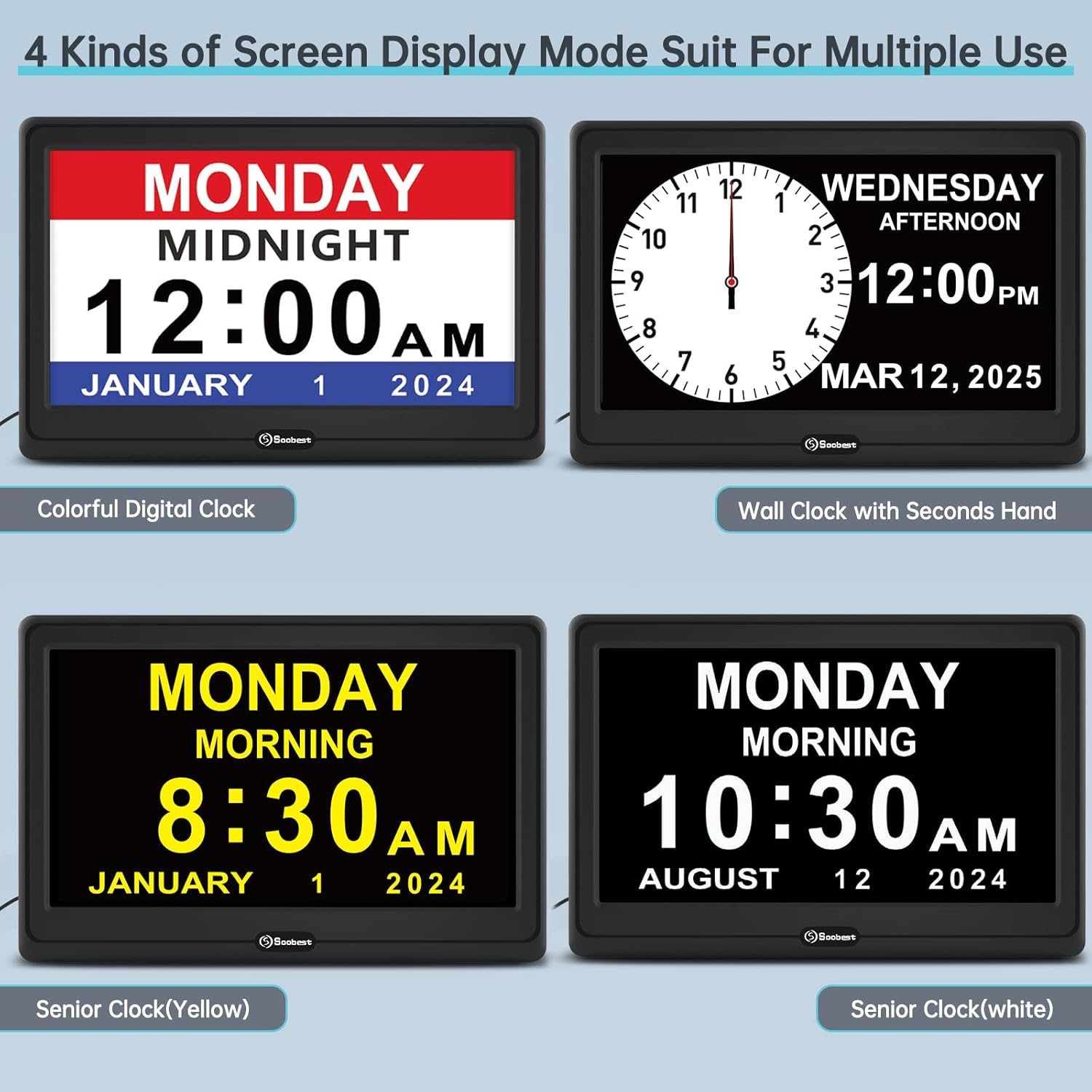
Examples of the four available screen display modes: Colorful Digital, Wall Clock with Seconds Hand, Senior Clock (Yellow), and Senior Clock (White).
4.3 Menetapkan Penggera
The clock supports up to 20 customizable alarm reminders.
- From the main menu, navigate to "Alarm Settings".
- Select an alarm slot (e.g., Alarm 1, Alarm 2).
- Tetapkan masa penggera.
- Choose the alarm frequency: Daily, Weekly, or Date-Specific.
- Select a reminder icon and text (e.g., Medicine, Drink Water, Meal, Walk Dog, Bed Time, Cleaning, Clinic, Appointment).
- Choose a ringtone: Wave Sound, Birds Sound, or Original Beep Sound.
- Adjust the alarm volume from Level 1 to 10.
- Confirm and save the alarm settings.

Various alarm reminders displayed on the clock, such as "Drink Water", "Medicine", "Meal", "Gardening", "Walk Dog", and "Bed Time".

Visual representation of the three alarm sound options and the adjustable volume feature.
4.4 Pelarasan Kecerahan
The clock offers 5 levels of manual brightness adjustment and an automatic dimming feature.
- Pelarasan Manual: In the settings menu, navigate to "Brightness" and select a level from 1 to 5.
- Auto Dimmer: The clock can automatically dim at 9:30 PM and brighten at 6:59 AM to protect eyes and ensure comfortable viewing in different light conditions.

Illustrates the 6 levels of adjustable dimmer, from L5 (brightest) to L1 (dimmest), and the auto-dimming function.
4.5 Time Period Display
The clock displays 6 different time periods throughout the day to help users distinguish between morning and evening hours.
- Pre-Dawn
- Pagi
- Petang
- Petang
- Malam
- tengah malam

The clock showing different time periods like Pre-Dawn, Morning, Afternoon, Evening, Night, and Midnight.
5. Penyelenggaraan
- Clean the clock screen and body with a soft, dry cloth. Do not use abrasive cleaners or solvents.
- Elakkan daripada mendedahkan jam kepada suhu yang melampau, cahaya matahari langsung atau kelembapan yang tinggi.
- Ensure the clock is placed on a stable surface or securely mounted to prevent falls.
6. Penyelesaian masalah
| Masalah | Kemungkinan Punca | Penyelesaian |
|---|---|---|
| Jam tidak boleh dihidupkan. | Penyesuai kuasa tidak disambungkan atau alur keluar rosak. | Ensure power adapter is securely plugged into the clock and a working electrical outlet. Try a different outlet. |
| Tetapan hilang selepas kuasa dimatikantage. | Memory backup batteries (AAA) are not installed or are depleted. | Install 2 new AAA batteries in the battery compartment. |
| Penggera tidak berbunyi. | Alarm is turned off, volume is too low, or incorrect settings. | Check alarm settings to ensure it is enabled, set to the correct time, and volume is audible. |
| Paparan terlalu malap atau terlalu terang. | Brightness settings need adjustment. | Manually adjust brightness levels in the settings menu. Check auto-dimmer settings if applicable. |
7. Spesifikasi
- model: SO1001
- Saiz Skrin: 12 Inci
- Jenis Paparan: Large HD Digital Display
- Dimensi Produk: 10.1"W x 6.72"H
- Sumber Kuasa: Corded Electric (DC 5V input)
- Sandaran Memori: Memerlukan 2 x bateri AAA (tidak termasuk)
- Bahan: plastik
- Jenis Pemasangan: Atas Meja, Pemasangan Dinding
- Bahasa yang Disokong: English, Spanish, German, French, Italian, Swedish, Polish, Dutch
- Peringatan Penggera: Up to 20 customizable alarms
- Kecerahan: 5 manual levels, Auto Dimmer (9:30 PM - 6:59 AM)
- Format Masa: 12 jam / 24 jam
- DST: Pelarasan Masa Penjimatan Siang Automatik
8. Waranti dan Sokongan
Soobest products are designed for reliability and performance. For any questions, technical support, or warranty inquiries, please contact our customer support team.
E-mel Sokongan Pelanggan: soobest2014@outlook.com
Please have your model number (SO1001) and purchase information ready when contacting support.