
pengenalan
This manual provides detailed instructions for the installation, operation, and maintenance of your Ctronics 4K Hybrid Zoom 10x Outdoor WiFi Surveillance Camera, Model 930-4KD. This camera is designed for outdoor security, featuring dual lenses, 10x hybrid zoom, auto-tracking, human detection, color night vision, two-way audio, and an IP66 weatherproof rating.
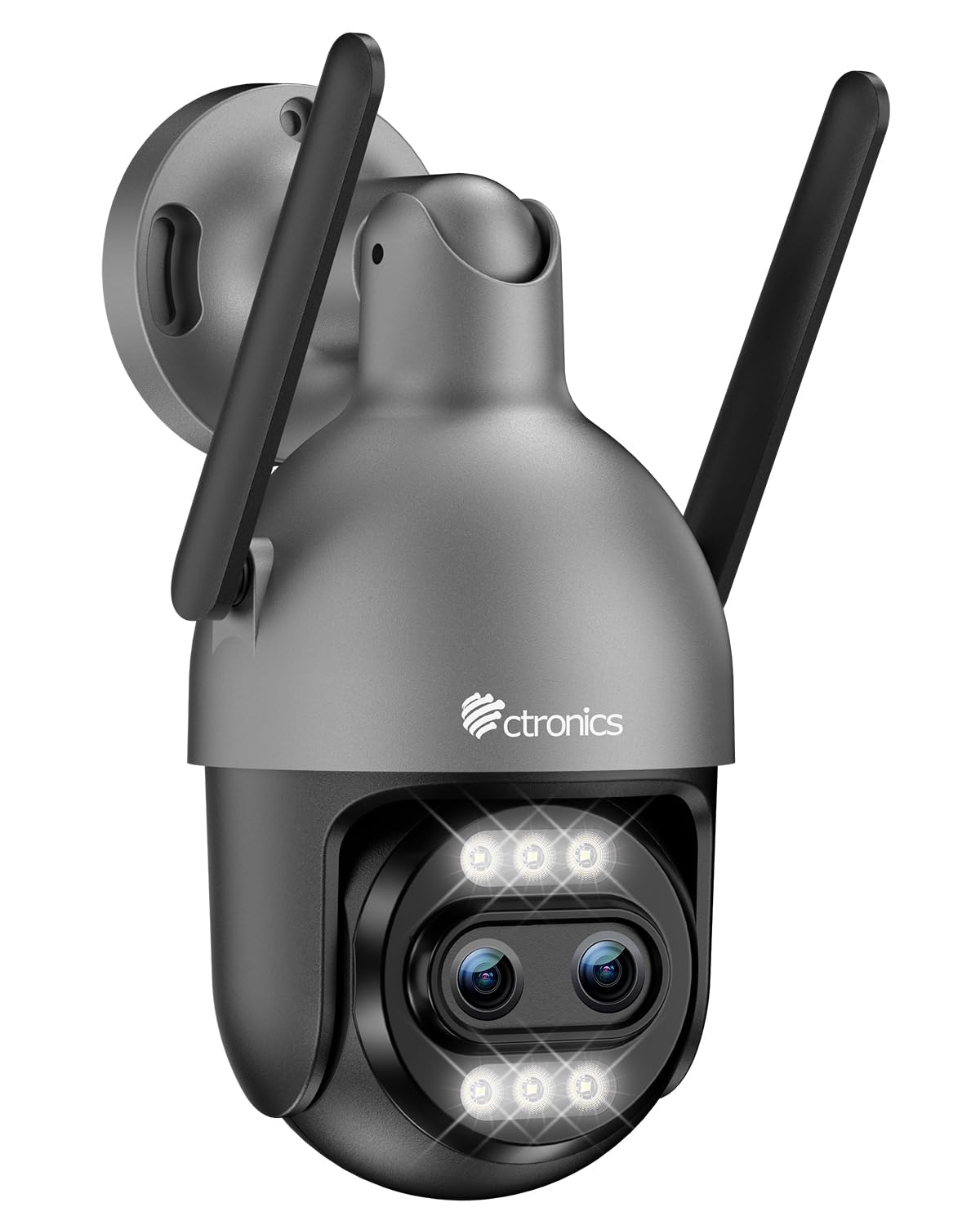
Image: Ctronics 4K Hybrid Zoom 10x Outdoor WiFi Surveillance Camera, Model 930-4KD.
1. Persediaan dan Pemasangan
1.1 Kandungan Pakej
Sahkan bahawa semua komponen terdapat dalam pakej:
- Ctronics 4K Hybrid Zoom 10x Outdoor WiFi Surveillance Camera (Model 930-4KD)
- Penyesuai Kuasa
- Skru dan Penambat Pemasangan
- Waterproof Kit for Network Cable
- Manual Pengguna (dokumen ini)
1.2 Pemasangan Fizikal
The camera is designed for outdoor use and ceiling mounting. Choose a location that provides optimal surveillance coverage and has a stable surface for mounting. Ensure the camera is within range of your Wi-Fi network or close to an Ethernet connection point.
- Mark the drilling positions on the wall or ceiling using the mounting template (if provided, otherwise use the camera base).
- Gerudi lubang dan masukkan sauh dinding.
- Secure the camera base to the surface using the provided screws.
- Adjust the camera angle as needed before final tightening.

Imej: Cthample of a Ctronics dual-lens PTZ camera, similar to Model 930-4KD, mounted for outdoor surveillance.
1.3 Kuasa dan Sambungan Rangkaian
Connect the camera to power using the provided power adapter. For network connectivity, you have two options:
- Sambungan Wi-Fi: Ensure your Wi-Fi network is 2.4GHz or 5GHz compatible. Follow the in-app instructions for Wi-Fi setup.
- Sambungan Berwayar: Connect an Ethernet cable from your router to the camera's network port. Use the waterproof kit to protect the connection if installed outdoors.
1.4 Pemasangan dan Konfigurasi Apl
Download the official Ctronics Pro app from your smartphone's app store (iOS or Android). Alternatively, use the HiP2P Client software for Windows or Mac OS.
- Install the Ctronics Pro app on your smartphone or HiP2P Client on your computer.
- Daftar akaun dan log masuk.
- Follow the on-screen prompts to add your camera. This typically involves scanning a QR code on the camera or manually entering its ID.
- Configure initial settings such as time zone, recording preferences, and alert notifications.

Image: The Ctronics multi-platform software interface, showing compatibility with desktop, laptop, tablet, and smartphone devices.
2. Arahan Operasi
2.1 Langsung View dan Rakaman
Once connected, access the live feed through the Ctronics Pro app or HiP2P Client. You can view real-time video, initiate manual recordings, and capture screenshots.
2.2 Ciri Lanjutan
- 10x Hybrid Zoom: Utilize the digital controls in the app to zoom in and out, combining optical and digital zoom for detailed views.
- Auto Zoom Tracking: Enable this feature to allow the camera to automatically track detected human movement and zoom in for clearer identification.
- Pengesanan Manusia: Configure motion detection zones and sensitivity. The camera will send alerts upon detecting human shapes, reducing false alarms.
- Penglihatan Malam Warna: The camera employs Starlight vision technology and LED lights to provide full-color video even in low-light conditions, up to 30 meters.
- Audio Dua hala: Use the built-in microphone and speaker to communicate with visitors or deter intruders remotely.
- Kawalan PTZ: Pan, Tilt, and Zoom the camera remotely via the app to adjust the viewing angle and cover a 360-degree area.

Image: The Ctronics 10x Hybrid Zoom camera, highlighting its advanced optical capabilities.
2.3 Pilihan Storan
The camera supports local recording to a Micro SD card (up to 256GB). Ensure the card is inserted correctly and formatted through the app. Cloud storage options may also be available through the Ctronics service.
3. Penyelenggaraan
- Pembersihan: Bersihkan lensa kamera dan perumah dengan kerap dengan lembut, damp cloth to ensure clear image quality. Do not use harsh chemicals.
- Kemas kini Firmware: Check the Ctronics Pro app periodically for firmware updates. Keeping your camera's firmware updated ensures optimal performance and security.
- Bekalan Kuasa: Ensure the power adapter and cable are free from damage.
4. Penyelesaian masalah
| Masalah | Penyelesaian |
|---|---|
| Kamera tidak bersambung ke Wi-Fi | Ensure the camera is within Wi-Fi range. Check Wi-Fi password. Try resetting the camera and re-adding it to the app. Verify your router supports 2.4GHz/5GHz. |
| Tiada imej atau skrin hitam | Check power connection. Ensure network connection is stable. Restart the camera and the app. |
| Makluman pengesanan gerakan terlalu kerap/jarang | Adjust motion detection sensitivity and detection zones in the app settings. |
| Audio dua hala tidak berfungsi | Check microphone and speaker permissions in the app. Ensure volume levels are adequate. |
| Kad SD tidak merakam | Ensure the SD card is inserted correctly and formatted within the app. Check if the card is full or corrupted. Replace if necessary. |
5. Spesifikasi
| Ciri | Perincian |
|---|---|
| Nama Model | 930-4KD |
| Jenama | Ctronics |
| Teknologi Ketersambungan | Wired, WiFi |
| Ciri Khas | Two-Way Audio, Local Recording, UHD Resolution, PTZ Technology, Night Vision |
| Penggunaan | Luar |
| Peranti Serasi | Computer, Laptop, Smartphone, Tablet |
| Sumber Kuasa | Kabel Elektrik (12 Volt) |
| Jenis Pemasangan | Pemasangan Siling |
| warna | Silver (argenté) |
| Faktor Bentuk | Kubah |
| bahan | logam |
| Jenis Makluman | Audio dan Pergerakan |
| Jenis Sumber Cahaya | LED |
| Effective Capture Resolution | 8 Megapiksel |
| Penilaian Perlindungan Antarabangsa | IP66 |
| Kaedah Kawalan | Permohonan |
| Teknologi Tanpa Wayar | Bluetooth (for initial setup/pairing, likely) |
| Screen Capture Resolution | 4K |
| Resolusi Video Berkesan | 3840.0 (likely 3840x2160 for 4K) |
| Julat Penglihatan Malam | 30 Meter |
| Jenis Penglihatan Malam | Cahaya bintang |
| Dimensi (L x W x H) | 15 x 15 x 15 cm |
| Format Tangkapan Video | MP4 |
| Zum Optik | 6x |
| Jenis Fokus | Auto Fokus |
| Jenis Zum | 6x Optical Zoom + 4x Digital Zoom (10x Hybrid) |
| Teknologi Penderia Optik | CMOS |
| Jenis Memori Denyar | SD mikro |
| Max Flash Memory Supported | 256 GB |
6. Waranti dan Sokongan
For warranty information, technical support, or further assistance, please refer to the official Ctronics website or contact their customer service directly. Details are typically provided on the product packaging or the official Ctronics support page.
You can also find additional resources and FAQs on the Ctronics official webtapak: www.ctronics.com