
1. Pengenalan
The Machenike KG98 is a versatile mechanical gaming keyboard designed for various uses including work, gaming, and study. It features multi-device connectivity, hot-swappable switches, an ergonomic structure, and customizable RGB lighting. This manual provides detailed instructions for setup, operation, and maintenance to ensure optimal performance and user experience.
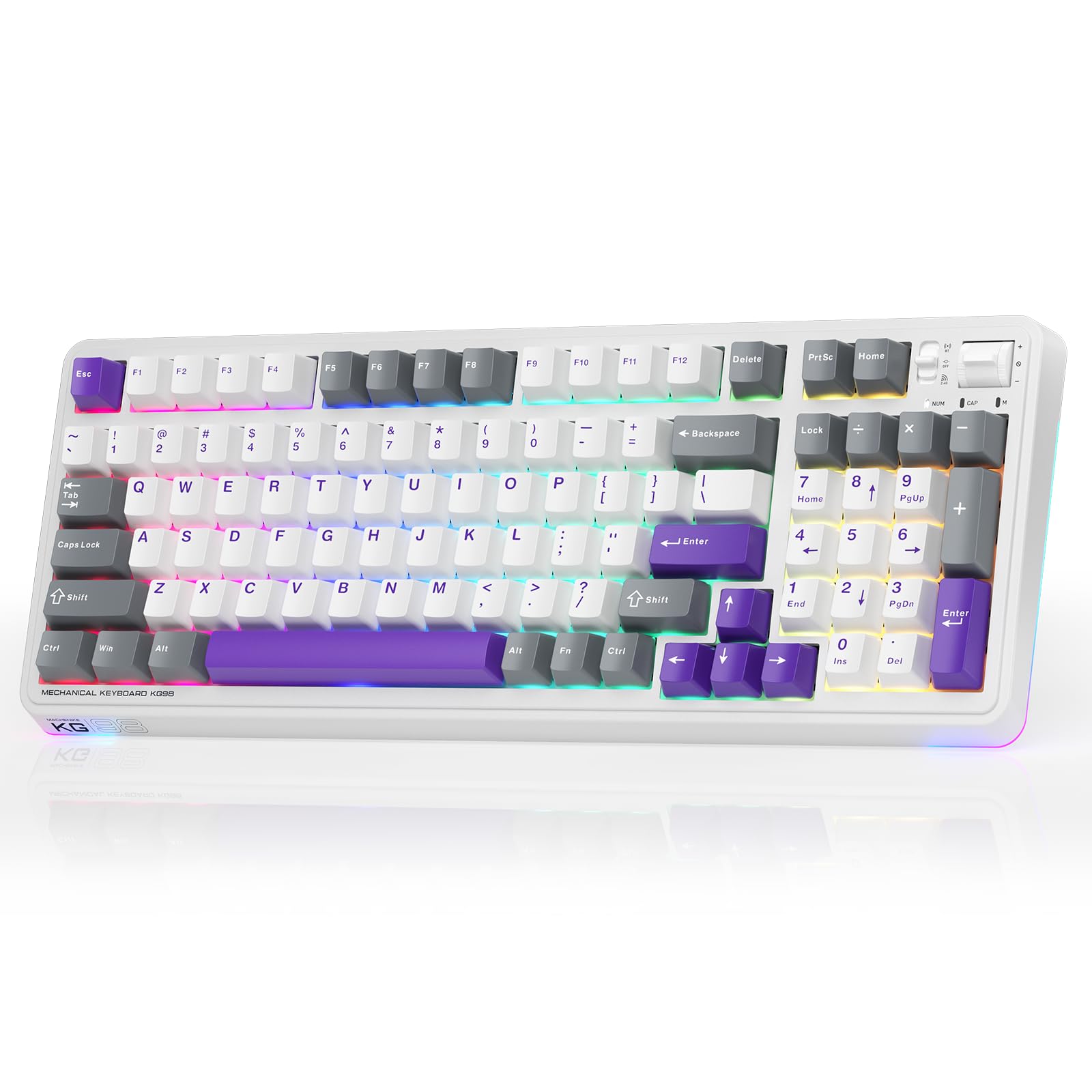
Figure 1: Machenike KG98 Mechanical Gaming Keyboard
2. Apa yang ada di dalam Kotak
Please verify that all items are present upon unboxing:
- Machenike KG98 Mechanical Keyboard
- Extra 2 Grey Pre-lubed Linear Switches
- Penarik Kekunci
- Kabel USB (Jenis-A ke Jenis-C)
- Manual Pengguna (dokumen ini)

Figure 2: Box Contents of the KG98 Keyboard
3. Persediaan
3.1 Mod Kesambungan
The KG98 keyboard supports three connection modes: Wired (USB-C), 2.4G Wireless, and Bluetooth (BT5.0). A mode switch is located on the top-right side of the keyboard.
- Mod Berwayar: Connect the provided USB-C cable to the keyboard and your computer. The mode switch should be in the middle (USB) position.
- Mod Wayarles 2.4G: Locate the 2.4G USB dongle (usually stored magnetically on the keyboard's underside). Insert the dongle into your computer's USB port. Slide the mode switch to the bottom (2.4G) position. The keyboard will automatically connect.
- Mod Bluetooth: Slide the mode switch to the top (BT) position. On your device (computer, tablet, smartphone), search for Bluetooth devices and select 'Machenike KG98'. The keyboard's indicator light will flash blue during pairing.
3.2 Mengecas Papan Kekunci
The keyboard is equipped with an 8000mAh battery. To charge, connect the USB-C cable to the keyboard and a power source (e.g., computer USB port, USB wall adapter). The indicator light will show charging status.

Figure 3: Connectivity and Multimedia Control Switches
Video 1: Machenike KG98 Mechanical Keyboard Overview (Seller Content)
This video demonstrates the unboxing, various features, and connectivity options of the Machenike KG98 Mechanical Keyboard, including switch removal and typing sound tests.
4. Arahan Operasi
4.1 Kombinasi Kekunci Fungsi
The KG98 keyboard utilizes the 'Fn' key for various secondary functions. Refer to the included user manual for a comprehensive list of Fn key combinations for both Windows and macOS, including multimedia controls, brightness adjustments, and system functions.
4.2 Kawalan Pencahayaan RGB
The keyboard features 16.8 million customizable RGB backlighting and dual-sided RGB light strips. Use the following key combinations to adjust the lighting:
- Fn + Shift: Kitar semula pelbagai kesan pencahayaan RGB.
- Fn + Enter: Change the solid color of the current lighting effect.
- Fn + Up/Down Arrow: Adjust backlight brightness (4 levels).
- Fn + Left/Right Arrow: Adjust animation speed (4 levels).
- Fn + Page Up/Page Down: Change side light strip color.
- Fn + Home/End: Change side light strip mode/speed.
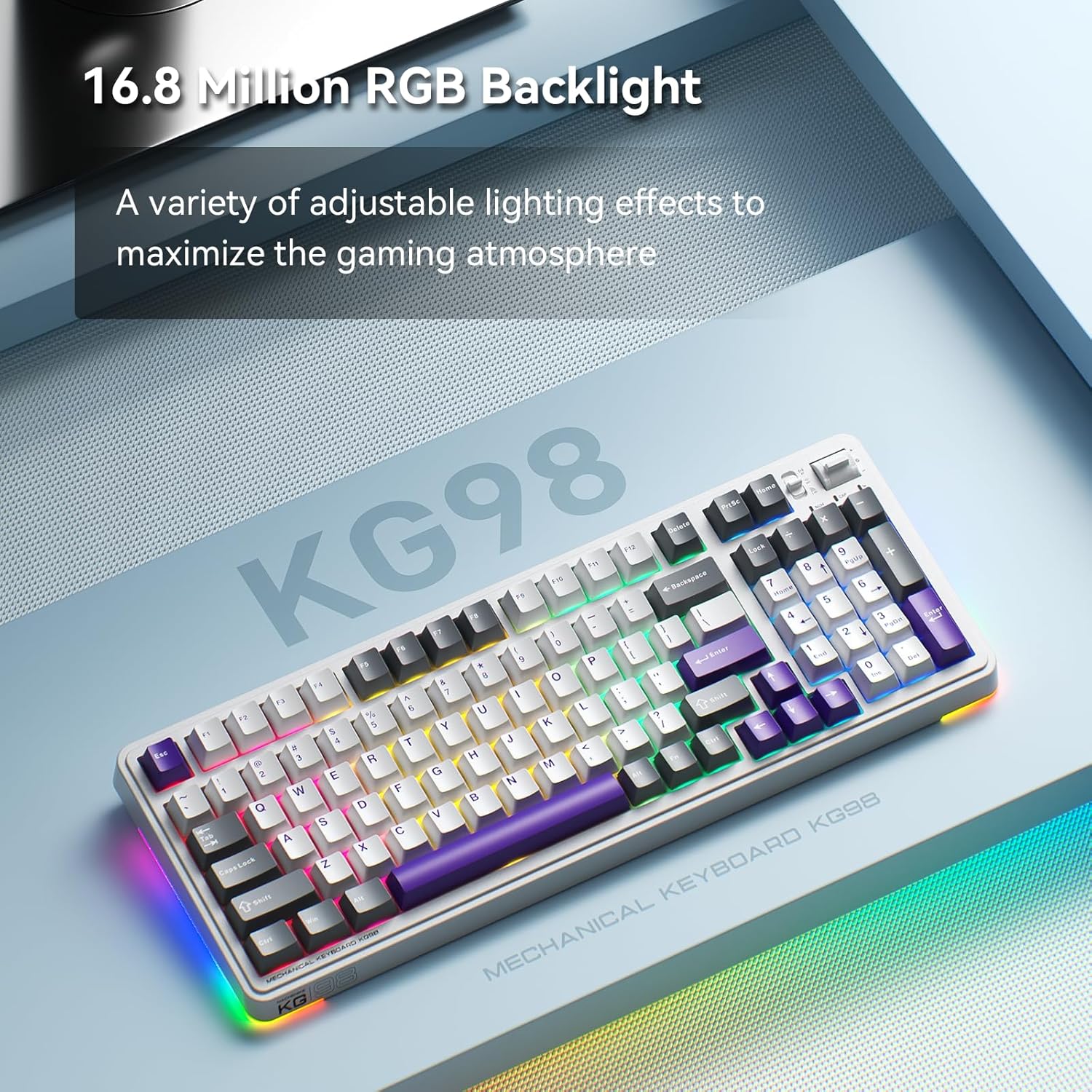
Figure 4: Customizable RGB Backlighting
4.3 Multimedia and Volume Controls
A multi-functional toggle switch is located on the top-right of the keyboard, allowing for quick adjustments:
- Putar: Laraskan kelantangan ke atas atau ke bawah.
- Tekan: Redam/nyahredamkan audio.
- Tekan dan Tahan: Cycle through RGB lighting modes.
5. Penyesuaian
5.1 Suis Boleh Tukar Panas
The KG98 keyboard features hot-swappable sockets, allowing you to easily replace switches without soldering. This enables personalization of typing feel and sound. Use the included keycap puller and switch puller to remove and install switches. The keyboard supports both 3-pin and 5-pin switches.

Figure 5: Hot-Swappable Switches
5.2 Penggantian Penutup Kekunci
The keyboard comes with durable PBT keycaps. You can replace these with aftermarket keycaps of your choice to further customize the keyboard's aesthetics. Use the keycap puller to safely remove keycaps.
5.3 Penyesuaian Perisian
Download the official Machenike software to unlock advanced customization options, including:
- Key remapping for individual keys.
- Rakaman dan tugasan makro.
- Detailed RGB lighting effects and color customization.
- Adjusting debounce time and sleep settings.
6. Spesifikasi
| Nombor Model | KG98 |
| Dimensi Produk | 16.61"L x 7.48"W x 2.16"H |
| Berat Barang | 3.39 paun |
| Teknologi Ketersambungan | BT5.0 (Bluetooth), 2.4G Wireless, USB-C Wired |
| Penerangan Papan Kekunci | Papan Kekunci Mekanikal Tanpa Wayar Gasket |
| Backlighting papan kekunci | RGB |
| Bateri | 1 bateri Lithium Ion (termasuk) |
| Ciri Khas | Noise-canceling, Hot-swappable switches, Multi-functional switch |
| Peranti Serasi | Konsol Permainan, Komputer Riba, PC, Telefon Pintar, Tablet |
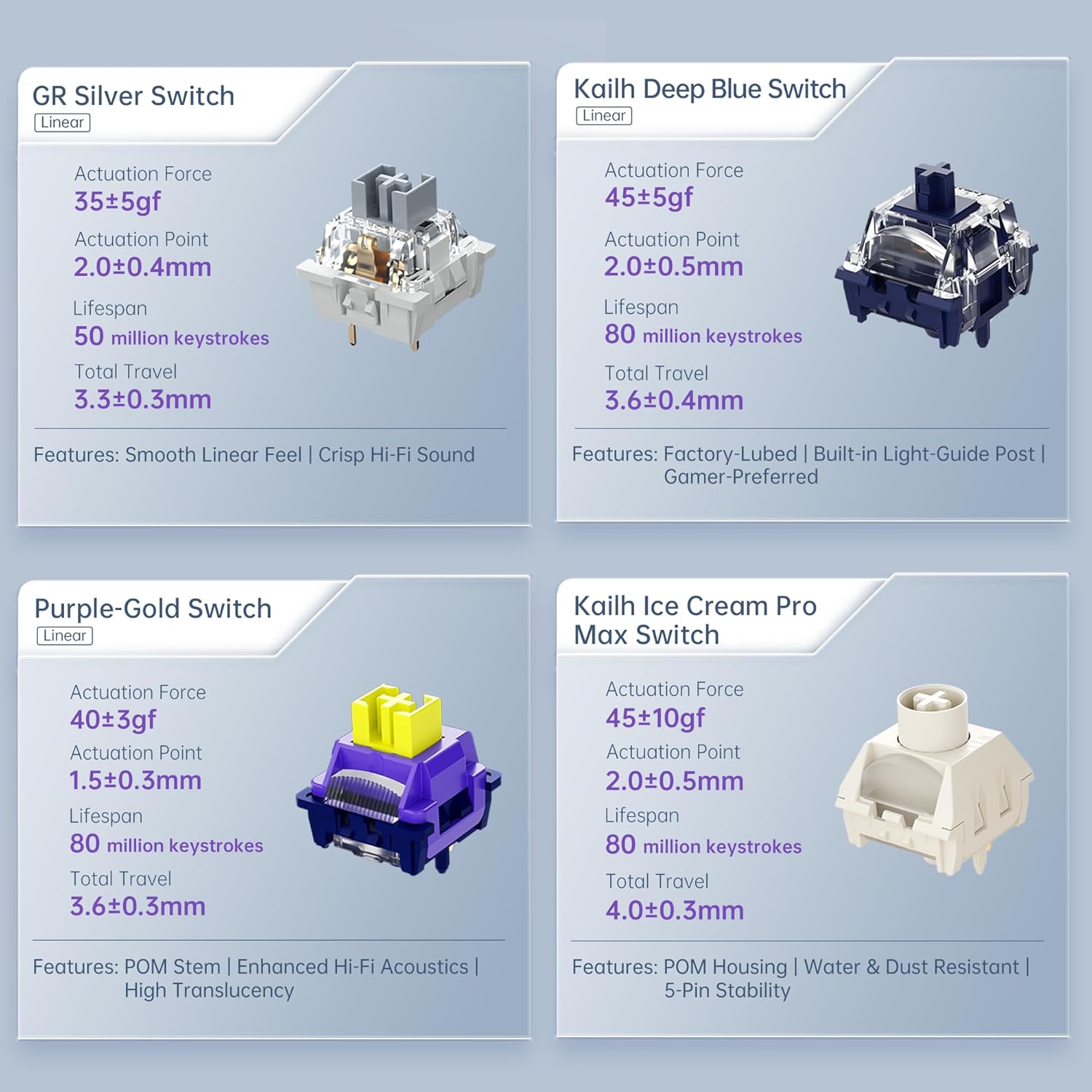
Figure 6: Premium 5-Layer Acoustic Filling Design
7. Penyelenggaraan
To ensure the longevity and optimal performance of your Machenike KG98 keyboard, follow these maintenance guidelines:
- Pembersihan: Regularly clean the keyboard with a soft, dry cloth. For deeper cleaning, remove keycaps using the provided puller and use compressed air to clear debris from between switches.
- Elakkan Cecair: Do not expose the keyboard to liquids. If spills occur, immediately disconnect the keyboard and allow it to dry completely before re-using.
- Storan: Simpan papan kekunci di tempat yang sejuk dan kering jauh dari cahaya matahari langsung dan suhu yang melampau.
8. Penyelesaian masalah
If you encounter issues with your Machenike KG98 keyboard, try the following troubleshooting steps:
- Tiada jawapan: Ensure the keyboard is properly connected in wired mode, or that the 2.4G dongle/Bluetooth is correctly paired and the mode switch is in the correct position. Check battery level.
- Isu Ketersambungan: For wireless modes, ensure the keyboard is within range of your device. Try re-pairing Bluetooth or re-inserting the 2.4G dongle.
- Lampu RGB Tidak Berfungsi: Check brightness settings (Fn + Up Arrow). Ensure the lighting mode is active (Fn + Shift).
- Kunci Tidak Mendaftar: If individual keys are not working, try replacing the switch using the provided tools and extra switches.
- Isu Perisian: Ensure you have the latest version of the Machenike software installed. Restart your computer and the software.
- Tetapan semula kilang: If problems persist, you can perform a factory reset via the customization software.
9. Waranti dan Sokongan
For warranty information, technical support, or service inquiries, please contact Machenike customer support through their official website or the contact details provided with your purchase. Keep your proof of purchase for warranty claims.