
pengenalan
The COMAN M1ProV5 Carbon Fiber Monopod is a versatile and lightweight support system designed for photographers and videographers. This manual provides essential information for the safe and effective use of your monopod, including setup, operation, maintenance, and specifications. Please read this manual thoroughly before using the product.

Penerangan Imej: A person holds the COMAN M1ProV5 monopod with a camera attached, demonstrating its portability and the ease of its one-click lifting system. The image emphasizes the monopod's light weight of 1.6 kg.
Produk Selesaiview
The COMAN M1ProV5 monopod incorporates several advanced features for enhanced performance and user convenience:
- One-Click Lifting System: This unique four-section carbon fiber monopod features a one-click lifting system for rapid and effortless height adjustment, increasing setup speed by up to 300% compared to traditional models.
- V5 Fluid Head: Equipped with a professional V5 hydraulic head, it allows for precise ±90° tilt and 360° pan movements, ensuring smooth and stable camera operation for various shooting scenarios.
- Quick Release Modules: Designed with quick-release modules at both the top and bottom, enabling instant transitions between monopod and ground modes for dynamic and versatile production setups.
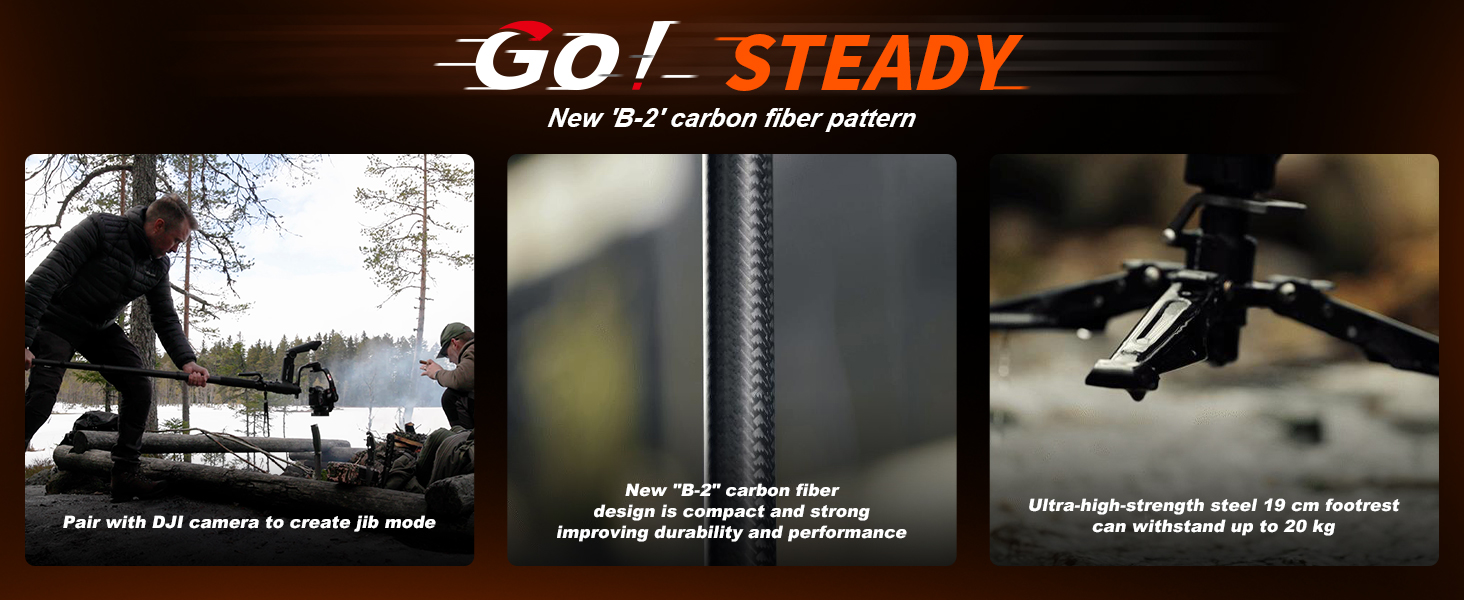
- Carbon Fiber Construction: Crafted from high-quality B-2 carbon fiber with a 2mm tube wall and UV-resistant coating, the monopod offers exceptional strength, reduced weight, and increased durability, even in challenging conditions.
- Stable Feet and Pedal Control: Reinforced 600g steel feet (190mm length) provide a solid and stable base on uneven terrain. A two-level release mechanism enhances control, allowing quick adjustments with a simple press of the foot pedal.
- CNC Quick Release Plate: Features a one-second locking trigger and integrated safety locks for peace of mind. It is compatible with standard DJI RS2/RS3/RS4 and Manfrotto 501 systems.
- Reka bentuk yang ringan dan padat: With a maximum height of 1750mm and a folded height of 765mm, this monopod is designed for portability while supporting a maximum load capacity of 10 kg.

Penerangan Imej: A comprehensive diagram illustrating the various components of the COMAN M1ProV5 monopod, such as the gimbal one-touch quick release, 180° front and rear adjustment knobs, 360° panorama adjustment knob, head quick release button, non-slip rubber sleeve, carbon fiber handle, 4-section telescopic leg, foot support quick release button, two-stage one-touch foot pedal, and damptombol pelarasan ing.
Persediaan
Follow these steps to set up your COMAN M1ProV5 monopod:
- Membongkar: Carefully remove all components from the packaging. Verify that all listed items are present, including the monopod body, V5 fluid head, quick release plate, and accessories.
- Attaching the Head: Securely attach the V5 hydraulic head to the top of the monopod body. Ensure it is tightened properly to prevent any wobbling during use.
- Attaching the Quick Release Plate: Mount the CNC quick release plate to the base of your camera or camcorder. Ensure it is firmly attached.
- Memasang Kamera: Insert the camera with the attached quick release plate into the V5 hydraulic head until it locks securely. Listen for a distinct click and verify that the safety lock engages.
- Deploying the Feet: Extend the monopod's integrated feet for enhanced stability. The two-stage pedal design allows for quick and easy deployment.
Penerangan Imej: This image demonstrates the one-touch quick release and quick install features. It shows how to rapidly attach a camera to the gimbal quick-mount design and how the easy-release module allows for quick attachment and detachment of the monopod's feet, emphasizing speed and efficiency.
Arahan Operasi
Learn how to effectively operate your COMAN M1ProV5 monopod:
1. Height Adjustment (One-Click Lifting System)
- Untuk Memperluas: Press the one-click lifting button located on the monopod handle and pull the monopod upwards to the desired height. Release the button to lock the section in place.
- Untuk Menarik Balik: Press the one-click lifting button and gently push the monopod downwards. Release the button to lock it at a shorter length.

Penerangan Imej: This image shows a user operating the COMAN M1ProV5 monopod, illustrating the one-click lifting system for quick height adjustments and the two-stage pedal design for engaging the stable feet. It also highlights the universal ball table tilt design and the monopod's net weight.
2. Fluid Head Operation
- Pelarasan Kecondongan: Loosen the tilt lock knob to adjust the vertical angle of your camera (±90°). Once the desired angle is achieved, tighten the knob to secure it.
- Pelarasan Kuali: Loosen the pan lock knob to rotate the head horizontally (360°). Tighten the knob to fix the panning position.

Penerangan Imej: This image provides a close-up of the V5 hydraulic head, detailing its stable and smooth panning capabilities, compatibility with DJI and Manfrotto systems, the 3-screw hole adaptive design, anti-deflection screw fixing, and the two-stage one-touch foot pedal for quick adjustments.
3. Quick Release Module Usage
- The monopod features modular quick-release points at the top and bottom. To detach a section (e.g., to convert to a desktop tripod or trekking pole), press the corresponding release button and separate the module.
- To reattach, align the modules and push them together until they click and lock securely.

Penerangan Imej: This diagram illustrates the modular quick-release structure, demonstrating how the monopod can be quickly disassembled and reassembled to switch between different configurations, such as a monopod and a ground-level tripod, enhancing flexibility and efficiency.
4. Versatile Configurations (3-in-1 Detachable Design)
- The M1ProV5 can be used as a standard monopod, converted into trekking poles by detaching the head and feet, or used as a desktop tripod by utilizing the base module.
- It also features a 1/4" screw hole for expanding accessory options.

Penerangan Imej: Imej komposit menunjukkanasing the monopod's 3-in-1 detachable design. It displays the product configured as a full-height monopod, as trekking poles, as a compact desktop tripod, and demonstrating the 1/4-inch screw hole for accessory expansion.
Penyelenggaraan
Proper maintenance ensures the longevity and optimal performance of your monopod:
- Pembersihan: After each use, wipe the carbon fiber sections and metal parts with a soft, dry cloth. For stubborn dirt, use a slightly damp kain dengan sabun lembut, kemudian keringkan dengan teliti. Elakkan bahan kimia yang keras.
- Pelinciran: Do not apply lubricants to the monopod's moving parts unless specifically instructed by the manufacturer. Unauthorized lubrication may damage the mechanisms.
- Storan: Store the monopod in its provided storage bag in a dry, cool place, away from direct sunlight, dust, and extreme temperatures.
- Pemeriksaan: Regularly check all screws, knobs, and locking mechanisms for tightness and proper function. Do not overtighten any components.
Menyelesaikan masalah
If you encounter issues with your COMAN M1ProV5 monopod, refer to the following common problems and solutions:
- Problem: Monopod not locking at desired height.
Penyelesaian: Ensure the one-click lifting button is fully released after adjusting the height. Check for any debris or obstruction within the locking mechanism that might prevent it from engaging properly. - Problem: Camera not securely attaching to the fluid head.
Penyelesaian: Verify that the quick release plate is correctly mounted on your camera. Ensure the quick release mechanism on the head is fully open before inserting the plate and fully closed after insertion. Listen for the audible click and confirm the safety lock is engaged. If the issue persists, inspect both the quick release plate and the head for any signs of damage or wear. - Problem: Fluid head movements are stiff or jerky.
Penyelesaian: Check if the tilt and pan lock knobs are fully loosened. Ensure that the weight of your camera setup does not exceed the monopod's maximum load capacity of 10 kg. - Problem: Monopod feels unstable during use.
Penyelesaian: Ensure the integrated feet are fully extended and locked into position. Verify that the foot pedal mechanism is correctly engaged. Always place the monopod on a stable and level surface.
Spesifikasi
| Ciri | Perincian |
|---|---|
| Jenama | COMAN |
| Nombor Model | M1ProV5 |
| bahan | Serat Karbon |
| warna | Hitam |
| Ketinggian Maksimum | 175 Sentimeter (1750 mm) |
| Tinggi Dilipat | 76.5 Sentimeter (765 mm) |
| Kapasiti Beban Maksimum | 10 Kilogram |
| Jenis Kepala | Hydraulic Head (V5) |
| Peranti Serasi | Camera, Camcorder |
| Ciri Khas | Telescopic, One-Click Lifting System |
| Quick Release Plate Compatibility | DJI RS2/RS3/RS4, Manfrotto 501 |

Penerangan Imej: A detailed table presenting the specifications for both the V5 and S heads, covering aspects such as head material (aluminum), load-bearing capacity (10KG), head height, chassis diameter, screw interface (1/4, 3/8), quick release plate size, pitch range (90°-90° for V5, 12°-12° for S), and the presence of a fast system.

Penerangan Imej: This image displays the packing details for both the M1S and M1ProV5 models. It lists the contents included in the box for each model, such as the manual, storage bag, Allen wrench, monopod body, head main body, detachable module, stainless steel spike, head telescopic handle (for M1ProV5), and head quick release plate.
Waranti dan Sokongan
Maklumat Waranti: For detailed warranty terms and conditions, please refer to the documentation provided with your purchase or contact COMAN customer support directly. The provided product data indicates a general warranty description, but specific details should be obtained from the manufacturer.
Sokongan Pelanggan: For technical assistance, spare parts, or service inquiries, please visit the official COMAN website or contact their authorized service centers. Contact information can typically be found on the product packaging or the manufacturer's webtapak.
Nota Penting tentang Video
No relevant product video URLs were provided in the product data. Therefore, no videos could be embedded in this manual.