
Produk Selesaiview
The ASTRO Gaming A20 Gen 2 Wireless Headset provides a high-quality audio experience for gaming across multiple platforms. Designed for comfort and performance, it features low-latency wireless connectivity and a convenient flip-to-mute microphone.
Ciri-ciri Utama:
- Next-Gen Compatibility: Seamlessly works with PlayStation 5, PlayStation 4, Windows, and Mac OS.
- Lag-Free Wireless Audio: 2.4GHz USB wireless transmitter ensures low-latency, high-quality sound.
- Bateri Tahan Lama: Up to 15 hours of wireless gaming on a single charge.
- Mikrofon Flip-to-Redam: Flexible boom mic with an intuitive flip-to-mute function for instant control.
- Keselesaan Sepanjang Hari: Lightweight design with padded headband and ear cushions for extended wear.
Apa yang ada dalam Kotak
- A20 Alat Dengar Wayarles
- Pemancar USB
- Kabel pengecas USB-C ke USB-A
Arahan Persediaan
Follow these steps to set up your ASTRO Gaming A20 Gen 2 Wireless Headset:
- Caskan Alat dengar: Connect the headset to a power source using the provided USB-C to USB-A charging cable. Ensure the headset is fully charged before first use for optimal battery life.
- Connect the USB Transmitter: Plug the USB transmitter into an available USB port on your PlayStation console (PS5 or PS4) or your Windows/Mac computer. The transmitter facilitates the 2.4GHz wireless connection.
- Hidupkan kuasa: Turn on your ASTRO Gaming A20 Gen 2 Wireless Headset. The headset should automatically pair with the USB transmitter. Refer to your device's audio settings to ensure the headset is selected as the input and output device.
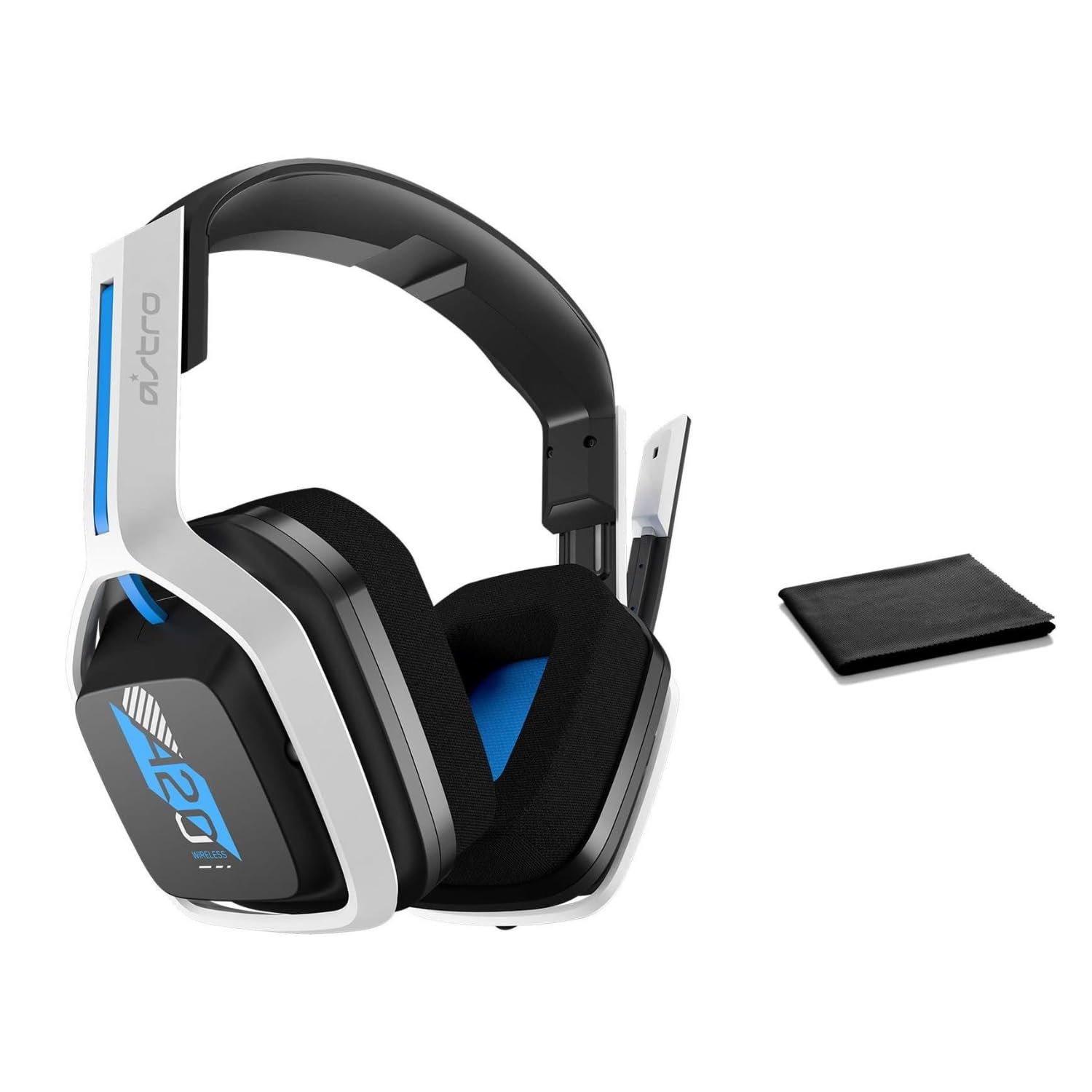
Image: The ASTRO Gaming A20 Gen 2 Wireless Headset, ready for use.
Arahan Operasi
Fungsi Mikrofon
The headset features a flexible boom microphone with a flip-to-mute function. To mute your microphone, simply flip the boom arm upwards. To unmute and activate the microphone, flip the boom arm back down to its original position.
Kawalan Kelantangan
Adjust the audio volume using the dedicated volume control located on the headset. Rotate the dial or press the buttons (depending on the specific model variant) to increase or decrease the sound output.
Penyelenggaraan
Untuk memastikan ketahanan dan prestasi optimum alat dengar anda:
- Pembersihan: Use the included premium microfiber cloth to gently wipe down the headset and accessories. This helps keep your headset dust-free and smudge-free.
- Storan: Simpan set kepala di tempat yang bersih dan kering jauh dari suhu yang melampau dan cahaya matahari langsung apabila tidak digunakan.
- Penjagaan Bateri: For best battery health, avoid fully discharging the headset frequently. Charge it regularly.
Menyelesaikan masalah
If you encounter issues with your ASTRO Gaming A20 Gen 2 Wireless Headset, consider the following:
- Tiada Audio/Mikrofon Tidak Berfungsi: Ensure the USB transmitter is securely plugged into your device and the headset is powered on and paired. Check your device's audio settings to confirm the headset is selected as the default input/output. For the microphone, ensure it is not in the 'flipped-up' (muted) position.
- Isu Sambungan: Try unplugging and re-plugging the USB transmitter. If issues persist, try connecting to a different USB port.
- Bateri Tidak Dicas: Verify the charging cable is properly connected to both the headset and the power source. Try a different USB port or power adapter.
- Kemas kini Firmware: Visit the official ASTRO Gaming support website for any available firmware updates for your headset, as these can resolve various performance issues.
Spesifikasi
| Ciri | Perincian |
|---|---|
| Nama Model | 939-001876 |
| Jenama | Permainan ASTRO |
| Teknologi Ketersambungan | Tanpa wayar |
| Komunikasi Tanpa Wayar | 2.4GHz Wireless |
| Peranti Serasi | Mac OS, PlayStation 4, Playstation 5, Windows |
| Hayat Bateri | 15 Jam |
| Masa Mengecas | 15 Jam |
| Mikrofon | Balik-untuk-Redam |
| Penempatan Telinga | Atas Telinga |
| Berat Barang | 11.2 auns (318 Gram) |
| bahan | plastik |
| Komponen yang Disertakan | A20 Wireless Headset, USB transmitter, USB-C to USB-A charging cable |
Waranti dan Sokongan
For detailed warranty information and technical support, please refer to the official ASTRO Gaming webtapak atau hubungi perkhidmatan pelanggan mereka. Simpan bukti pembelian anda untuk tuntutan waranti.